Key Takeaways
- Google Keyword Planner helps advertisers discover search terms, estimate demand, assess advertising competition and costs, and plan Search campaigns.
- Although designed primarily for PPC, its keyword ideas, estimated volumes, and trend data can support SEO research and broader market analysis.
- Average monthly searches and forecasts are estimates influenced by factors such as location, date range, targeting, seasonality, bids, budgets, and historical performance.
- Its Competition metric measures advertiser competition, while bid ranges reflect historical advertising costs; neither directly measures organic ranking difficulty.
Google Keyword Planner is a keyword research and forecasting tool within Google Ads to help advertisers discover relevant search terms, estimate search demand, evaluate advertising competition and costs, and plan Search campaigns.
The tool was created primarily for pay-per-click (PPC) advertising, but its keyword ideas, estimated search volumes, and trend data are also useful for SEO and broader market research. Google describes Keyword Planner as a free resource, although access requires a Google Ads account. Google currently requires account setup, including billing information, before basic Keyword Planner features become available.
Note
Keyword Planner search-volume figures are rounded estimates, so they should be used to compare relative demand rather than treated as exact query counts.
Google launched Keyword Planner in 2013, combining functionality that had previously been provided through the Google Keyword Tool and Traffic Estimator. Its parent advertising platform was known as Google AdWords until 2018, when Google renamed it Google Ads.
Keyword Planner does not directly import Google Search Console or Google Analytics 4 data into its keyword research interface. However, the parent Google products can be linked for broader advertising and search analysis. Google officially supports all three integrations.
How the Tool Helps Digital Marketing Strategies
Although Keyword Planner was built for Google Ads, its search-demand data can support several areas of digital marketing.
- PPC Advertising: Advertisers can discover keywords, compare advertising competition and bid ranges, estimate traffic, forecast costs, and build keyword plans before launching Search campaigns.
- SEO Content Strategy: SEO professionals can use keyword ideas and estimated monthly search demand to discover related terms, long-tail opportunities, seasonal patterns, and potential topics for further research. However, Keyword Planner’s Competition metric measures advertiser competition, not organic SEO ranking difficulty.
- Market Research: Search-demand patterns can help compare interest in products, services, industries, and locations or identify seasonal increases and decreases. Search volume should be treated as an estimate rather than an exact measurement of total market demand.
Google’s Keyword Planner can provide keyword suggestions, monthly-search estimates, cost information, categories, and campaign forecasts.
Microsoft Advertising Keyword Planner
Microsoft provides Microsoft Advertising Keyword Planner, a similar keyword-planning tool for paid search advertisers. To access the tool, sign in to a Microsoft Advertising account and navigate to Tools → Keyword Planner. The tool helps discover keywords and examine search volume, trends, performance estimates, and potential advertising costs.
Microsoft Search ads can appear across Bing and search partners such as Yahoo, DuckDuckGo, and Ecosia. For organic Bing keyword research, Bing Webmaster Tools’ Keyword Research feature is more relevant.
How to Set Up and Use Google Keyword Planner
Keyword Planner is accessed from within a Google Ads account rather than as a standalone tool.
Step 1: Create a Google Ads Account
Go to the Google Ads website, sign in with a Google account, and begin the account setup process.
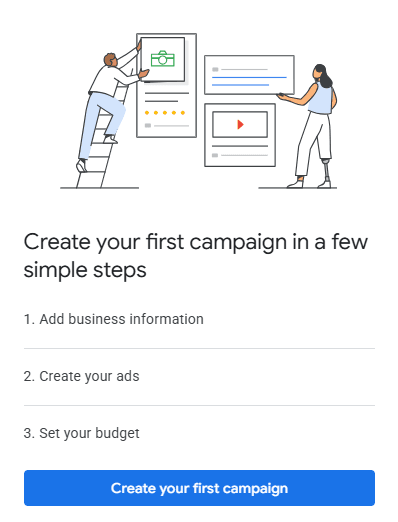
During setup:
- Add the requested business information. Complete the Google Ads account setup. A campaign does not need to be created immediately, although billing information is currently required before basic Keyword Planner features become available.
- Confirm important account settings such as the billing country, time zone, and currency.
- Complete the required billing information. Google currently requires billing setup before basic Keyword Planner features, including new keyword ideas, become available.
- Finish the account setup and enter the Google Ads dashboard.
Google periodically changes its onboarding screens and button wording, so the exact labels shown during setup may differ.
Step 2: Open Keyword Planner
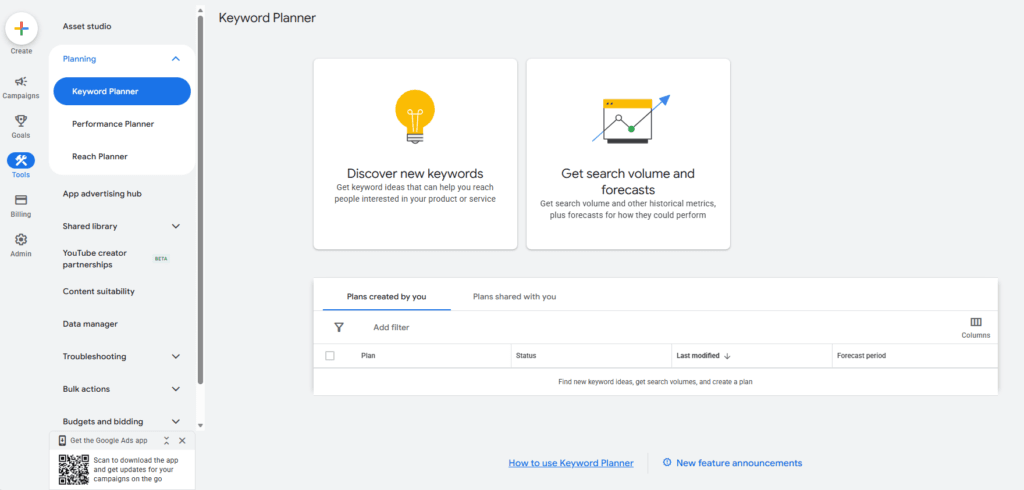
In Google Ads, open Tools → Planning → Keyword Planner.
Keyword Planner provides two main ways to begin research:
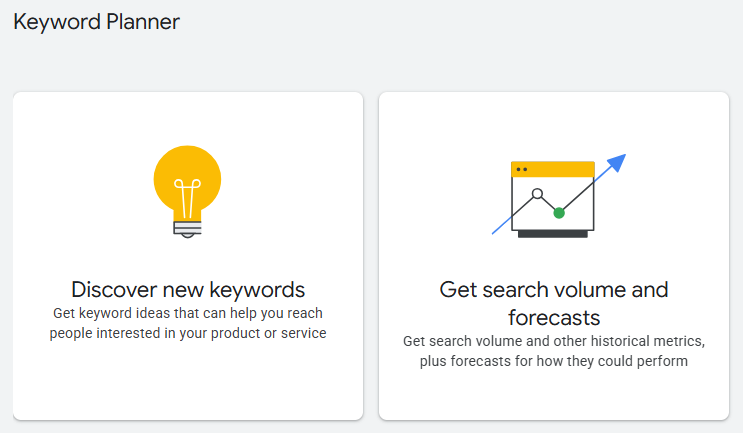
- “Discover New Keywords”: Use this when looking for new keyword ideas. Enter one or more words or phrases related to a product, service, or topic, or provide a website URL so Google can suggest keywords related to its content.
- “Get Search Volume and Forecasts”: Use this when a keyword list already exists. Keywords can be entered, pasted, or uploaded to examine historical search information and potential advertising performance.
A competitor’s URL can be useful as a research starting point, but Keyword Planner does not reveal the exact keywords that competitor ranks for or targets. Instead, Google analyzes the supplied website and generates related keyword ideas.
Step 3: Refine and Analyze the Keywords
After generating keyword ideas, refine the results so the list better matches the intended market and research goal.
Useful actions include:
- Set the target location and language so the data reflects the intended market.
- Adjust the date range when comparing current demand with historical trends.
- Filter keyword ideas by factors such as keyword text, average monthly searches, advertising competition, and top-of-page bid estimates.
- Refine keyword groups and categories to remove irrelevant themes or narrow the research to specific products or services.
- Compare average monthly searches and trends to understand relative search demand.
- Review Competition and bid data when the research is intended for paid advertising. Remember that Competition measures advertiser competition, not organic SEO difficulty.
- Add useful terms to a keyword plan or download the results for further analysis in a spreadsheet.
- For an existing keyword list, use “Get Search Volume and Forecasts” to estimate potential impressions, clicks, costs, and other advertising outcomes. Google refreshes Keyword Planner forecasts daily using data from the previous 7–10 days, with adjustments for seasonality.
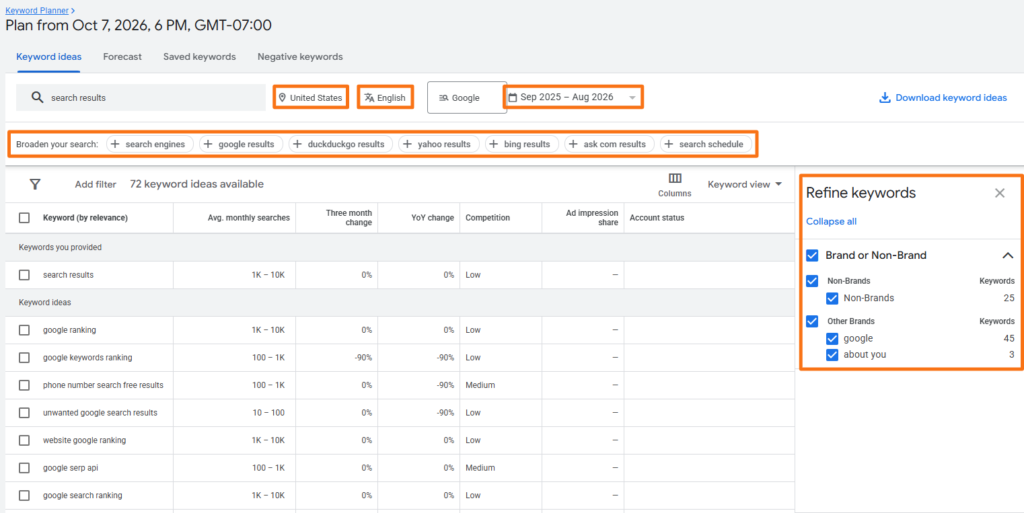
Google’s refinement tools can also organize keyword ideas into relevant categories and themes.
Key Features and Metrics of Google Keyword Planner
Keyword Planner combines keyword discovery, historical search information, and advertising forecasts within one interface.
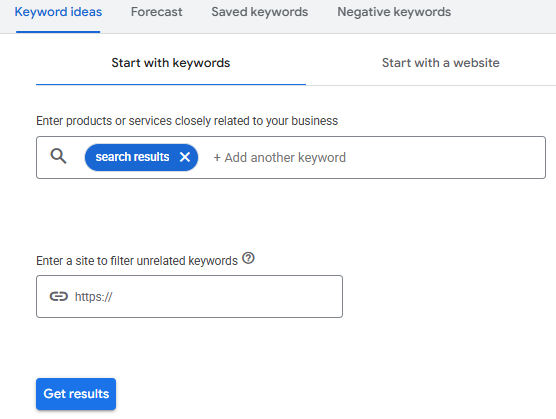
1. Keyword Discovery
Users can enter seed keywords, phrases, or website URLs to generate related keyword ideas. This is useful for expanding an initial keyword list and discovering alternative ways people search for a topic.
2. Average Monthly Searches
“Average monthly searches” estimates how frequently searches occur for a keyword along with its close variants, based on selected settings and historical data. The figure is typically averaged across the previous 12 months, helping smooth out seasonal spikes and short-term fluctuations in search demand.
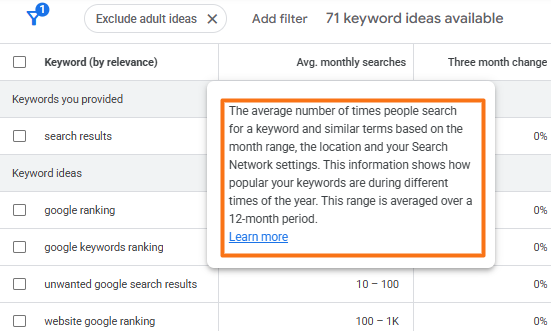
Search-volume figures are estimates and can vary according to factors such as location, date range, and Search Network settings.
3. Advertising Competition
The Competition column classifies keywords as “Low”, “Medium”, or “High” according to relative advertiser competition. This is a PPC metric, not an SEO keyword-difficulty score.
4. Top-of-Page Bid Ranges
Keyword Planner provides historical advertising estimates for:
- “Top of page bid”: low range
- “Top of page bid”: high range
Google describes these as approximations of the 20th and 80th percentiles, respectively, of historical bids that resulted in ads appearing near the top of the search results under the selected targeting conditions.
In simple terms, top of page bid estimates how much advertisers have historically needed to bid for ads to appear near the top of Google’s search results for that keyword. The 20th (low) and 80th (high) percentiles represent lower and upper benchmarks rather than minimum and maximum bids. For example, if the low range is $1 and the high range is $4, roughly 20% of observed bids were below about $1 and 80% were below about $4.
5. Performance Forecasts
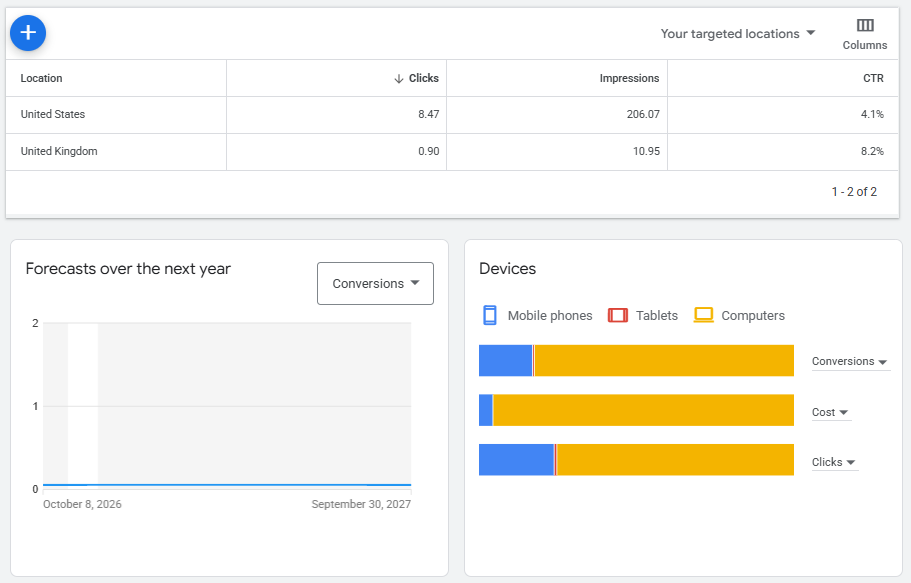
Keyword forecasts can estimate potential clicks, impressions, CTR, costs, and other advertising outcomes based on factors such as keywords, bids, budgets, seasonality, targeting, and historical performance. Forecasts are estimates rather than guarantees of campaign results.
6. Website-Based Keyword Ideas
A website or individual page can be used as the starting point for keyword discovery. Google analyzes the page to suggest terms related to its content.
7. Location and Language Targeting
Keyword research can be narrowed to specific geographic markets and languages, making the tool useful for businesses targeting particular countries, regions, or cities.
8. Trends and Device Data
Keyword Planner can show how search demand changes over time and provide breakdowns that help compare demand across computers, mobile devices, and tablets.
9. Keyword Match Types
Google Ads supports three primary keyword match types:
- Broad match provides the widest matching flexibility.
- Phrase match targets searches that include the keyword’s meaning.
- Exact match provides the closest control over meaning or intent.
For example, if the target keyword is running shoes, it can be entered in Keyword Planner using the following notations:
- Broad match:
running shoes— It may match related searches such as best footwear for running or buy jogging shoes. - Phrase match:
"running shoes"— It may match searches that include the same meaning, such as running shoes for beginners or best shoes for running. - Exact match:
[running shoes]— This is intended for searches with the same meaning or intent, such as running shoes or very close variants.
Match types affect ad targeting and forecasts. However, Google’s historical search-volume statistics are based on exact-match search behavior, regardless of the match type selected for forecasting.
10. Refine Keywords
The Refine Keywords feature groups suggestions into automatically generated themes and categories. Depending on the search, these might include brands, product characteristics, service types, or other relevant groupings, allowing entire categories to be included or excluded quickly.
Frequently Asked Questions
Is Google Keyword Planner completely free to use?
Keyword Planner does not require a separate paid subscription, but access requires a Google Ads account with completed account setup and billing information. Advertising campaigns incur costs only when advertising activity is actually run.
Can Keyword Planner be used for organic SEO keyword research?
Yes, keyword ideas, search-demand estimates, and trends in Keyword Planner can support SEO research. However, metrics such as Competition, bid ranges, and advertising forecasts are designed primarily for Google Ads, so they should not be interpreted as direct organic ranking metrics.
Why does Google Keyword Planner show a broad search-volume range instead of exact numbers?
The amount of search-volume detail Google displays can vary according to account circumstances, and Keyword Planner figures are estimates rather than exact search counts. Broad ranges are therefore better used to compare relative demand than as precise traffic predictions.
What is the difference between the low and high top-of-page bids?
The low-range estimate approximates the 20th percentile of historical top-of-page bids, while the high-range estimate approximates the 80th percentile. They indicate historical advertising costs under the selected location and Search Network settings rather than guaranteeing future ad placement.
How can keyword lists be exported from Google Keyword Planner?
After generating keyword ideas, use Keyword Planner’s download option to export the results for further analysis. Keyword ideas can also be added to a Google Ads keyword plan before being organized into campaigns or ad groups.