Key Takeaways
- Schema.org is a shared vocabulary for identifying entities, relationships, actions, and other structured information in machine-readable form.
- Types identify what something is, while properties describe its characteristics or relationships, enabling explicit connections between entities.
- Schema.org supplies vocabulary, whereas JSON-LD, Microdata, and RDFa provide different implementation formats; Google generally recommends JSON-LD.
- Accurate markup can support rich-result eligibility and cross-platform interpretation, but it does not guarantee enhanced search appearances, rankings, or AI citations.
Schema.org is a collaborative, community-developed vocabulary that provides standardized types and properties for describing entities, relationships, actions, and other structured information on webpages and beyond. It gives website owners a shared way to identify what their content represents—for example, a Person, Organization, Product, Article, Place, or Event—instead of leaving machines to infer every relationship from ordinary text.
Schema.org can therefore be thought of as a shared vocabulary between publishers and machines. If a webpage mentions a person’s name, publication date, product price, or business address, Schema.org provides standardized terms that can explicitly identify what those pieces of information mean.
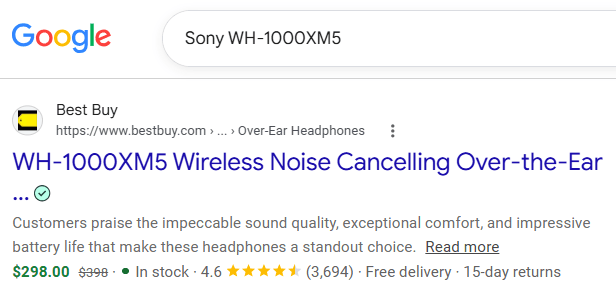
The vocabulary can be implemented using JSON-LD, Microdata, or RDFa. Schema.org supplies the vocabulary, while these formats provide different ways to encode that vocabulary on a webpage. Google supports all three for structured data and generally recommends JSON-LD because it is easier to implement and maintain.
The Evolution
Schema.org began in 2011 as an effort to provide publishers with a common structured-data vocabulary rather than requiring different markup for different search engines. Bing, Google, and Yahoo announced the collaboration on June 2, 2011. Yandex announced support for Schema.org in November 2011 and became increasingly involved in its development. Schema.org currently identifies Google, Microsoft, Yahoo, and Yandex as its founding organizations.
The vocabulary is now developed through an open community process. Schema.org states that applications from Google, Microsoft, Pinterest, Yandex, and other organizations use its vocabulary for different structured-data experiences.
Its uses also extend beyond conventional search results. Pinterest, for example, accepts Schema.org markup for certain Recipe, Article, and Product Rich Pins, allowing information such as recipe details, article authorship, prices, and product availability to accompany eligible Pins.
Apple also documents the use of Schema.org and JSON-LD structured data in Applebot-related contexts, while content crawled by Applebot can be used across experiences such as Spotlight, Siri, and Safari.
This cross-platform use is one of Schema.org’s main advantages: the vocabulary is not tied exclusively to one search engine or one type of website.
How Schema.org Organizes the Web
Schema.org organizes information through two fundamental ideas: types and properties.
Types
A type identifies what an entity is. At the broadest level of the Schema.org hierarchy is Thing, from which many more specific types descend. Examples include:
Person— an individual;Organization— a company, institution, school, or other organization;Place— a physical or geographic place;Product— a product or service;CreativeWork— creative content such as an article, book, video, or software application.
Types can become increasingly specific. For example: Thing → CreativeWork → Article → NewsArticle
Here:
Thingis the broadest type for most entities described in Schema.org. More specific entity types descend from it through the type hierarchy.CreativeWorkis a more specific type used for created content such as articles, books, videos, music, and other works.Articlenarrows that further to written article content.NewsArticleis even more specific and is intended for news reporting or journalistic articles.
A NewsArticle therefore inherits the meaning and properties of the broader types above it. It is still an Article, an Article is still a CreativeWork, and a CreativeWork is still a Thing.
This allows a news story to be described more precisely than simply calling it a generic CreativeWork. For example, a news story published by a newspaper might use “@type”: “NewsArticle”, which tells machines not just that the page contains a creative work or an article, but more specifically that it contains a news article.
Properties
Properties describe characteristics of an entity or relationships between entities. A Book, for example, can have properties such as author, isbn, numberOfPages, and datePublished.
The distinction is straightforward: A type answers “What is this?” while a property answers “What do we know about it?”
Properties can also connect separate entities. The author property of an Article, for instance, can point to a Person entity instead of storing an author’s name as an unrelated piece of text. These relationships are an important part of how Schema.org represents structured information.
Common Types
Schema.org contains types for many kinds of webpages, businesses, people, products, and creative works. Common examples include Person, Organization, Place, Product, CreativeWork, Article, NewsArticle, WebSite, AboutPage, ContactPage, Recipe, and LocalBusiness.
The appropriate type depends on what the content actually represents. An Organization can describe the company or publisher behind a website, while AboutPage identifies a page whose purpose is to provide information about an entity. ContactPage similarly describes a contact page rather than replacing the Organization itself.
For example, an organization’s information could be expressed with Schema.org vocabulary through JSON-LD:
<script type="application/ld+json">
{
  "@context": "https://schema.org",
  "@type": "Organization",
  "name": "Example Company",
  "url": "https://example.com/",
  "logo": "https://example.com/logo.png",
  "sameAs": [
    "https://www.linkedin.com/company/example"
  ]
}
</script>
In this example, @context identifies Schema.org as the vocabulary, while @type says that the entity is an Organization. The name, url, and logo properties describe that organization.
The sameAs property connects the entity with another webpage that represents the same entity, such as an authoritative social or profile page. Google states that it can use of sameAs and other Schema.org structured data.
Schema.org and Modern SEO
Modern search involves more than matching exact words in a query. Search systems also analyze meaning, entities, relationships, context, and intent. Schema.org can support this understanding by expressing selected information in a consistent machine-readable form.
- Provides Explicit Entity Information: Schema.org can clearly identify people, organizations, products, articles, places, events, and relationships between them.
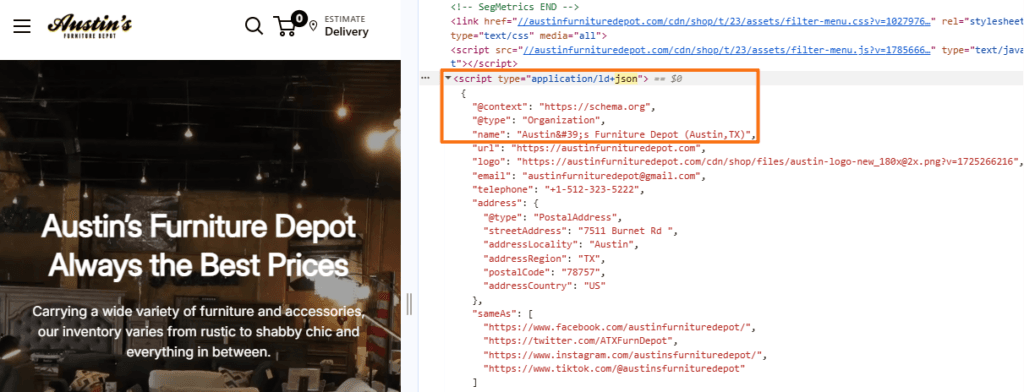
Organization schema in Chrome DevTools (Source: Austin’s Furniture Depot)- Supports Rich Result Eligibility: Google uses supported structured data for search features involving articles, breadcrumbs, products, recipes, events, jobs, local businesses, organizations, videos, and other content. Correct markup can make content eligible for these richer appearances, although display is not guaranteed.
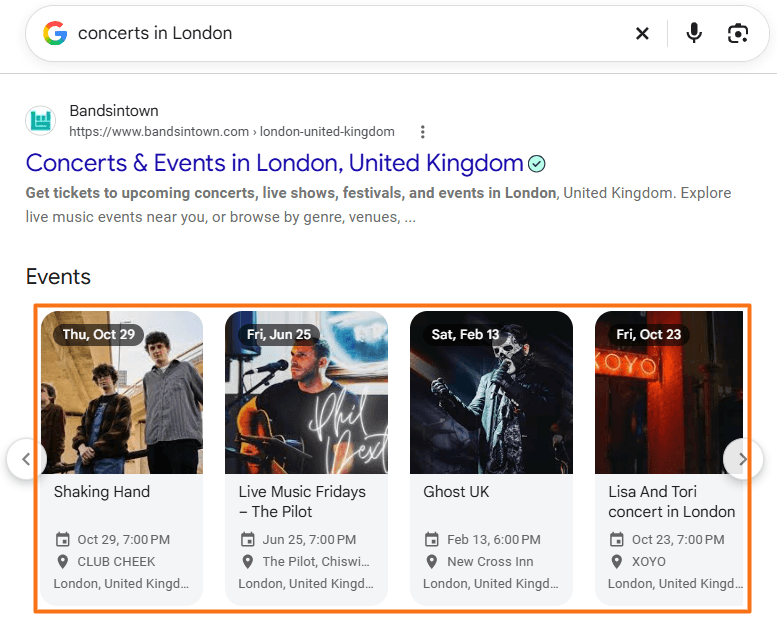
- Makes Important Details Easier to Interpret: Properties such as
price,availability,author,datePublished,foundingDate, orrecipeIngredientprovide specific information in predictable fields.

- Clarifies Entity Relationships: Properties such as
author,publisher,brand, andsameAscan explicitly show how one entity relates to another. - Supports Cross-Platform Data Use: Because Schema.org is shared rather than Google-specific, the same vocabulary can be useful to other services and applications that understand it.
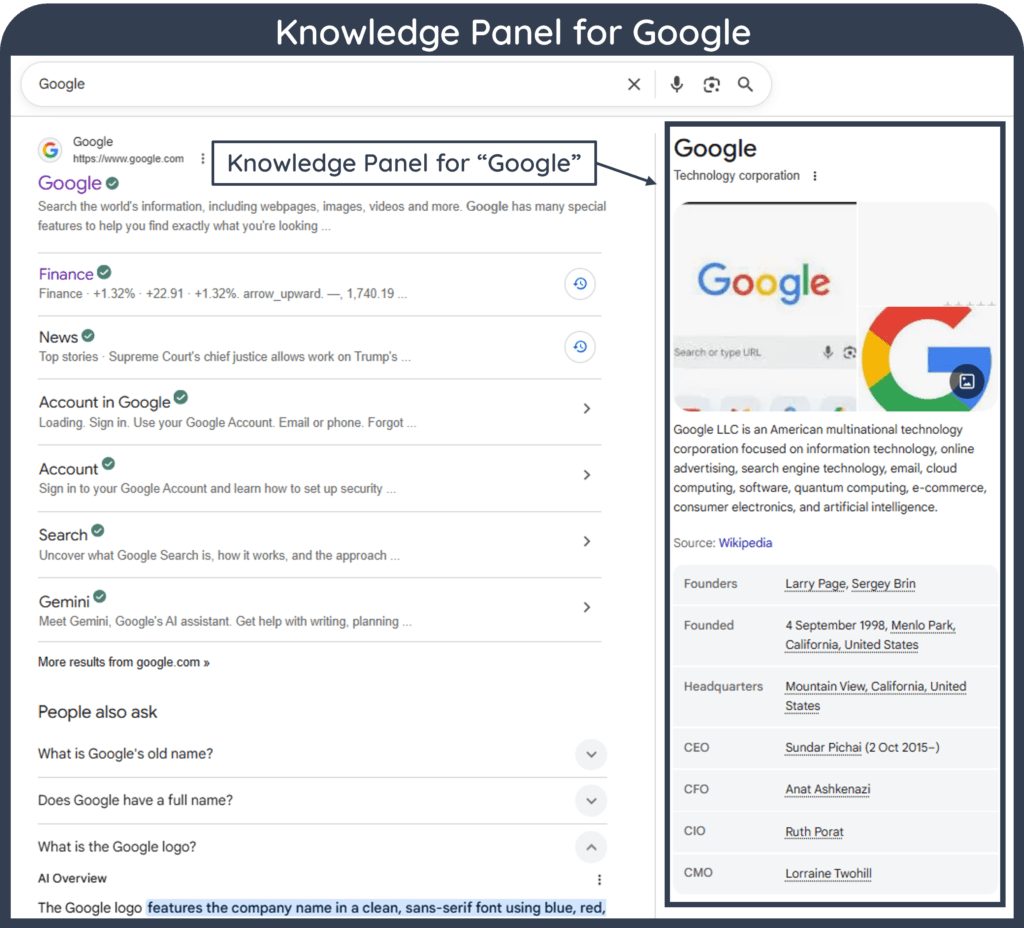
Schema.org markup should not, however, be treated as a direct ranking boost or a guaranteed way to obtain a Knowledge Panel, voice answer, or AI citation. Google states that AI Overviews and AI Mode require no special Schema.org structured data. Existing SEO fundamentals still apply, including ensuring that structured data accurately matches visible page content.
How to Implement Schema.org Markup
Start by identifying what the page represents, select the appropriate Schema.org type, review its relevant properties, and then implement the information using JSON-LD, Microdata, or RDFa.
Schema.org describes the available vocabulary, but Google’s documentation should be checked separately when targeting a Google Search feature. Google may require or recommend only a subset of the properties available on Schema.org.
WordPress
Plugins such as Rank Math, Yoast, WordLift, and SmartCrawl can generate structured data without requiring manual coding.
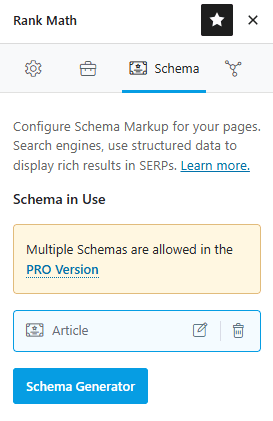
Rank Math can also add Organization markup through its Local SEO module:
WordPress Dashboard → Rank Math SEO → Titles & Meta → Local SEO
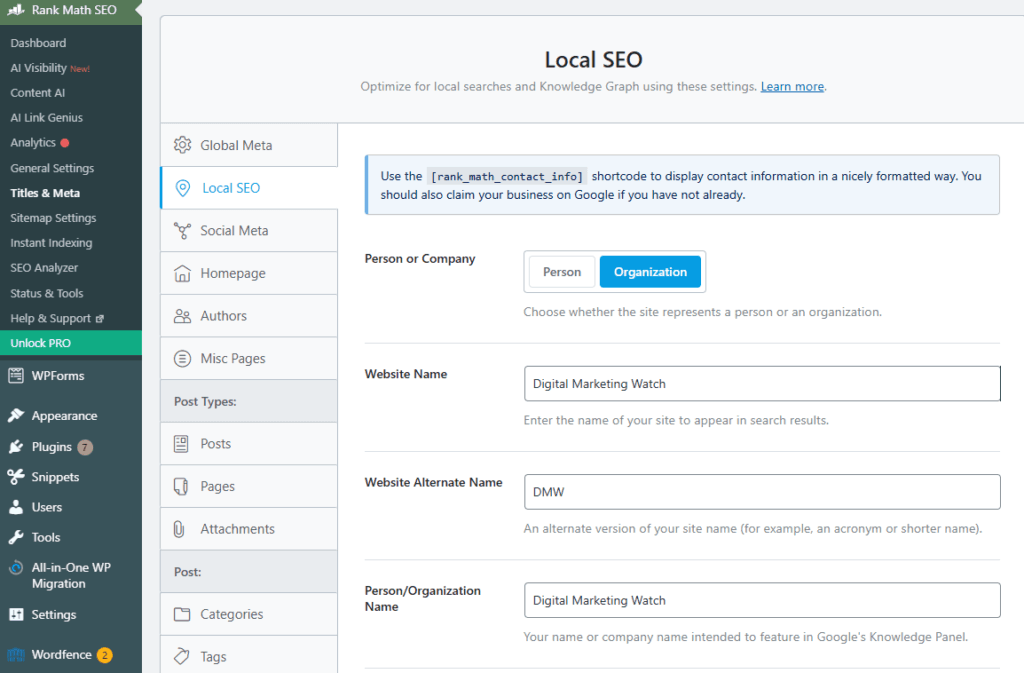
Fields include the website name, alternate website name, organization or person name, logo, and URL. Rank Math uses these details when generating structured data.
Wix
Wix automatically adds preset structured data to several page types, including Stores products, Blog posts, Bookings services, and Events. Custom JSON-LD can also be added through:
Pages & Menu → More Actions → SEO Basics → Advanced SEO → Structured Data Markup → Add New Markup → enter a markup name → enter the JSON-LD → Apply.
Shopify
Shopify themes can generate Schema.org structured data through Liquid. Shopify provides a structured_data filter that can output a product as Product or ProductGroup and an article as Article. Themes and schema apps can also extend the implementation where necessary.
Before manually adding any markup, check whether the CMS, theme, or SEO plugin already generates the same entity. Duplicate or conflicting implementations can make structured data unnecessarily difficult to maintain.
How to Check and Validate Schema.org Markup
Structured data should be tested after implementation to identify syntax errors, unsupported properties, missing information, or inconsistencies.
Google Rich Results Test
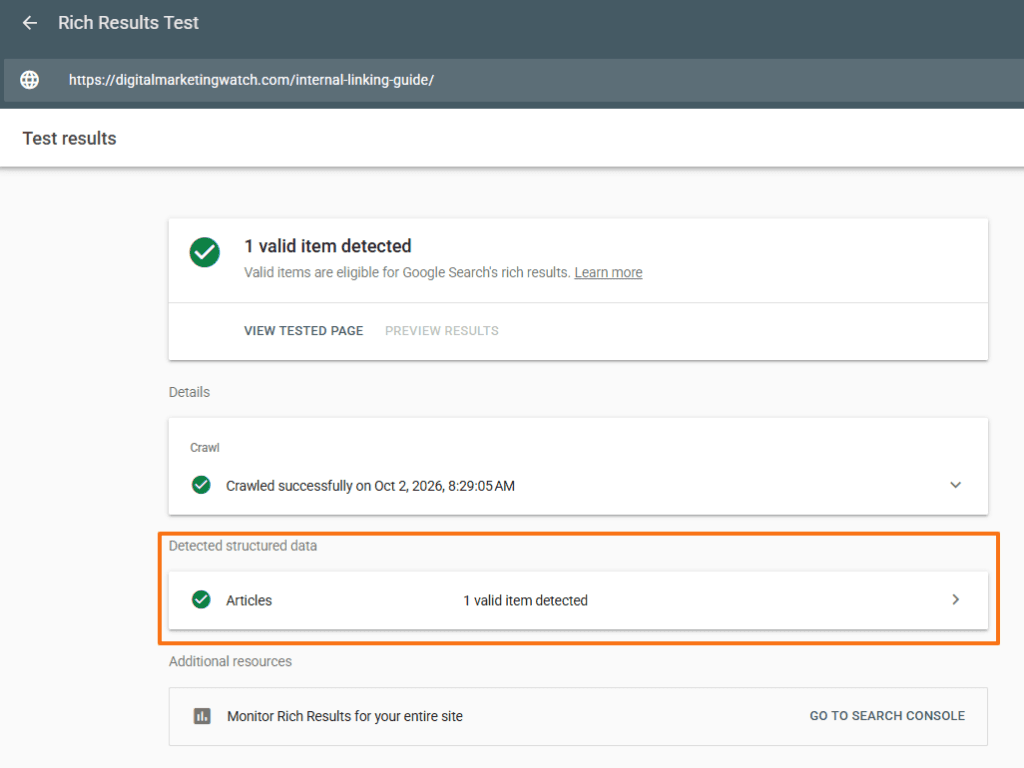
Use Google’s Rich Results Test to check whether the structured data on a URL or code snippet can generate a Google-supported rich-result type. The tool can identify relevant errors and preview some search features. Valid markup makes a page eligible for rich results, but it does not guarantee that the enhanced result will appear.
Schema Markup Validator
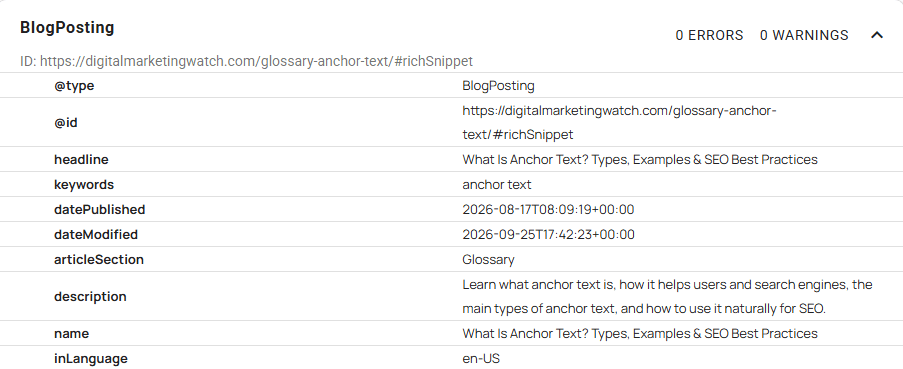
Use the Schema Markup Validator for broader Schema.org validation. It can extract JSON-LD, RDFa, and Microdata, display the resulting structured-data graph, and identify syntax mistakes even when the markup does not correspond to a Google-specific rich result.
Inspect the Page
In Chrome, press F12 or Ctrl + Shift + I, open the Elements panel, and press Ctrl + F. Search for application/ld+json, schema.org, @type, or a specific type such as Organization.
The original page source can also be checked using:
Ctrl + U → Ctrl + F → search for schema.org
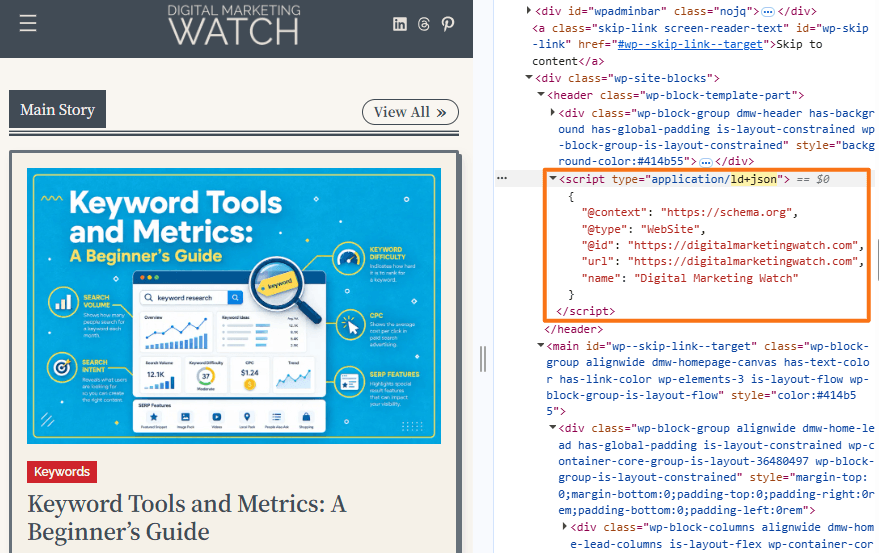
DevTools is preferable when markup is generated dynamically because it displays the rendered document, while View Source shows the original HTML returned by the server.
After deployment, check any relevant rich-result reports available for supported structured-data types in Google Search Console, and use URL Inspection to review important pages. Validation should not be treated as a one-time task because template, plugin, or content changes can later alter structured data.
Frequently Asked Questions
Who runs and maintains the Schema.org library?
Schema.org is maintained through an open community process with participation from its founding organizations and the wider web community. Day-to-day decisions are handled through its steering and community structures, with development discussions and issues managed publicly.
Does Schema.org code slow down a webpage’s loading speed?
Structured-data markup is usually small compared with images, fonts, and application scripts, so a typical JSON-LD block has little performance impact. At the same time, very large or unnecessarily duplicated markup increases the amount of HTML that must be transferred and processed, so excessive markup should be avoided.
What is the difference between Schema.org and Open Graph tags?
Schema.org provides a broad vocabulary for describing entities and structured information to machines, while Open Graph metadata primarily controls how webpages are represented when shared on compatible social platforms. A webpage can use both.
Is it possible to use multiple Schema.org types on a single webpage?
Yes. One page can describe several relevant entities, such as an Article, its Person author, the publishing Organization, and a BreadcrumbList. The entities should accurately represent the page and their relationships should remain clear.
What is sameAs in Schema.org, and how does it connect digital profiles?
sameAs provides a URL for another page that represents the same entity. For example, an Organization entity may use it to reference an authoritative profile representing that same organization.
Is it possible to create a custom schema type?
Schema.org provides extension mechanisms, but inventing an arbitrary type or property does not make it part of the official Schema.org vocabulary or guarantee that search engines will understand it. Custom extensions should therefore be used only when there is a genuine data-modeling need.
Does Schema.org structured data help with visibility in AI search systems?
Structured data can make selected facts and relationships easier for machine systems to interpret, but there is no guarantee that Schema.org markup will improve AI-search citations or visibility. Google specifically states that AI Overviews and AI Mode do not require special Schema.org structured data.