Key Takeaways
- A broken link points to a webpage, file, image, or other resource that is unavailable or cannot be reached as intended.
- Broken links may result from deletion, URL changes, typographical errors, expired domains, DNS failures, server errors, or configuration problems.
- Internal and external broken links can disrupt user journeys, hinder discovery pathways, waste linking opportunities, and complicate website maintenance.
- A 404 is not automatically an SEO problem; use permanent redirects for genuine replacements, and retain 404 or 410 responses when no replacement exists.
A broken link, also called a dead link, is a hyperlink that points to a webpage, file, image, or other resource that is no longer available or cannot be reached as intended. The link remains present on the source page, but its destination no longer works correctly.
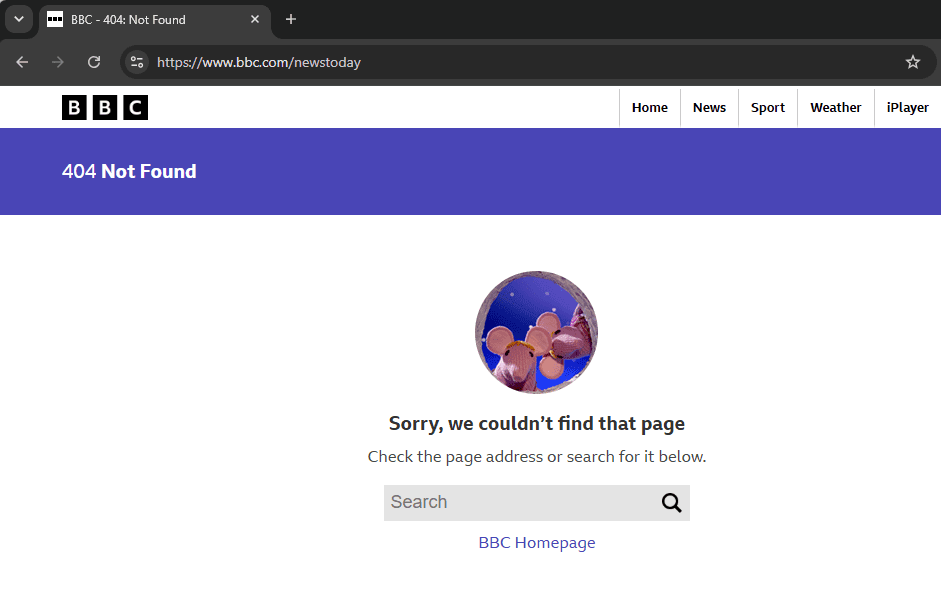
A common example is a link pointing to a URL that returns a 404 Not Found HTTP status code. However, not every broken link produces a 404. A destination can also fail because of a server error, expired domain, DNS problem, redirect loop, incorrect URL, or deleted resource.
For example: example.com/seo-guide → 404 Not Found
Broken links can be internal, pointing to another page on the same website, or external, pointing to a different website. Links to deleted images, PDFs, videos, and downloadable files can also become broken.
A 404 response is not inherently an SEO problem. Google states that a 404 can be completely appropriate when a page has been removed and has no replacement. If content has moved to a genuine replacement URL, a permanent redirect should normally be used instead.
Note
A 404 URL is not automatically a broken link. A broken-link problem exists when a live hyperlink points to a destination that no longer works. Google Search Console can also report 404 URLs that are no longer linked internally, because Google may have discovered them previously or through other sources.
Live link → 404 = broken link
404 URL with no current link pointing to it = not necessarily a broken-link problem
Common Causes of Broken Links
Broken links often appear when website content changes but existing references to the old destination are not updated.
- Content Removal or Deletion: A webpage, product, image, PDF, or other resource is deleted while internal or external links still point to its former URL.
- URL Changes: A page slug, permalink structure, folder, or domain changes without updating existing links or creating an appropriate redirect.
- Typographical Errors: Misspelled domains, missing characters, incorrect paths, or malformed URLs can send visitors to nonexistent resources.
- Case and Punctuation Differences: Some servers treat URL paths as case-sensitive, meaning
/SEO-guide/and/seo-guide/may be different URLs. Incorrect punctuation or added characters can produce similar problems. - HTTP and HTTPS Configuration Problems: Moving from HTTP to HTTPS does not inherently create broken links, but incorrect redirects, certificate issues, or improperly configured URLs can make a destination inaccessible.
- Domain Expiry or Website Changes: An external website may expire, move to another domain, or reorganize its content, leaving previously valid outbound links broken.
- Server or DNS Problems: Temporary server errors, timeouts, or DNS failures can make a destination unavailable without the content having been permanently deleted.
- Deleted Images and Files: Removing media files while pages continue referencing their URLs can create broken images, downloads, or embedded resources.
Common scenarios and their appropriate solutions include:
How to Find Broken Links
Broken links can be found through search-engine reports, website crawlers, browser tools, CMS plugins, and URL-management systems.
Google Search Console
In Google Search Console, open the Page indexing report and examine URLs classified as Not found (404).
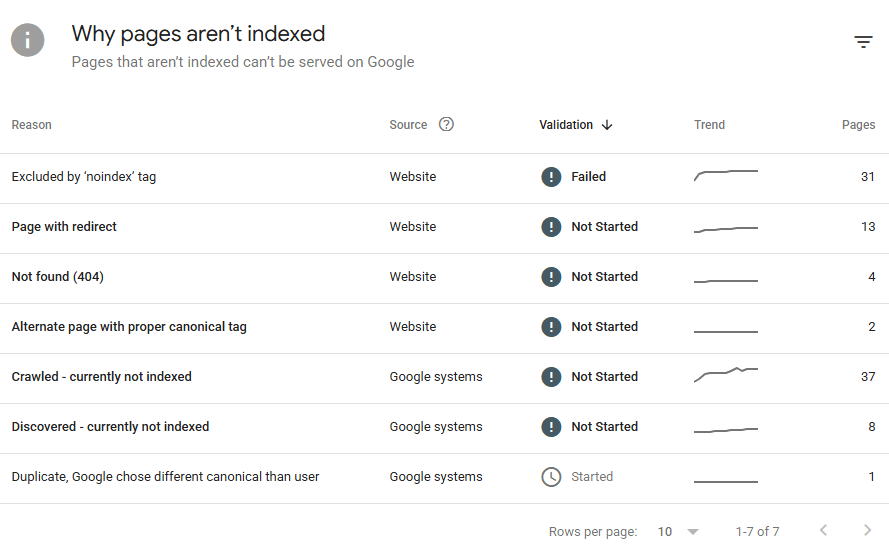
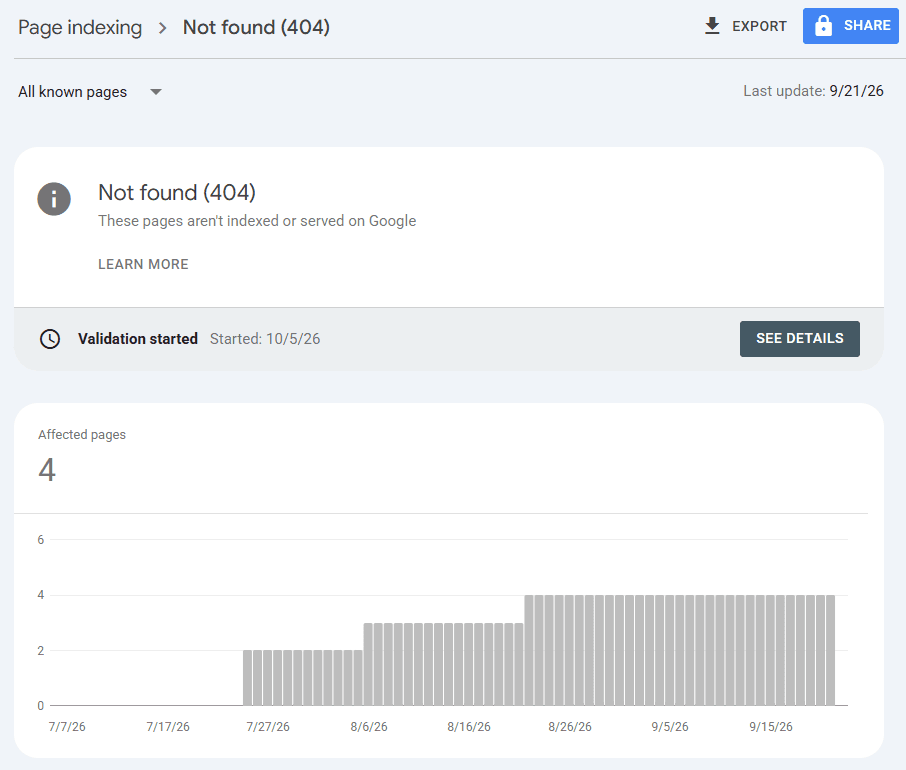
These are URLs Google has discovered and attempted to crawl. Google notes that a 404 may appear because the URL was previously available or because Google discovered a link pointing to it. A 404 does not necessarily require fixing if the page was intentionally removed without a replacement.
Search Console is useful for identifying URLs Google has encountered, but it is not a complete broken-link crawler. It may show the broken destination without revealing every page on the site that contains a link to it.
Third-Party Site Crawlers and Audit Tools
Dedicated crawlers are one of the most practical ways to audit internal and external links at scale. Popular options include Screaming Frog SEO Spider, Ahrefs Site Audit, and Semrush Site Audit.
Screaming Frog can crawl a website and filter destinations returning 4xx client errors. Its Inlinks report then shows which source pages contain links to each broken URL, making it easier to identify exactly where corrections are required. The free version currently supports crawls of up to 500 URLs.
Browser Extensions
Browser extensions such as Check My Links and other broken-link checkers can test links on an individual webpage and highlight destinations that fail.
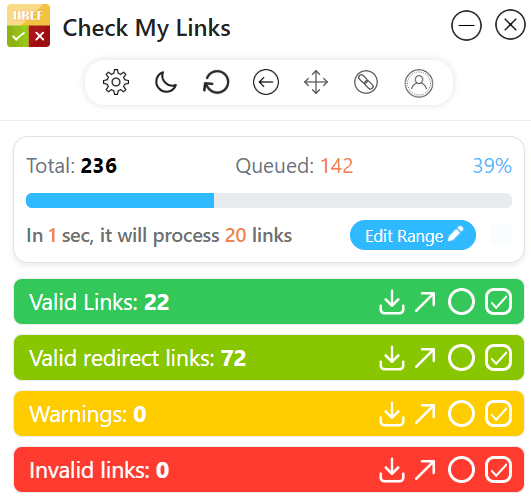
These tools are useful for quick page-level checks but are less practical for auditing hundreds or thousands of URLs.
CMS Plugins
WordPress broken-link plugins can scan website content for dead internal and external links. Some implementations perform checks from the website’s own server, while others offer cloud-based scanning, so their impact on hosting resources varies.
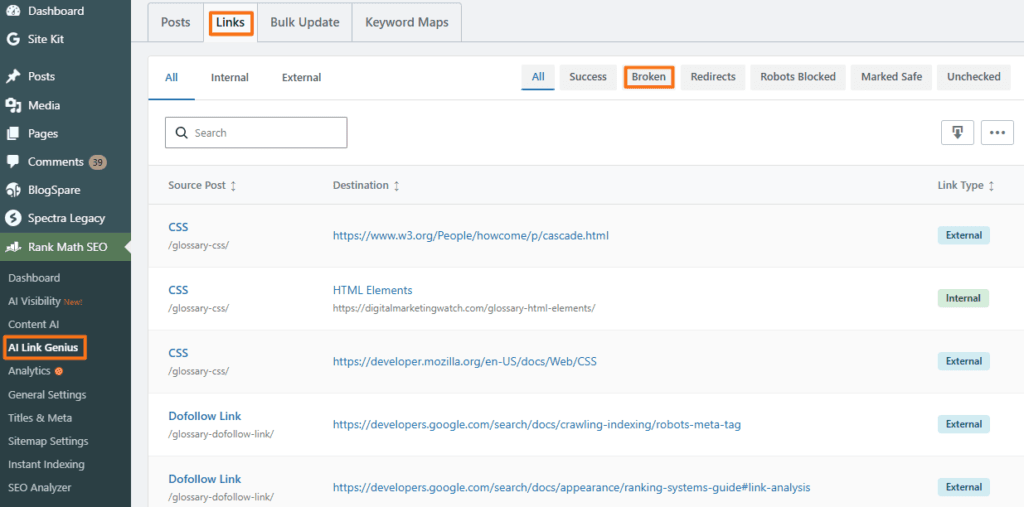
URL Inventory or Spreadsheet
Maintaining a central spreadsheet or content database containing important URLs, redirects, deleted pages, and replacement destinations can help prevent broken links during migrations and content updates.
A spreadsheet should complement rather than replace a crawler because it cannot automatically discover unknown broken links.
How Broken Links Can Affect SEO and User Experience
Broken links should be interpreted in context. A few broken links or legitimate 404 pages do not automatically damage search rankings, but important broken pathways can create usability and website-maintenance problems.
Disrupts User Experience
A visitor who clicks a link expecting an article, download, study, or product and instead reaches an error page cannot complete the intended journey.
Broken links can therefore create frustration and make content appear outdated, particularly when important citations, navigation elements, or conversion paths no longer work.
Can Block Discovery Paths
Search engines discover many webpages by following links from pages they already know. If an important internal pathway breaks, crawlers and users may have fewer routes through which to discover the destination. Google specifically notes that pages without links pointing to them can be harder for it to find.
Can Waste Valuable Linking Opportunities
If an internal link points to a dead page, it is no longer directing users toward useful active content.
Similarly, when an external website links to an old URL on the site, redirecting that URL to a genuinely equivalent replacement can preserve the usefulness of the backlink and guide visitors to the correct destination.
Can Affect Crawl Efficiency at Scale
Occasional 404s are not normally a crawl-budget concern for ordinary websites. Crawl-budget management becomes more important for large or rapidly changing sites.
Google recommends returning a 404 or 410 status code for URLs that have been permanently removed without a replacement. Google may continue checking known URLs for some time, but URLs that consistently return 404 are generally crawled less frequently over time. The search engine warns more specifically about soft 404s, long redirect chains, and other inefficient crawling patterns.
There is also no documented Google ranking penalty based on a site’s percentage of broken links. Their practical SEO importance comes mainly from navigation, discovery, user experience, link maintenance, and crawl efficiency.
Broken Link Best Practices
Broken-link maintenance should focus on keeping important navigation functional, preserving useful resources, and handling deleted URLs according to what happened to the original content.
- Audit Important Links Regularly: Periodically check internal links and important external citations. Larger or rapidly changing websites may require more frequent audits than smaller sites.
- Maintain a URL Change Log: Record important URL changes, deleted pages, redirects, and replacement destinations so future content updates do not accidentally recreate old links.
- Update Internal Links Directly: When a page moves, update important internal links to point directly to the new URL instead of permanently relying on a redirect.
- Use Permanent Redirects for Genuine Replacements: If content permanently moves to an equivalent page, use an appropriate permanent redirect. Avoid redirecting unrelated deleted URLs to the homepage merely to eliminate 404 errors.
- Keep Valid 404s When Appropriate: If a page has permanently disappeared and no meaningful replacement exists, 404 or 410 is the correct response. Google specifically advises against treating every 404 as something that must be redirected.
- Create a Helpful Custom 404 Page: A custom error page can provide navigation, site search, popular resources, or a route back to important sections. It should still return the correct 404 HTTP status rather than pretending the missing page exists.
- Review Important External Links: Check evergreen articles periodically to ensure cited research, tools, reports, downloads, and other external resources remain available.
- Fix the Surrounding Copy: When a broken link is removed or replaced, adjust the anchor text and surrounding sentence so the passage remains natural and accurate.
- Use Consistent URL Formatting: Maintain consistent conventions for casing, slashes, and permalink structure. Automated URL normalization should only be introduced when it matches the website’s actual technical setup.
Frequently Asked Questions
How do I fix a broken backlink that I cannot change on another website?
If another website links to an old URL on the site’s own domain, first determine whether an equivalent replacement page exists. If it does, a 301 permanent redirect from the old URL to that replacement can send visitors and search engines to the correct destination. If no relevant replacement exists, allowing the old URL to return 404 or 410 may be better than redirecting it to an unrelated page.
Will deleting a plugin or media file cause broken links?
It can. Removing a plugin may break URLs, shortcodes, embedded resources, or functionality that depended on it, while deleting an image, PDF, video, or other media file can leave broken references wherever the old resource URL remains in use.
Does Google automatically remove pages with broken links from its index?
No. A webpage does not automatically disappear from Google’s index simply because it contains a broken link. However, a destination URL that consistently returns 404 tells Google that the resource no longer exists, and Google will generally crawl that URL less frequently over time.
What is the difference between a broken link and a broken redirect?
A broken link points to a destination that cannot be reached or no longer works as intended. A broken redirect occurs when the redirect mechanism itself fails, such as when it points to another missing URL, creates a redirect loop, or forms a redirect chain that never reaches a valid destination.