Key Takeaways
- Taxonomy organizes website content into structured groups, creating logical relationships that support navigation and search-engine understanding.
- Hierarchical, flat, network, and faceted taxonomies serve different classification needs across publishing, ecommerce, and other websites.
- A well-designed taxonomy supports content planning, internal linking, keyword and intent mapping, topical coverage, duplication checks, and performance analysis.
- Effective taxonomies use meaningful categories and controlled tags, avoid unnecessary nesting or URL generation, and reinforce discovery through navigation, breadcrumbs, and related links.
Website taxonomy refers to the practice of organizing, classifying, and labeling website content into structured groups based on shared characteristics, topics, purposes, or attributes. It creates logical relationships between pages to help visitors find related information and search engines can better understand how different parts of a website connect.
Taxonomy can be used to organize articles, products, services, resources, locations, authors, and other types of content. On a publishing website, articles might be grouped by topics and subtopics. On an ecommerce website, products might be classified by product type, brand, material, size, or other attributes.
In WordPress, categories and tags are built-in taxonomies, while custom taxonomies can be created for more specialized classification. WordPress describes taxonomies as a way of grouping similar content together.
Taxonomy vs. Information Architecture
Taxonomy defines how content is classified, arranged, and labeled, while information architecture is the broader system that determines how content is structured, navigated, linked, and presented throughout a website. Taxonomy is therefore one component of a site’s information architecture.
Types of Website Taxonomy
Different taxonomy structures can be used depending on the type and complexity of the website.
Hierarchical Taxonomy
A hierarchical taxonomy organizes content through parent-child relationships, moving from broad classifications to more specific ones.
For example: Stationery → Writing Instruments → Pens
Similarly, clothing store might use: Clothing → Jackets → Rain Jackets
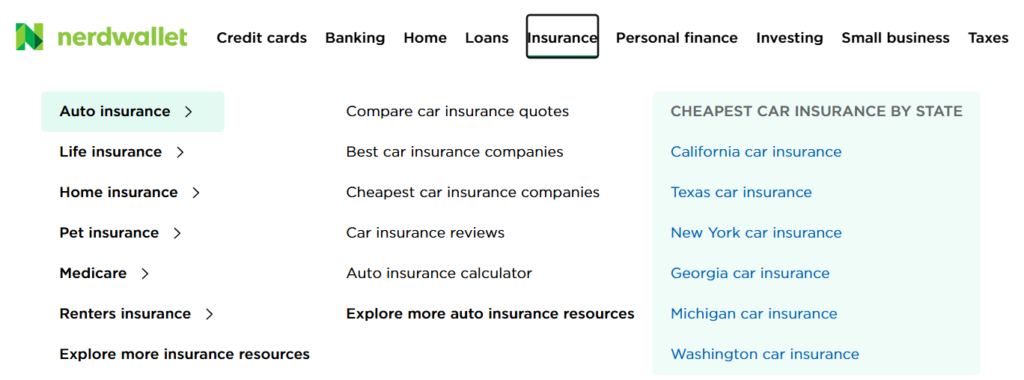
WordPress categories are hierarchical, meaning categories can have parent and child categories. A post can also belong to more than one category when that genuinely reflects its subject.
Categories should be detailed enough to organize content clearly without becoming unnecessarily deep. A structure such as Stationery → Writing Instruments → Pens is generally easier to navigate than one that forces important pages through many levels of categories and subcategories.
Excessive nesting can bury important pages deeper within the site’s internal structure, making them harder for visitors to reach and potentially reducing the number of prominent internal links pointing to them.
At the same time, there is no ideal number of category levels for every website. The appropriate depth depends on the size and complexity of the site, but additional levels should exist only when they make the content easier to understand and navigate.
Flat Taxonomy
A flat taxonomy groups content without parent-child relationships. Tags are a common example.
An ecommerce site might use tags or attributes such as Waterproof, Refillable, Eco-Friendly, or Gel Ink. The label Waterproof, for example, could connect products from both a Jackets category and a Shoes category. WordPress tags are non-hierarchical, unlike categories. A well-managed site should normally use a controlled set of meaningful tags rather than continually creating new, overlapping labels.
Network and Faceted Taxonomies
A network taxonomy connects information through several relationships rather than placing every item under one strict hierarchy. An article, for example, might be associated simultaneously with a topic, audience, content format, and skill level.
A faceted taxonomy classifies items through independent attributes that can be combined as filters. Ecommerce stores commonly use facets such as brand, price, color, size, and material. Faceted navigation can make large catalogs easier to explore, but uncontrolled combinations may generate many URLs that search engines can crawl unnecessarily.
How Taxonomy Supports Content Strategy and SEO
A well-designed taxonomy supports website navigation and can also become an organizing framework for content planning, internal linking, keyword research, and ongoing site management. It can become an organizing framework for content planning, internal linking, keyword research, and ongoing site management.
1. Creates a Clear Content Architecture
Taxonomy establishes clear relationships between hubs, categories, subcategories, products, articles, and supporting content. This makes it easier to understand which pages belong together and where new content should fit.
2. Strengthens Internal Linking and Discovery
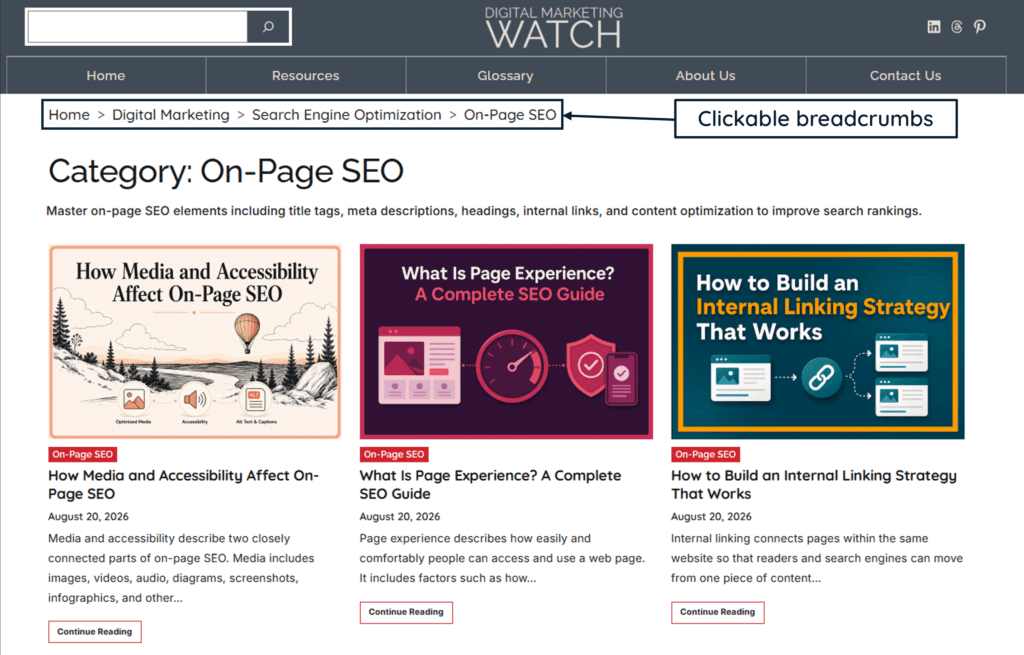
Category pages, breadcrumbs, related-content sections, product grids, and contextual links create natural paths between related pages. These links help visitors continue exploring a topic and give crawlers more ways to discover important URLs.
3. Supports Keyword and Search-Intent Planning
Mapping keywords to categories can reveal major topics, subtopics, commercial areas, informational needs, and missing content. Search intent can also be tracked alongside the taxonomy so pages covering similar keywords do not accidentally serve exactly the same purpose.
4. Supports Topical Depth
A taxonomy can reveal whether an important subject has been covered broadly and in sufficient depth. For example, a Writing Instruments category may reveal gaps for fountain pens, ballpoint pens, gel pens, markers, and pencils.
This supports coherent topical coverage, although taxonomy or “topical authority” should not be treated as a standalone Google ranking factor.
5. Helps Identify Cannibalization and Duplication
When planned articles and product pages are mapped against categories, topics, keywords, and intent, overlapping pages become easier to identify before publication. This can reduce unnecessary duplication and help distinguish pages that serve genuinely different purposes.
6. Improves Editorial Planning and Measurement
A taxonomy stored in Notion, Excel, or Google Sheets makes it easier to identify unfinished topic groups, schedule balanced content coverage, and analyze performance by category, subcategory, audience, or intent.
7. Improves Navigation and Browsing
Categories, breadcrumbs, filters, and related-content modules help visitors move from broad subjects to increasingly specific information. A clear taxonomy is particularly valuable on large publishing sites and ecommerce stores where browsing is an important part of discovery.
8. Helps Prevent Orphan Pages
A planned taxonomy gives important pages natural places from which they can be linked, including hub pages, category archives, subcategories, breadcrumbs, and related-content sections. This reduces the risk of orphan pages that have no discoverable internal links from other pages on the site.
How to Build a Website Taxonomy: Stationery Website Example
Consider a website that sells stationery products while also publishing educational articles about stationery.
Research the Audience and Subject
Begin by examining customer needs, popular products, buyer personas, competitor category structures, internal search data where available, keyword demand, and search intent. These inputs can reveal the major concepts visitors expect to find.
Keyword volume should inform the taxonomy rather than dictate it. A category should exist because it represents a meaningful and recurring group of content or products.
Map the Taxonomy
The structure can first be planned in Excel, Google Sheets, or a Notion database.
Useful fields might include:
/writing-instruments/fountain-pens/
A separate editorial calendar can track writing and publication progress while remaining linked to the taxonomy database.
Create the Category Structure
A simple hierarchy might be:
Stationery
- Writing Instruments
- Pens
- Pencils
- Markers
- Paper Products
- Notebooks
- Journals
- Sticky Notes
- Office Supplies
- Files
- Staplers
- Organizers
For this website, keeping the structure to main categories and one level of subcategories may provide enough organization without burying pages unnecessarily.
In WordPress, categories for standard posts can be created through Posts → Categories. WordPress supports hierarchical categories and category descriptions.
Use Tags Selectively
Tags are optional. They are useful when they create meaningful relationships across categories, but creating hundreds of thin, overlapping, or single-use tag archives can generate unnecessary URLs and make the taxonomy harder to manage.
The issue is therefore poor tag management rather than tags themselves.
Connect the Structure
The taxonomy should be reinforced through:
- breadcrumbs;
- category and subcategory pages;
- related article or product sections;
- contextual internal links;
- category links on cards and listings;
- clear hub pages.
URLs should also be reviewed before launch. Categories can appear in URL folders where useful, but the visible taxonomy does not need to be reproduced exactly in every URL.
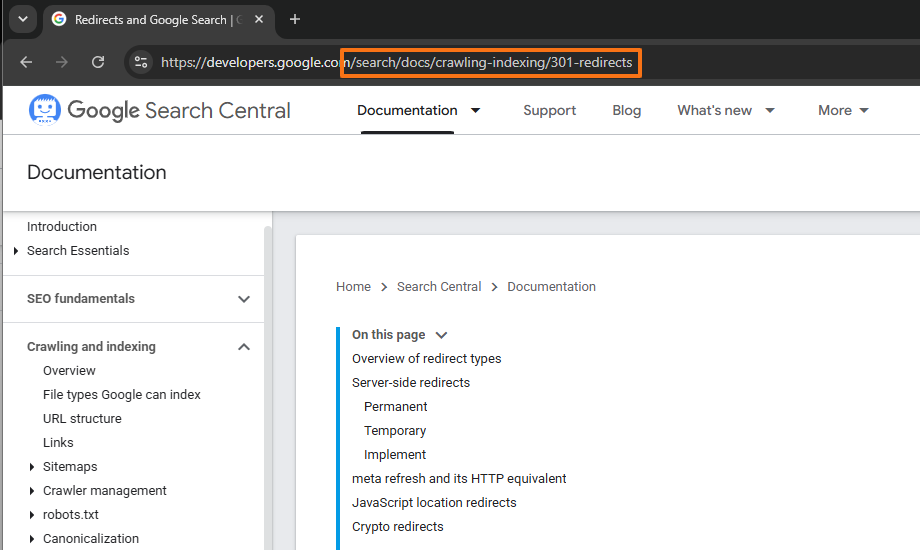
If taxonomy changes later alter existing URLs, permanent redirects should map old URLs to their most relevant replacements. Google recommends creating a URL mapping, implementing permanent redirects, and updating internal links when URLs change. Significant migrations can also produce temporary ranking fluctuations while Google recrawls and reindexes the affected pages.
Taxonomy for Multilingual and Localized Websites
Multilingual websites can often retain the same broad taxonomy across languages while localizing category names and labels for each audience. Direct translations are not always appropriate because customers in different markets may use different terminology or expect different product groupings.
For example, an English category might use /en/notebooks/, while another language version uses an equivalent locally understood term.
Regional versions may also require different categories, products, currencies, services, or informational content. The underlying structure should remain logically aligned where practical, while allowing genuine local differences rather than forcing every language or market into an identical classification system.
Frequently Asked Questions
Do all websites need a taxonomy?
Almost every website benefits from some form of content classification, although the required complexity varies considerably. A small brochure website may need only clear navigation, while a publisher, ecommerce store, marketplace, or knowledge base may require categories, subcategories, tags, attributes, filters, and custom taxonomies.
Should categories be reflected in URLs?
Not necessarily. Descriptive folder structures can make URLs easier to understand, but the website taxonomy and URL hierarchy do not have to match exactly. The priority is a stable, logical URL structure supported by clear navigation, breadcrumbs, and internal linking.
How many categories should a standard website have?
There is no ideal number of categories for every website. A small site may require only a handful of broad categories, while a large publisher or ecommerce store may need many more. Categories should represent meaningful, recurring groups of content rather than being created simply to reach a particular number.
Does changing a website taxonomy hurt current SEO rankings?
It can if the change removes important internal links, alters navigation, changes URLs, or eliminates valuable category pages without proper planning. When URLs change, relevant permanent redirects should be implemented and internal links, breadcrumbs, canonicals, and sitemaps should be updated. Google notes that significant URL changes can cause temporary ranking fluctuations while the site is recrawled and reindexed.