Key Takeaways
- HTTPS encrypts communication between browsers and servers through TLS, helping protect transmitted information from interception and unauthorized modification.
- TLS certificates authenticate the requested domain, but HTTPS does not prove that a website is honest, safe, or free from scams.
- HTTPS supports SEO, browser security, secure-context features, and modern protocols, although it remains a basic requirement rather than a standalone optimization.
- A successful migration requires certificates, permanent redirects, updated internal signals, mixed-content fixes, and thorough testing of important URLs.
HTTPS stands for Hypertext Transfer Protocol Secure. It is the encrypted form of HTTP used to transfer information securely between a web browser and a web server. When a website uses ordinary HTTP, information exchanged over the connection is not protected by HTTPS transport encryption. Someone able to intercept the network traffic could potentially read or alter sensitive information such as passwords, form submissions, payment details, or private messages.
HTTPS protects this communication by running HTTP over Transport Layer Security (TLS). TLS encrypts information while it travels between the browser and server, helps detect unauthorized modification, and allows the browser to verify that the server is authorized for the requested domain. SSL, or Secure Sockets Layer, was the older predecessor to TLS. Although the expression SSL certificate remains common, modern HTTPS connections use TLS.
HTTPS is also important for privacy and data protection. For example, GDPR Article 32 identifies encryption as one possible technical security measure where appropriate to the level of risk.
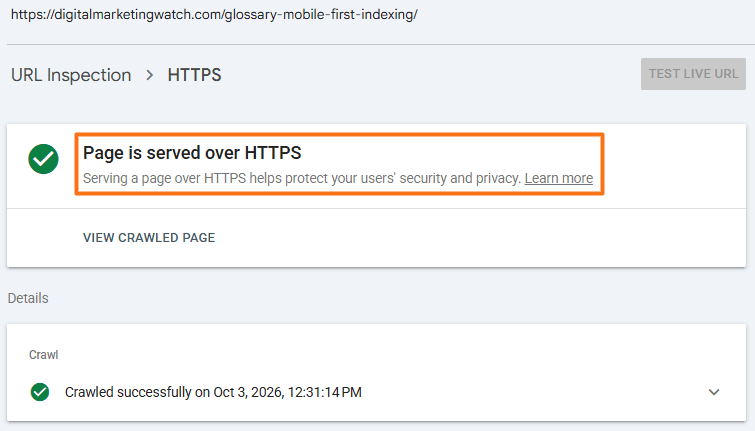
Websites can further strengthen HTTPS with HTTP Strict Transport Security (HSTS), which instructs supporting browsers to use HTTPS for future connections instead of attempting HTTP first.
How HTTPS Became a Web Standard
Secure web communication developed from SSL technologies introduced in the 1990s and later transitioned to TLS. HTTPS became increasingly common as browsers, hosting providers, certificate authorities, and search engines encouraged encryption. In 2014, Google announced HTTPS as a ranking signal, initially describing it as a lightweight signal.
How HTTPS Works
HTTPS combines ordinary HTTP communication with TLS security. Before the browser sends sensitive information or downloads the requested webpage over a secure connection, the browser and server establish a protected communication channel.
Three fundamental protections make HTTPS useful.
- Encryption: Encryption converts information traveling between the browser and server into a form that cannot be easily read by someone intercepting the connection. For example, when login credentials are submitted through an HTTPS page, someone monitoring traffic on an unsecured public Wi-Fi network should not be able to simply read the username and password from the network packets. The information is encrypted during transmission and decrypted by the intended endpoint.
- Data Integrity: HTTPS also helps ensure that data is not secretly changed while it travels between the browser and server. An attacker attempting to alter a response, modify a form submission, or inject unwanted information into encrypted traffic should not be able to make those changes without the connection detecting that the protected data has been modified.
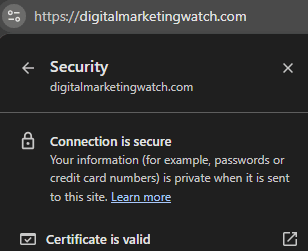
- Authentication: TLS certificates help browsers verify that they are communicating with a server authorized for the domain being visited. For example, when a browser opens
https://example.com, it checks whether the certificate presented by the server is valid forexample.comand is trusted through the browser’s certificate system.
However, HTTPS does not prove that the website itself is honest, safe, or free from scams. A phishing website can also obtain a valid TLS certificate. HTTPS authenticates and protects the connection; it does not certify the trustworthiness of the website’s content or owner.
The TLS Handshake: How a Secure Connection Begins
Before normal encrypted communication starts, the browser and server perform a TLS handshake. A simplified version of the process is:
- The Browser Starts the Connection: The browser contacts the HTTPS server and provides information about the TLS versions and cryptographic methods it supports.
- The Server Responds With Its Certificate: The server selects compatible security parameters and sends its TLS certificate, including information used to authenticate the server.
- The Browser Verifies the Certificate: The browser checks whether the certificate is trusted, has not expired, and is valid for the requested domain.
- The Handshake Completes and Encryption Keys Are Used: The browser and server complete authentication and key exchange, and then use the derived traffic keys to protect subsequent HTTP communication.
Once this process is complete, normal HTTP requests and responses can travel through the encrypted TLS connection.
Sends supported TLS versions and security options
Server chooses compatible settings and sends its certificate
Browser checks trust, expiry, and the requested domain
Browser and server derive temporary encryption keys
Why HTTPS Matters for SEO and the Modern Web
HTTPS is primarily a security technology, but secure connections also support search visibility, browser functionality, user experience, and modern web infrastructure.
- Protects Information in Transit: HTTPS prevents sensitive information exchanged between visitors and the server from being exposed as ordinary readable network traffic. This is especially important for login forms, checkout pages, account areas, contact forms, and other pages that exchange personal information.
- Acts as a Google Ranking Signal: Google has used HTTPS as a ranking signal since 2014. Google originally described it as a relatively lightweight signal, so HTTPS should not be treated as a substitute for useful content, relevance, or other SEO fundamentals.
- Avoids Insecure-Connection Warnings: Modern browsers increasingly treat HTTPS as the expected standard. HTTP pages can trigger security warnings or indicators that the connection is not secure, particularly when forms or sensitive interactions are involved. Chrome no longer uses the traditional padlock as its default HTTPS indicator, but secure and insecure connections are still distinguished.
- Enables Secure Browser Features: Many browser capabilities are available only in a secure context, which normally means HTTPS. These include technologies such as Service Workers, push notifications, Web Authentication, and many uses of geolocation. The secure contexts specification explains why browsers restrict powerful features on insecure origins.
- Supports Modern Web Protocols: Modern browsers generally use HTTP/2 over secure HTTPS connections, while HTTP/3 uses QUIC with TLS 1.3 integrated into its security model. These protocols can improve network efficiency, although they do not automatically guarantee faster pages or better Core Web Vitals.
- Supports User Confidence: Visitors are less likely to encounter browser security warnings when HTTPS is configured correctly. HTTPS does not prove that a website is trustworthy, but an unencrypted connection can create an unnecessary barrier to confidence and interaction.
HTTP/2 and HTTP/3
These are later versions of HTTP designed to transfer web resources more efficiently. Modern browsers normally use HTTP/2 over HTTPS, while HTTP/3 runs over QUIC and incorporates TLS 1.3 security. Their performance benefits depend on network conditions, server configuration, and the website itself.
HTTPS is therefore best understood as a basic requirement of the modern web, not as a standalone SEO optimization. It protects communication first and provides search, browser, and infrastructure benefits alongside that security.
How to Enable and Check HTTPS
Most modern hosting platforms make HTTPS relatively straightforward to enable, but the migration must include more than simply installing a certificate.
1. Install a TLS Certificate
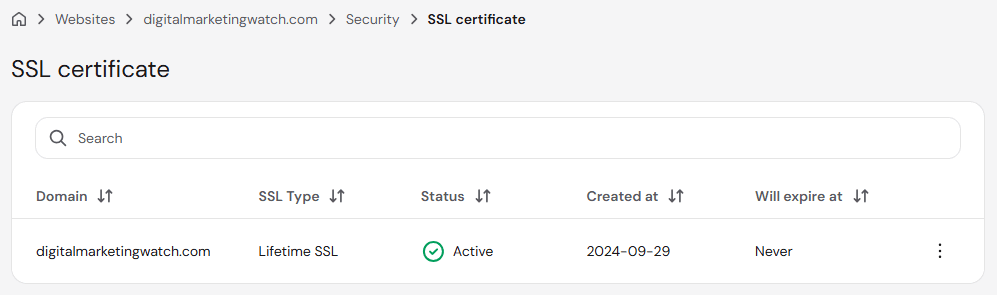
Obtain and install a certificate that covers the required hostname or hostnames. Many hosting providers issue certificates automatically or provide free certificates through services such as Let’s Encrypt. Paid certificates are also available, although a reputable free certificate can provide the same fundamental HTTPS encryption.
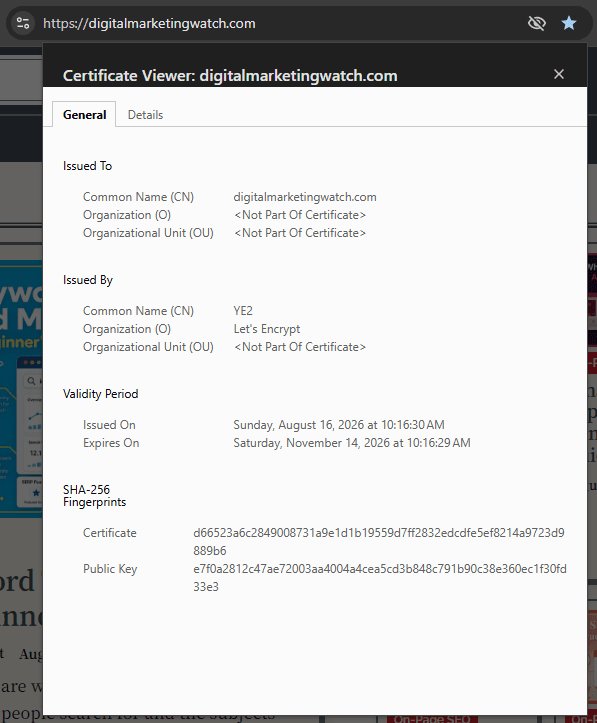
SSL is the older predecessor to TLS, but the term “SSL certificate” is still widely used for the digital certificates that enable HTTPS. In practice, modern browsers use TLS rather than the obsolete SSL protocol, while the certificate helps authenticate the site and supports the encrypted connection.
2. Configure the Website to Use HTTPS
Change the site’s preferred address from: http://example.com to: https://example.com
CMS settings, server configuration, templates, and other references may also need to be updated.
3. Redirect HTTP URLs to HTTPS
Every important HTTP URL should permanently redirect to its equivalent HTTPS version. For example: http://example.com/about/ → https://example.com/about
A 301 or 308 permanent redirect is appropriate when HTTPS is intended to permanently replace the HTTP URL.
4. Update SEO and Website References
After the migration, ensure that important website signals consistently use HTTPS. For this, it is important to check internal links, canonical URLs, XML sitemap URLs, structured data URLs, hreflang references where applicable, and image and media URLs.
5. Fix Mixed Content
An HTTPS page can still contain insecure resources if an image, script, stylesheet, iframe, or other asset is loaded through HTTP.
For example, <img src="http://example.com/image.jpg"> should normally be updated to: <img src="https://example.com/image.jpg">
6. Test the HTTPS Configuration
Check the site in a browser and verify that important URLs load without certificate or mixed-content warnings.
Useful tools include:
- SSL Labs for testing certificate and TLS configuration;
- Mozilla Observatory for broader security checks;
- Google Search Console for monitoring HTTPS URLs and indexing;
- Screaming Frog SEO Spider for finding HTTP internal links, redirect chains, canonicals, and sitemap inconsistencies.
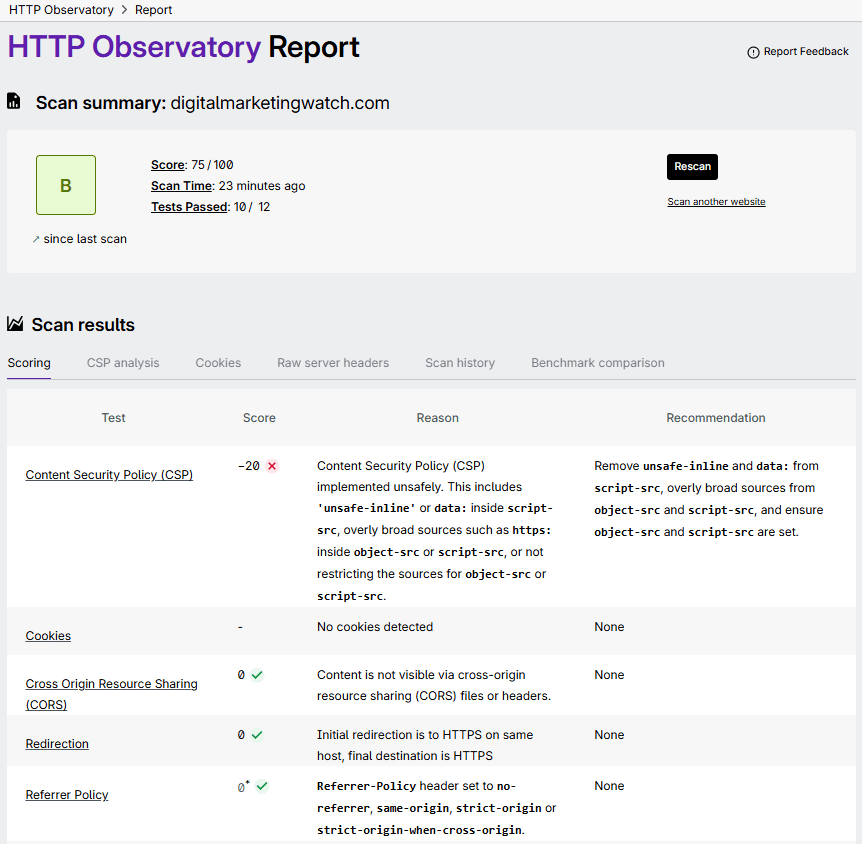
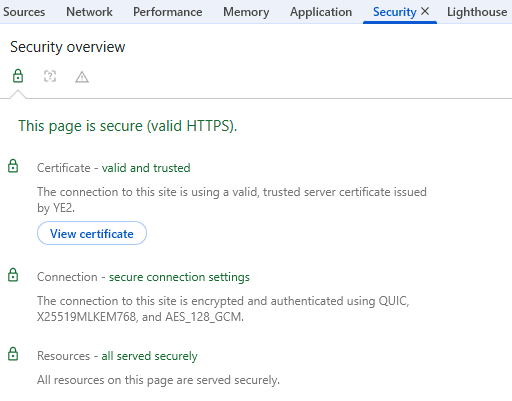
Browser DevTools can also identify mixed content and failed HTTPS resources. In Chrome, press F12 or Ctrl + Shift + I, then review the Console, Network, and Security information where available.
Frequently Asked Questions
Is HTTPS 100% secure?
No. HTTPS protects data while it travels between a browser and server, but it cannot prevent every security threat. Malware, compromised servers, stolen passwords, vulnerable website code, phishing, and account breaches can still occur on HTTPS websites.
Is HTTPS more secure than using a VPN?
HTTPS and VPNs protect different parts of a connection. HTTPS encrypts communication between a browser and a particular HTTPS website, while a VPN encrypts network traffic between the device and the VPN provider before that traffic continues toward its destination.
What is the difference between a free SSL certificate and an expensive paid one?
Reputable free and paid TLS certificates can provide the same fundamental HTTPS encryption. Paid certificates may include additional support, management services, warranties, organization-validation options, or enterprise features rather than inherently stronger encryption.
Does switching from HTTP to HTTPS cause a temporary drop in SEO rankings?
A properly implemented HTTPS migration should preserve important search signals, but temporary fluctuations can occur while search engines crawl the redirects and process the new HTTPS URLs. Permanent redirects, updated canonicals, HTTPS sitemaps, and consistent internal links help make the migration clearer.
Can an expired SSL certificate cause my website to be dropped from Google Search?
An expired certificate can trigger browser security errors and disrupt normal HTTPS access for users. Google also lists an invalid SSL certificate as a reason it may prefer an HTTP URL over an equivalent HTTPS version. If certificate problems persist and HTTPS pages become unavailable or inconsistent, crawling, canonicalization, and search visibility can eventually be affected.
Do I need a separate SSL certificate for my website’s subdomains?
Not necessarily. A certificate can cover a single hostname, several specified hostnames, or multiple subdomains through a wildcard certificate such as *.example.com, depending on how the certificate is issued and configured.
Does HTTPS slow down my website’s page loading speed?
HTTPS requires a TLS handshake, which adds some connection work, but modern TLS has been designed to minimize this overhead. HTTPS also enables browser use of technologies such as HTTP/2 and HTTP/3, so security should not be sacrificed for concerns about HTTPS slowing down a modern website.