Key Takeaways
- A SERP is the page a search engine shows in response to a search query, combining organic listings, paid advertisements, AI answers, and specialized features.
- Paid advertisements are clearly labeled, and Google does not accept payment for higher organic rankings or more frequent crawling.
- SERP features include featured snippets, local packs, knowledge panels, products, images, videos, sitelinks, and rich results.
- SEO increasingly requires matching search intent, maintaining crawlable and reliable content, and understanding query-specific result formats.
A Search Engine Results Page (SERP) is the page a search engine displays after someone submits a search query. Depending on the query, a SERP can contain traditional organic listings, paid advertisements, AI-generated answers, maps, images, videos, products, knowledge panel, and other specialized search features.
Search engines such as Google and Bing use automated systems, machine learning, and language-understanding technologies to retrieve and order relevant information. Google, for example, uses systems including BERT, RankBrain, neural matching, and passage ranking to understand relationships between words, concepts, and webpage content.
A webpage’s appearance in search results can be previewed with SERP simulation tools.
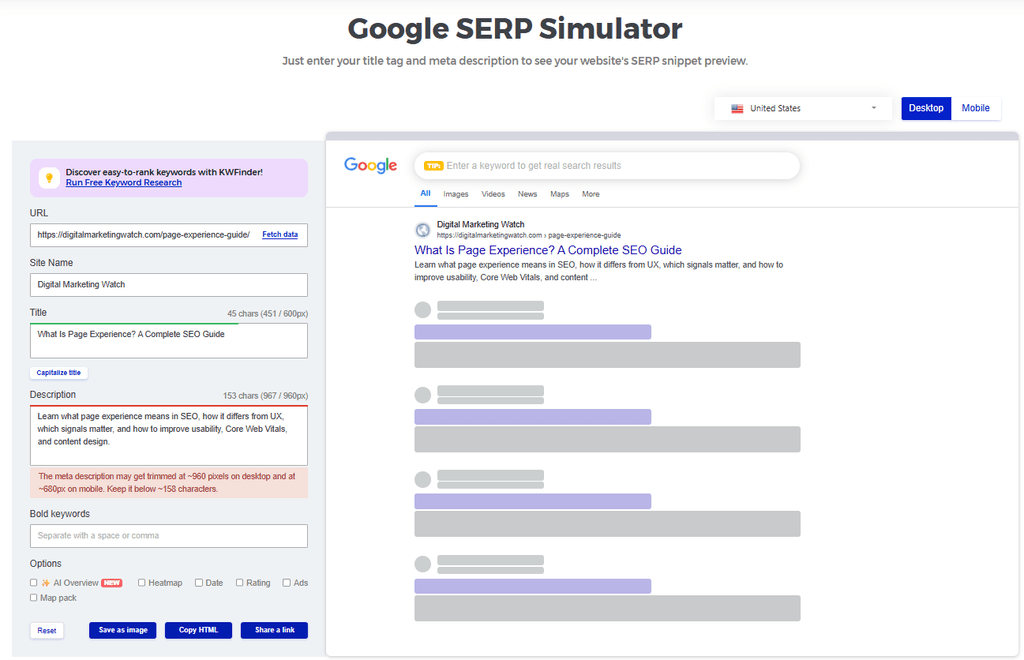
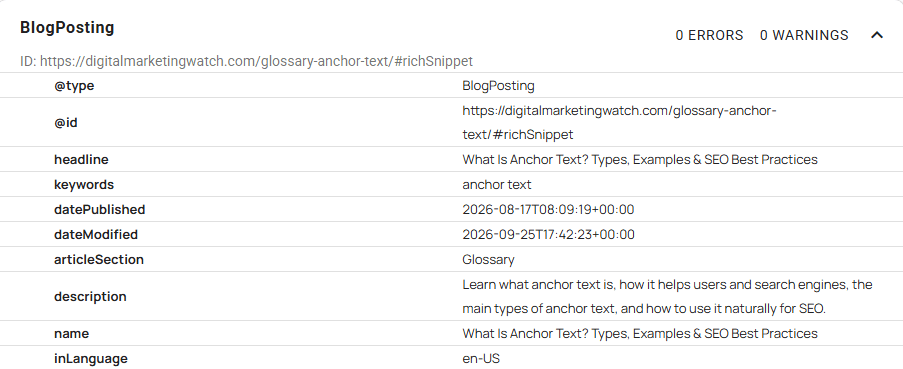
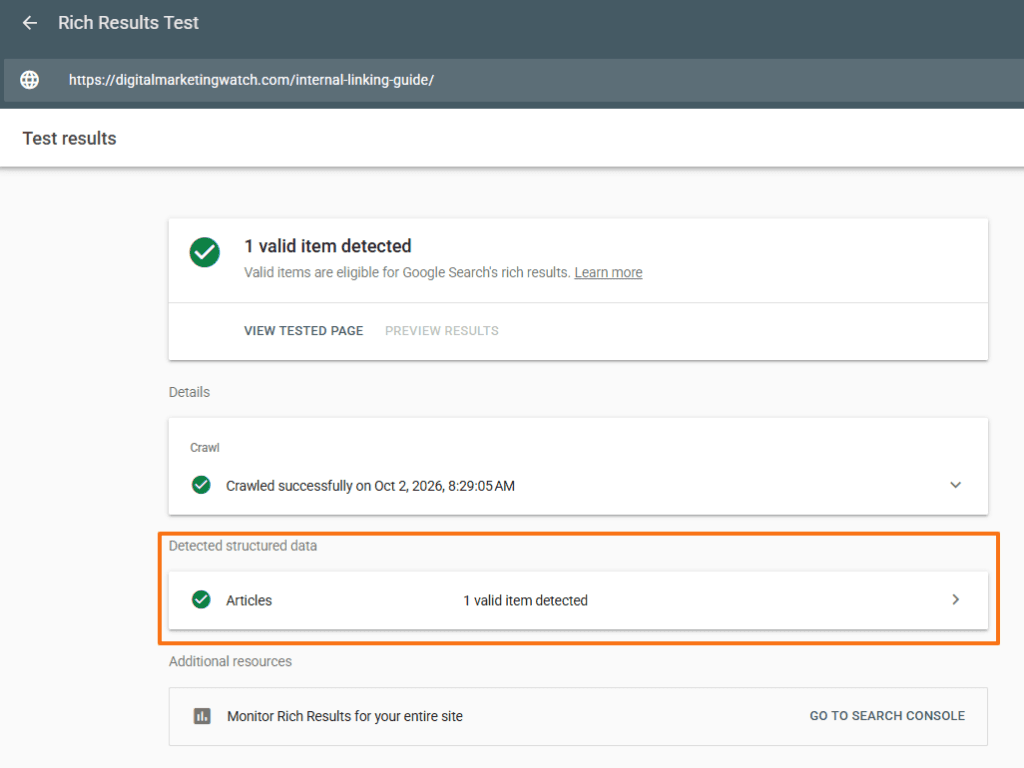
SERPs have evolved rapidly and now include many advanced features beyond traditional organic listings. A SERP simulator can preview how a standard search result may look, but it does not tell whether a page is eligible for enhanced search features. Google’s Rich Results Test, which helps validate supported structured data for enhanced search features, can preview some eligible rich-result appearances.
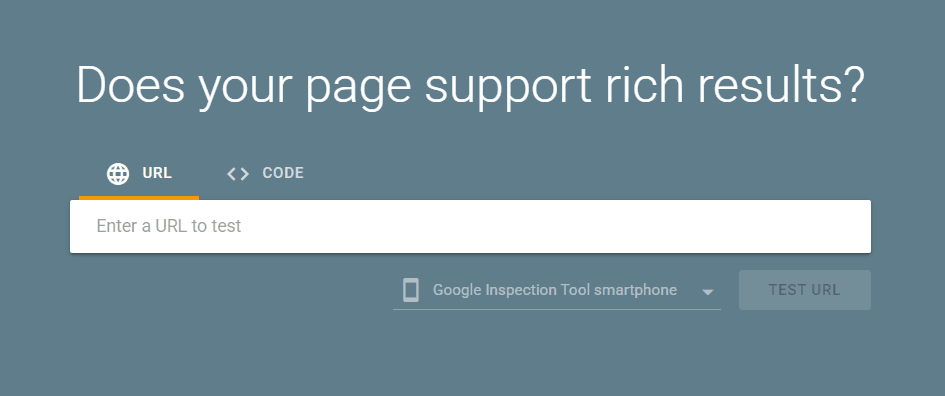
However, passing the test does not guarantee that Google will display a rich result. For broader schema markup validation beyond Google’s supported rich-result types, the Schema Markup Validator can be used.
Three Core Elements of Search Engine Results Pages
A SERP can combine several result formats, but most elements can broadly be understood as paid results, organic results, or specialized SERP features.
Paid Results
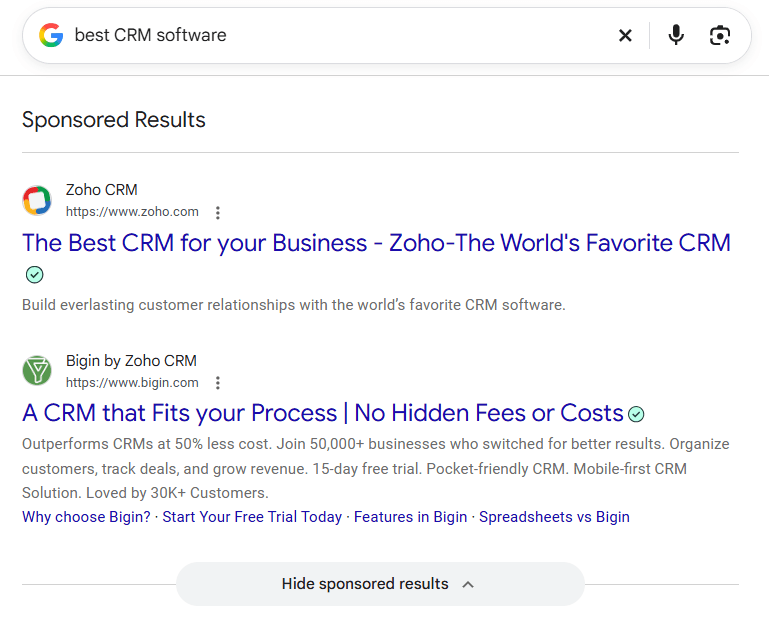
Paid results are advertisements purchased through advertising platforms such as Google Ads or Microsoft Advertising. They are normally labeled as sponsored or advertisements so users can distinguish them from organic results.
Paying for advertising does not buy a higher organic position. Google states that it does not accept payment to crawl a site more frequently or rank pages higher in its organic results.
Organic Results
Organic results are unpaid listings selected and ordered by a search engine’s ranking systems. A standard organic result commonly includes a title link, URL or breadcrumb information, and a description or snippet.
Google searches its index for matching pages and evaluates relevance using many factors, which can include the query, content, location, language, and device.
SERP Features
SERP features are specialized result formats that go beyond a conventional text listing. They can provide direct answers, visual information, local businesses, products, related questions, or additional navigation.
Not every query produces the same layout. The search features displayed can change according to the query; a local search, for example, may produce local results while a visually oriented query may emphasize images.
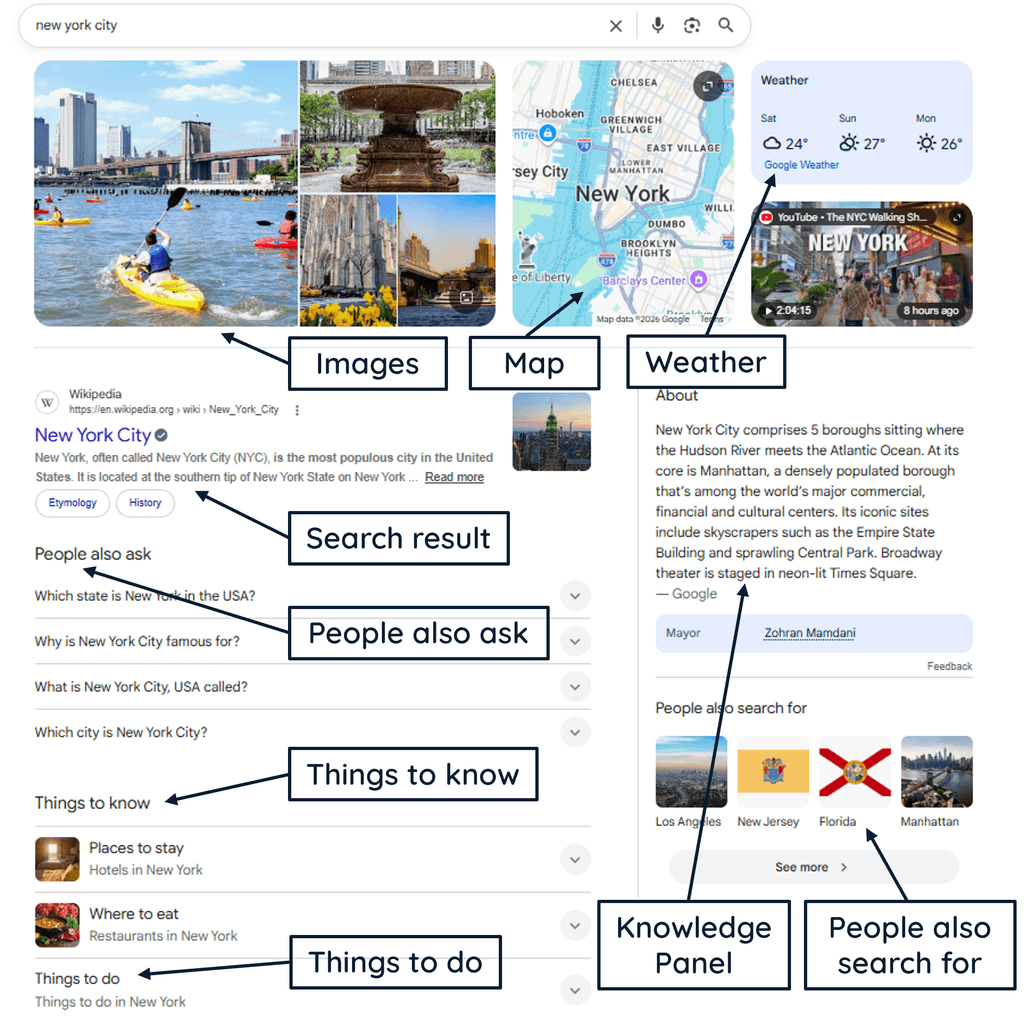
Common Types of SERP Features
SERP features can occupy prominent positions above, between, or alongside traditional organic results.
- AI Overviews: AI-generated summaries that combine information and provide supporting links. These features appear when Google’s systems determine that an AI Overview adds useful value beyond classic Search.
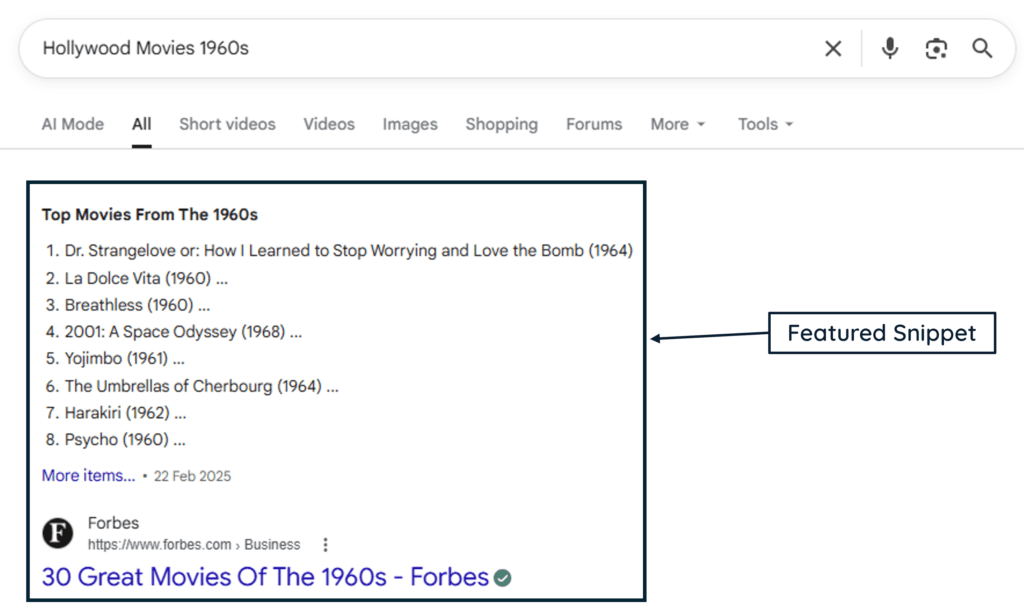
- Featured Snippets: Prominent excerpts from webpages that provide concise information relevant to a query.
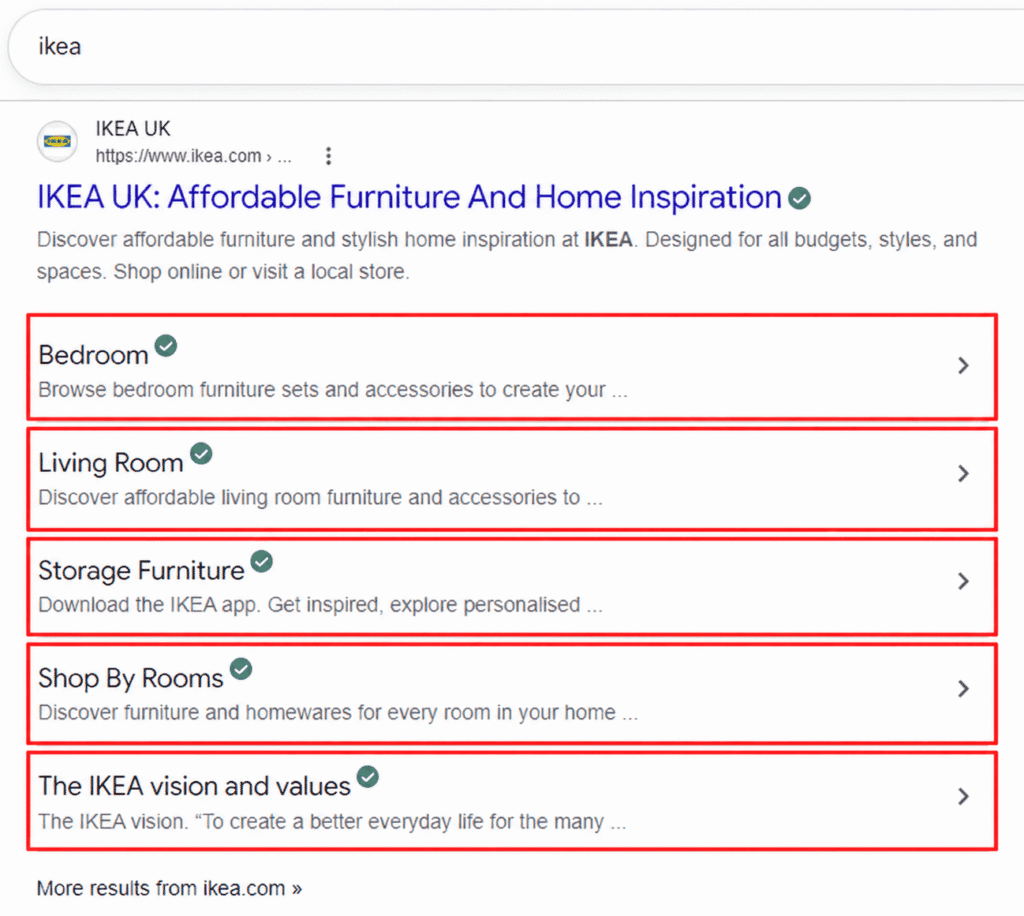
- Sitelinks: Additional links associated with a main organic result that help users move directly to important areas of a website.
- People Also Ask (PAA): Expandable questions related to the original search, often accompanied by short answers and links to sources.
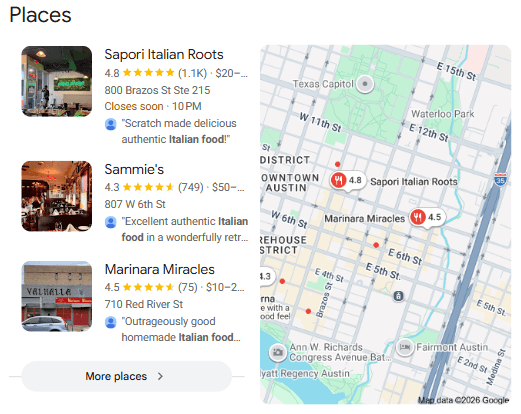
- Local Pack: A map-based group of business results for searches with local intent, such as Italian restaurants near me.
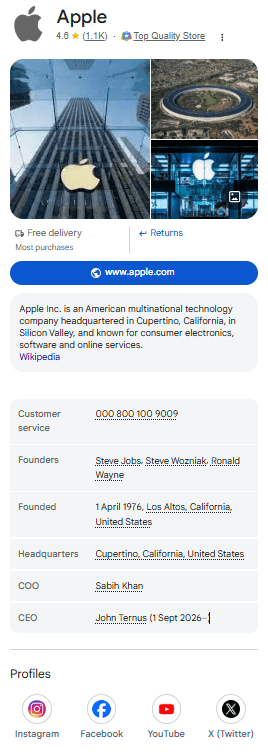
- Knowledge Panels: Information panels about recognized entities such as people, businesses, organizations, places, and other subjects.
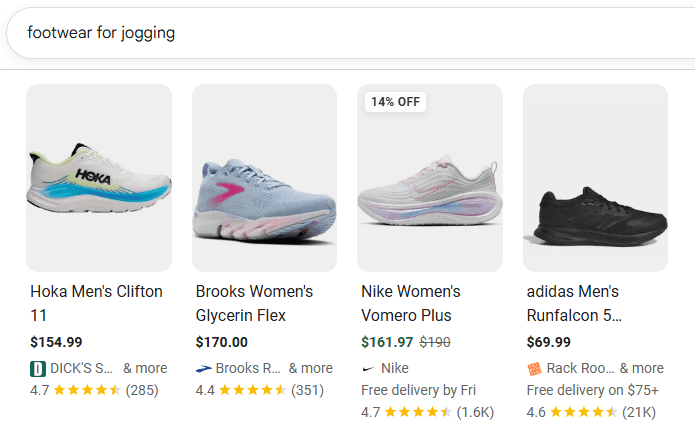
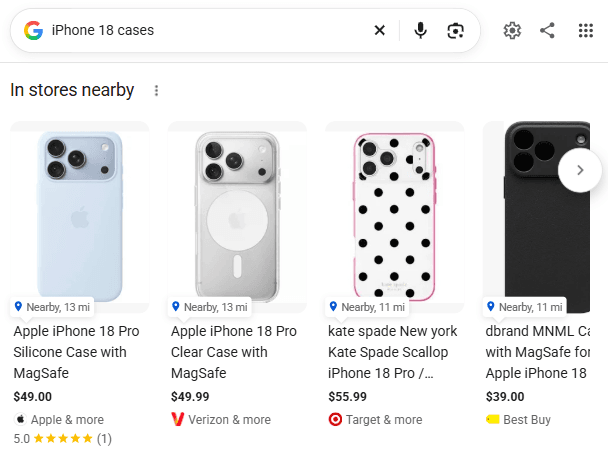
- Shopping and Product Results: Product-oriented results that may include images, prices, ratings, availability, and seller information.
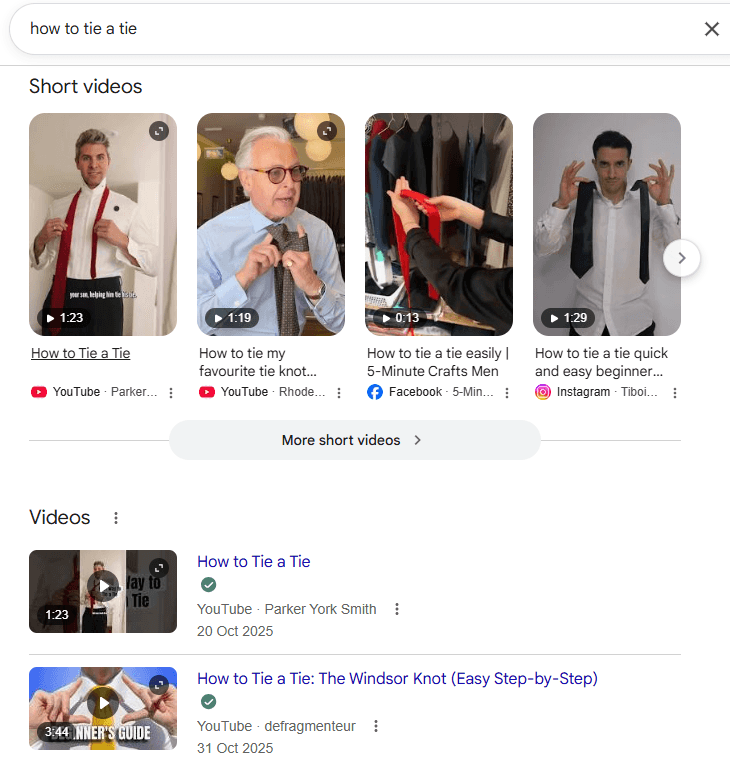
- Image and Video Results: Individual images, image packs, video results, and visual carousels that appear when visual content is useful for the query.
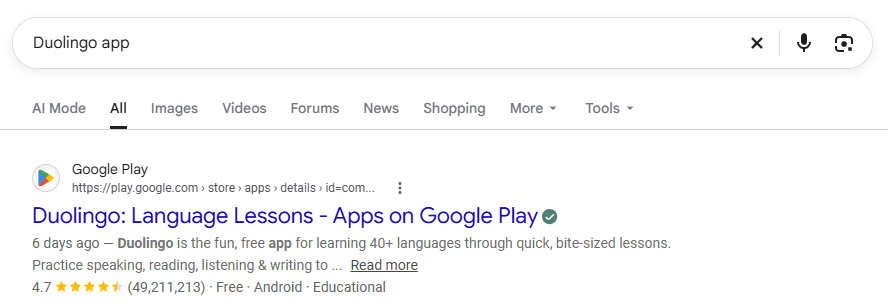
- Rich Results: Enhanced search listings available for supported content types when appropriate structured data is implemented.
How Pages Are Ranked and Selected for SERP Features
Ranking a webpage in organic results and selecting information for a specialized SERP feature are related processes, but they are not necessarily the same.
- Understand the Query and Intent: Search systems first need to interpret what someone is looking for. Google’s BERT system helps understand how combinations of words express meaning and intent, while RankBrain and neural matching help connect words and pages with related concepts.
- Retrieve Relevant Content: Pages must generally be discoverable and indexable before they can compete for organic visibility. Search engines crawl content, process it into indexes, and search those indexes for information relevant to the query.
- Evaluate Relevance and Quality: Google’s automated ranking systems examine many signals across hundreds of billions of webpages and other indexed content to identify useful results. Different systems can consider language, links, freshness, concepts, passages, reliability, and other applicable signals.
- Choose an Appropriate Result Format: The nature of the query can influence whether Google displays standard links, local results, images, videos, AI features, products, or another presentation.
- Check Feature Eligibility: Some SERP appearances have additional requirements. Supported structured data, for example, can make a page eligible for particular rich results, although eligibility does not guarantee that the feature will appear.
Search Engine Results Page Layout Trends and SEO Strategies
The traditional list of “ten blue links” still exists, but it now shares the SERP with many other result formats.
More Than Traditional Organic Links
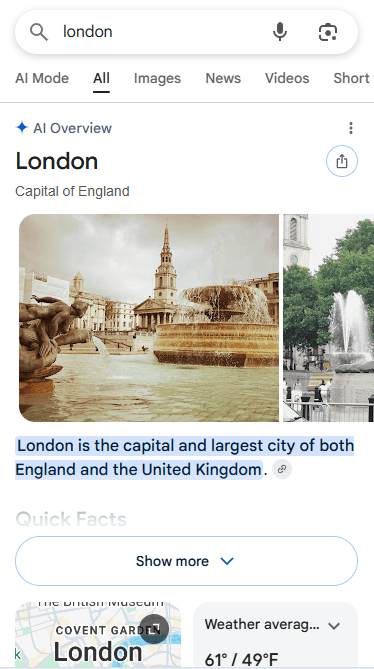
Maps, products, videos, images, featured snippets, questions, knowledge features, and AI-generated answers can occupy substantial SERP space. SEO therefore increasingly involves understanding which result formats appear for a query, not simply checking the numerical organic ranking.
Zero-Click Searches
A zero-click search occurs when a user completes the search without clicking through to another website. A definition, weather result, knowledge feature, calculator, featured snippet, or AI-generated response may provide enough information directly on the SERP.
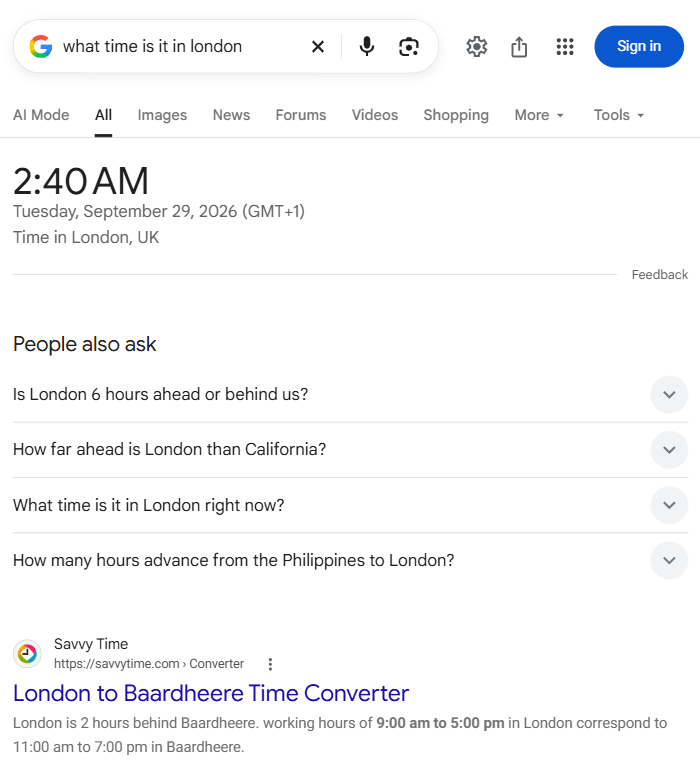
This does not make SERP visibility worthless, but it means rankings and website visits are not always equivalent.
Mobile SERP Experience
Mobile devices provide less visible screen space than desktops, so prominent SERP features can push standard organic listings farther down the page. Search appearance and user behavior should therefore be considered on both mobile and desktop.
Structured and Visual Results
Structured data can help Google understand page content and enable supported rich results. Images, videos, product information, and local business data can similarly create opportunities beyond conventional text results.
How AI Is Changing the SERP Experience
Generative AI is adding another layer to search rather than simply replacing traditional results.
Synthesized Answers
Google’s AI Overviews can summarize a topic and provide supporting web links, while AI Mode is designed for questions requiring deeper exploration, reasoning, or comparisons.
Both can use query fan-out, where Google issues multiple related searches across subtopics and data sources to develop a response and identify supporting webpages.
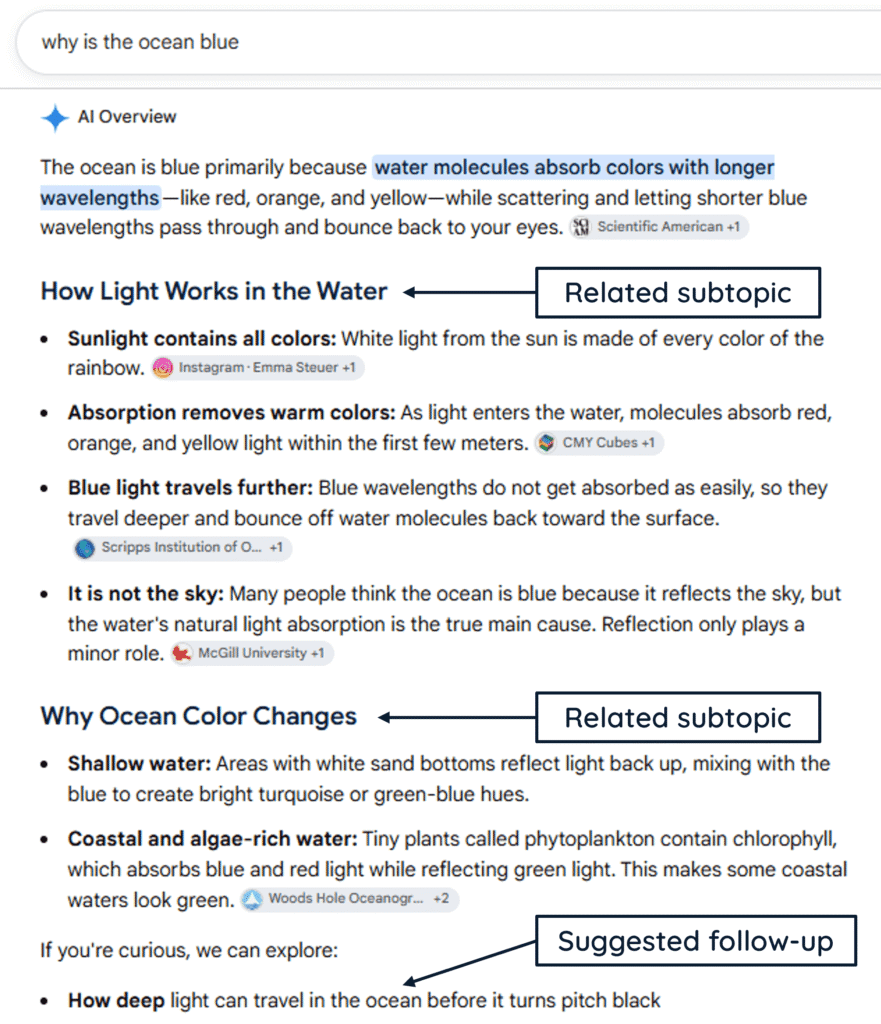
Conversational Search Journeys
Traditional search commonly follows a sequence in which a user submits a query, reviews the results, visits a webpage, and then performs another search if more information is needed.
AI-assisted search can support a more conversational journey in which the user asks a detailed question, receives a synthesized response, follows up with another question, and explores the topic in greater depth.
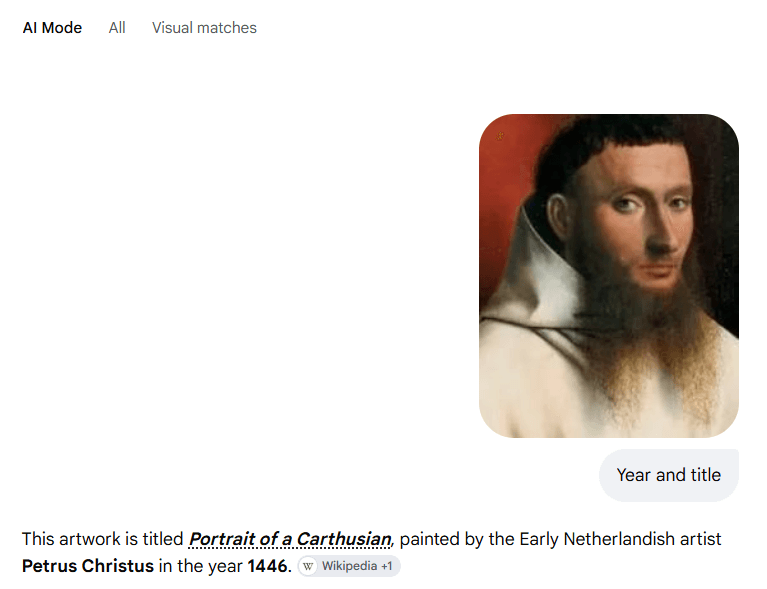
Multimodal Search
Modern search can increasingly combine text with images, voice, products, video, and other inputs or result types. Optimizing search visibility can therefore involve useful visual and structured information in addition to written text.
Traditional SERPs vs. AI-Powered Search
Google specifically says that normal SEO best practices remain relevant for AI Overviews and AI Mode and that there are no special technical requirements, AI files, or AI-specific schema needed for inclusion.
Google Search Console also provides a Generative AI performance report showing impressions from AI Overviews and AI Mode, including breakdowns by page, country, device, and date. Google began rolling out these insights on June 3, 2026, and confirmed that they were available to all websites worldwide by August 31, 2026.
Bing is evolving similarly. On February 10, 2026, Bing Webmaster Tools introduced AI Performance in public preview for citations across Microsoft Copilot, Bing AI-generated summaries, and select partner integrations.
How to Optimize Content for Advanced SERP Features
There is no single formula for earning a SERP feature. The most useful approach is to make content eligible, relevant, understandable, and appropriate for the result formats associated with the query.
- Match Search Intent: Understand what searchers actually need and naturally cover relevant terminology, entities, variations, and related questions.
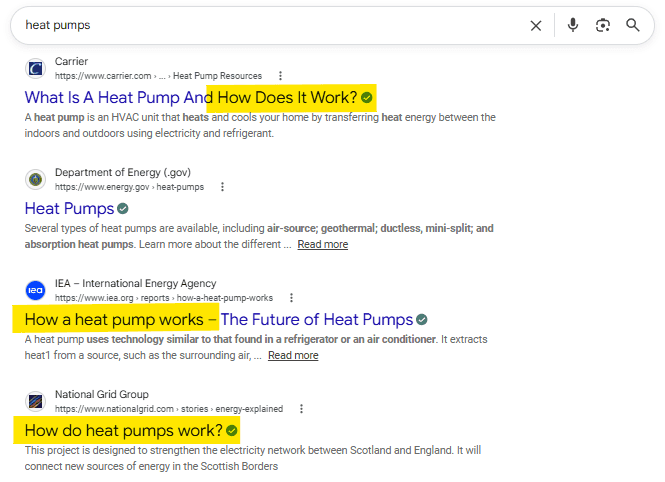
- Answer Important Questions Directly: Provide concise answers where appropriate and follow them with enough explanation to make them genuinely useful. Clear headings also help readers scan complicated subjects.
- Use Structured Data Where Applicable: Add supported schema types only when they accurately describe visible page content. Google’s Rich Results Test can validate supported markup.
- Use Lists and Tables When Useful: Steps, comparison tables, lists, and FAQs can make complex information easier to understand. They should be added because they improve the page, not simply to chase featured snippets or AI citations.
- Cover Long-Tail and Conversational Queries: Specific questions often reveal clear user needs and can create opportunities across organic results, PAA, featured snippets, and AI-powered search experiences.
- Strengthen Local Information: Businesses targeting local searches should maintain accurate names, addresses, phone details, business profiles, and appropriate LocalBusiness structured data.
- Optimize Visual Content: Use useful images and videos with descriptive filenames, alt text, captions, and relevant surrounding context where appropriate.
- Maintain Strong SEO Foundations: Keep pages crawlable, indexable, internally linked, technically accessible, and focused on helpful, reliable content. The same foundations are also vital for both traditional Search and its AI features.
Frequently Asked Questions
What is a zero-click search, and how does it affect website traffic?
A zero-click search ends without the user clicking through to another website. This can happen when the search results page already provides the information they need, reducing click opportunities for some queries even when a website contributes information or maintains strong visibility in Search.
How does Google decide whether to show an AI Overview or traditional results?
Google does not show AI Overviews for every query. It says AI Overviews appear when its systems determine that they provide additional benefit beyond what people might already get from traditional Search results.
Why does Google show a different title from a page’s title tag?
Google automatically generates title links and may use the HTML <title> element, the page’s main visual title, heading elements, prominent on-page text, anchor text, and other signals. As a result, the title displayed in Search does not always exactly match the page’s <title> element.