Key Takeaways
- X-Robots-Tag is an HTTP response header that gives compatible crawlers indexing and search-result presentation instructions.
- Unlike meta robots tags, it can control HTML pages and non-HTML resources, including PDFs, images, and video files.
- The header can keep resources accessible while excluding them from search results with directives such as noindex.
- Unlike robots.txt, X-Robots-Tag requires crawlers to access the resource, so blocked URLs cannot expose its directive.
- Server, application, CDN, or edge configurations can apply rules across resource groups without editing individual files.
An X-Robots-Tag is an HTTP response header that allows a web server to send indexing and search-result presentation instructions to compatible search engine crawlers. Unlike a robots meta tag, which is placed inside an HTML document, an X-Robots-Tag is delivered with the server’s HTTP response and can therefore control both HTML pages and non-HTML resources such as PDFs, images, and video files. Google and Bing both document support for this header.
For example, a server can return X-Robots-Tag: noindex with a PDF that should remain downloadable but should not appear independently in search results. Because the directive is delivered in the HTTP response headers, a crawler does not depend on finding a robots meta tag inside the resource itself.
An X-Robots-Tag without a crawler-specific user agent applies to crawlers that recognize and honor the directive, but support should not be assumed to be universal.
HTTP Response Header
An HTTP response header is metadata sent by a web server along with a requested page or file. It provides instructions and technical information about the response—such as content type, caching rules, security settings, or crawler directives—before the actual content is processed. For example, the header can tell a browser or search engine whether a file may be cached, what type of content it contains, or whether it should be indexed.
What Is a Tag?
HTML, or HyperText Markup Language, is the standard markup language used to structure webpages. HTML uses elements and tags to structure content and provide information about a document.
For example, <p> identifies a paragraph, <h1> identifies the main heading of a page, and <meta name="robots" content="noindex"> provides indexing instructions to compatible crawlers. HTML heading tags such as <h1> through <h6> organize visible headings, while the <head> element contains metadata and other information about the document.
Despite its name, X-Robots-Tag is not an HTML tag. It is an HTTP response header sent by the server, so it can work even with resources such as PDFs that do not contain HTML.
X-Robots-Tag vs. Meta Robots vs. robots.txt
All three mechanisms influence how crawlers interact with website content, but they serve different purposes.
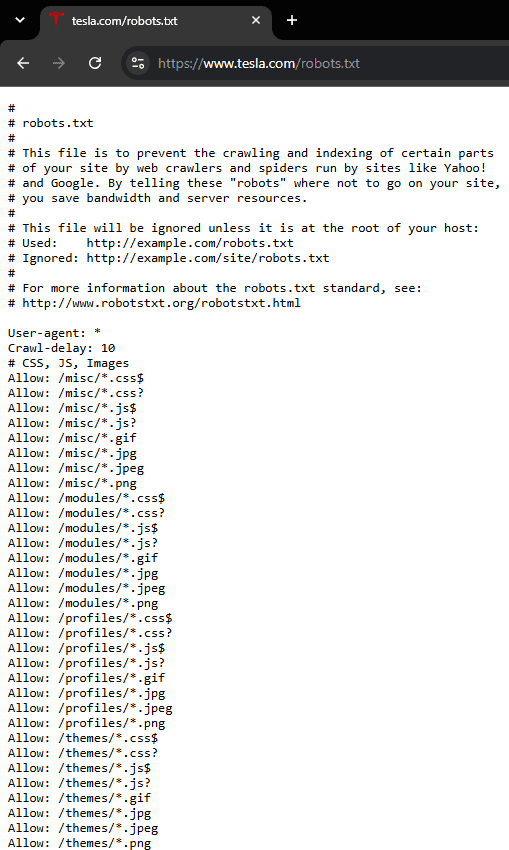
A robots.txt file controls crawler access, rather than directly instructing a search engine whether a URL should be indexed. Google and Bing both warn that a crawler must be allowed to fetch a URL before it can see a noindex directive supplied through a meta tag or HTTP header.
Uses of X-Robots-Tag
X-Robots-Tag is useful when indexing and search-result controls need to be applied at the server level, especially across non-HTML files, large URL groups, or resources that cannot be edited individually.
Controlling Non-HTML Files
One of the most important uses of X-Robots-Tag is controlling the indexing of PDFs, videos, images, and other files that cannot contain a normal HTML robots meta tag.
Suppose an ebook PDF should remain publicly accessible for visitors to download but should not appear as a standalone result in Google or Bing. The server can return: X-Robots-Tag: noindex
Google specifically recommends the header for non-HTML resources. Bing also suggests using the tag for removing PDFs, images, and other non-HTML files from its index.
Applying Rules Across Many Resources
An X-Robots-Tag can also be applied through server rules to entire groups of resources instead of editing each file individually. For example, a server configuration could return noindex for every PDF in a particular directory or for all files matching a defined pattern.
This makes the header useful on large websites where indexing controls need to be applied consistently across hundreds or thousands of resources. Google provides examples for applying X-Robots-Tag rules through common server configurations.
Server-Level Control Without Editing HTML
Because the directive is sent with the HTTP response, it can be applied without inserting robots markup into every page. This is useful when indexing rules are controlled through web-server settings, application logic, a CDN, or an edge-computing platform.
Two Strategic Use Cases for X-Robots-Tag
X-Robots-Tag is especially useful when indexing rules need to be applied to non-HTML files or specific URL patterns without editing individual pages.
1. Keeping a PDF Out of Search Results: Suppose a downloadable report should be accessible through links on the website but should not appear independently in search results. Returning X-Robots-Tag: noindex with the PDF allows crawlers to access the file and see the instruction not to index it.
2. Preventing a Test URL Variant From Being Indexed: Suppose temporary test URLs contain a parameter such as ?dev=test. Server or edge logic can detect that parameter and return X-Robots-Tag: noindex only for those variants. Truly private staging environments should still use authentication or other access controls rather than relying solely on noindex.
How to Add and Check an X-Robots-Tag
Adding an X-Robots-Tag requires configuring the HTTP response for the relevant page or file, while checking it involves confirming that the expected directive is actually being returned to crawlers.
How to Add an X-Robots-Tag
The header is commonly configured at the web-server, application, CMS, CDN, or edge level. For example, an Apache server can apply noindex to PDF files with a rule such as:
<Files ~ "\.pdf$">
Header set X-Robots-Tag "noindex"
</Files>
Similarly, an NGINX configuration can use:
location ~* \.pdf$ {
    add_header X-Robots-Tag "noindex";
}
A CMS may also expose HTTP-header controls through a plugin, extension, hosting integration, or custom code. However, many ordinary CMS SEO settings create a robots meta tag rather than an X-Robots-Tag, so the implementation method should be checked carefully.
In WordPress, HTTP headers can be modified programmatically through WordPress’s wp_headers filter, although cached pages or CDN-served files may require server- or edge-level configuration instead.
Apache and NGINX
Apache and NGINX are widely used web server software that process requests and return website files to visitors and crawlers. For example, when someone visits example.com/about, Apache or NGINX can receive that request, locate or generate the About page, and send the page back to the browser. Both can add an X-Robots-Tag at the server level, but the configuration syntax differs: Apache commonly uses directives in files such as .htaccess or server configuration files, while NGINX uses rules inside its server configuration blocks.
How to Check an X-Robots-Tag
Chrome DevTools provides a straightforward way to inspect the response header:
- Open the URL or file in Google Chrome and launch DevTools through Inspect,
F12, orCmd + Option + Ion macOS. - Open the Network panel and refresh the resource.
- Select the network request corresponding to the document or file being tested.
- Open Headers and locate the Response Headers section.
- Check for a value such as
X-Robots-Tag: noindex.
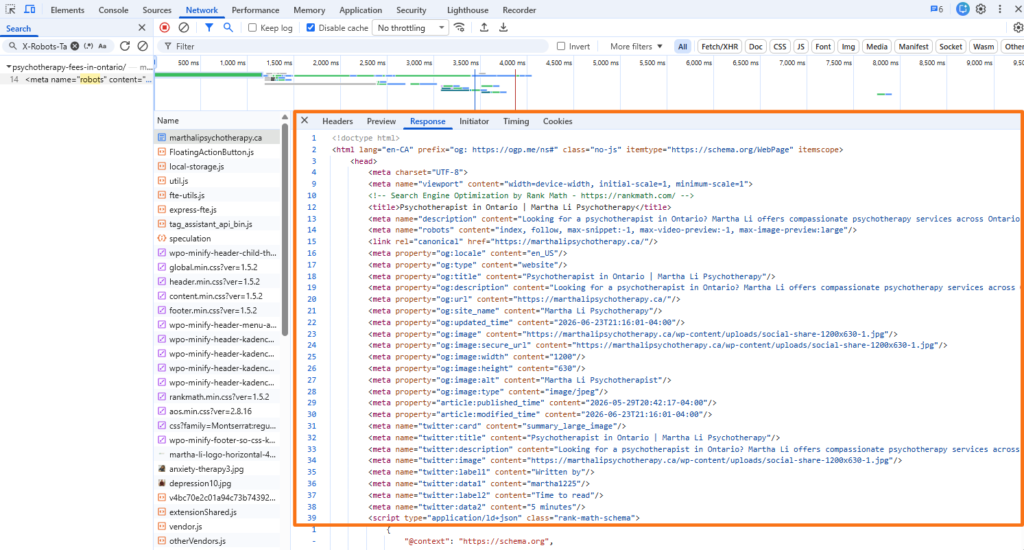
A command-line request such as curl -I https://example.com/file.pdf can also display the HTTP response headers directly. For Bing, the Live URL feature in Bing URL Inspection shows what Bingbot receives and provides HTTP response details.
X-Robots-Tag Syntax and Directive Examples
A response for a PDF could look like this:
HTTP/1.1 200 OK
Content-Type: application/pdf
Content-Length: 4235
X-Robots-Tag: noindex
For Google, any robots directive supported in a robots meta tag can also be supplied through X-Robots-Tag. Examples include noindex, nofollow, nosnippet, max-snippet, max-video-preview, and max-image-preview. Google states that nosnippet and max-snippet also affect how content may be used in AI Overviews and AI Mode.
Directive support can vary between search engines. Bing documents noarchive and nocache as controls that can affect Copilot and grounding experiences. Google Search, however, now ignores noarchive and nocache; its cached-link feature is no longer available.
Frequently Asked Questions
How is X-Robots-Tag different from a traditional meta robots tag?
Both can communicate indexing and search-result presentation instructions, but they are delivered differently. A meta robots tag is included in HTML, while an X-Robots-Tag is sent through HTTP response headers, allowing it to control non-HTML resources as well.
Can search bots read an X-Robots-Tag if the page is blocked in robots.txt?
No, not when robots.txt prevents the crawler from fetching the URL. The crawler must access the resource before it can see an X-Robots-Tag: noindex response, which is why Google and Bing advise against blocking a page or URL in robots.txt when noindex is being used to remove it from search.
Is X-Robots-Tag supported by all major search engine crawlers?
Support should not be assumed to be universal. Google and Bing explicitly support X-Robots-Tag, while other crawlers may support different directives or interpret them differently.
How can an X-Robots-Tag be checked?
The response header can be inspected through the Network panel in Chrome DevTools, a command-line HTTP request such as curl -I, or tools that expose crawler response information. Bing URL Inspection can also show HTTP response details received by Bingbot.
Can X-Robots-Tag configure snippet rules such as nosnippet?
Yes. Supported robots directives such as nosnippet and max-snippet can be supplied through X-Robots-Tag, although individual search engines may support different sets of directives. Google explicitly documents both directives for HTTP-header use.