Key Takeaways
- Anchor text, also called link text, is the clickable text within a hyperlink that connects one web page to another.
- Descriptive anchor text helps users anticipate a destination and helps search engines understand relationships between connected pages.
- Anchor text types include branded, exact-match, partial-match, compound, related, naked URL, generic, image, and page-title variations.
- Effective anchor text is concise, relevant, naturally placed, visually distinct, and supported by surrounding context without keyword stuffing.
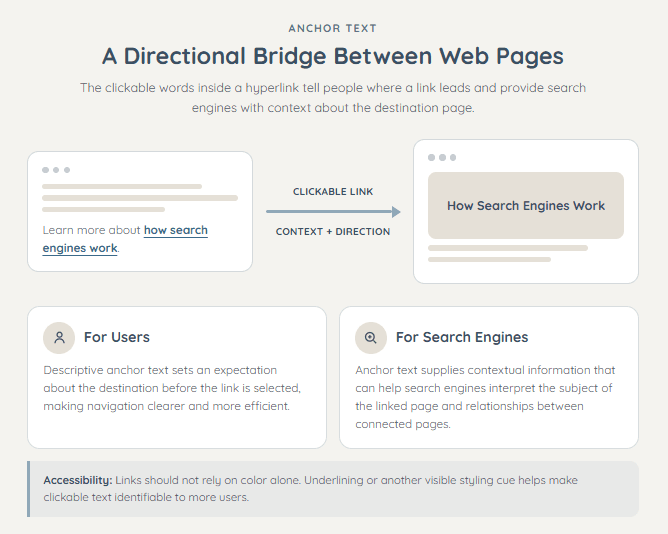
Anchor text, also called link text, is the clickable text used within a hyperlink. It provides context about the linked page for both users and search engines. Descriptive anchor text helps improve navigation and allows search engines to better understand relationships between connected pages.
Anchor text is usually visually distinguished from surrounding text through color (often blue), underlining, or other styling. For accessibility, links should not rely on color alone to show that they are clickable.
Anchor text acts as a directional bridge between two web pages.
- For Users: It indicates what to expect on the destination page before the link is selected, supporting clear and efficient navigation.
- For Search Engines: It provides contextual information that can help search engines understand what the linked page is about.
Links help connect pages and distribute link equity through a website, while descriptive anchor text provides context about the destination for users and search engines.
Keyword-rich anchor text can provide useful context when it fits naturally. However, excessive or manipulative use of optimized anchors may appear unnatural and can violate Google’s link-spam policies.
How to Check and Implement Anchor Text
Checking in HTML
To view the raw structure, right-click any link on a page and choose Inspect. The text between the opening <a> and closing </a> elements is the anchor text. For example,
<a href="https://example.com">premium leather boots</a>Here, “premium leather boots” is the anchor text.
Implementation in Microsoft Word
- Highlight the text that should become a link.
- Right-click and select Link, or press Ctrl + K.
- Paste the destination URL into the Address field and select OK.
Implementation in WordPress (Block Editor)
- Highlight the descriptive phrase inside a paragraph block.
- Click the floating Link icon, or press Ctrl + K.
- Paste the URL into the pop-up search bar and press Enter.
Types of Anchor Text
Anchor text can take several forms depending on how closely the linked words describe the destination page, keyword, brand, or URL.
- Branded Anchor Text: Branded anchor text uses the name of a company, organization, product, or website. For example, Semrush or Adidas.
- Exact-Match Anchor Text: Exact-match anchor text uses the target page’s primary keyword without any additional words. For example, SEO services.
- Partial-Match Anchor Text: Partial-match anchor text includes the primary keyword along with other relevant words that provide context. For example, affordable SEO services for small businesses.
- Compound Anchor Text: Compound anchor text combines a brand name with a relevant keyword or product description. For example, Nike running shoes or Semrush keyword research tools.
- Related Anchor Text: Related anchor text uses a close variation, synonym, or semantically connected phrase rather than the exact target keyword. For example, content promotion techniques may link to a page about content marketing strategies.
- Naked URL Anchor Text: A naked link displays the complete URL as the visible linked text. For example, https://example.com.
- Generic Anchor Text: Generic anchor text uses broad, non-descriptive wording that provides little information about the destination. Common examples include read more, learn more, and visit the website.
- Image Anchor Text: When an image functions as a link, Google uses its alt text as anchor text. The alt text should therefore describe the link’s destination or purpose accurately.
- Page-Title Anchor Text: Page-title anchor text uses the complete title of the destination page or article. For example, 10 Ways to Improve Scroll Depth.
Anchor Text Best Practices
Google advises creators to use descriptive, natural links that support navigation rather than attempting to manipulate search rankings.
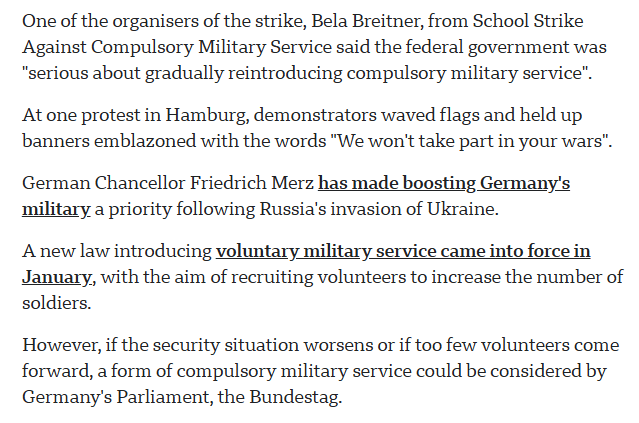
- Descriptive & Relevant: Anchor text should accurately identify the linked page and set clear expectations about its destination.
- Succinct: Keep anchor text reasonably concise while including enough information to identify the destination; avoid linking unnecessarily long sentences.
- Natural Placement: Links and their anchor text should fit naturally into the surrounding sentence instead of being inserted primarily for SEO.
- Visually Distinct: Link text should be clearly distinguishable through underlining, sufficient color contrast, or another consistent style without relying on color alone.
- Avoid Over-Optimization: Do not force exact-match keywords into anchor text when another phrase would read more naturally. Avoid repetitive or keyword-stuffed anchors created primarily to influence rankings.
- Provide Surrounding Context: The words around a link should support its meaning, and several unrelated links should not be placed directly beside one another.
Good Anchor Text Examples
- Learn how to improve internal linking across a website.
- Review the latest keyword research methods before creating content.
- Follow these steps to fix broken backlinks efficiently.
Bad Anchor Text Examples
- Generic: Click here to learn more about internal linking.
- Unnecessarily Long: Read this complete and extremely detailed guide explaining everything about keyword research for beginners.
- Keyword-Stuffed and Unnatural: Explore our best SEO tools keyword research tools SEO software comparison.
Frequently Asked Questions
Should anchor text always contain an exact-match keyword?
No, anchor text should instead be descriptive, natural, and useful to readers. Exact-match wording can be appropriate when it accurately describes the destination, but repetitive or forced keyword-rich anchors should be avoided.
What makes good anchor text?
Good anchor text is concise, distinguishable from surrounding text, and specific enough to describe the linked page or resource. It should make sense in context and give readers a clear reason to click.