A Content Management System (CMS) is software that allows individuals and organizations to create, edit, organize, manage, and publish digital content without coding every page or update from scratch. Instead of manually building HTML pages, databases, publishing interfaces, and backend processes, a CMS provides an administrative environment where content can be created and maintained more efficiently.
CMS platforms range from relatively simple website builders to large enterprise publishing systems. Some combine content management, hosting, templates, and extensions in one platform, while others focus primarily on managing structured content and delivering it to websites, apps, and other interfaces through APIs. Popular examples include WordPress, Drupal, Shopify, Contentful, Wix, and Squarespace.
A CMS can simplify SEO tasks by providing controls for URLs, metadata, redirects, XML sitemaps, image alt text, structured data, and internal linking. However, the CMS itself does not guarantee strong SEO performance. Theme quality, page speed, crawlability, indexability, duplicate URLs, plugin configuration, and technical implementation can still affect how efficiently search engines access and understand a website.
How a Content Management System Works
Many traditional CMS platforms can be understood through two functional components: the Content Management Application (CMA) and the Content Delivery Application (CDA).
The Dual Architecture of a CMS
1. Content Management Application (CMA): The CMA is the administrative interface used to create and manage content. It may include visual editors such as Gutenberg or TinyMCE, media-upload tools, navigation controls, scheduling options, categories, tags, and user-management features. Editors can prepare articles, pages, images, and other content without working directly with raw database records or HTML files.
2. Content Delivery Application (CDA): The CDA operates behind the publishing interface. It retrieves stored content and combines it with templates, presentation logic, or other delivery instructions before making it available to website visitors or connected applications. This separation allows the publishing workflow to remain simpler while the CMS handles much of the technical delivery process behind the scenes.
Together, the CMA and CDA manage the basic journey from creating content to delivering it. Modern CMS platforms then add tools that make this process easier to organize, control, and extend.
Core Features of a Content Management System (CMS)
A CMS usually combines several features that support content creation, publishing, administration, and website maintenance.
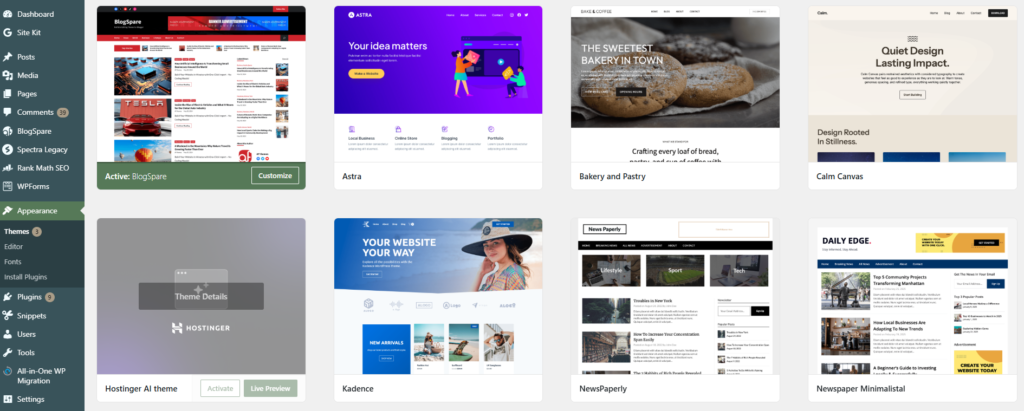
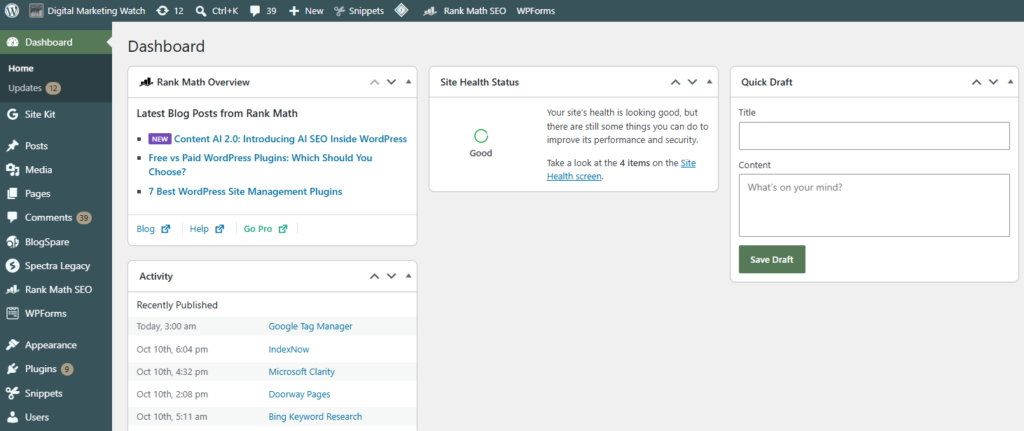
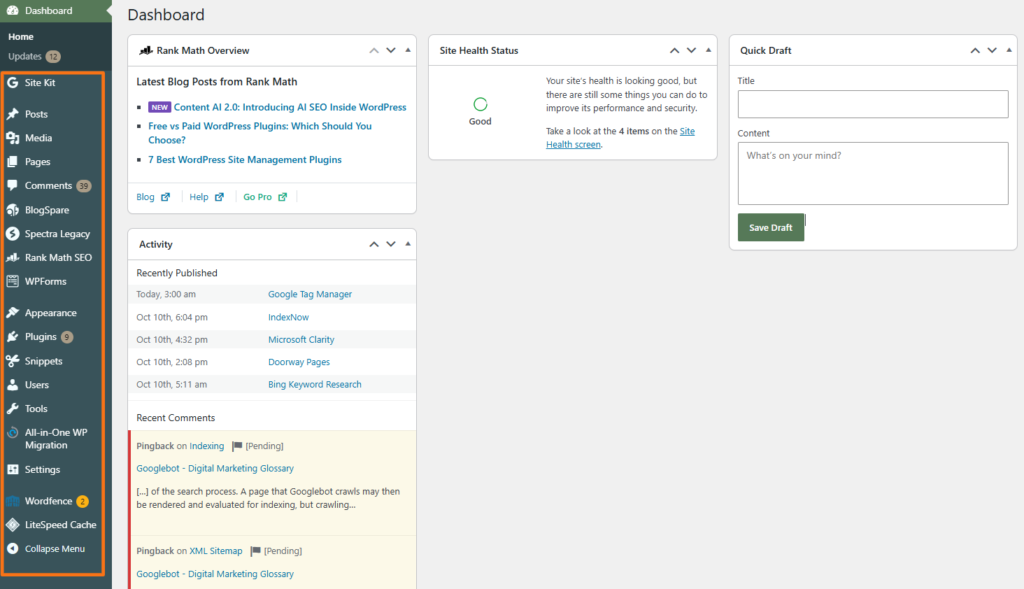
- Admin Dashboard: A centralized interface provides access to content, users, settings, publishing tools, extensions, and other site-management functions.
- Content Editor: Block editors, WYSIWYG (What You See Is What You Get) editors, and structured content fields allow authors to create pages with text, images, videos, tables, and other elements without writing every section in HTML.
- Revisions and Workflow: Many CMS platforms provide drafts, revision histories, approval states, or publishing workflows that help teams review changes before publication and restore earlier versions when necessary.
- Plugins and Add-ons: Many CMS platforms support extensions that add capabilities such as ecommerce, forms, SEO tools, security features, analytics, and integrations.
- User Roles and Permissions: Roles such as Administrator, Editor, Author, or custom permission groups help control who can create, review, edit, publish, or manage different parts of a website.
- Templates and Themes: Traditional and hosted CMS platforms often separate content from presentation, allowing layouts, fonts, colors, and other design elements to be changed without rewriting the underlying content.
- Media Library: Images, PDFs, videos, and other uploaded files can be stored and managed from a central interface.
- SEO Controls and Extensions: Depending on the CMS, features for editing URLs, metadata, redirects, sitemaps, alt text, and structured data may be included natively or added through extensions.
- Content Database or Repository: Content such as posts, pages, categories, tags, settings, and, where applicable, product data is stored in a structured system so it can be retrieved and reused dynamically.
Common CMS Models and Hosting Approaches
CMS platforms can be classified according to their architecture, hosting model, and content delivery approach, with some platforms fitting into more than one category.
Traditional or Coupled CMS
A traditional CMS keeps content management and frontend presentation closely connected. Content is created in the backend and displayed through the CMS’s own themes, templates, or rendering system, making this model relatively straightforward to launch and manage for conventional websites.
Examples include WordPress, Joomla, and Drupal. These platforms are traditionally coupled, although each can also be used in headless or decoupled implementations when required.
SaaS or Cloud-Hosted CMS and Website Builders
A SaaS CMS is hosted and maintained by the platform provider, which typically handles hosting, infrastructure, software updates, security maintenance, and other technical tasks. These platforms often combine visual site-building tools, templates, applications, and subscription-based plans in one managed service.
Examples of SaaS CMS include Shopify, WordPress.com, Wix, and Squarespace.
Headless or API-First CMS
A headless CMS keeps content management separate from the frontend presentation layer, or “head.” Content is stored in a structured, reusable format and delivered through APIs, giving developers greater freedom to build independent frontends and publish the same content across websites, mobile apps, digital signage, smart devices, and other channels.
Popular headless CMS platforms include Contentful, Strapi, and Sanity.
How a CMS Helps Marketers and Website Owners
A CMS reduces many of the technical barriers involved in running a content-driven website.
- Reduced Developer Dependency: Routine tasks such as publishing blog posts, updating product descriptions, creating basic landing pages, or editing existing copy can often be completed without waiting for a developer. Custom development may still be required for advanced functionality or integrations.
- Multi-User Collaboration: Multiple team members can create drafts, review content, edit pages, and manage publishing workflows while permissions control what each person can change.
- Centralized Asset Management: Images, PDFs, graphics, videos, and other files can be organized in a shared media library instead of being managed separately across individual pages.
- Reusable Layout Templates: Themes, templates, reusable blocks, and components can maintain visual consistency while reducing the time required to design each page individually.
- Plugins, Apps, and Extensions: Additional functionality can be added through extensions. Depending on the CMS, these may provide contact forms, ecommerce features, SEO controls, security tools, analytics integrations, or marketing automation.
- Content Scheduling: Many CMS platforms allow pages and posts to be prepared in advance and scheduled for publication at a particular date and time.
- SEO and Optimization Controls: CMS platforms can simplify tasks such as editing titles, URLs, alt text, metadata, redirects, and other optimization elements through native features or extensions.
- Cost Efficiency: A CMS can reduce the amount of custom development required for routine publishing and maintenance. Professional designers and developers may still be valuable for advanced projects, but everyday content management becomes considerably more accessible.
Popular Content Management Systems
Different CMS platforms are suited to different publishing, development, and ecommerce requirements.
Open-Source CMS Platforms
Open-source CMS platforms provide publicly available source code that can be modified, extended, and self-hosted to suit different website requirements.
WordPress.org: WordPress is the world’s most widely used CMS. According to W3Techs’ current CMS usage data, WordPress was used by about 40% of all websites in October 2026 and held the largest share of the CMS market. It is free, open-source software with a large ecosystem of themes and plugins for blogs, business websites, ecommerce stores, publications, and custom applications. The WordPress project provides the software for self-hosted installations.
Joomla: Joomla is a free, open-source CMS with features for multilingual publishing, access control, templates, extensions, and structured website administration. Its flexible permissions make it suitable for community, membership, and multi-user websites.
Drupal: Drupal is an open-source CMS known for structured content modeling, extensive permissions, multilingual support, and highly customizable implementations. It is commonly used for complex institutional, government, university, and enterprise websites. Drupal also maintains a dedicated security program.
WooCommerce
WooCommerce is not a standalone CMS. It is an open-source ecommerce solution built on WordPress that adds product management, carts, checkout, orders, payments, and other commerce functions to a WordPress website.
Cloud-Hosted and SaaS Platforms
Cloud-hosted and SaaS CMS platforms combine content management with managed hosting, maintenance, updates, and other built-in services.
Shopify: Shopify is a hosted commerce platform that combines storefront creation, inventory management, payments, shipping, product management, content tools, and ecommerce infrastructure. The platform handles much of the technical hosting environment for merchants. Shopify provides the service as a managed platform.
WordPress.com: WordPress.com is a managed hosting platform operated by Automattic that uses the WordPress software. Hosting, software maintenance, security infrastructure, backups, and several administrative tasks are handled as part of the service.
WordPress.com vs. WordPress.org
Both WordPress.com and WordPress.org use WordPress software, but their hosting model differs. WordPress.com includes web hosting as part of the service, so the website is hosted and maintained on WordPress.com’s infrastructure. WordPress.org provides the WordPress software itself, which can be installed with a hosting provider chosen by the site owner.
Wix: Wix combines hosted website building with content-management features, including visual editing, dynamic pages, structured content collections, applications, and ecommerce functionality.
Squarespace: Squarespace is a hosted website-building and content-management platform used for business websites, portfolios, blogs, ecommerce stores, and other visually oriented sites.
Adobe Commerce as a Cloud Service: Adobe Commerce as a Cloud Service is a fully managed, SaaS commerce platform designed for delivering and scaling digital commerce experiences. Adobe manages the underlying cloud service and software upgrades as part of the platform.
Modern Headless and API-First Platforms
Headless and API-first CMS platforms focus on managing structured content in the backend and delivering it to websites, apps, and other interfaces through APIs.
Contentful: Contentful is a headless and composable CMS that stores structured content centrally and distributes it to websites, apps, and other channels through APIs. Its headless CMS model is designed for multichannel content delivery.
Strapi: Strapi is an open-source headless CMS that allows developers to create custom content structures and expose them through APIs. Its architecture provides substantial flexibility over backend models and frontend technology.
Sanity: Sanity is a headless content platform built around structured content, customizable editing environments, and API-based delivery to websites, applications, and other digital experiences.
How AI Is Advancing the Capabilities of CMS Platforms
AI is increasingly being integrated into CMS platforms and their extension ecosystems to reduce repetitive work and accelerate content, design, and development tasks.
1. AI-Assisted Content and Optimization
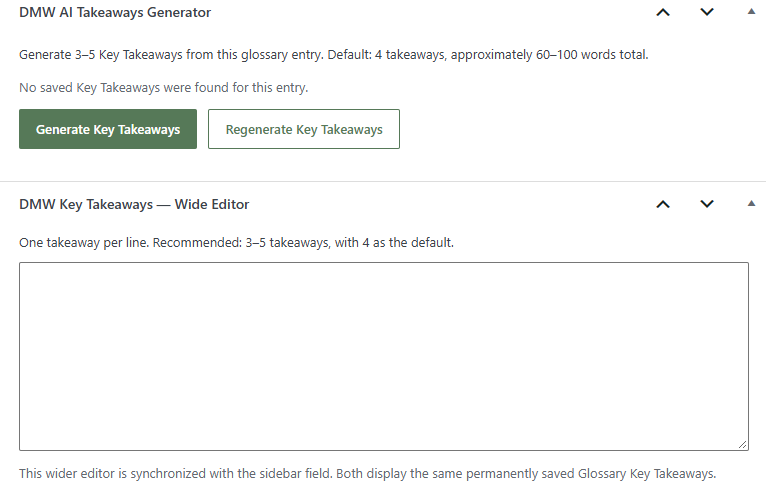
AI tools can help generate titles, descriptions, summaries, translations, product information, content suggestions, and optimization recommendations. Some systems can also identify missing information or help restructure existing content, although these capabilities vary significantly between platforms.
2. Generative Content and Asset Workflows
Embedded generative AI tools can produce first drafts, rewrite existing copy, translate content, create product descriptions, generate images, or adapt content for different channels. Platforms such as Shopify now include AI-assisted functionality through tools such as Shopify Magic.
3. AI-Assisted Code and Layout Generation
Some CMS and website-building platforms can generate code snippets, sections, layouts, theme elements, or other design components from natural-language instructions. These tools can accelerate development work, although generated code still requires appropriate testing and review.
4. Conversational CMS Operations
Some platforms now support conversational site-management workflows. For example, Shopify Sidekick can generate content, edit products, analyze store data, build apps, and complete selected administrative tasks using everyday language.
These capabilities can reduce manual work, but they do not eliminate the need for developers, designers, editors, or technical review, particularly for complex sites and custom functionality.
Frequently Asked Questions
What is the most popular CMS in the world?
WordPress is the world’s most widely used content management system. Current web-technology surveys consistently place it far ahead of other CMS platforms by overall website usage.
Is hosting required when using a free open-source CMS?
Usually, yes. Open-source CMS software such as WordPress, Joomla, or Drupal may be free to download, but a public website normally still requires web hosting and a domain name.
What is the operational difference between WordPress.com and WordPress.org?
WordPress.com provides WordPress together with managed hosting and platform maintenance. WordPress.org provides the open-source WordPress software for installation on separately chosen hosting, giving greater direct control over the hosting environment.
Can a CMS help protect a website from malicious hackers?
A CMS can support website security through updates, authentication controls, user permissions, security extensions, backups, and vulnerability fixes. However, no CMS makes a website automatically secure, and ongoing maintenance remains important.
How does a CMS connect to tools such as IndexNow or Google Analytics?
CMS platforms can connect to external services through plugins, applications, APIs, tracking scripts, tag managers, or native integrations. For example, a WordPress plugin can automatically submit changed URLs through IndexNow, while Google Analytics can be connected through a plugin, a Google tag, or Google Tag Manager.
Can content be migrated to a new CMS later?
Yes, but the difficulty varies. Text, images, products, and other structured content can often be exported or transferred, while themes, layouts, custom fields, plugins, URLs, and proprietary platform functionality may need to be rebuilt or converted.
Do ecommerce stores require a special type of CMS?
Not necessarily. Ecommerce can be handled by a dedicated commerce platform such as Shopify or Adobe Commerce, or added to a general-purpose CMS, such as WordPress with WooCommerce. The appropriate model depends on store size, technical requirements, integrations, and operational complexity.