Key Takeaways
- A canonical tag identifies the preferred URL when identical or near-identical content is accessible through multiple URLs.
- Canonical tags keep duplicate URLs accessible, while 301 redirects remove access by sending users and search engines elsewhere.
- Canonicalization signals are hints, not directives, so Google may select a different URL when pages differ substantially or signals conflict.
- Effective implementation involves using absolute, self-referencing canonicals, consistent internal links, sitemaps, and valid indexable targets, and avoiding conflicting tags.
A canonical tag (rel="canonical") is an HTML link element used to signal to search engines which URL you prefer as the main or canonical version when the same or very similar content is available through multiple URLs. Search engines can use this signal to consolidate duplicate URLs and select a representative version for indexing and search results.
HTML tags are small pieces of code that give browsers and search engines information about a webpage. A canonical tag usually appears inside the <head> section of the HTML:
<link rel="canonical" href="https://example.com/shoes/" />If that tag appears on https://example.com/shoes?color=blue, it indicates that https://example.com/shoes/ is the preferred version.
The word canonical comes from canon, meaning an accepted rule or standard. In SEO, the canonical URL is therefore the standard or representative version among several similar URLs.
Canonicalization matters because search engines work with URLs. Duplicate URLs are often created automatically rather than through deliberate duplication. They often arise when one piece of content can be accessed through several addresses.
Google may group these duplicates and choose one URL to represent them in Search. Duplicate versions are generally crawled less often after Google recognizes them, which can reduce unnecessary crawling on larger websites.
Why Duplicate URLs Exist
Different URLs can display identical or substantially similar content for perfectly legitimate technical or usability reasons.
Common examples include:
- Ecommerce Filters:
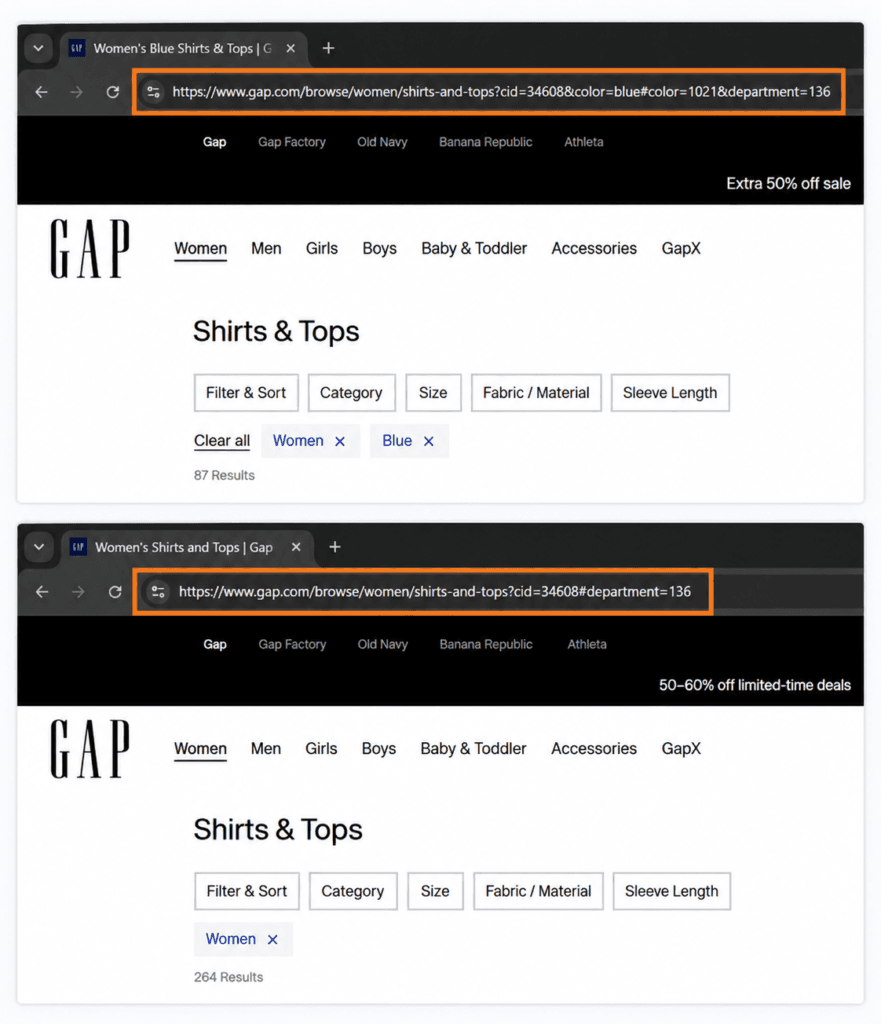
/shoes/and/shoes?color=blue - Tracking Parameters:
/guide/and/guide/?utm_source=email - HTTP and HTTPS:
http://example.com/page/andhttps://example.com/page/ - WWW and non-WWW:
www.example.com/page/andexample.com/page/ - Trailing Slashes:
/pageand/page/ - Device Variations: separate desktop and mobile URLs displaying essentially the same content.
- Regional Variations: similar same-language pages created for different countries or regions.
- Republishing: substantially identical content appearing on more than one URL or website.
For syndicated content across different websites, Google does not recommend relying on rel="canonical" as the primary duplication control because syndicated versions can differ. In such cases, preventing the syndicated copy from being indexed is more effective.
Google specifically lists protocol variants, device variants, regional variants, and filtering or sorting functions among common reasons duplicate URLs arise.
Too many unnecessary URL variations can also waste crawling resources, particularly on very large websites. However, crawl budget is usually not a serious concern for small and medium-sized sites, so canonical tags should primarily be used to clarify which URL represents duplicate or near-duplicate content rather than simply to “save crawl budget.”
Duplicate URLs can be found by crawling the site with an SEO crawler, reviewing parameter and filtered URLs, or inspecting individual pages in Google Search Console. URL Inspection can show both the canonical declared by the website and the canonical Google selected.
When to Use a Canonical Tag
A useful rule for beginners is:
⇒ Use a canonical tag when another version of a page still needs to remain accessible, but one URL should be treated as the preferred version for search.
For example, an ecommerce shopper may need example.com/shoes?color=blue to see only blue shoes. However, the store may want example.com/shoes/ to represent the main category in search. In this case, the filtered page can include a canonical tag pointing to example.com/shoes/.
Canonical Tag vs. 301 Redirect
A canonical tag and a redirect solve different problems. A canonical tag keeps both URLs accessible while indicating which one is preferred. A 301 redirect sends users and search engines from the old or unwanted URL to another URL.
If users no longer need the duplicate URL, a redirect is usually more appropriate. Google considers redirects and rel="canonical" strong canonicalization signals, while sitemap inclusion is considered a weaker signal.
Canonical Tags Are Hints, Not Directives
A canonical tag is a strong signal, not a directive to Google.
If Page B declares Page A as canonical but their main content or purpose differs substantially, Google may ignore the declaration and select another URL. Google considers several signals, including canonical annotations, redirects, sitemap inclusion, HTTPS, and similarities between pages.
Google Search Console may therefore show:
- User-declared canonical: the URL specified by the website.
- Google-selected canonical: the URL Google ultimately chose.
Bing also supports rel="canonical" and has described it as a hint rather than a directive. Yahoo does not require a separate canonical strategy: its algorithmic web results are currently provided by Microsoft Bing.
How to Add and Check Canonical Tags
Many modern content management systems and SEO plugins handle basic self-referencing canonicals automatically, but website owners should know where to check them.
<link rel="canonical" href="URL" /> inside the page’s <head> → View Page Source → search “canonical”rel="canonical"; custom implementations may require
Shopify theme-level canonical changes
For non-HTML resources such as PDFs, a canonical can also be supplied through the HTTP Link header. Google supports both HTML canonical elements and canonical HTTP headers.
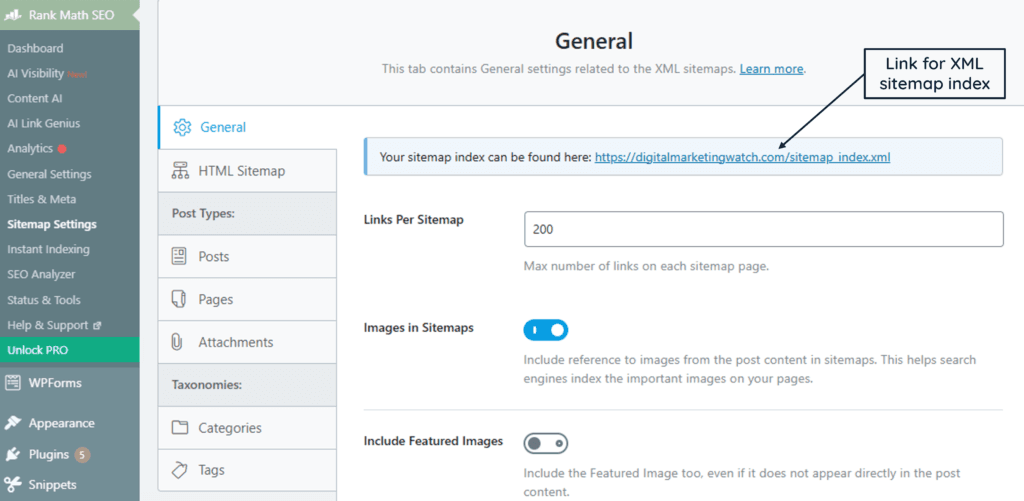
An XML sitemap provides another canonical signal. Include the URLs you actually want indexed rather than filling the sitemap with duplicate variants. Google considers sitemap inclusion a weaker canonicalization signal than redirects or rel="canonical".
Canonical Tags: Dos and Don’ts
Following these recommended canonicalization best practices helps keep your preferred URLs clear and prevents conflicting signals that may cause search engines to choose a different canonical version.
200 OK pagehreflangrobots.txt as a canonicalization methodnoindex to the URL you want selected as canonicalGoogle recommends self-referencing canonicals, absolute URLs, consistent canonicalization methods, and canonicals in the same language when used with hreflang. It also specifically advises against using robots.txt or noindex as substitutes for canonicalization.
Internal links should support the same strategy. If a page declares https://example.com/page/ as canonical but menus, breadcrumbs, and body links repeatedly point to another version, the site is sending conflicting signals.
Canonical chains should also be avoided: Page A → Page B → Page C
Instead, Page A and Page B should normally point directly to the final preferred URL, Page C.
Common Canonical Tag Problems
Canonical problems usually arise when technical signals disagree.
- Google selects another canonical: Check whether the pages are genuinely similar and whether internal links, redirects, and sitemap signals support your preferred URL.
- Canonical points to a redirect: Update it to point directly to the final working page.
- Canonical points to a 4XX URL: Choose an accessible, valid canonical instead.
- Non-canonical URL appears in the sitemap: Replace it with the preferred URL where appropriate.
- Canonical URL receives few internal links: Strengthen internal linking to the preferred version.
- Pages contain substantially different content: Do not use canonical tags simply to force one unrelated page to represent another.
Google recommends using URL Inspection when its selected canonical differs from the one declared by the website.
Frequently Asked Questions
What happens if a non-canonical page is included in an XML sitemap?
It creates conflicting signals because sitemap inclusion suggests that the URL is one you want indexed. Where possible, remove the duplicate and include the preferred canonical URL instead.
What if the canonical URL has no internal links?
The canonical tag can still be detected, but internal links are another important site signal. Where practical, navigation and contextual links should point directly to the preferred URL.
Can a canonical tag point to a 404 page?
It can be declared that way, but this kind of canonicalization should be avoided. If it is a 404 page, it means the declared preferred URL is unavailable, making it a poor canonical target. Canonicals should normally point to a valid, indexable page returning a successful 200 OK response.
Can I use noindex and a canonical tag together?
They should not be combined as a way to force canonicalization. Google recommends using rel="canonical" when consolidating duplicate URLs and specifically advises against using noindex to influence which page it selects as canonical.