Key Takeaways
- A search query is the exact word, phrase, or question a user enters into a search engine to express an immediate need.
- Search queries differ from keywords because they reflect real wording, including details, conversational language, spelling variations, and location modifiers.
- Search engines interpret queries, retrieve candidate documents from an index, rank them using query-dependent signals, and present suitable SERP features.
- Query intent may be informational, navigational, commercial investigation, or transactional, helping marketers align content and campaigns with user needs.
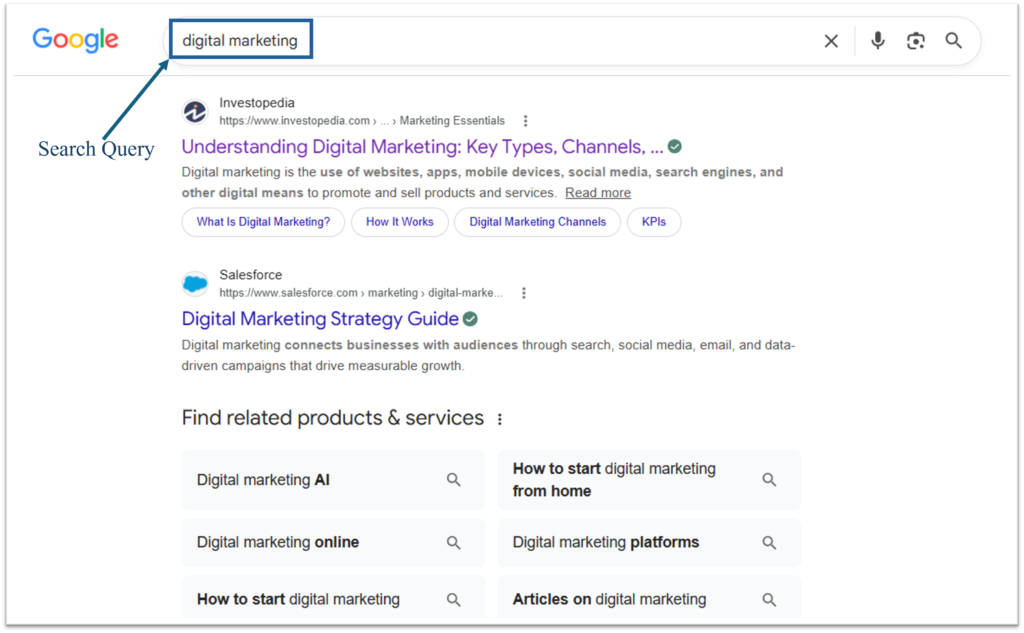
A search query is the word, phrase, or question a user enters into a search engine to find information, products, services, websites or specific webpages. In digital marketing and SEO, the query reflects what a user is looking for at that moment.
Search engines analyze queries to understand user intent and deliver the most relevant results. For example, if a user types “how to fix a leaking faucet without a wrench” into Google, that exact string of text is the search query or search term. The search engine analyzes its language and intent to identify results that explain how to repair the leak without using that particular tool.
Google processes over five trillion search queries every single year. If distributed evenly, that would represent more than 13.7 billion searches per day and approximately 158,500 per second. Google has also stated that about 15% of the searches it receives each day are queries its systems have not previously seen, demonstrating the enormous variety of ways people express their needs.
Keyword vs. Search Query
While often used interchangeably, keyword and search query are related but distinct concepts in search marketing:
- Keyword: A word or phrase that marketers research, target or associate with a page or advertising campaign. For example, leaking faucet repair.
- Search Query: The actual wording submitted by the searcher, which may contain additional details, conversational language, spelling variations or location modifiers. For example, plumber near me to fix a leaking faucet today.
How Search Engines Process Queries
After a search query is entered, a search engine executes a several interconnected processes, typically within fractions of a second:
Query Submission ➔ Query Interpretation ➔ Candidate Retrieval from the Index ➔ Relevance and Quality Ranking ➔ Results Selection and SERP Presentation
Step 1: Query Interpretation
The search engine analyzes the wording, language, spelling, context and likely intent of the query. It may recognize misspellings, synonyms, local intent, freshness needs or ambiguous terms, such as whether “Apple” refers to the company or the fruit.
Step 2: Candidate Retrieval from the Index
For most organic results, search engines retrieve information from an existing index rather than crawling the live web for every query.
Search systems commonly use structures such as inverted indexes to identify potentially relevant documents without scanning every indexed page from beginning to end. An inverted index works somewhat like the index at the back of a book, connecting words or other stored features with the documents in which they appear.
Step 3: Relevance and Quality Ranking
Ranking systems evaluate the retrieved documents using numerous query-dependent signals related to meaning, relevance, usefulness, originality, links, freshness, context and aspects of page experience.
The importance of each signal varies by query. For example, freshness may matter more for breaking news than for a historical definition.
Step 4: Results Selection and SERP Presentation
The search engine selects the most suitable results and determines how to display them on the search engine results page. Depending on the query, the SERP may include web listings, images, videos, news results, local results, featured snippets or knowledge panels.
The layout reflects the type of information the search engine believes will best satisfy the query.
Key Technologies Involved
Modern search relies on several interconnected technologies that help search engines interpret queries, retrieve relevant information, and rank the results most likely to satisfy the searcher’s intent.
- Natural Language Processing: Helps systems interpret spelling, wording, context and likely intent.
- Inverted Indexes: Help retrieval systems locate potentially relevant documents efficiently.
- Lexical Matching: Methods such as TF-IDF and BM25 compare the words in a query with terms appearing in documents.
- Semantic Representations and Vector Embeddings: Represent meaning numerically, helping systems identify relevant information that uses different wording.
- AI Language-Understanding Systems: Technologies such as BERT, RankBrain and neural matching help Google connect words with meanings and concepts.
- Machine-Learning Ranking Models: Evaluate multiple signals to estimate which results are most useful for a particular query.
Types of Search Queries by Intent
The classic search-intent taxonomy divides web queries into informational, navigational and transactional categories. Many modern SEO frameworks add commercial investigation as a fourth category to distinguish product research from immediate action.
- Informational Queries: The user wants knowledge, an explanation or an answer to a question. For example, What causes high blood pressure.
- Navigational Queries: The user wants to reach a particular website, webpage, application, platform or brand destination. For example, Netflix login.
- Commercial Investigation Queries: The user researches, compares or evaluates products, services or brands before making a decision. For example, Sony vs. Bose wireless headphones.
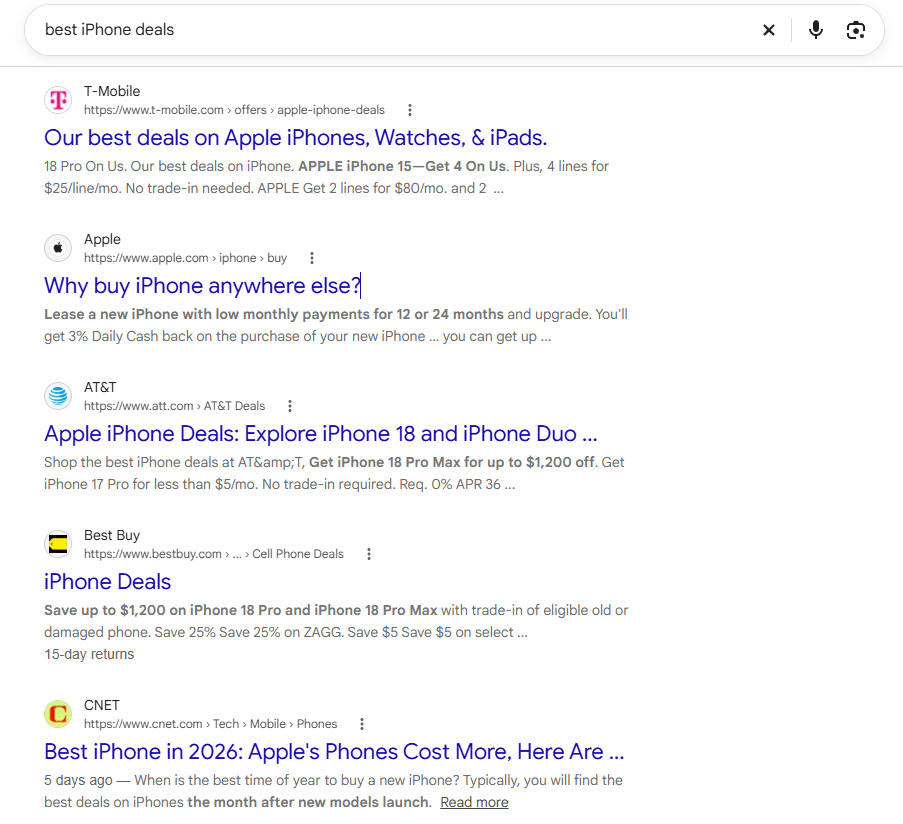
- Transactional Queries: The user wants to complete a specific action, such as making a purchase, booking an appointment, registering, subscribing or downloading something. For example, Buy iPhone 16 Pro online.
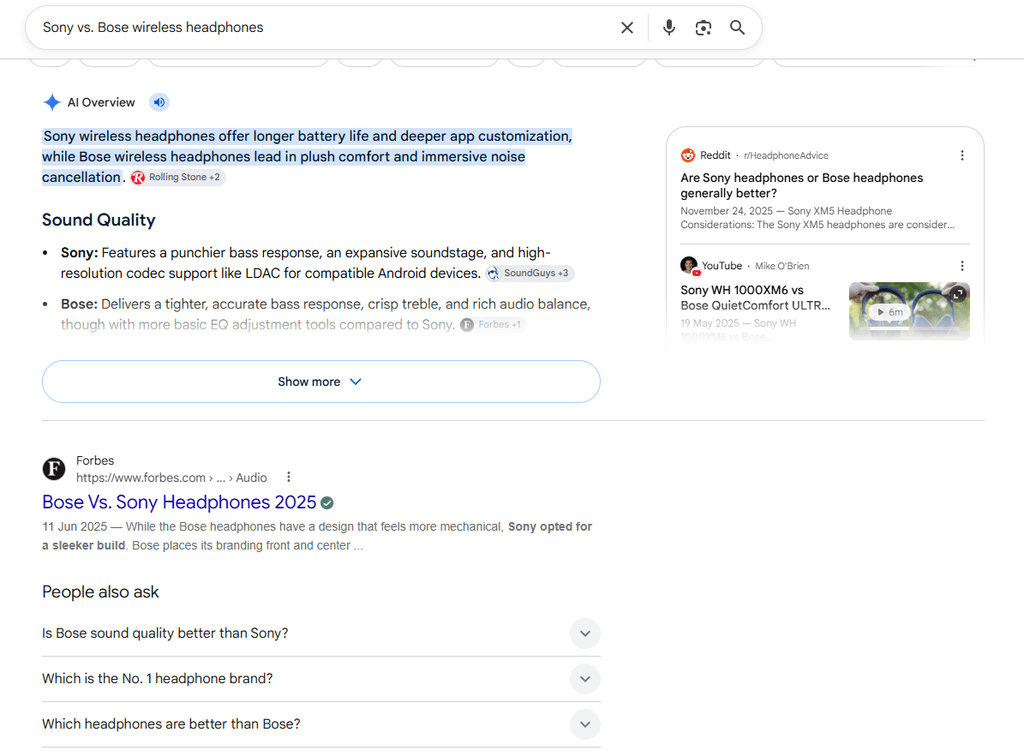
A single query may contain more than one type of intent. For example, “best iPhone deals” combines commercial research with possible transactional intent. The search results usually indicate which interpretation the search engine considers dominant.
How Query Intent Relates to the Buyer’s Journey
Search intent often aligns with different stages of the buyer’s journey, although customers do not always move through these stages in a straight line.
- Awareness Stage: During the awareness stage, users usually enter informational queries to understand a problem, such as Why is my laptop running slowly?
- Consideration Stage: In the consideration stage, they often use commercial investigation queries to compare possible solutions, such as Best external SSDs for Mac mini.
- Decision Stage: At the decision stage, transactional queries become more common because the user is ready to act, as in Buy Samsung T7 SSD 1TB.
Navigational queries can appear at any stage of the journey. A user may search for a specific brand, product page, support resource, login portal or retailer before, during or after making a purchase.
Where Marketers Can Find Search Queries
Marketers can find search queries through search-performance reports, advertising data and keyword research tools. However, not every tool provides the same type of information. Google Search Console and Google Ads reveal searches connected to an existing website or advertising campaign, while research tools suggest related queries and estimate their popularity.
- Google Search Console: The Performance report shows queries that generated impressions or clicks for a website in Google Search. Marketers can use this information to identify existing rankings, audience language, underperforming pages and new content opportunities. However, Search Console omits anonymized queries and may not display every query because of privacy protections and data limits.
- Google Ads Search Terms Report: Shows reported search terms that triggered advertisements and how the ads performed for those searches. It can reveal differences between the keywords selected by an advertiser and the actual wording used by searchers, helping identify valuable terms and irrelevant searches that may require negative keywords.
- Google Keyword Planner: Generates keyword and query ideas for Google Ads campaigns and provides estimated search volumes, forecasts and competition data. It is useful for discovering related wording, although its figures are estimates rather than a complete record of individual searches.
- Google Trends: Displays relative search interest over time and provides top and rising related queries. It is particularly useful for identifying seasonal patterns, emerging topics and changes in search behavior rather than exact search-volume totals.
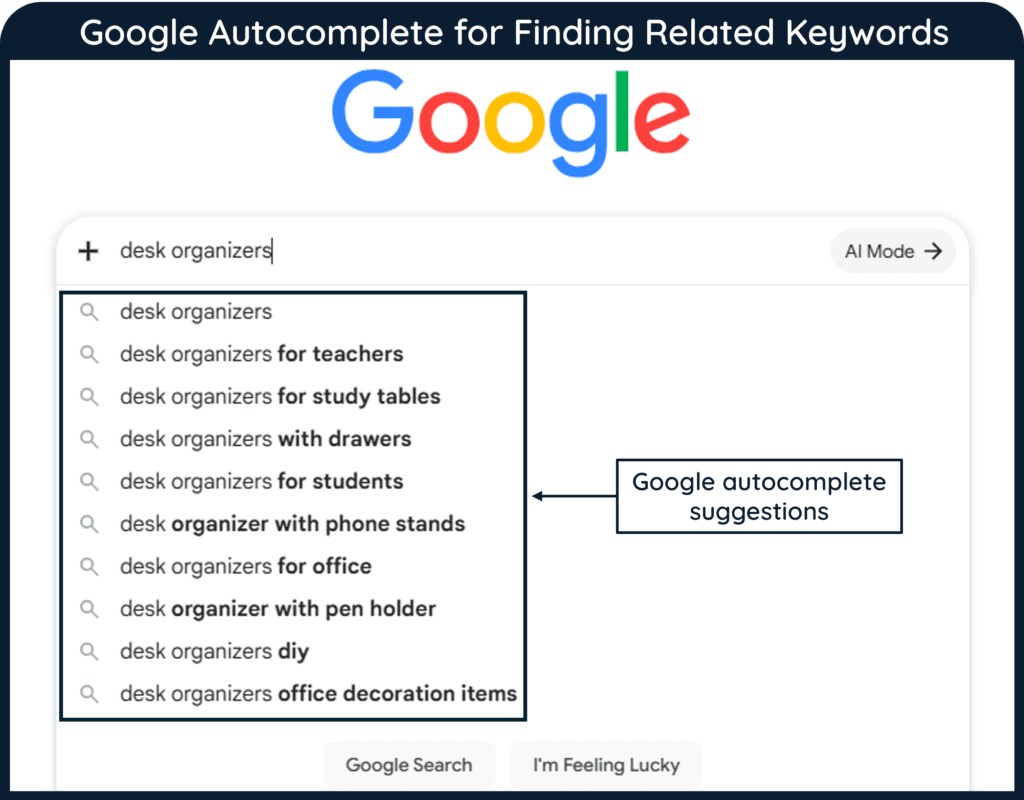
- Google Autocomplete: Suggests possible query completions as a person types. Its predictions are influenced by real searches, language, location, trending interest and, in some cases, previous search activity. It can reveal common wording and long-tail variations, but it should not be treated as a ranked list of the most popular queries.
- Ahrefs Keywords Explorer: Provides matching terms, related keywords, search suggestions and question-based queries, together with estimated metrics such as search volume, keyword difficulty and traffic potential.
- Semrush Keyword Magic Tool: Generates related keywords and query variations from a seed term and allows marketers to filter them by intent, search volume, difficulty and other estimated metrics.
- AlsoAsked: Collects and organizes questions appearing in Google’s People Also Ask results, helping marketers understand how related questions and subtopics connect.
- AnswerThePublic: Uses autocomplete-based search data to generate questions, comparisons, prepositions and other query variations around a topic. It is useful for brainstorming long-tail queries and content ideas.
A search query is more than a string of words entered into a search box; it is the starting point for a complex retrieval and ranking process designed to match an information need with the most relevant available results. Understanding how queries are interpreted can help explain why search engines return different results for seemingly similar searches.