Key Takeaways
- Crawling is the process search engines use to discover, request, render, and revisit webpages, while indexing occurs afterward.
- Robots.txt controls crawler access, whereas noindex controls search-result inclusion; blocking crawling can prevent Google from seeing noindex.
- Crawlers discover URLs through links, sitemaps, redirects, and prior crawls, then schedule requests based on crawl demand and server capacity.
- Website owners can support crawling with clean sitemaps, accessible content, crawlable internal links, crawl monitoring, and recrawl requests.
Crawling is the automated process search engines use to discover new and updated webpages and revisit URLs they already know about.
Search engines do not automatically know the moment a new page is published. Crawlers need to discover and request the URL before the search engine can process it for possible indexing.
Crawling vs. Indexing
Crawling and indexing are separate processes. Crawling occurs when a search engine discovers and retrieves a webpage. Indexing occurs later, when the search engine analyzes the page and decides whether and how its information should be stored in the search index.
If a URL is blocked from crawling using a robots.txt rule, Google may be unable to read an index or noindex directive placed on that page. To prevent indexing, the page generally needs to remain crawlable long enough for the search engine to see the noindex instruction.
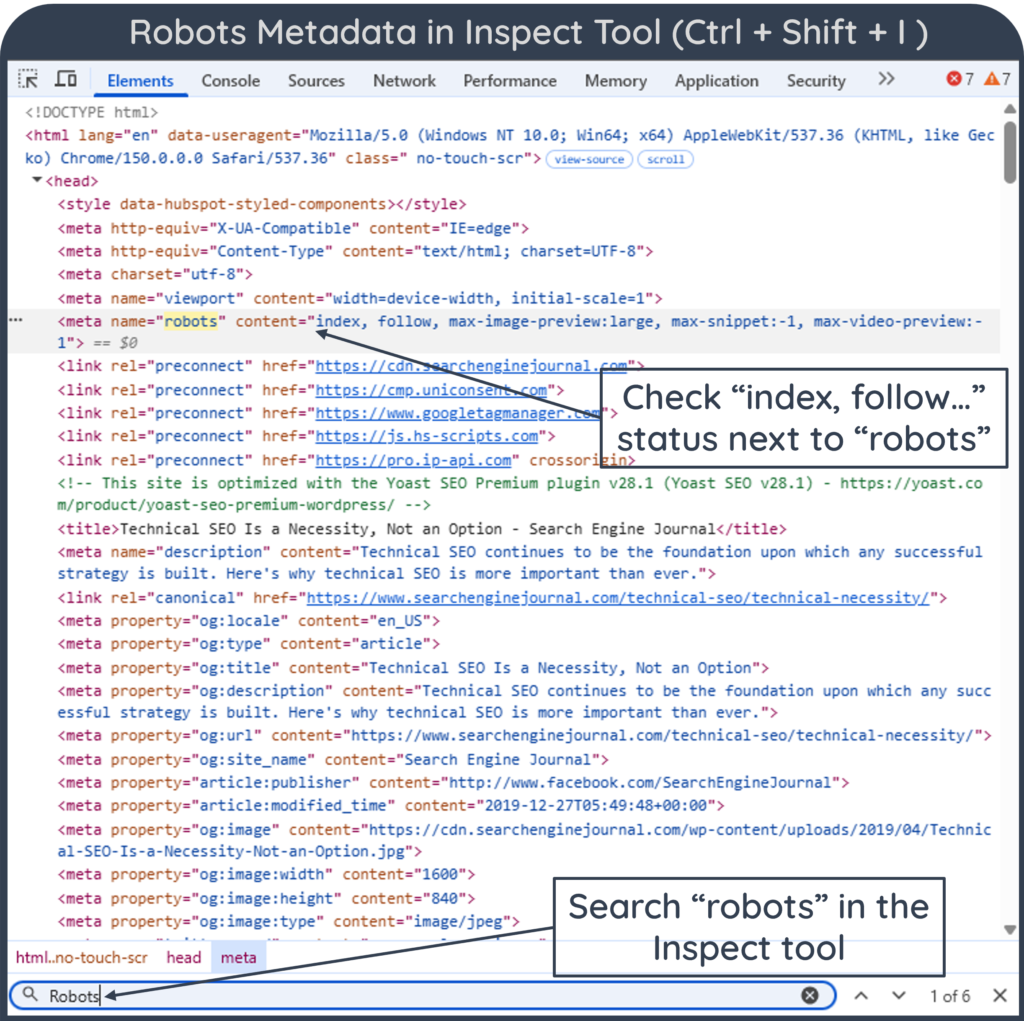
robots.txt and noindex
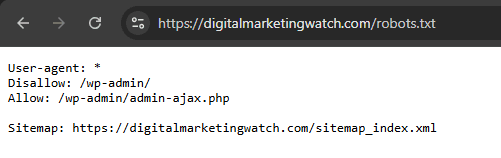
robots.txt and noindex serve different purposes. robots.txt controls whether crawlers can access a URL, while noindex tells supporting search engines not to include the page in search results.
noindex, like directives such as nofollow and follow, is a form of robots metadata that can be provided through a robots meta tag or HTTP header, whereas robots.txt is a separate file used primarily to control crawling. If crawling is blocked through the robots.txt file, Google may not be able to see the noindex instruction.
What Are Crawlers or Spiders?
Crawlers, also called spiders or bots, are automated programs that request webpages, read their content, and follow links to discover additional URLs. For example, Google uses Googlebot, its web crawler for Google Search, to discover and retrieve webpages. Similarly, Microsoft Bing uses Bingbot, its standard crawler, to find new and updated webpages.
Search Crawlers vs. AI Crawlers
Traditional search engines are not the only systems that crawl the web. AI platforms may use separate bots for different purposes, such as finding information for live search results, retrieving webpages at a user’s request, or collecting public content that may contribute to model development.
For example, OpenAI distinguishes OAI-SearchBot, which is used for ChatGPT search visibility, from GPTBot, which website owners can control separately for potential model-training use.
Anthropic similarly operates multiple crawlers. ClaudeBot is used for crawling that may support model development, while Claude-SearchBot is used to improve search-result quality. Claude-User can retrieve webpages in response to user requests. Anthropic allows site owners to control these bots through robots.txt.
Blocking Crawlers
Blocking one AI crawler does not necessarily block every use of that company’s systems. Search, user-directed retrieval, and model-development crawling may use different user agents and can often be controlled separately.
How Search Engines Crawl a Website
Search engines maintain large collections of known URLs gathered from previous crawls, links, sitemaps, and other discovery methods. Crawling systems select URLs from these known addresses for future requests. The crawling process can be understood through five broad stages:
1. URL Discovery
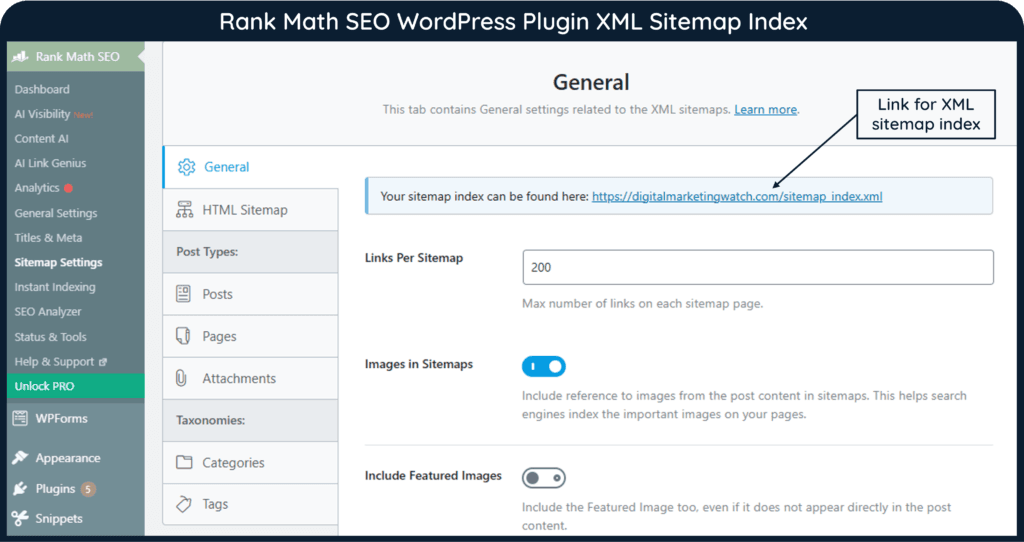
A search engine first needs to know that a URL exists. It may discover the address through internal links, external links, XML sitemaps, redirects or URLs it has previously crawled.
2. Crawl Scheduling
Known URLs can be scheduled for future crawling. Search engines decide when and how often to request them based on many factors, including crawl demand and the site’s ability to handle requests.
3. Access Checks
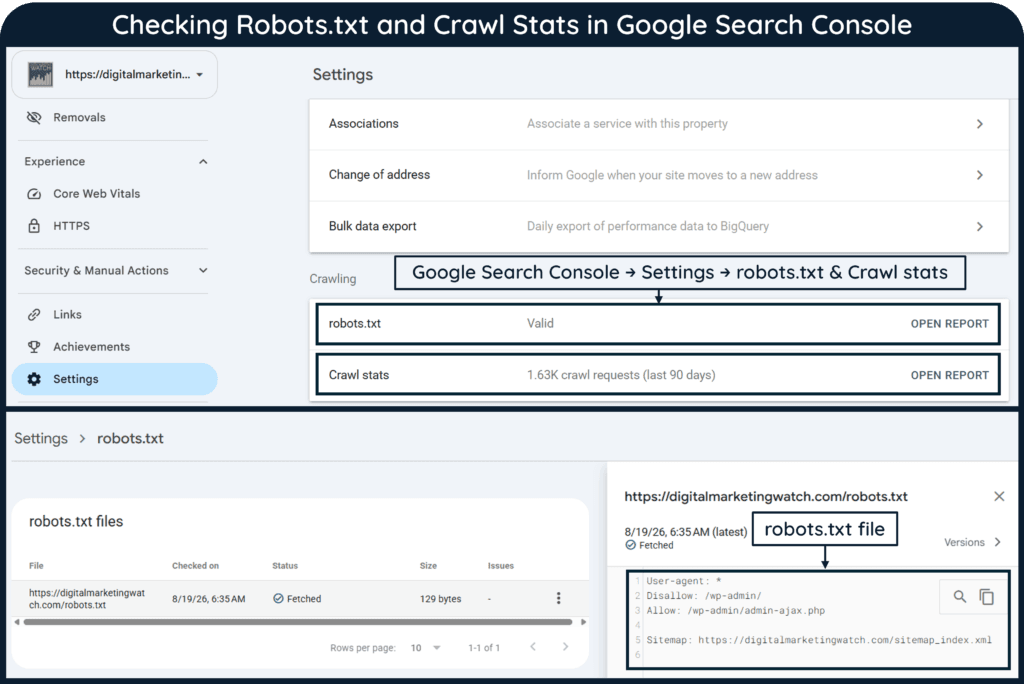
Before fetching a page, a crawler checks whether applicable robots.txt rules allow access. A robots.txt file tells search engine crawlers which parts of the website they may visit and which parts they should avoid.
4. Fetching and Rendering
The crawler sends an HTTP request and retrieves the available response. Google may load the page like a web browser and run its JavaScript so it can see content that appears after the page initially loads.
5. Link Discovery
The crawler can extract crawlable links from the page and add newly discovered URLs to its crawling systems for later processing. Googlebot moves between URLs to discover pages by fetching and parsing links, sitemaps, and redirects.
A Practical Crawling Example
Suppose a publisher creates an article called “Best Planning Journals.”
Publication: The page is stored on the website’s hosting infrastructure and becomes accessible through a URL.
Discovery: Googlebot may discover the URL through an internal link, an external link from another website, or an XML sitemap.
Fetching: Googlebot later requests the URL from the site’s server. If crawling is allowed and the server responds successfully, Google can process the returned content.
Rendering: If important content depends on JavaScript, Google may render the page to understand the final content shown to users.
New Link Discovery: If the journal article contains a crawlable link to a page about fountain pens, Googlebot may discover that URL and consider it for a future crawl.
How Often Do Search Engines Crawl Pages?
Search engines do not crawl every page on a fixed schedule. Crawl frequency can vary according to factors such as how often content changes, how important or useful the crawler expects the URL to be, previous crawl history, and whether the website’s server can handle additional requests. Frequently updated or important pages may be revisited more often than pages that rarely change, but there is no fixed crawl interval that applies to every website or URL.
For Google, crawl budget represents the number of URLs Googlebot can and wants to crawl. Crawl-budget optimization is primarily a concern for very large or frequently updated websites rather than most small sites.
What Bloggers and Website Owners Must Know
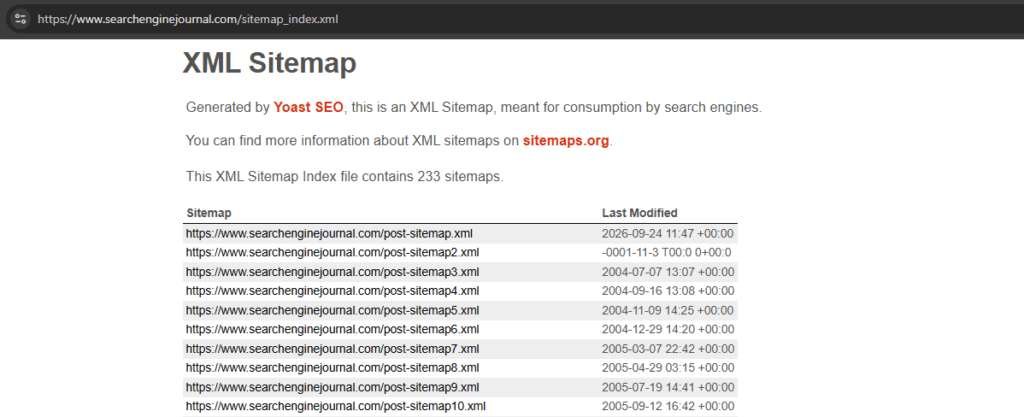
- Submit an XML Sitemap: It is important to submit a clean XML sitemap through Google Search Console or Bing Webmaster Tools. An XML sitemap gives search engines an additional source for discovering important URLs, especially on large, new, or poorly connected sites.
- Keep Important Content Accessible: Avoid making essential text or links depend on complicated user interactions. Search engines need to be able to access and render important content reliably. Google runs JavaScript during rendering, but blocked resources or rendering problems can prevent content from being seen as intended.
- Maintain Clean Internal Linking: Important pages should receive crawlable internal links from other relevant pages. Google uses links to discover URLs, so pages with no internal links can be harder to find naturally.
- Check Crawl Stats: Google Search Console’s Crawl Stats report provides information about Googlebot requests, downloaded data, response codes, host availability and crawl activity.
- Request Recrawling: If an important page has been added or substantially updated, website owners can use URL Inspection in Google Search Console to request indexing. The request can prompt Google to revisit the URL, but crawling and indexing are not guaranteed to happen immediately.
Frequently Asked Questions
What is crawling in SEO?
Crawling is the process search engines use to discover and access webpages by following links, reading sitemaps, and revisiting known URLs.
How do search engines discover new pages?
Search engines can find new pages through internal and external links, XML sitemaps, and other URLs they already know about.
Can a page rank if it cannot be crawled?
Usually not. If a search engine cannot access a page, it may be unable to process and index the content needed for that page to appear in search results.