Key Takeaways
- Crawl depth measures the number of link levels a crawler follows from a configured starting URL, usually the homepage, to reach a page.
- Lower depth generally improves discoverability, but important pages do not need to be one click away if the site structure remains logical.
- Internal links help search engines discover pages, understand relationships, and infer relative importance from link paths and the number of internal references.
- SEO crawlers measure structural depth, while Googlebot may discover URLs through known pages, crawlable links, redirects, external links, or sitemaps.
Crawl depth is the number of link steps a web crawler must follow from a chosen starting page to reach another page on a website. In most SEO crawls, the homepage is used as the starting point. The homepage is depth 0, a page linked directly from it is depth 1, and a page reached through that page is depth 2.
A lower crawl depth generally means an important page is easier for crawlers and users to reach through the site’s internal link structure. A high crawl depth means several link levels must be followed first. The problem is not that every page must have a very low depth, but that important pages should not be buried unnecessarily or left disconnected.
Google cannot crawl every URL on the web continuously because crawling resources are finite. However, crawl budget is mainly an advanced concern for very large or rapidly changing websites, not something most small sites need to optimize obsessively. Google suggests that keeping sitemaps current and monitoring indexing is generally enough for sites that do not have large numbers of rapidly changing pages.
Internal linking also matters. Google can use both the number of links required to reach a page and the number of links pointing to it to help infer that page’s relative importance within a site.
Note
Google does not document crawl depth as a standalone ranking factor. It is mainly a site-architecture diagnostic that can influence discovery, crawling efficiency, internal importance signals, and navigation. Google also makes it clear that crawling itself is not a ranking factor.
Crawl Depth vs. Page Depth
Page depth and crawl depth are sometimes used interchangeably in SEO tools, especially when a crawler starts from the homepage. The terms can still describe slightly different perspectives depending on how the measurement is made.
For example, suppose a product is reached through Home → Shoes → Running Shoes → Product. Its homepage-based page depth is 3. If an SEO crawler starts from the homepage and follows those links, it will normally record crawl depth 3 as well.
Googlebot does not necessarily begin every crawl journey at the homepage. Google can discover URLs through previously known pages, crawlable links, and sitemaps. This is why crawl depth measured by an SEO tool should be understood as a structural diagnostic rather than a record of the exact route Googlebot took. Googlebot discovers new URLs partly by following URLs found on previously crawled pages.
Importance of Crawl Depth in SEO
Crawl depth matters for SEO because it affects how easily search engines can discover, revisit, and understand the relative importance of pages within a website.
Page Discovery and Recrawling
Search engines need discoverable links to move through a website efficiently. Google recommends that every important page have at least one internal link from another page on the site.
This does not mean that simply adding more links guarantees more crawling. Google’s crawl demand can vary according to factors such as site size, update frequency, page quality, relevance, popularity, and how stale previously crawled content has become. Clear internal paths nevertheless make important content easier to discover and revisit.
Internal Importance and Link Signals
Internal links do more than provide navigation. They help search engines understand how pages relate to one another and which pages appear more important within the site’s structure.
Google says it can use the number of links required to reach a page and the number of internal links pointing to that page to infer its relative importance. An important product, service, category, or cornerstone article buried several layers deep with few internal links may therefore send weaker structural signals than a well-connected page.
Orphan Pages and Indexing Risk
An orphan page has no crawlable internal links pointing to it. A search engine may still discover the URL through an XML sitemap, external link, or another source, but discovery does not guarantee crawling or indexing.
Google does not publicly assign orphan pages an “infinite crawl depth,” nor does it automatically classify every orphan page as low quality. The practical problem is that the page lacks a normal internal path and contextual relationship with the rest of the website.
For an important orphan page, add relevant internal links, include the canonical URL in the XML sitemap, and use Search Console’s URL Inspection tool for checking its indexing status.
How to Check Crawl Depth
Crawl depth can be checked with SEO crawlers and auditing tools that show how many link levels a page sits from the crawl’s starting URL.
SEO Crawlers
Website crawlers such as Screaming Frog are the most direct way to measure structural crawl depth. The crawler starts from a chosen URL, normally the homepage, follows crawlable internal links, and records how many levels it takes to reach each URL.
A crawl can reveal important pages sitting several levels deep, as well as URLs the crawler cannot reach through the site’s normal internal-link structure.
Server Log Files
Server log files record requests made to a web server. They can show whether Googlebot actually requested a URL, when it was crawled, and how frequently particular sections receive crawler requests.
Logs are therefore valuable for understanding real bot activity, but they do not provide a dependable Google-assigned crawl-depth number or reconstruct every exact link chain Googlebot followed before reaching a URL.
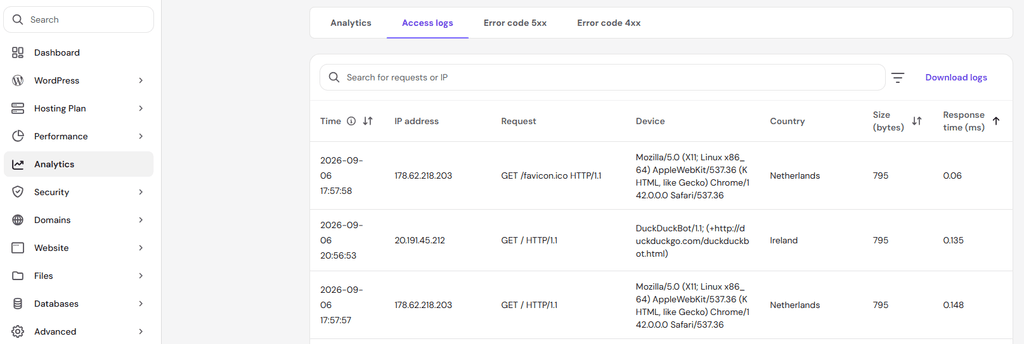
Server log files are usually available through the hosting control panel, server dashboard, or web server software such as Apache or Nginx. Look for sections such as Logs, Access Logs, Raw Access Logs, or Analytics, or request raw server log access from the hosting provider.
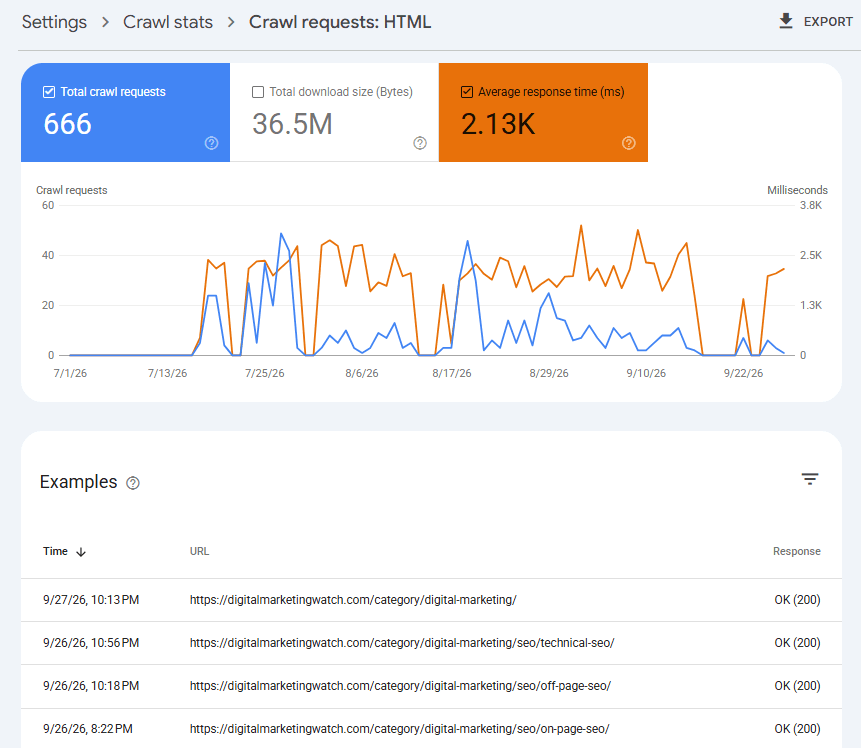
Google Search Console Crawl Stats
In Search Console, go to Settings → Crawl stats. The report includes total crawl requests, response codes, file types, crawl purpose, Googlebot type, download size, and average response time. Google describes Crawl Stats as a report of Google’s crawling history and server interactions.
Crawl Stats helps show what Google is crawling and how its crawler is interacting with the server, but it does not report structural crawl depth.
Causes of High Crawl Depth
High crawl depth usually develops when a site’s architecture makes important pages difficult to reach through normal internal links. The main causes include:
- Deep Site Hierarchies: Long structures such as Home → Department → Category → Subcategory → Brand → Product can push important pages several levels away from stronger navigation pages. Large e-commerce sites are particularly vulnerable when categories and subcategories multiply unnecessarily.
- Pagination and Infinite Scrolling: Products or articles can also become difficult to reach when they sit deep inside long paginated sequences. Infinite scrolling creates an additional problem when new content appears only after someone scrolls or presses a Load More button. Google says its crawlers generally do not click buttons or trigger JavaScript functions that require user actions. Its pagination guidance recommends making paginated content accessible through crawlable URLs and links.
- Weak Internal Linking: Old articles, products, landing pages, or category pages can become deep or disconnected when navigation changes and internal links disappear.
- Orphan Pages: Pages available only through a site search box or certain filters may also be difficult for crawlers to discover through normal navigation.
Crawl Depth SEO Best Practices
Good crawl depth comes from making important pages easy to discover through clear navigation, strong internal links, and a logical site structure without flattening the website unnecessarily.
Keep Important Pages Easy to Reach
Important pages do not all need to be one click from the homepage. The goal is a logical hierarchy in which key categories, services, products, and cornerstone content are not buried behind unnecessary levels.
Strengthen Internal Linking
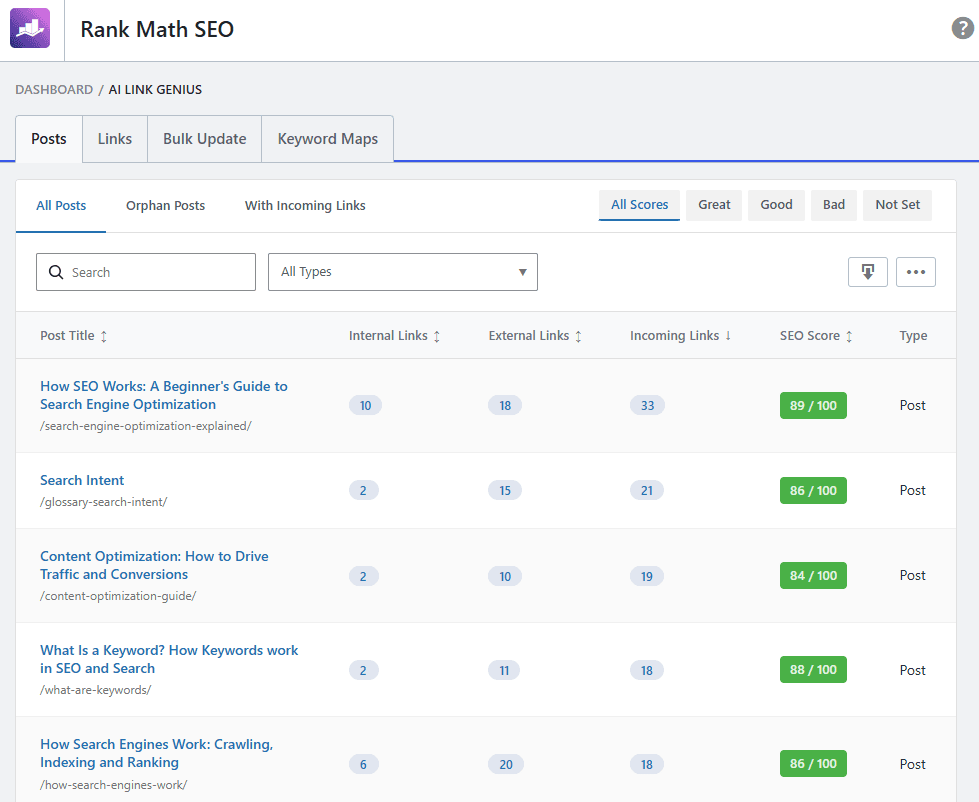
Use relevant links from category pages, topic hubs, related articles, product pages, and contextual body content. Google recommends crawlable <a> links with href attributes and says internal links help both people and Google discover and understand pages.
SEO plugins such as Rank Math or Yoast can surface some internal-linking opportunities, but links should be added because pages are genuinely related, not simply to reduce a depth score.
Use Breadcrumbs and Useful Navigation
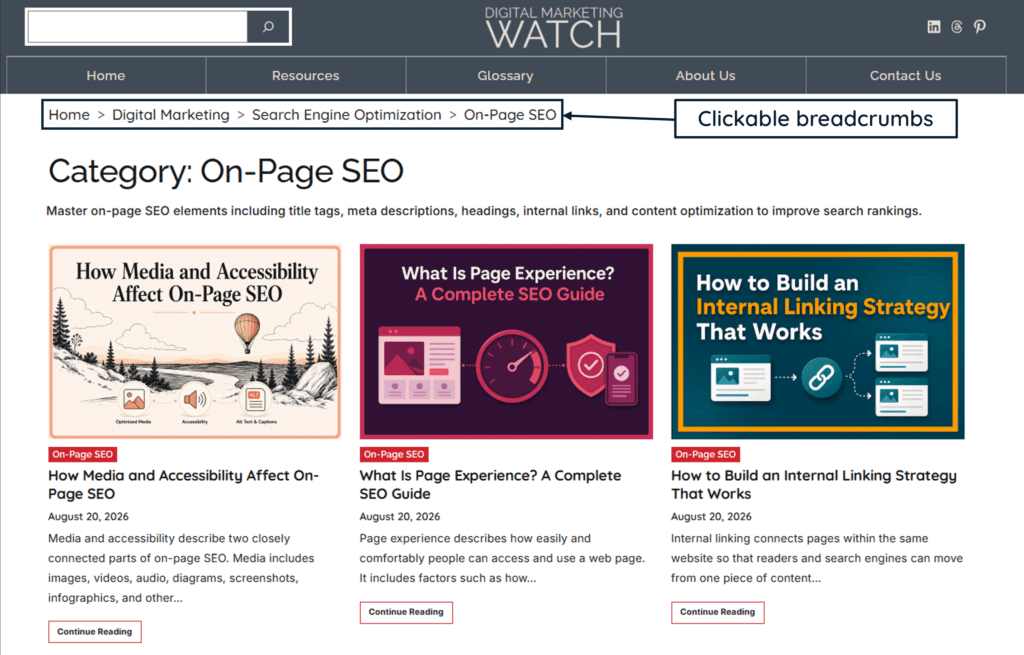
Breadcrumbs create additional paths between deeper pages and their parent sections while helping users understand where they are. Category pages, topic hubs, main menus, and carefully designed mega menus can similarly shorten routes to important areas.
Avoid crowding the primary navigation with every URL purely to make crawl depth smaller.
Use Crawlable Pagination
Large archives and e-commerce listings should expose subsequent pages through crawlable links. If infinite scrolling or Load More is used for the user experience, important content should also be available through persistent paginated URLs that crawlers can reach.
Maintain XML Sitemaps
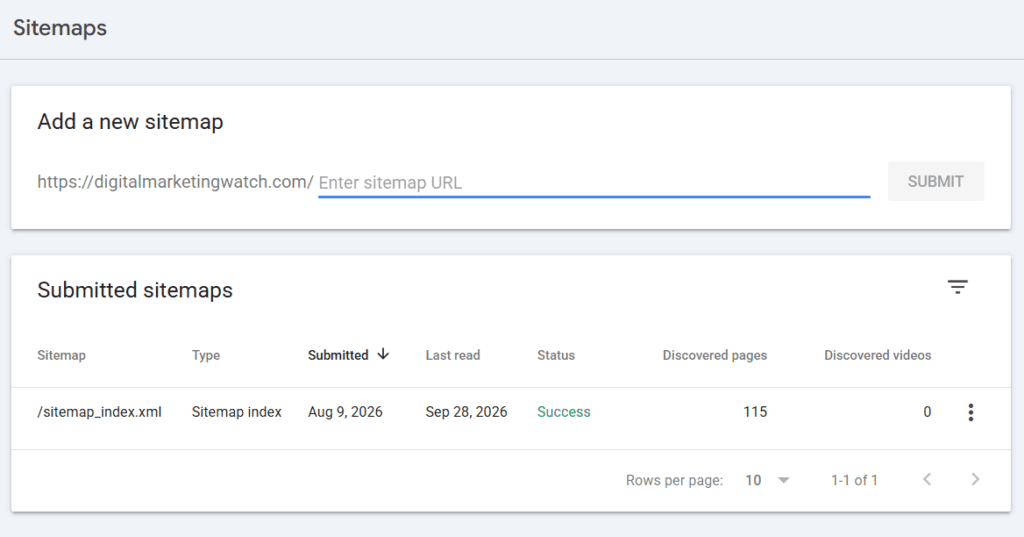
Keep XML sitemaps updated with canonical URLs that search engines should discover. A sitemap is particularly useful for large, new, or complex sites, but Google says submitting one is only a hint and does not guarantee crawling or indexing.
Fix Broken Paths and Orphan Pages
Broken internal links can interrupt useful crawl paths, while unnecessary redirect chains create additional requests. Regularly find orphan pages and decide whether each should be linked, redirected, removed, or kept out of the index.
For a valuable orphan page, a practical process is:
Frequently Asked Questions
What is a good crawl depth for SEO?
Google does not specify a universal rule such as “every page must be within three clicks.” Important pages should be easy to reach through logical, crawlable internal links, while deeper levels should exist only when the site’s structure genuinely requires them.
Does Google always start crawling from the homepage?
No, Google can discover and revisit URLs through previously known pages, internal or external links, redirects, and sitemaps. The homepage is mainly the conventional starting point used by SEO crawlers when measuring site depth.
Can an orphan page be indexed if it is in an XML sitemap?
Yes, an orphan page can be discovered through an XML sitemap and may be crawled and indexed. However, sitemap submission does not guarantee indexing, so important pages should also have relevant internal links.
Does high crawl depth waste crawl budget?
Not automatically, because crawl budget is mainly a concern for large or rapidly changing sites. However, unnecessarily deep structures, duplicate URLs, weak pagination, and poor internal linking can make crawling less efficient and delay the discovery or recrawling of important pages.