Key Takeaways
- A 404 error means the server is reachable, but the requested URL does not correspond to an available resource.
- Common causes include deleted content, changed URLs without redirects, broken links, typing mistakes, and poorly managed website migrations.
- Occasional 404 responses are normal, but broken links, soft 404s, and unnecessary error URLs can create usability, crawling, and indexing problems.
- Use a 301 redirect for a genuinely relevant replacement; otherwise, return a proper 404 or 410 instead of redirecting elsewhere.
A 404 error is a standard HTTP status code that indicates a requested webpage or resource cannot be found on the server. It occurs when a browser or search engine successfully connects to a website, but the requested URL does not correspond to any available content. For example, suppose a company changes the URL slug from /seo-guide/ to /complete-seo-guide/. In this case, anyone visiting the old URL receives a 404 unless the website adds a 301 redirect to the new address.
Although occasional 404 errors are normal and do not automatically harm rankings, broken internal links, incorrect redirects, and large numbers of unnecessary error URLs can create usability and crawling problems.
A 404 error usually appears when a webpage has been deleted, moved, or is no longer available without an appropriate redirect. It may also occur if a visitor enters an incorrect web address or follows a broken link.
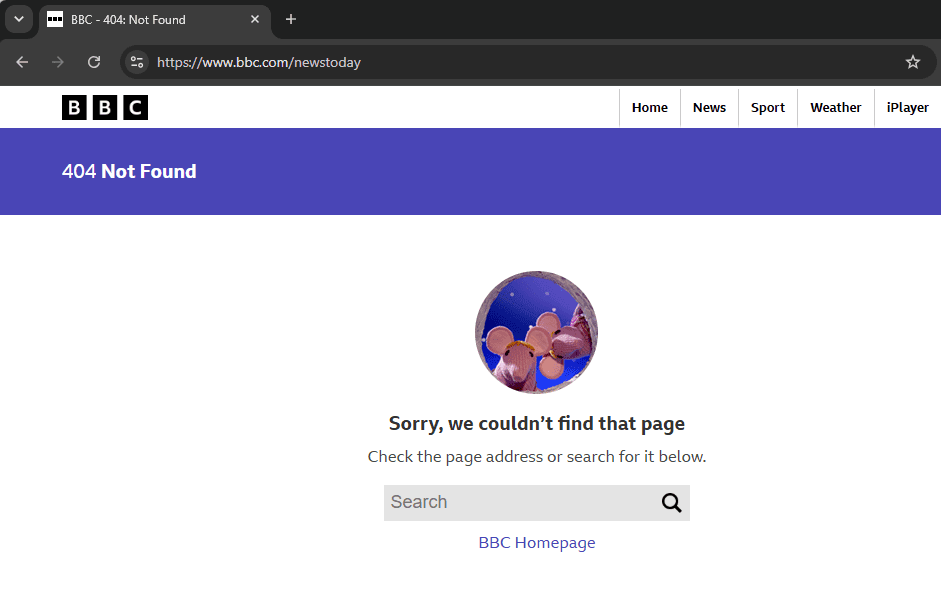
In other words, the server is reachable and functioning correctly, but it cannot locate the requested resource. Unlike 500-level server errors, a 404 generally indicates that the requested resource cannot be found rather than that the server itself has failed.
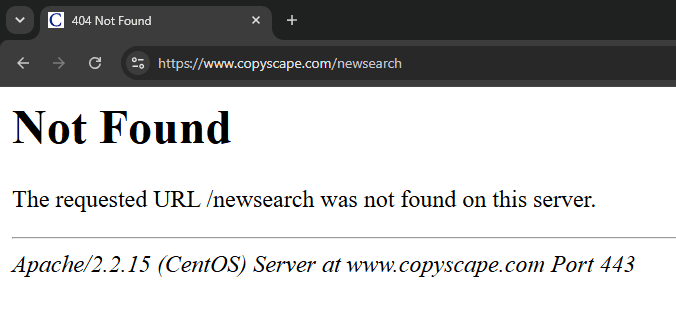
When Does a 404 Error Occur?
A 404 error may occur in several common situations:
- Deleted content: A webpage, blog post, or product page has been permanently removed.
- Changed URLs: A page URL or permalink has been modified without redirecting the previous address.
- Typing mistakes: An incorrect URL has been entered into the browser.
- Broken links: Internal or external links pointing to pages that no longer exist.
- Website migration: A website has been restructured or moved to a new domain without proper URL mapping and redirects.
Therefore, websites should regularly monitor broken links and update URLs whenever structural changes are made.
Note
Not every 404 should be redirected. If a deleted page has a clear replacement, a 301 redirect is appropriate. However, if no relevant replacement exists, returning a normal 404 or 410 is usually better than redirecting visitors to an unrelated page or the homepage.
404 Error Messages
A website without a custom 404 page may display a plain message such as “404 Not Found,” “HTTP 404 Not Found,” or “The requested URL was not found on this server.” Modern websites and content management systems often use default friendlier messages instead of technical language.
For example, Shopify states, “Page not found. The page you were looking for does not exist.” Similarly, WordPress may display “Oops! That page can’t be found.” These messages can depend on themes, templates, or platform configuration. Regardless of the wording, the message tells visitors that the requested page cannot be found.
Hard 404 vs. Soft 404
Not all missing pages return the same server response. A distinction is therefore made between a hard 404 and a soft 404.
Hard 404
A hard 404 occurs when a missing page returns an actual 404 Not Found HTTP status code. This clearly tells browsers and search engines that the requested resource is unavailable. Search engines can then remove the URL from their index when appropriate.
If the page was intentionally deleted and has no suitable replacement, the hard 404 may remain unchanged. However, a 301 redirect should be added when a relevant replacement page exists.
Soft 404
A soft 404 commonly occurs when a webpage appears to be missing, empty, or unavailable but the server returns a 200 OK status code instead of an appropriate error response. In other words, the server indicates that the page loaded successfully even though it provides little or no useful content.
Soft 404s can confuse search engines and cause crawl resources to be spent on invalid pages. Therefore, the server should be configured to return the correct 404 or 410 status code. A 301 redirect may also be used when a suitable replacement page is available.
How 404 Errors Affect SEO
Normal 404 responses do not directly lower a site’s rankings. However, the problems that create unnecessary 404s—such as broken internal links, failed migrations, incorrect URL changes, or soft 404 pages—can create usability, crawling, and indexing issues. The main issues to consider are crawl efficiency, lost link equity, and user experience:
- Crawl Resources: On large websites, soft 404s can waste crawl resources because search engines may keep checking URLs that appear to be working pages. A proper
404or410response clearly tells search engines that the content is gone and should not remain indexed. - Lost Link Equity: Deleted pages that previously received backlinks may lose valuable link equity if they are removed without an appropriate
301redirect. - Poor User Experience: Broken links create a poor user experience. Visitors reaching unavailable pages may leave the website without exploring additional content, making navigation more difficult and reducing overall engagement.
Therefore, monitoring and resolving broken pages should be part of routine website maintenance.
How to Prevent and Manage 404 Errors
Most avoidable 404 errors can be prevented through proper website management and regular technical audits.
Some recommended practices include:
- Create
301redirects whenever a page is permanently moved or its URL changes. - Regularly check for broken internal and external links.
- Maintain a consistent URL structure and avoid unnecessary URL changes.
- Design a helpful custom 404 page containing navigation links, a search feature, and links to important content.
- Return a
404 Not Foundor410 Gonestatus when content has been removed and no suitable replacement exists. - Monitor
404and soft 404 issues through Google Search Console’s Page Indexing report, and inspect important individual URLs when necessary. - Check canonical tags to make sure they point to valid preferred URLs rather than deleted or broken pages.
- Check important backlinks that point to incorrect or outdated URLs on the site. If the intended destination is clear, add a
301redirect from the broken URL to the relevant working page so visitors and link signals are not lost.
At the same time, not every 404 error requires correction. Pages resulting from typing mistakes or requests for non-existent resources may simply return a standard 404 response without affecting the overall health of the website.
Here’s a quick framework for fixing 404 errors:
301 redirect404 or 410404200 OKConclusion
A 404 error does not automatically harm search rankings, as occasional missing pages are a normal part of website operation. Search engines expect some 404 responses, particularly when visitors enter incorrect URLs or follow outdated links.
However, 404 errors caused by broken internal links, incorrect URL changes, failed migrations, or missing redirects to relevant replacement pages should be investigated and corrected. Intentionally removed content with no suitable replacement can continue returning a proper 404 or 410 response. Redirect chains, redirect loops, and sending every missing URL to the homepage should also be avoided because they can create confusion for users and search engines.
Frequently Asked Questions
What does a 404 error mean?
A 404 error means the server was reached successfully, but it could not find the requested resource at that URL. This commonly happens when a page has been deleted, moved without a redirect, or the URL was entered incorrectly.
Do 404 errors hurt SEO?
An occasional 404 error is normal and does not automatically harm a website’s SEO. Problems arise when important pages, internal links, backlinks, or large numbers of URLs lead users and search engines to pages that no longer exist.
Should every 404 page be redirected?
No. A 301 redirect is appropriate when a removed or moved page has a genuinely relevant replacement. If no suitable replacement exists, returning a proper 404—or sometimes 410—response is usually better than redirecting users to an unrelated page.