Key Takeaways
- An XML sitemap is a structured file that helps search engines discover important website URLs and additional resources.
- Unlike HTML sitemaps, which are designed mainly for website visitors, an XML sitemap index is primarily meant for search engine crawlers.
- Sitemaps can include optional metadata, such as accurate last-modified dates and alternate language information.
- Including a URL in an XML sitemap helps URL discovery but does not guarantee crawling, indexing, or ranking, and does not replace internal linking or crawlable navigation.
An XML sitemap is a file listing important URLs and other resources on a website and provides search engines with information about them. It helps search engine crawlers discover content more efficiently, particularly on large, new, or complex websites. An XML sitemap may also include details such as the date a page was last modified and information about alternate language versions.
What Is an XML Sitemap?
XML stands for Extensible Markup Language, a structured format used to store and exchange information. In an XML sitemap, website URLs are placed inside standardized tags that search bots can read.
An XML sitemap can contain URLs for webpages such as articles, products, and category pages. Specialized sitemap formats can also provide information about images, videos, and news content. It is not primarily intended as a navigation tool for visitors. Instead, it serves as a technical resource for search engine crawlers.
A single XML sitemap can be up to 50,000 URLs or 50 MB uncompressed. Larger sites can split URLs into different sitemap files and combine them in a sitemap index.
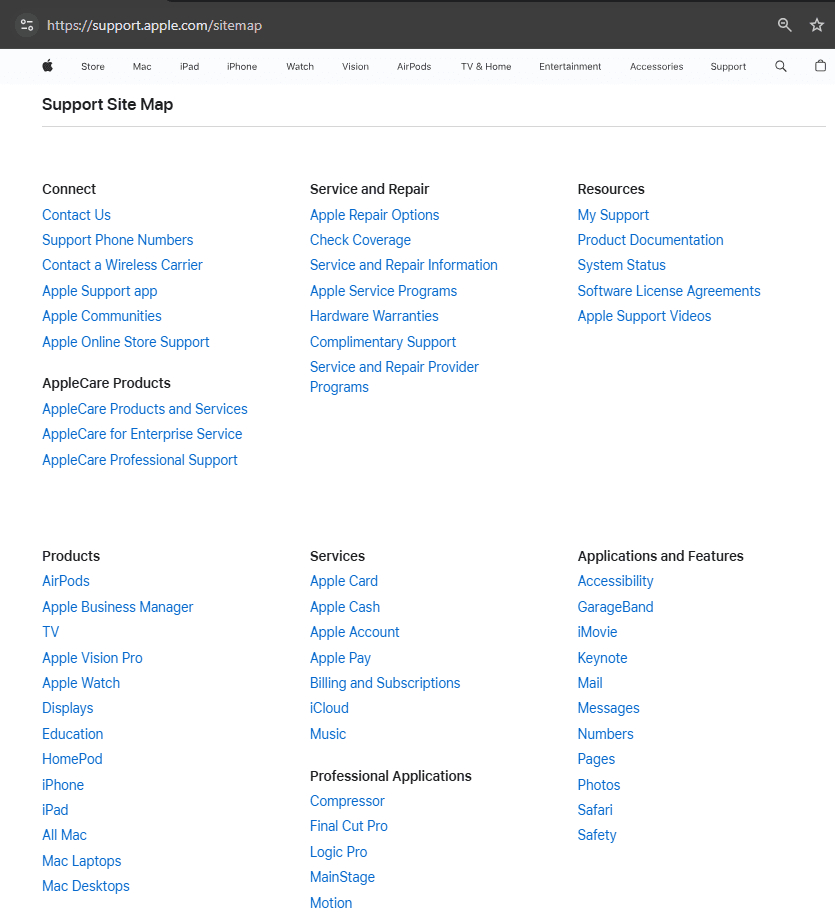
An XML sitemap differs from an HTML sitemap. An HTML sitemap is designed mainly for users and usually appears as a webpage containing links to important sections. An XML sitemap is created primarily for search engines.
How an XML Sitemap Works
Search engines discover webpages through links, previous crawls, and submitted sitemaps. When a crawler accesses an XML sitemap, it receives a structured list of URLs that the website considers important.
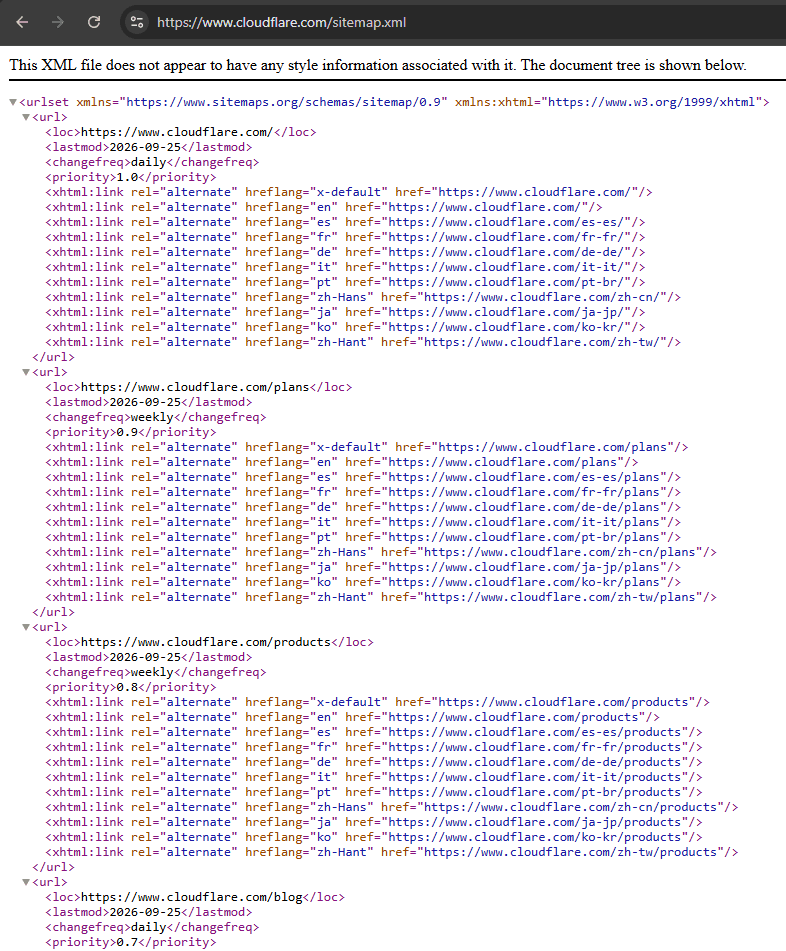
Each URL is usually placed inside a <url> element, while the actual address appears inside a <loc> element. Optional information may include the page’s last modification date through the <lastmod> tag.
For example:
<url>

  <loc>https://example.com/seo-guide/</loc>

  <lastmod>2026-07-20</lastmod>

</url>
The sitemap can be submitted through a search engine’s webmaster platform, such as Google Search Console. It may also be referenced in the website’s robots.txt file. A sitemap helps search engines find or discover URLs, but it does not instruct them to crawl or index every URL it contains. In other words, a sitemap helps with URL discovery but does not guarantee crawling or indexing.
XML Sitemap Tags
XML sitemaps can include optional tags that provide additional information about individual URLs. The <lastmod> tag indicates when a webpage was last significantly modified, such as after a significant change to content, structured data, or important links. It does not show when Google last crawled the page.
The <changefreq> tag is intended to indicate how often a page is expected to change, while <priority> is intended to express the relative importance of a URL compared with other URLs on the same site. However, Google ignores <changefreq> and <priority>, whereas an accurate <lastmod> value may be used when Google can verify that it is reliable.
Example of an XML Sitemap
An ecommerce website may contain thousands of product, category, and informational pages. Some product pages may be difficult for crawlers to discover if they receive few internal links.
An XML sitemap can list the canonical URLs for active products, category pages, buying guides, and other indexable content. Search engines can then use the file as an additional source for finding those pages.
Large websites may use multiple sitemap files and combine them through a sitemap index. Separate sitemaps may also be created for products, articles, images, videos, or news content.
Types of XML Sitemaps
Websites may use different sitemap formats depending on the type and amount of content they publish.
- Standard XML sitemap: Lists important webpage URLs such as articles, products, categories, and landing pages.
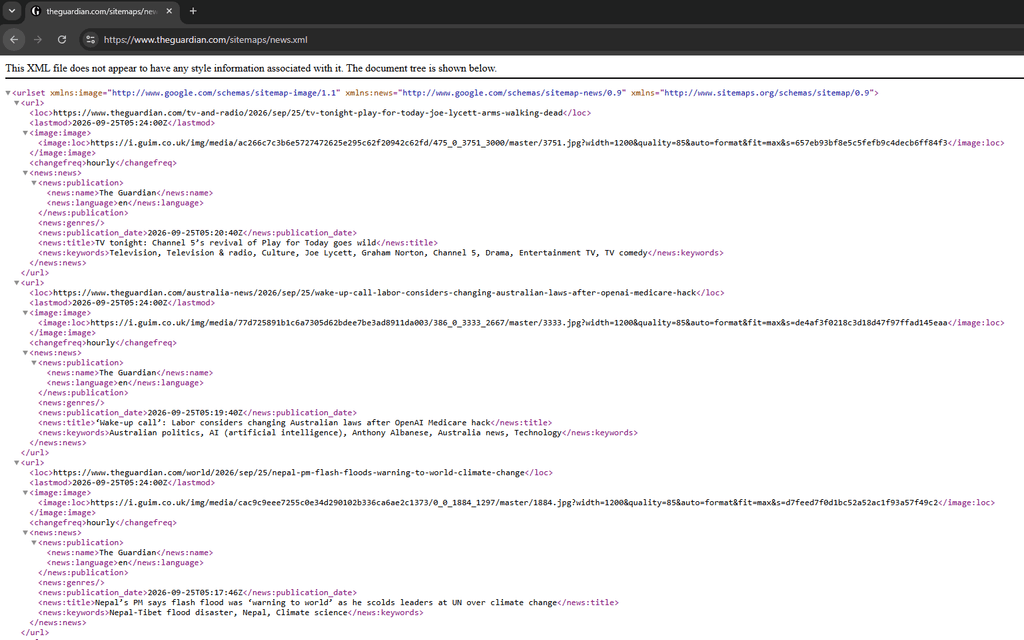
- Image sitemap: Provides search engines with additional information about images, especially images that may be difficult to discover through normal crawling.
- Video sitemap: Supplies information about videos published on webpages.
- News sitemap: Helps Google discover qualifying recent news articles.
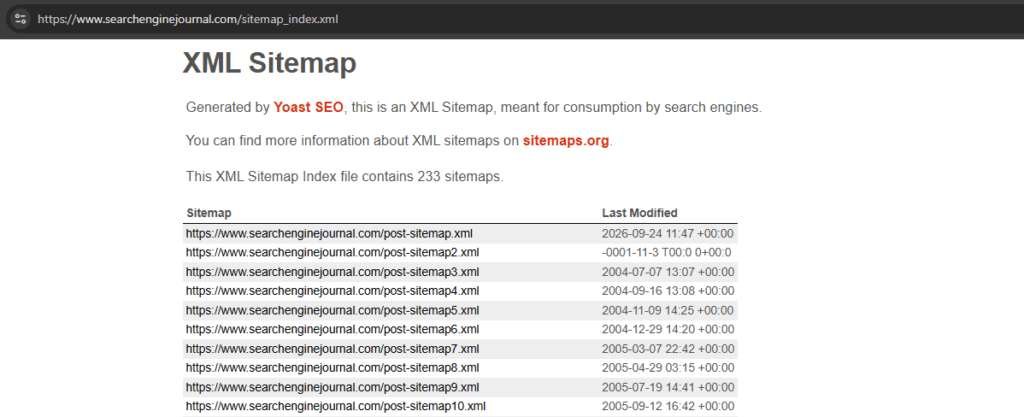
- Sitemap index: An XML file with a list of multiple sitemap files and is commonly used when a website exceeds sitemap limits or separates content into several sitemaps.
How to Find or Create an XML Sitemap
Many content management systems and SEO plugins create XML sitemaps automatically.
- WordPress: WordPress includes built-in XML sitemap functionality. On current WordPress installations, the default sitemap can normally be found at
https://example.com/wp-sitemap.xml. WordPress introduced native XML sitemaps in version 5.5. - Rank Math: Rank Math generates a sitemap index at
https://example.com/sitemap_index.xml. Sitemap settings can be managed through Rank Math SEO → Sitemap Settings.
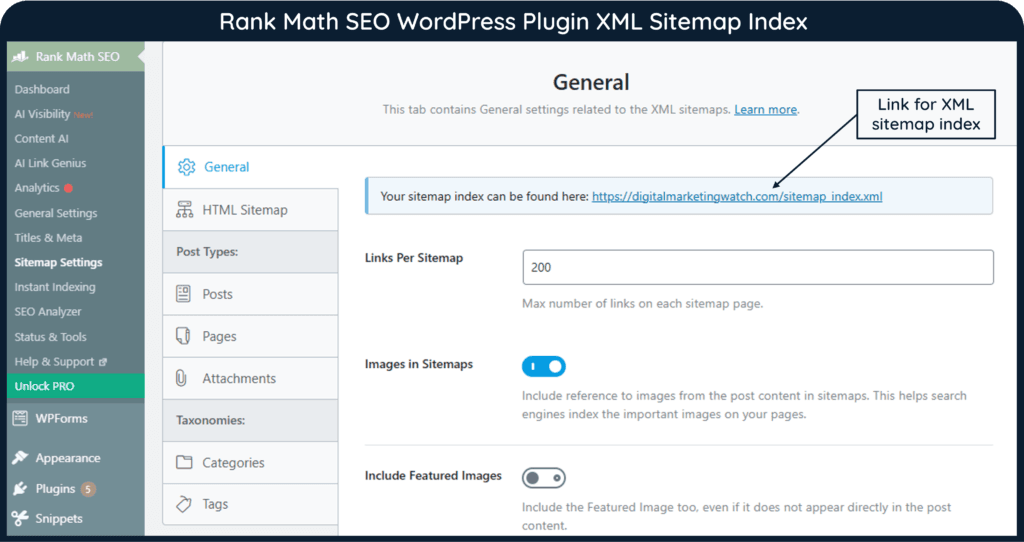
- Yoast SEO: Yoast SEO generates an XML sitemap index and updates its sitemaps automatically as content is added or removed. The sitemap index is typically available at
https://example.com/sitemap_index.xml. - Wix: Wix automatically creates and updates sitemap files when site content changes, so users generally do not need to build or maintain them manually.
To check whether a sitemap is accessible, enter its URL directly into a browser. Common addresses include /sitemap.xml, /sitemap_index.xml, and, for WordPress’s native sitemap, /wp-sitemap.xml. The exact address depends on the platform or SEO plugin being used.
How to Submit an XML Sitemap to Google Search Console
Google Search Console allows up to 500 sitemap index files to be submitted for each site. To submit a sitemap to Google:
- Open Google Search Console and select the appropriate website property.
- Open Sitemaps from the navigation menu.
- Under Add a new sitemap, enter the sitemap URL or the portion requested by Search Console.
- Click Submit.
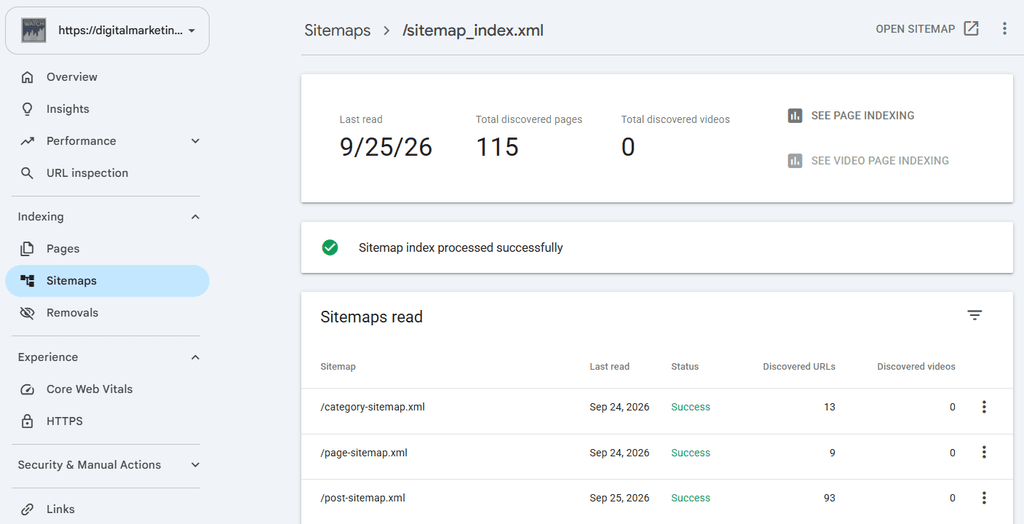
- Review the submitted sitemap later for processing status or reported errors.
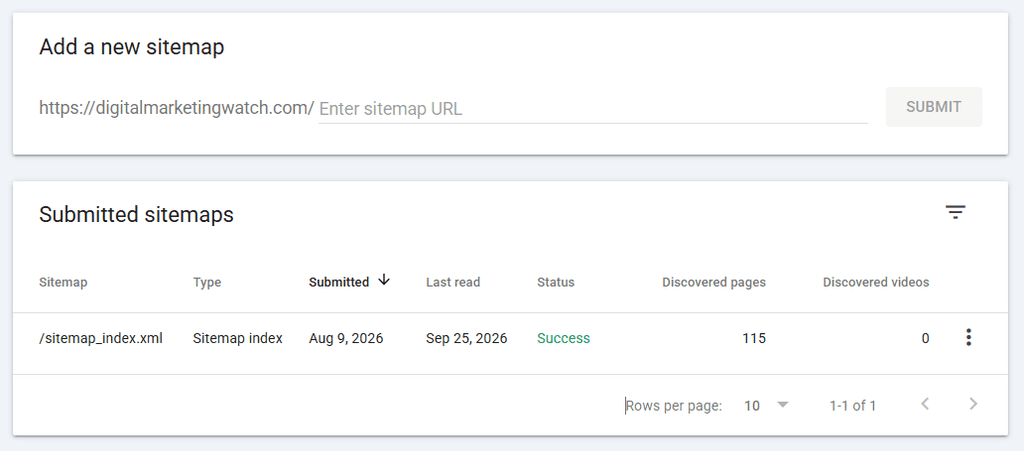
Google can discover a sitemap when it is submitted through Google Search Console or when the sitemap URL is listed in the website’s robots.txt file.
Important Points and Best Practices
An XML sitemap should contain only canonical, indexable URLs that return a successful HTTP status. Redirected pages, duplicate URLs, blocked resources, error pages, and pages marked noindex should generally be excluded.
The sitemap should be kept accurate and updated when important content is published, modified, or removed. Content management systems and SEO plugins commonly generate and maintain XML sitemaps without requiring manual editing.
The following practices are important:
- Include only URLs intended to appear in search results.
- Use complete, absolute URLs rather than relative paths.
- Use the preferred protocol and hostname consistently, such as the site’s HTTPS and canonical hostname versions.
- Use accurate modification dates rather than changing them without a genuine content update.
- Submit the sitemap through Google Search Console and monitor processing errors.
- Add the sitemap URL to the
robots.txtfile so search engines can discover its location when they crawl the file. - Divide very large sitemaps into smaller files and organize them through a sitemap index.
- Avoid assuming that inclusion in a sitemap guarantees crawling, indexing, or ranking.
An XML sitemap supports website discovery, but it does not replace strong internal linking, crawlable navigation, technically accessible pages, or high-quality content.
Frequently Asked Questions
What is an XML sitemap?
An XML sitemap is a file that lists important URLs on a website to help search engines discover and crawl them more efficiently.
Does an XML sitemap improve rankings?
An XML sitemap is not a direct ranking factor, but it can support discovery and crawling, especially for large, new, or complex websites.
Where should an XML sitemap be submitted?
An XML sitemap can be submitted through tools such as Google Search Console and Bing Webmaster Tools, and its location can also be referenced in the website’s robots.txt file.