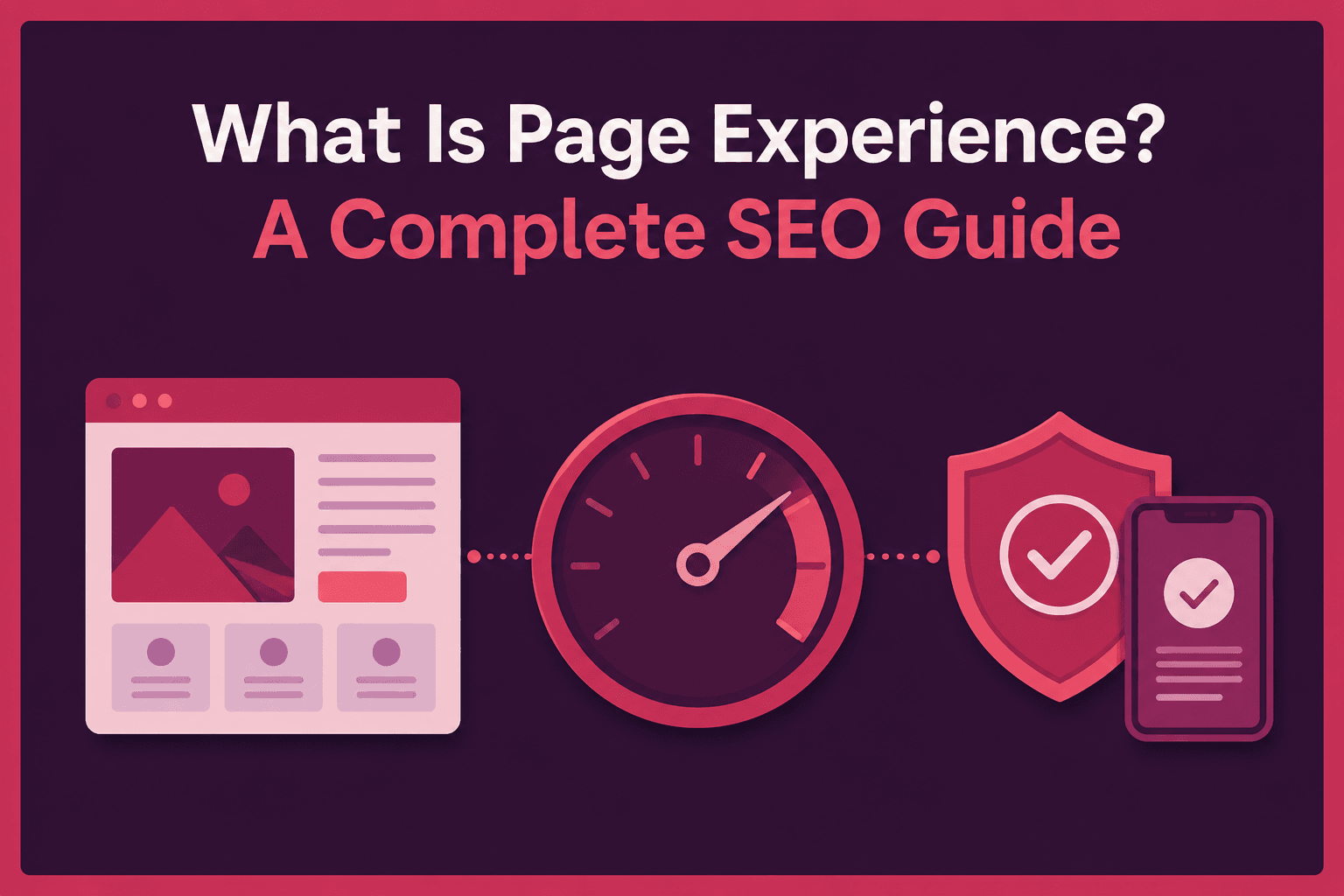
What Is Page Experience? A Complete SEO Guide
Key Takeaways
- Page experience measures how easily and comfortably visitors access and use an individual page, combining performance, usability, mobile presentation, and content visibility.
- UX covers broader website or product journeys, while page experience focuses more narrowly on a page’s performance, presentation, accessibility, and interactions.
- Google uses several signals associated with page experience, including Core Web Vitals, but strong metrics cannot overcome content that is less relevant or useful.
- Effective improvement combines real-user performance data, technical diagnostics, and manual desktop and mobile reviews of layout, readability, navigation, and interruptions.
Page experience describes how easily and comfortably people can access and use a web page. It includes factors such as how quickly the page loads, whether content shifts unexpectedly, how well the page works on mobile devices, whether pop-ups block the main content, and how clearly information is presented. For example, a page may contain useful information but still provide a poor experience if readers have to wait for it to load, struggle to read it on a phone, or repeatedly lose their place because page elements keep moving.
Google states that there is no single page experience signal. Instead, its ranking systems consider several signals that are associated with a good page experience, including Core Web Vitals. Google also makes it clear that strong page experience alone cannot make less relevant or less useful content outrank better content.
Page experience therefore sits at the intersection of SEO, usability, content design, accessibility, and web performance. It is closely related to user experience, or UX, but the two terms are not interchangeable. Understanding that distinction makes it easier to decide what should actually be measured and improved.
Table of Contents
What Is User Experience in SEO?
User experience (UX) describes the broader experience a person has while using a website, page, application, product, or digital service. In an SEO context, this includes whether visitors can understand the content, navigate efficiently, interact with page elements, find what they came for, and complete useful actions without unnecessary confusion or friction.
UX is therefore much broader than page speed. A page may load quickly but still provide a poor experience if its navigation is confusing, its text is difficult to read, its buttons are unclear, or important information is buried beneath distracting elements.
A useful way to think about UX is to ask whether a page helps people accomplish their purpose. Good UX commonly involves:
- Clear navigation and understandable page structure that help visitors recognize where they are and move naturally toward related information or their next task.
- Readable and accessible content that uses appropriate typography, spacing, headings, labels, and supporting visuals rather than forcing readers to work unnecessarily hard to understand the page.
- Predictable and responsive interactions in which buttons, forms, menus, and other controls work as expected without excessive delays or unexpected movement.
- A logical journey from arrival to completion, whether the desired outcome is learning something, comparing products, contacting a business, subscribing, or making a purchase.
W3C similarly recommends clear and concise content, meaningful headings, descriptive links, and properly structured pages because these features make information easier to understand and navigate.
User Experience and On-Page SEO
UX overlaps considerably with on-page SEO, but it does not belong exclusively to it. Content organization, headings, internal links, readability, images, page layout, and the way information is presented are commonly handled during on-page optimization. However, loading performance, JavaScript responsiveness, rendering problems, and Core Web Vitals may require technical SEO or web-development work.
It is therefore more accurate to view UX as a broader concern that influences several areas of search engine optimization.
What Is Page Experience and How Is It Different from UX?
Page experience describes how effectively and comfortably users can interact with an individual web page. For search optimization, it includes measurable performance factors such as loading performance, interaction responsiveness, and visual stability, together with broader considerations such as mobile presentation, secure delivery, intrusive interstitials, distracting advertising, and whether the main content can be easily identified.
Google advises website owners to evaluate page experience across several aspects rather than concentrating on a single score. Its guidance asks site owners to consider Core Web Vitals, secure delivery, mobile presentation, intrusive interstitials, distracting ads, and whether visitors can clearly distinguish the main content.
UX vs Page Experience
UX describes the complete experience of using a website or digital product, while page experience focuses more closely on what someone encounters while using a particular page.
A poorly designed checkout process, for example, is primarily a wider UX problem. A product page whose main image causes the text and purchase button to jump around while loading has a specific page-experience problem, particularly one related to visual stability.
Note
Page experience should not be treated as a single Google ranking factor or a score that can be “perfected.” Google states that there is no single page experience signal, and strong Core Web Vitals alone do not guarantee high rankings. Relevance, helpful content, and many other ranking considerations remain important.
Important Page Experience Signals for SEO
The phrase page experience signals can easily become confusing because Google’s terminology and guidance have changed over time. Google’s broader page-experience guidance covers Core Web Vitals, secure delivery, mobile presentation, intrusive interstitials, distracting ads, and clear access to the main content. However, Google explicitly states that Core Web Vitals are used by its ranking systems. Beyond Core Web Vitals, the other page-experience aspects do not directly help a page rank higher, although they remain important for providing a better experience to users.
Bing’s Webmaster Guidelines similarly emphasize user-focused, well-structured, and accessible content, although Bing does not publish the same defined page-experience framework as Google.
Core Web Vitals Measure Real-World Page Experience
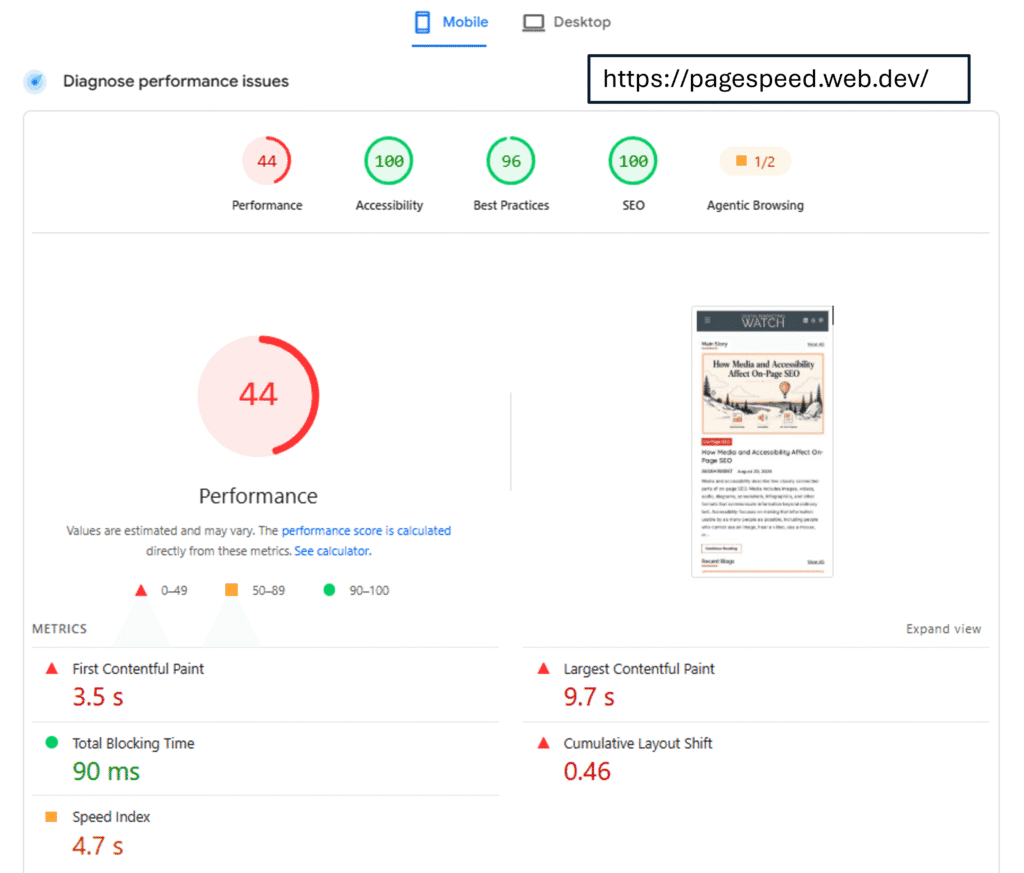
Core Web Vitals measure three particular dimensions of real-world experience: loading performance, responsiveness, and visual stability. The current metrics are Largest Contentful Paint, Interaction to Next Paint, and Cumulative Layout Shift.
Google evaluates these recommended thresholds using the 75th percentile of page loads, separately across mobile and desktop experiences. In other words, Core Web Vitals are intended to represent the experience of real users rather than simply producing an attractive laboratory score.
Security, Interstitials, and Clear Access to Content
A useful page should also be delivered securely and allow visitors to reach its main content without unnecessary obstruction. Google’s page-experience checklist includes secure delivery through HTTPS, good mobile presentation, limited distracting advertising, and a clear distinction between primary and secondary content.
Intrusive pop-ups are particularly problematic when they cover the main content immediately after a visitor arrives. Google’s interstitial guidance recommends less disruptive approaches, such as banners that occupy only a smaller portion of the screen when promotional messaging is necessary.
Scroll Depth, Dwell Time, and Pogo-Sticking
Several behavioral terms are frequently discussed alongside UX and SEO, particularly scroll depth, dwell time, and pogo-sticking. These measurements and concepts can provide useful clues about how people interact with content, but they should not be confused with Google’s documented page experience signals.
Scroll depth measures how far down a page a visitor scrolls. It can help website owners understand whether readers are reaching important sections of an article, product page, or landing page. For example, if most visitors leave before reaching an important comparison table or call to action, the page structure may deserve closer review. However, Google does not identify scroll depth as a page experience ranking signal.
Dwell time is an SEO term commonly used to describe the period between a searcher clicking a search result and returning to the search results. A longer visit may sometimes suggest that the person found useful information, while a quick return may indicate that the page did not meet the searcher’s needs. However, many other explanations are possible, and dwell time is not listed as a documented Google page experience signal. It should therefore not be treated as a ranking metric that publishers need to maximize.
Pogo-sticking generally describes a searcher clicking a result, returning to the search results, and then trying another result, sometimes repeatedly. Such behavior can indicate that the first page did not satisfy that particular searcher, but it should not be presented as a confirmed Google ranking factor. A user may return to the SERP for many reasons, including wanting to compare several sources rather than because the first page was poor.
These measurements can still be useful as diagnostic clues. Unusually low content consumption, for example, may encourage a closer examination of whether the introduction answers the query, the layout is difficult to follow, or intrusive elements interrupt reading. However, website owners should focus on solving the underlying user-experience problem rather than trying to manipulate individual behavioral metrics. Google specifically identifies Core Web Vitals as signals used by its ranking systems while recommending a broader, holistic assessment of page experience.
How Content Design Shapes Page Experience
Page experience is not limited to performance metrics. Readers experience a page through its title, introduction, headings, typography, spacing, images, navigation, and overall organization. Therefore, content presentation can determine whether good information feels easy or exhausting to consume.
Above-the-Fold Content Should Establish the Page Quickly
Above-the-fold content is the material visible before a visitor scrolls. There is no requirement to fit every important idea into this area, especially because viewport sizes differ widely. The practical goal is to let visitors quickly recognize the page, its purpose, and its primary content without forcing them through excessive advertising, banners, or promotional overlays.
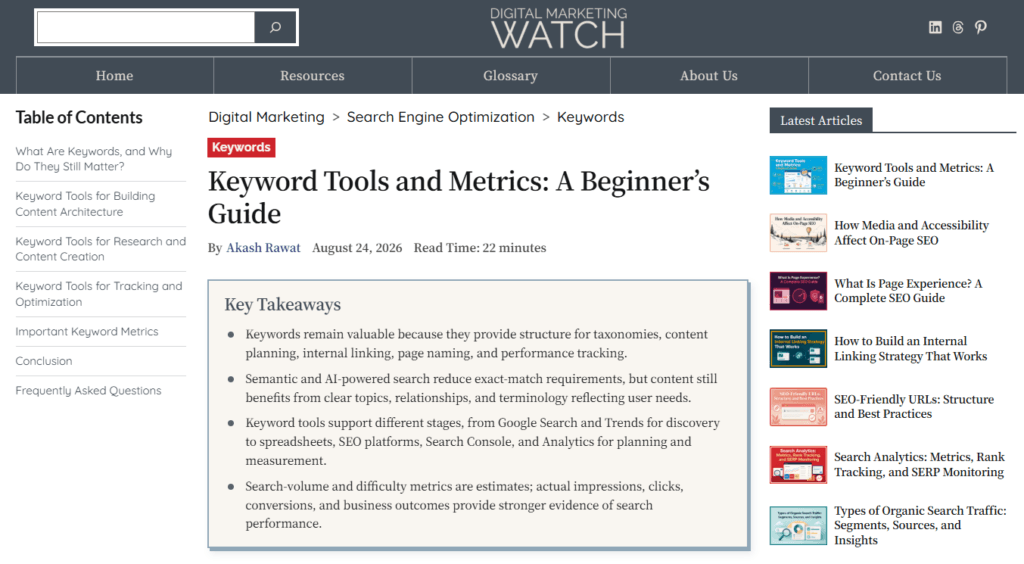
Google uses the mobile version of a site’s content, crawled with its smartphone agent, for indexing and ranking. It therefore recommends keeping primary content accessible on mobile and avoiding ads that occupy excessive space at the top of the page.
Content Layout and Hierarchy Guide the Reader
Good content layout answers a quiet question readers ask constantly: Where should I look next? A clear introduction establishes the subject, major sections divide the discussion into meaningful topics, and subsections explain narrower ideas within those topics.
W3C explains that headings communicate content organization and can also provide in-page navigation for assistive technologies. Heading levels should therefore represent genuine relationships between sections rather than being chosen merely because a particular heading size looks attractive.
A readable content structure normally benefits from several complementary practices:
- Descriptive Headings: Headings should describe the topic that follows, allowing readers to predict what a section contains rather than relying on vague labels such as “More Information” or “Other Points.”
- Focused Paragraphs: Paragraphs should develop one coherent idea at a time, with enough detail to explain it properly rather than breaking every thought into isolated one-sentence blocks.
- Useful Visual Formats: Tables, lists, illustrations, and examples should simplify information that genuinely benefits from another format rather than being added merely to make an article look visually varied.
- Effective White Space: White space should separate meaningful groups of information, helping readers recognize relationships without making the page feel either crowded or unnecessarily fragmented.
- Clear Promotional Elements: Calls to action and promotional elements should remain visually distinct from editorial content so readers can understand what is part of the main answer and what is optional.
The W3C also recommends using spacing and headings to group related information because clear visual relationships make content easier to scan and understand.
Visual Hierarchy, Scannability, and Readability
Visual hierarchy uses size, spacing, position, emphasis, and other design choices to show which elements deserve attention first. The H1 normally establishes the page topic, H2 headings divide major sections, H3 headings organize narrower ideas, and ordinary body text carries the detailed explanation.
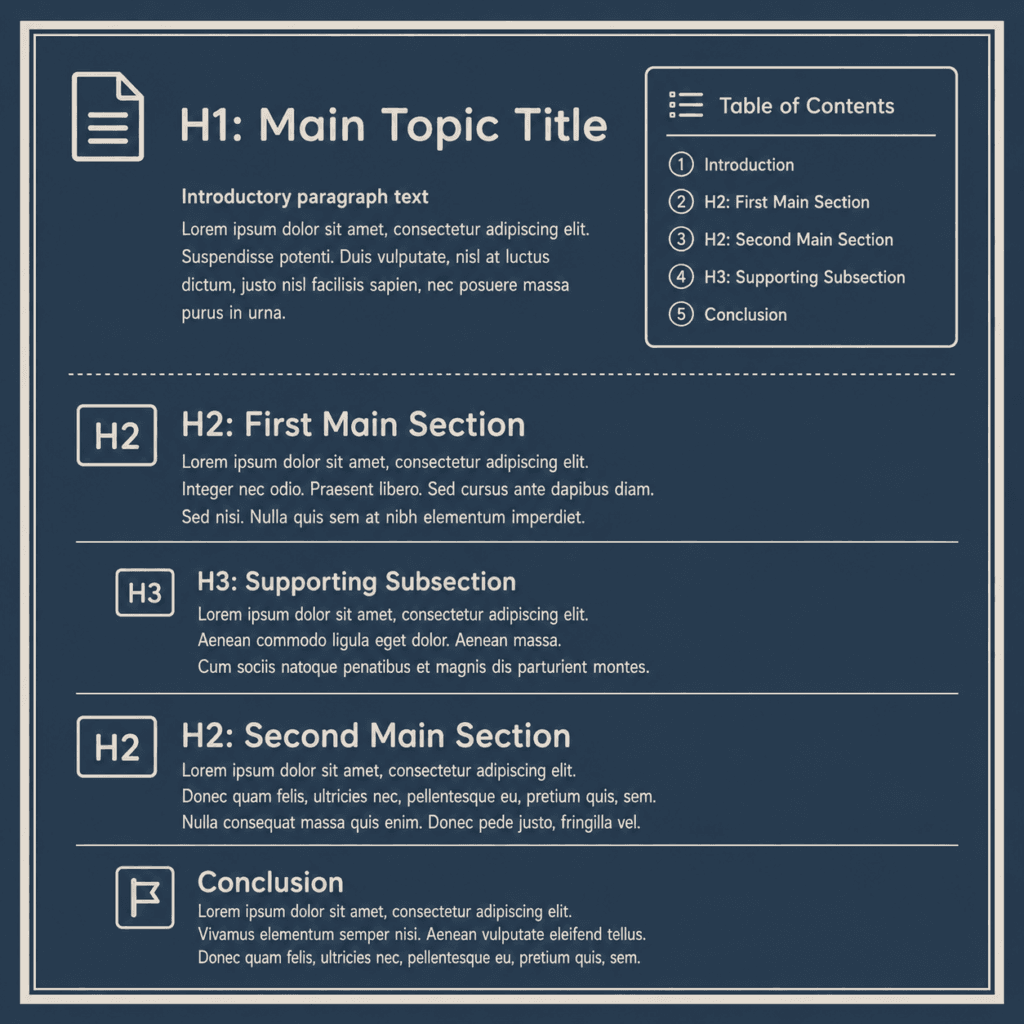
Scannability describes how easily readers can inspect a page and locate the part they need. Descriptive headings, short but substantial paragraphs, meaningful lists, tables, highlighted examples, and clear transitions all improve scannability. Readability goes further by considering whether the language itself is understandable. Shorter sentences are not automatically better; a well-constructed longer sentence can be easier to understand than several disconnected fragments.
In other words, good page experience does not mean reducing every paragraph to two lines. It means arranging complete ideas so readers can understand both the individual points and the connections between them.
How to Measure and Improve Page Experience
Improving page experience requires both technical measurement and human review. A performance report may identify slow loading or unstable elements, but it cannot fully determine whether a heading is confusing, a paragraph is difficult to understand, or a subscription box interrupts the reader at exactly the wrong moment.
Measure Core Web Vitals and Technical Performance
Search Console groups similar URLs and may omit URLs that do not have enough real-world data, so the report should not be treated as a complete performance listing for every indexed page. For individual URLs, PageSpeed Insights can combine field information from the Chrome User Experience Report with Lighthouse diagnostics where sufficient data is available.
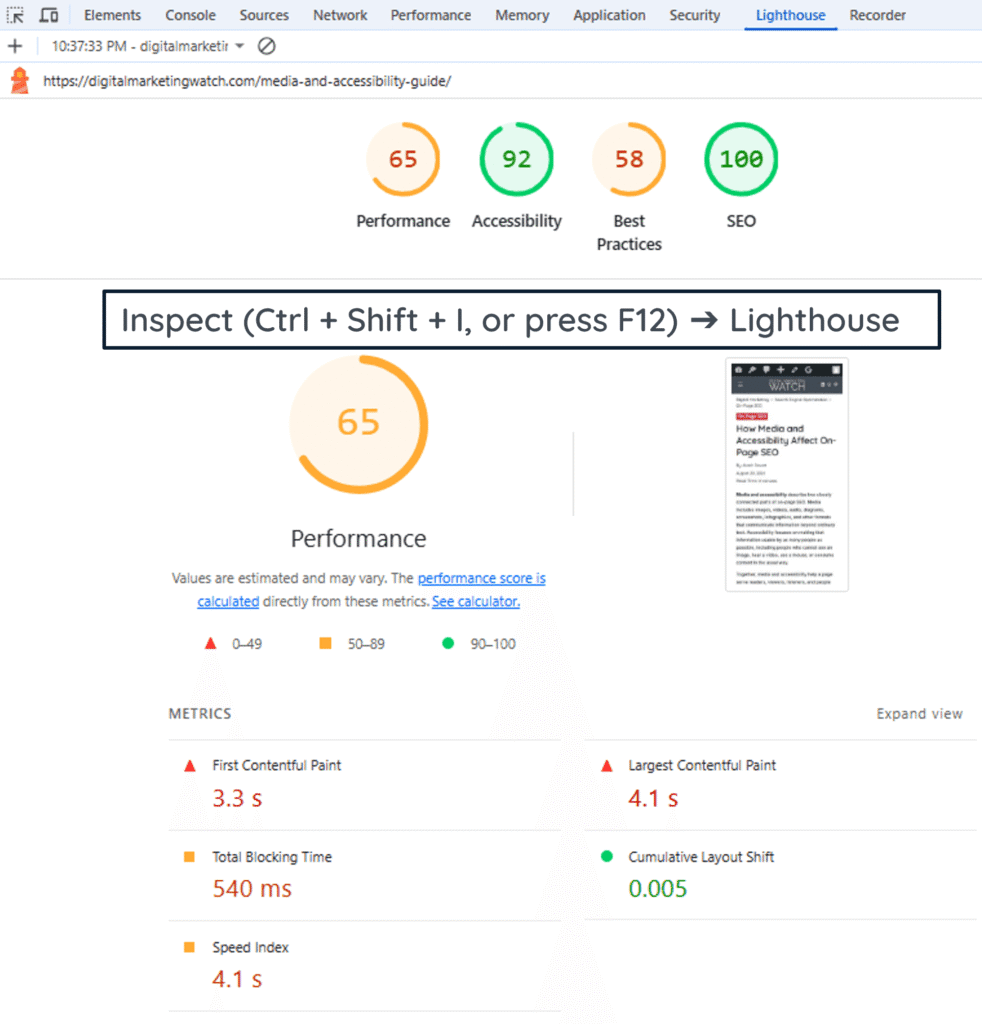
A practical review can therefore follow four stages:
- Check Real-User Data: Start with real-user Core Web Vitals data to identify whether visitors are experiencing problems with loading, responsiveness, or visual stability across important page groups.
- Investigate Technical Causes: Use Lighthouse or PageSpeed Insights diagnostics to investigate possible causes, such as oversized resources, rendering delays, JavaScript execution, or elements that shift after loading.
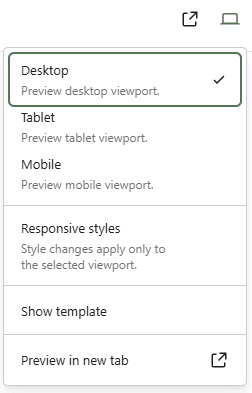
- Review Pages Manually: Review the actual page on both desktop and mobile devices because technical scores cannot reveal every problem with readability, navigation, content hierarchy, or interruptions.
- Retest and Compare: Retest after meaningful changes and compare the resulting user experience rather than repeatedly optimizing for a perfect numerical score that may have little practical value.
Google itself cautions that obtaining perfect performance scores purely for SEO may not be the best use of resources. The objective is a better experience for real visitors, not simply a green dashboard.
Give Mobile Users the Complete Experience
Mobile UX should be reviewed as a complete page rather than simply checking whether the design technically shrinks to fit a smaller viewport.
For mobile-friendly websites, Google recommends responsive web design, in which the same page automatically adapts its layout and presentation to different screen sizes. Google also recommends keeping important content, links, images, and other resources available on the mobile version so users and search engines can access the same essential information.
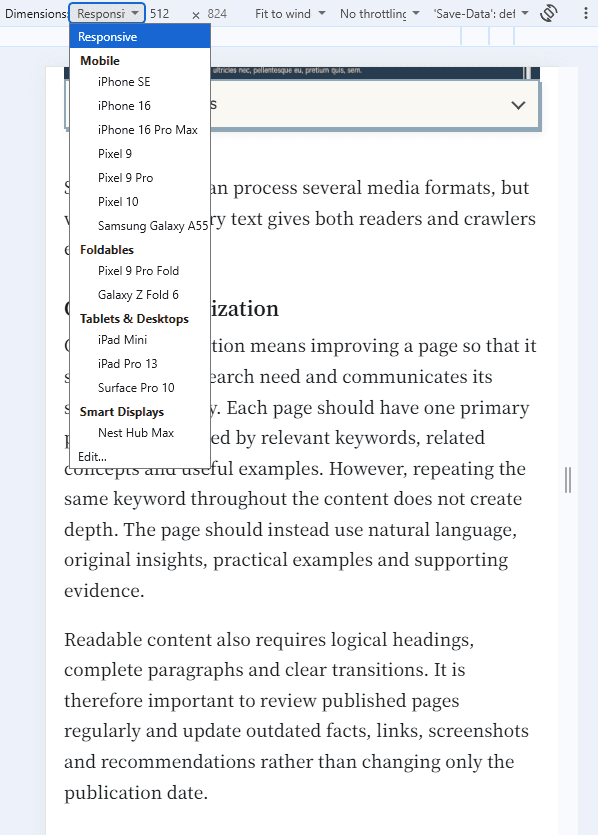
A mobile page should therefore be checked for readable text, comfortable spacing, usable menus and controls, images that fit the viewport, accessible primary content, appropriately sized interactive elements, and advertisements or pop-ups that do not dominate the screen. The page should also preserve important text, headings, links, structured data, and other information available to desktop users where they are relevant.
Modern website platforms can handle much of mobile responsiveness through responsive themes and built-in tools. Most modern WordPress themes are designed to adapt to different screen sizes, while Wix automatically creates a mobile-friendly version from desktop content. However, website owners should still review important pages on mobile because automatic adjustments do not guarantee that every element will display or function optimally.
Connect Page Experience with Conversion Optimization
Conversion optimization focuses on helping more visitors complete a desired action, such as purchasing, registering, downloading, subscribing, requesting a quote, or contacting a business. It is not the same discipline as SEO, but the two often benefit from the same improvements.
Consider an ecommerce page that ranks well but loads slowly, shifts while the user tries to select a product, hides delivery information, and presents a confusing checkout button. Fixing those problems may improve page experience while also removing obstacles from the conversion journey. However, conversion rate itself should not be presented as a Google page experience ranking signal.
To sum up, the strongest approach is not “optimize UX for Google.” It is to create useful content and then remove technical, visual, and navigational barriers that make that content harder for people to use.
Frequently Asked Questions
What is page experience in SEO?
Page experience describes how effectively users can access and interact with a web page. It includes measurable factors such as Core Web Vitals together with broader considerations including mobile presentation, secure delivery, intrusive interstitials, distracting page elements, and clear access to the main content. Google recommends evaluating the overall experience rather than concentrating on one metric.
Is page experience a Google ranking factor?
There is no single page experience ranking factor. Google states that its core ranking systems use several signals aligned with good page experience, including Core Web Vitals. Other aspects of page experience can still make a website more satisfying to use without necessarily providing a direct ranking boost.
What is the difference between UX and page experience?
UX covers the broader experience of using a website or digital product, including navigation, accessibility, task completion, information architecture, and interactions. Page experience has a narrower focus on the experience provided by an individual page, particularly its performance, accessibility of content, presentation, and usability.
Is page experience part of on-page SEO?
Page experience overlaps with on-page SEO because content structure, headings, readability, layout, images, and internal navigation are controlled on the page. However, Core Web Vitals, rendering, JavaScript performance, and other technical issues also make page experience relevant to technical SEO.
Are dwell time and pogo-sticking Google ranking factors?
Google’s current page-experience documentation does not identify dwell time or pogo-sticking as page experience ranking signals. These concepts may help marketers investigate whether users are satisfied with a page, but they should not be presented as confirmed direct ranking factors.
Do good Core Web Vitals guarantee higher rankings?
No. Google explicitly states that good Core Web Vitals do not guarantee top rankings. They are one part of a much larger ranking process, and Google continues to prioritize useful, relevant information even when another page may have stronger page-experience metrics.