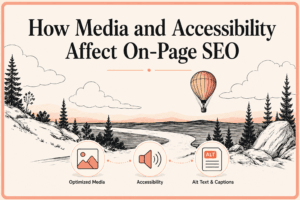
How Media and Accessibility Affect On-Page SEO
Key Takeaways
- Media should explain, demonstrate, or support page content, while relevant surrounding text, captions, filenames, and alt text can help search engines interpret non-text assets.
- Alt text must reflect an image’s context and function; decorative images generally need empty alt attributes, while keyword stuffing undermines accessibility and user experience.
- Captions, transcripts, audio descriptions, and reviewed video embeds provide alternative access to multimedia, supporting users with different sensory and consumption needs.
- Optimized media and structured tables of contents improve usability, navigation, and performance when images are appropriately sized, loading is managed, and links match headings.
Media and accessibility describe two closely connected parts of on-page SEO. Media includes images, videos, audio, diagrams, screenshots, infographics, and other formats that communicate information beyond ordinary text. Accessibility focuses on making that information usable by as many people as possible, including people who cannot see an image, hear a video, use a mouse, or consume content in the usual way.
Together, media and accessibility help a page serve readers, viewers, listeners, and people using assistive technologies. For example, an infographic can make a complicated process easier to understand visually, while meaningful alt text can communicate its essential information to someone using a screen reader. Similarly, captions can make a video useful when its audio cannot be heard, and a transcript can provide the same information in a searchable text format. These practices also overlap with on-page SEO because search engines need context to understand non-text content.
Google recommends using descriptive filenames, relevant surrounding text, captions, and especially meaningful alt text to help it understand images. Accessibility should therefore not be treated as an SEO trick. The stronger approach is to make media genuinely useful and understandable first and then provide proper context to help search engines interpret the page.
Table of Contents
Media, Accessibility, and On-Page SEO
Text remains central to most web pages, but it is not the only way people consume information. A product photograph can demonstrate appearance more effectively than a paragraph, a chart can summarize a trend, and a video can show a process that would take hundreds of words to explain.
However, visual and audio formats can also create barriers when they contain information that is unavailable in another form. For example, someone who cannot see an infographic may need a text alternative. Similarly, someone who cannot hear a tutorial video may depend on captions or a transcript. The W3C therefore recommends text alternatives for images and appropriate alternatives for audio and video media.
From an SEO perspective, media optimization is the process of helping images, videos, and other assets remain understandable, discoverable, and useful on the page. Accessibility overlaps with that goal but has a wider purpose: allowing people with different abilities and methods of interaction to access the information.
Alt Text, Titles, Captions, and Descriptions
WordPress provides separate fields for Title, Alt Text, Caption, and Description, and the same sentence should not simply be copied into all four. Alt text provides a text alternative that communicates relevant image information to users who cannot see the image. A caption is a short explanation that can be displayed visibly with the image, while the WordPress Description field allows a more detailed explanation of the media item.
Unlike a caption, the Description is not normally shown directly beneath an image in an article; whether it appears publicly can depend on the theme, plugin, or attachment-page setup. The Title primarily names the media item in WordPress and may also appear on attachment pages or galleries depending on the site’s configuration. WordPress documents these as separate media fields.
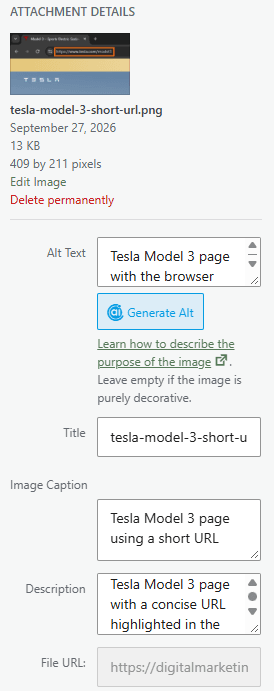
Suppose the image is an annotated screenshot of a Google search results page, with a label and arrow pointing to the search query entered in Google.
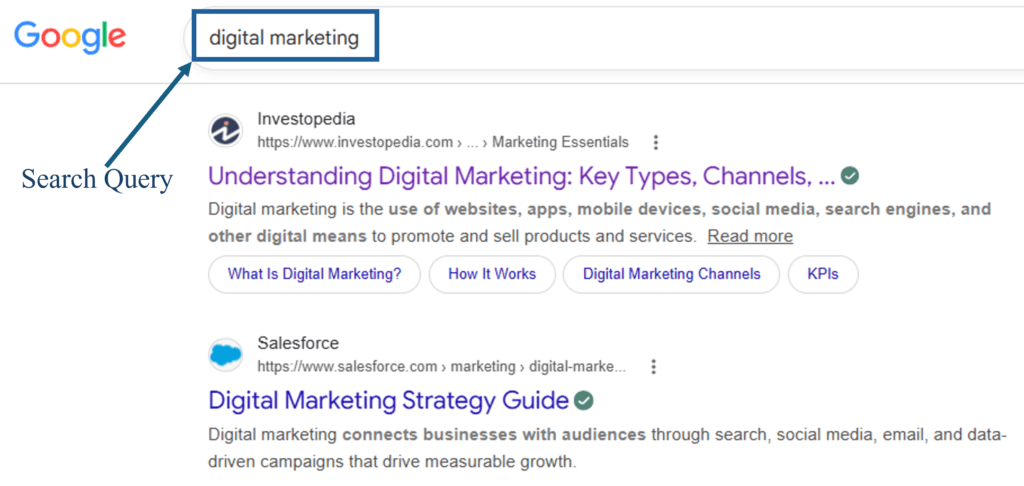
Title: Title gives the media item a recognizable name inside WordPress.
Alt Text: This communicates the important visual meaning to someone who cannot see the image.
Caption: This is the short explanation readers can see beneath the image.
Description: This provides a fuller explanation of the media item when a longer description is useful.
How Media Supports On-Page SEO
Media can strengthen a page when it explains, demonstrates, or supports the main content rather than simply decorating it. Images placed close to relevant text can give both users and search engines additional context. Google says it uses surrounding page content, captions, image titles, alt text, and computer vision when interpreting image subject matter.
Media should therefore have a clear purpose. Adding several stock images to make an article appear longer does not automatically improve SEO, while a relevant diagram, annotated screenshot, or demonstration video can genuinely improve understanding.
How Media and Accessibility Help Different Audiences
Accessibility is sometimes discussed only in relation to permanent disabilities, but accessible content can help people in many situations. Captions can help someone watching a video in a noisy place. A transcript can help someone who wants to scan a 20-minute discussion in two minutes. Clear image descriptions and alt text can help when an image fails to load, while structured headings and navigation can make long content easier for almost everyone to explore.
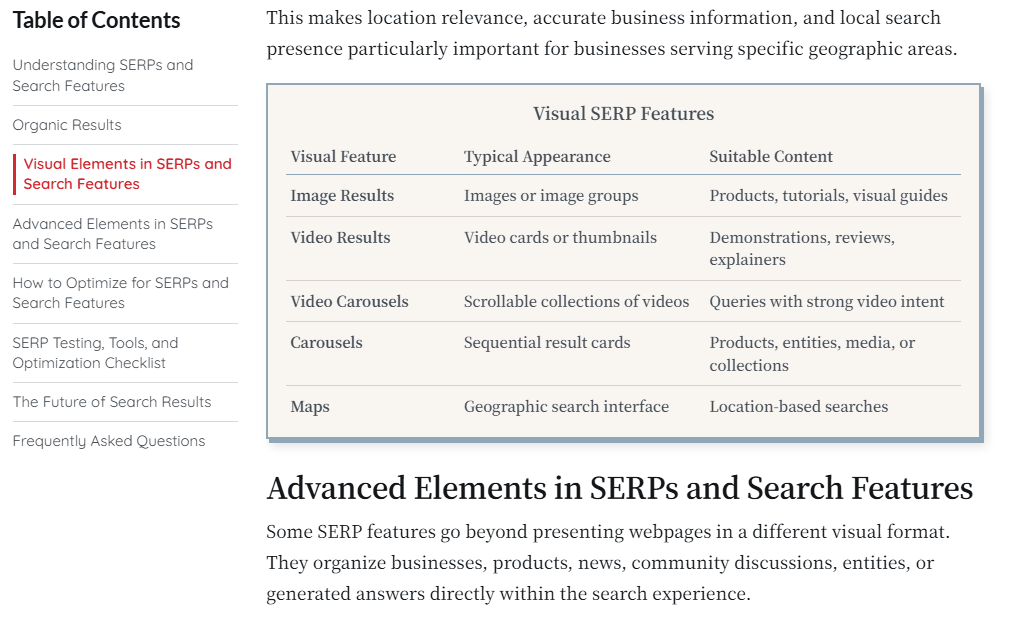
In other words, effective media and accessibility practices often provides multiple ways to obtain the same essential information. That makes media more resilient and useful without requiring search engines to be the primary reason for making the improvement.
Optimizing Images and Videos for SEO and Accessibility
Image SEO involves helping search engines discover and understand images while ensuring that those images support the page on which they appear. To help its crawlers understand images, Google recommends standard HTML image elements, relevant surrounding text, descriptive filenames, appropriate alt text, and supported image formats.
Alt Text for Media and Accessibility
Alt text, or alternative text, is text associated with an image that communicates its relevant content or function when the image itself cannot be used. Screen readers can use it to provide image information to users who cannot see the image, while Google uses alt text together with page content and computer vision to understand image subject matter.
Good alt text depends on context. A photograph of a laptop in an article about remote work might simply need to describe the relevant scene. A chart comparing conversion rates needs to communicate the important conclusion represented by the chart rather than listing every visible color and line.
Useful alt-text practices include:
- Describing Relevant Information: Describe the information that matters in context rather than attempting to inventory every visual detail in the image.
- Keeping Alt Text Concise: Keep descriptions concise when a short explanation is sufficient, while providing a longer description elsewhere when a complex chart or diagram cannot be meaningfully summarized in one sentence.
- Using Keywords Naturally: Use relevant terminology when it genuinely describes the image rather than inserting keywords merely to influence search visibility.
- Describing Image Function: For functional images, describe what the image does rather than how it looks, such as when an image is used as a button or link.
Decorative Images
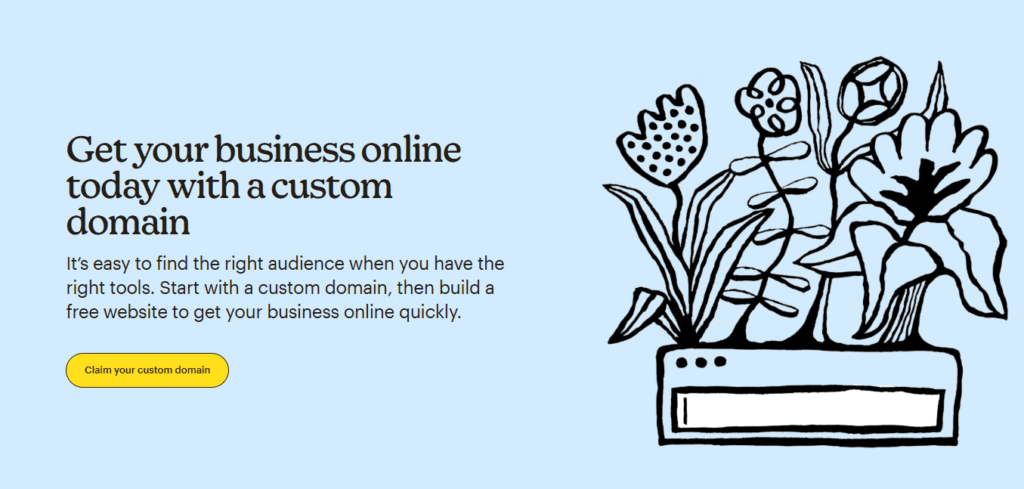
Not every image needs descriptive alt text. A purely decorative divider, background ornament, or image that adds no information should generally use an empty alt attribute such as alt="". This allows assistive technologies to ignore it rather than reading unnecessary information.
alt="")File Names, Media Titles, Captions, and Alt Text
These image elements serve different purposes and should not be treated as substitutes for one another.
technical-seo-audit.jpgGoogle describes filenames as providing only very light clues about image subject matter, so they should be short and descriptive rather than treated as a major ranking technique. It also considers captions and nearby text when understanding images.
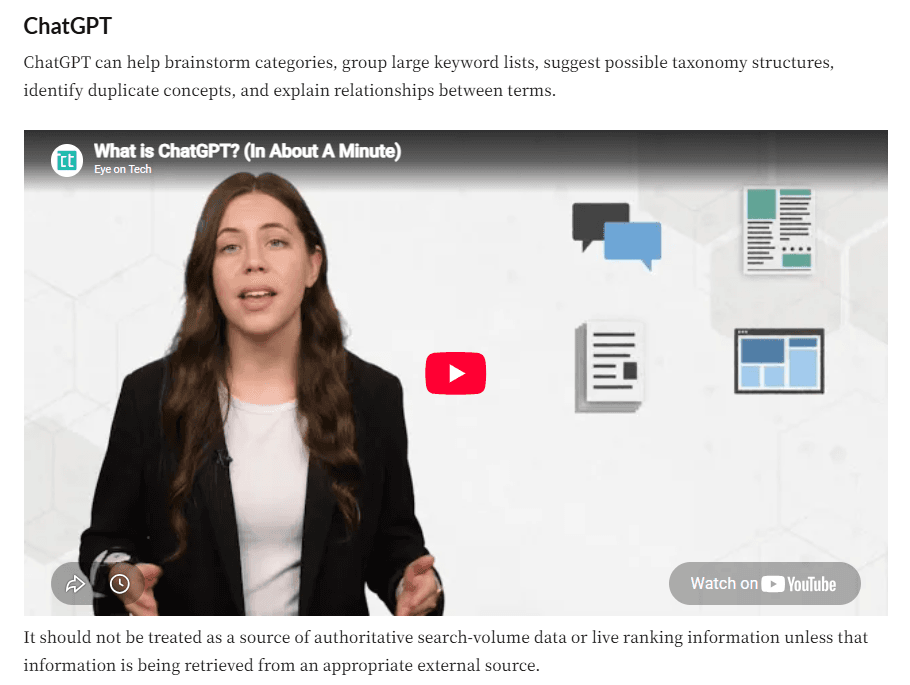
Video Embedding for SEO
Embedding a video does not automatically make it eligible for prominent video search features. Google therefore recommends using recognizable HTML elements such as <video>, <iframe>, <embed>, or <object> so that it can locate videos. Moreover, a video intended to qualify for Google’s video search features generally needs an indexed watch page where the video is the primary content, along with a valid thumbnail and other indexing requirements.
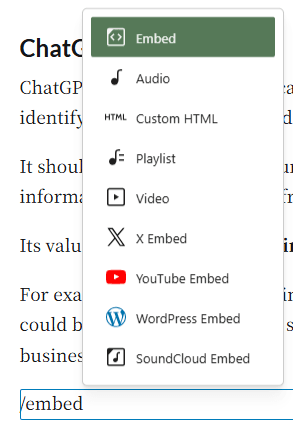
CMS platforms such as WordPress and Wix handle much of the technical embedding process through built-in video and embed tools. In WordPress, for example, a supported video URL can automatically become an embed block, while Wix allows videos from YouTube, Vimeo, and Facebook to be embedded by adding their URL through its video tools. Website owners therefore usually do not need to write <video> or <iframe> markup manually for standard video embeds.
Captions, Subtitles, and Transcripts
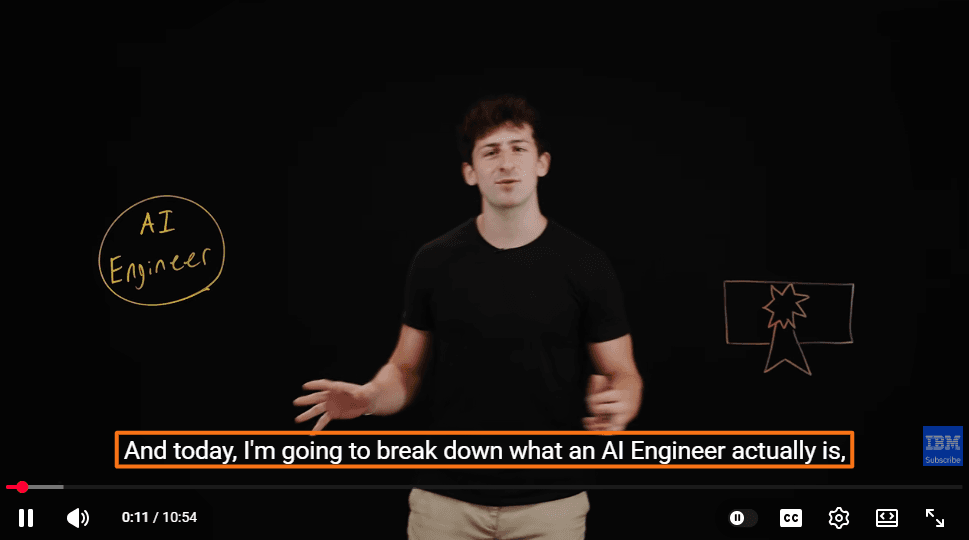
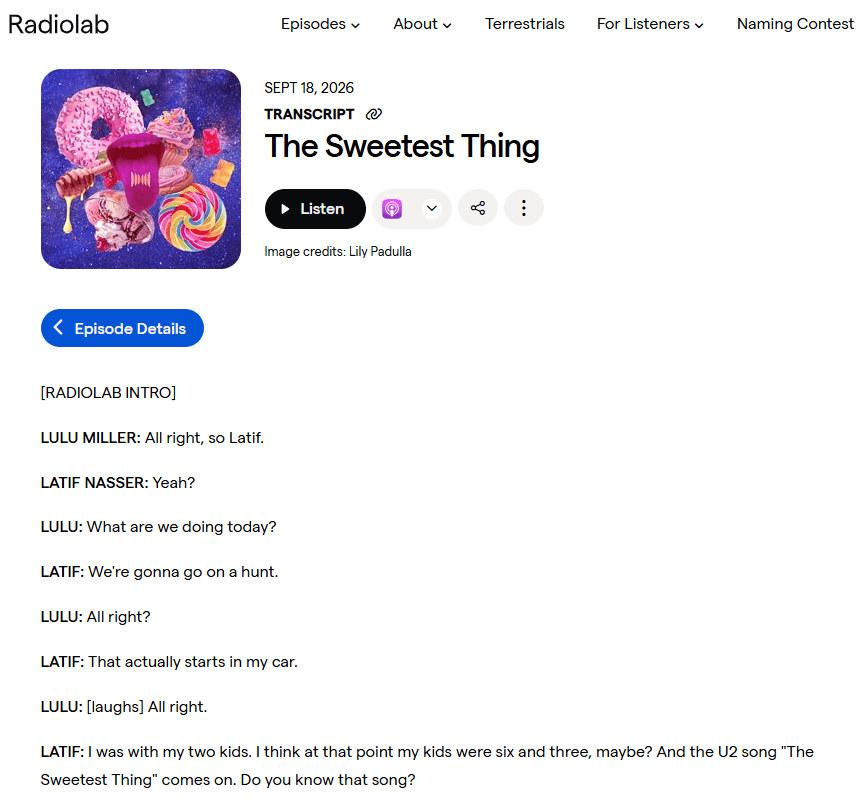
Captions provide synchronized text for spoken dialogue and relevant non-speech audio. Subtitles are often associated with translating speech into another language, although terminology varies by region. A transcript, by contrast, presents audio information as a separate block or document of text.
W3C recommends providing both captions and transcripts where appropriate because they serve different needs. Its guidance also distinguishes basic transcripts from descriptive transcripts, which include visual information needed to understand the video.
A practical multimedia review should therefore check that:
- Captions accurately represent speech and meaningful sounds, with automatically generated captions reviewed for obvious errors.
- Transcripts contain the information needed to understand the audio, with visual descriptions added when those visuals carry essential meaning.
- Important visual information is also communicated appropriately, through narration, audio description, or another suitable alternative when necessary.
- Media controls remain usable, including for people navigating with a keyboard or assistive technology.
Media Performance and Optimization
Media can improve a page visually and informationally, but unnecessarily large images and video embeds can also increase page weight and slow loading. Images should be compressed, served at appropriate dimensions, and delivered responsively so browsers can choose a suitable file for the user’s screen.
Modern formats such as WebP can often reduce file size while maintaining good visual quality, although the best format depends on the image type and browser support.
WordPress users can install the free LiteSpeed Cache plugin and navigate to LiteSpeed Cache → Image Optimization. Under Next-Gen Image Format, they can select WebP so optimized WebP versions are generated during image optimization.
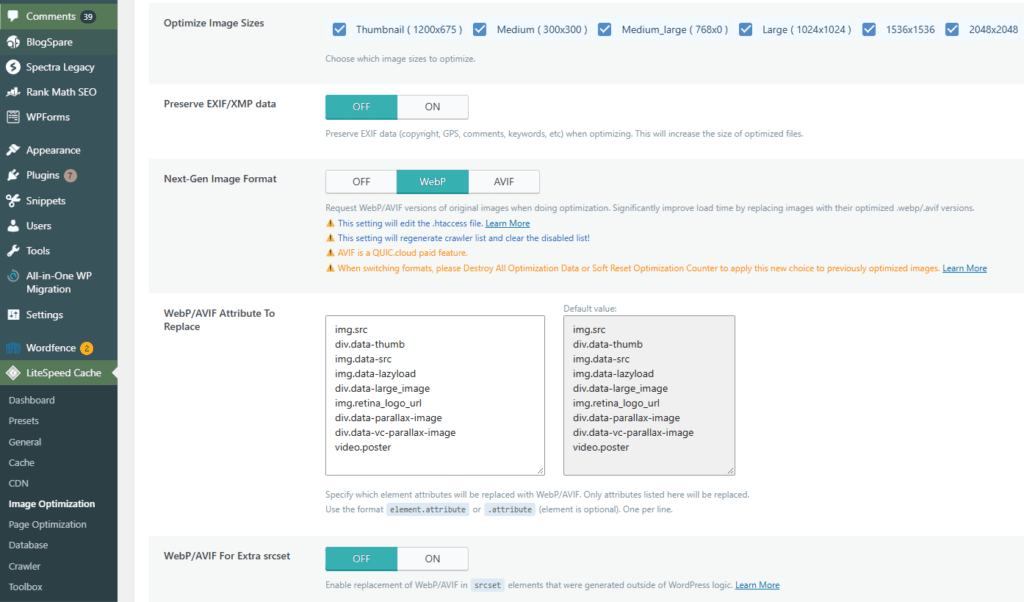
LiteSpeed Cache can then automatically serve or replace supported image references with the WebP versions according to the configured settings.
It is also important to avoid uploading images that are much larger than their displayed dimensions, and review video embeds carefully because third-party players and scripts can add substantial loading overhead.
Lazy loading is useful for images, videos, and other media that appear below the fold because it can delay downloading resources until they are needed.
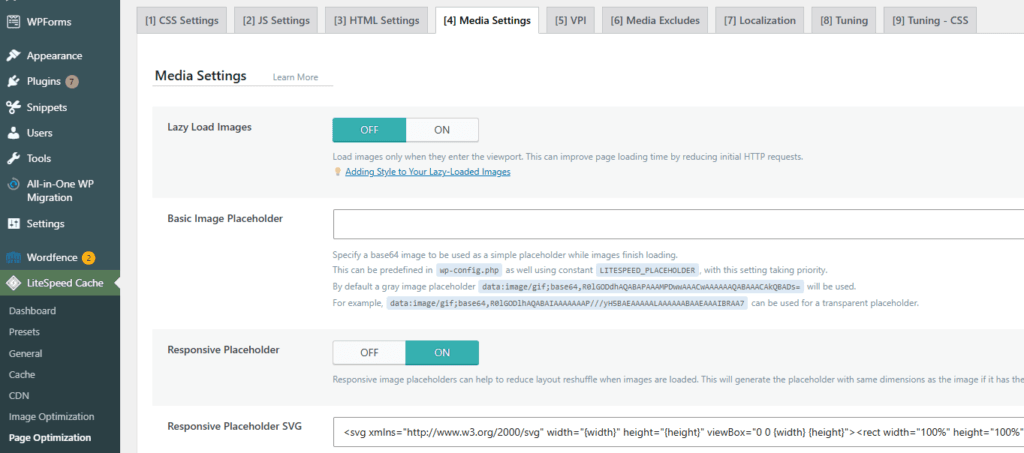
However, an important above-the-fold image—especially one that may become the page’s Largest Contentful Paint (LCP) element—should not normally be lazy-loaded without a clear reason, as this can delay rendering.
Media optimization therefore forms part of the broader page experience, where visual quality, accessibility, loading performance, and usability need to work together.
How a Table of Contents Improves Accessibility
A table of contents is especially useful on long articles because it gives readers an overview before they begin and allows them to move directly to the section they need. Instead of repeatedly scrolling through several thousand words, a reader can select a descriptive section link and continue from that point.
W3C notes that tables of contents help users navigate long documents. Therefore, it is important to make sure that the entries reflect the organization of the document and link to the corresponding sections.
Headings Give the Table Meaning
A useful table of contents depends on a well-structured heading hierarchy. Headings communicate how content is organized, and browsers and assistive technologies can use them for in-page navigation. Therefore, H2 and H3 elements should represent genuine sections and subsections rather than being selected only for their visual size.
For example, a table of contents entry labeled Optimizing Images and Videos for SEO and Accessibility tells readers substantially more than a vague label such as Media Tips. The same principle applies to subsection headings.
Accessible Tables of Contents Need Usable Links
An accessible table of contents should use descriptive link text, preserve a logical order, and point accurately to the corresponding headings. Same-page links normally use fragment identifiers such as #image-seo, allowing a user to move directly to that section.
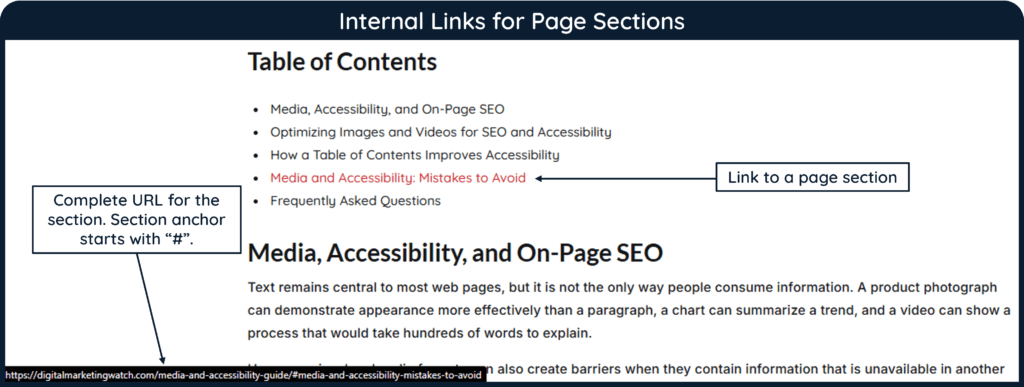
A useful audit can check whether:
- Every table-of-contents link reaches the correct section and continues to work after headings or URLs are edited.
- Section labels clearly describe their destinations rather than relying on ambiguous wording such as Learn More.
- The heading hierarchy matches the page structure, so the table of contents represents the article accurately.
- Links can be reached and activated without relying solely on a mouse, particularly when custom navigation components are used.
A table of contents does not replace proper headings, landmarks, or skip-navigation mechanisms. It is one additional navigation aid within a well-structured page.
Media and Accessibility: Mistakes to Avoid
Effective media and accessibility optimization requires more than simply adding images, alt text, captions, or transcripts to a page. The following mistakes are among the most common issues to check when reviewing images, videos, multimedia, and page navigation:
- Missing Alt Text on Informative Images: Informative images should not leave essential meaning available only visually. Provide a concise alternative that communicates what matters about the image in its particular context.
- Keyword-Stuffing Alt Text: Alt text should describe an image, not become a container for repeated SEO keywords. Google specifically warns against filling alt attributes with keywords because it creates a poor experience and may appear spammy.
- Describing Every Decorative Image: Decorative images can create unnecessary screen-reader noise when given meaningless descriptions. Use an empty alt attribute when the image genuinely conveys no additional information.
- Omitting the Alt Attribute:
alt=""and a missing alt attribute are not the same. An empty attribute deliberately tells assistive technology that an image can be ignored, while an omitted attribute may produce unintended output. - Using Generic Image File Names: Names such as
IMG0045.jpgprovide little context. A short descriptive filename is more useful, although filenames should be treated as a minor contextual clue rather than a major ranking factor. - Confusing Media Titles with Alt Text: The WordPress media title names the media item but does not replace appropriate alt text. Alt text serves a separate accessibility purpose by communicating relevant image information when the image cannot be perceived normally.
- Publishing Media Without Context: An image or video should normally appear close to relevant explanatory content. Media that has little connection with the surrounding discussion may add visual noise rather than useful information.
- Embedding Videos That Search Engines Cannot Find: Videos intended for search visibility should use discoverable embedding methods and meet Google’s video indexing requirements. In CMS platforms such as WordPress and Wix, much of the normal embedding process is handled automatically through built-in video or embed tools, so users usually do not need to write
<video>or<iframe>markup manually. However, this does not automatically guarantee indexing, so the video should still be placed on an indexable page with a valid thumbnail and remain accessible to search engine crawlers. - Publishing Videos Without Captions: Spoken information can become inaccessible to many users when captions are unavailable. Captions should also identify important non-speech sounds when those sounds contribute to the meaning or context of the content. For example, captions such as [door slams], [alarm rings], or [audience laughs] can help viewers understand what is happening even when they cannot hear the audio.
- Trusting Automatic Captions Without Review: Automatic captioning can save time, but names, technical terms, punctuation, and speaker changes may be transcribed incorrectly. Captions should therefore be reviewed when accuracy matters.
- Ignoring Video Transcripts: A transcript provides another way to consume audio and video information and can be especially useful for searching, scanning, and accessibility. It should represent meaningful audio rather than simply dumping an unedited machine transcript onto the page.
- Ignoring Important Visual Information: Captions may solve an audio-access problem; however, they do not communicate everything happening visually. Videos containing essential charts, demonstrations, actions, or on-screen text may also require suitable visual descriptions.
- Creating a Poorly Structured Table of Contents: A table of contents with vague labels, broken jump links, or a hierarchy that disagrees with the article can make navigation more confusing rather than easier.
- Treating Accessibility as an SEO Trick: The purpose of accessibility is to make content usable by more people. SEO benefits can overlap with accessible practices, but accessibility should not be reduced to adding keywords to alt text, transcripts, or captions.
Frequently Asked Questions
What are media and accessibility in SEO?
In SEO, media and accessibility involve optimizing visual, audio, and multimedia content while making that information usable through different methods of access. In on-page SEO, this includes practices such as meaningful alt text, relevant image context, captions, transcripts, accessible video, and structured navigation.
Why are media and accessibility important for on-page SEO?
Media and accessibility improve how information is presented and consumed, while several practices also give search engines useful context about non-text content. However, the primary goal should be to communicate information clearly to users rather than treating accessibility features as ranking tactics.
Does alt text help SEO?
Yes, alt text can help search engines understand an image’s subject matter. Google uses alt text together with page content and computer vision, but recommends writing useful, contextual descriptions rather than stuffing keywords into the attribute.
Should every image have descriptive alt text?
No. Informative and functional images need appropriate text alternatives, but purely decorative images generally use an empty alt attribute such as alt="" so assistive technologies can ignore them.
What is the difference between image alt text and a caption?
Alt text provides an alternative representation of relevant image information when the image cannot be perceived normally. A caption is visible text shown with the image and can provide context, explanation, attribution, or interpretation to all readers.
Do videos need captions and transcripts?
The appropriate accessibility requirements depend on the type of media, but captions and transcripts serve different purposes and are often valuable together. Captions, transcripts, and audio descriptions provide different ways for users to access spoken, visual, and other important information in audio and video content.
Does a table of contents improve accessibility?
A well-structured table of contents can improve navigation by letting users move directly to relevant sections of a long document. It is particularly useful when its links correspond to descriptive headings and can be operated through normal keyboard navigation.
Is accessibility part of on-page SEO?
Accessibility overlaps with on-page SEO because many accessibility decisions involve page content, headings, links, images, multimedia, and navigation. However, accessibility is a broader discipline concerned with making digital experiences usable by people with different abilities and access needs.