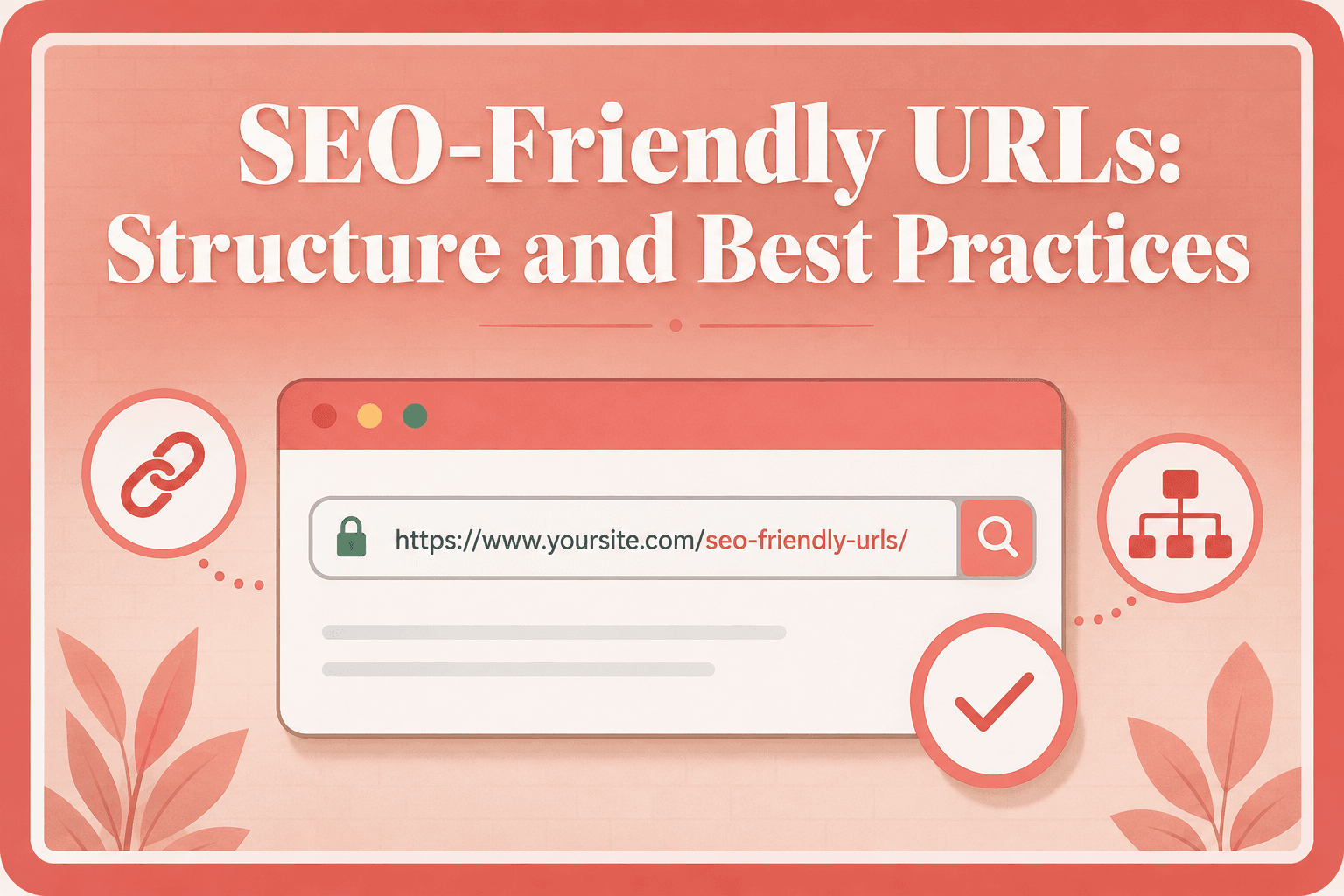
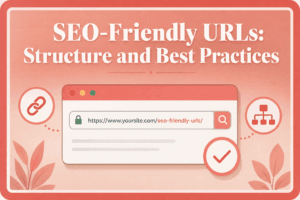
SEO-Friendly URLs: Structure and Best Practices
Key Takeaways
- URLs should be stable, understandable, crawlable, and consistent with page content, rather than merely short or keyword-heavy.
- Descriptive slugs, lowercase letters, and hyphens improve clarity, while keyword repetition and unnecessarily complex structures provide little value.
- Dynamic parameters can support filters, pagination, variants, and tracking, but excessive duplicate combinations and temporary values can create crawl and indexing problems.
- Changing established URLs requires permanent redirects, updated internal links, canonical checks, sitemap updates, and testing to preserve site consistency.
A URL is one of the first pieces of information that connects a webpage to the rest of the web. People use URLs to open pages, browsers use them to locate resources, websites use them for navigation and internal linking, and search engines use them while crawling and organizing content.
For SEO, the goal is not to create the shortest possible URL or insert as many keywords as possible. A useful URL should primarily be stable, understandable, crawlable, and consistent with the page it represents. Google recommends logical, human-readable URL structures and warns that unnecessarily complex URLs can make crawling less efficient.
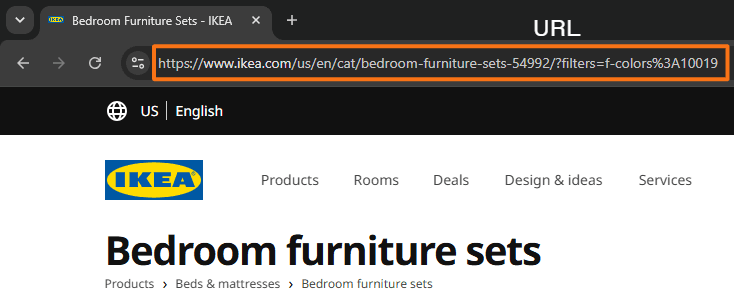
Understanding URLs therefore helps with more than choosing a slug. It also makes it easier to manage internal links, parameters, breadcrumbs, redirects, duplicate URLs, canonicals, and page-level indexing problems.
Table of Contents
What Is a URL and How Does It Work?
A URL, or Uniform Resource Locator, is the address used to locate a resource on the web. That resource may be a webpage, image, PDF, stylesheet, video, or another file. The word uniform refers to the standardized way these addresses are written, resource refers to the item being requested, and locator reflects the URL’s role in telling software where that resource can be found. It is one of the core mechanisms browsers use to retrieve published resources.
For example: https://www.example.com/seo/url-structure
When this address is entered into a browser or followed through a link, the browser interprets its components and requests the relevant resource from the appropriate server.
Why Is It Called a Uniform Resource Locator?
It is called a Uniform Resource Locator because it uses a standardized format to specify the location of a resource and how it can be accessed. Uniform refers to the consistent addressing format, Resource refers to the item being identified, and Locator refers to the information used to find it.
Parts of a URL
A URL can contain details such as the communication scheme, host, path, parameters, and a specific location within the resource.
Consider this URL → https://help.example.com/articles/seo-friendly-urls?source=email#url-slug
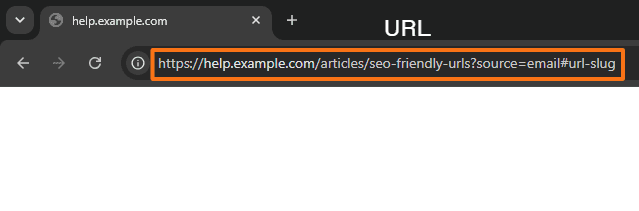
Here, the address contains several distinct components, each with a different purpose. The diagram below provides a simplified view of URL anatomy.
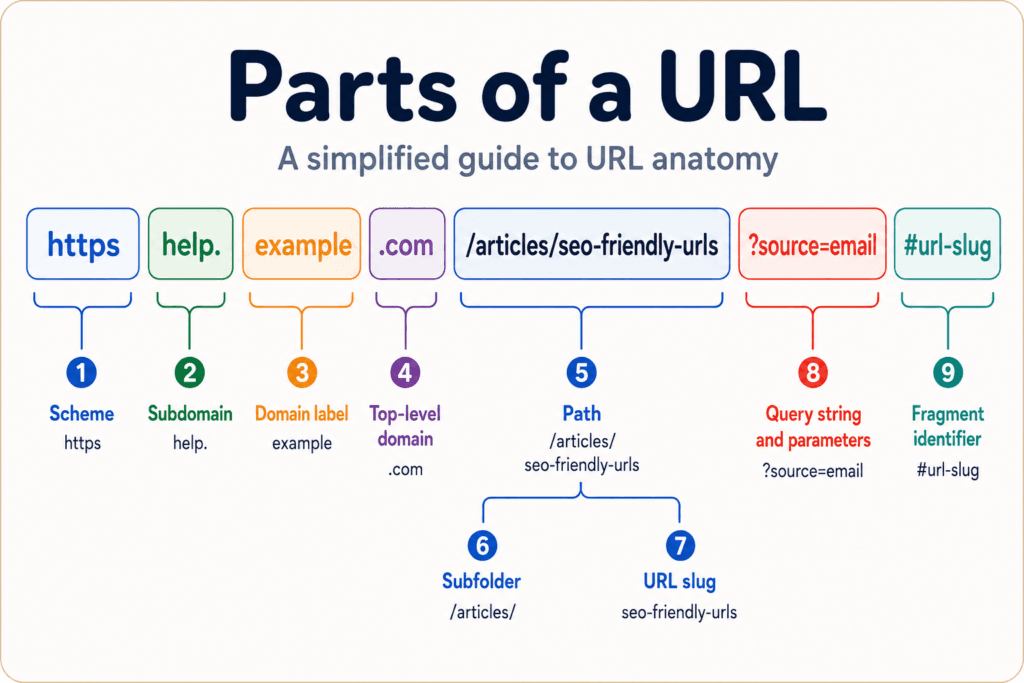
The part beginning with # is technically a fragment identifier, although it is commonly called an anchor when it points to a section of a webpage.
A domain can contain more than one label before the registered domain. For example, in www.help.example.com, both www and help appear before example.com. Therefore, beginner diagrams often simplify what can technically be a more layered hostname.
httpshttp, mailto, tel, and ftp.help.shop.example.com or support.example.com.exampleexample combines with .com to form example.com..com.org, .net, .gov, .edu, .de, and .in./articles/seo-friendly-urls/articles/seo-friendly-urls?source=email#url-slugA URL may look as if it represents folders inside a server, but that is not always how the website is actually organized. For example, in example.com/articles/seo-guide, /articles/ may look like a folder containing the seo-guide page. However, on modern websites built with WordPress, Shopify, or other web applications, the system can generate that URL automatically and load the correct content without a matching physical folder existing on the server.
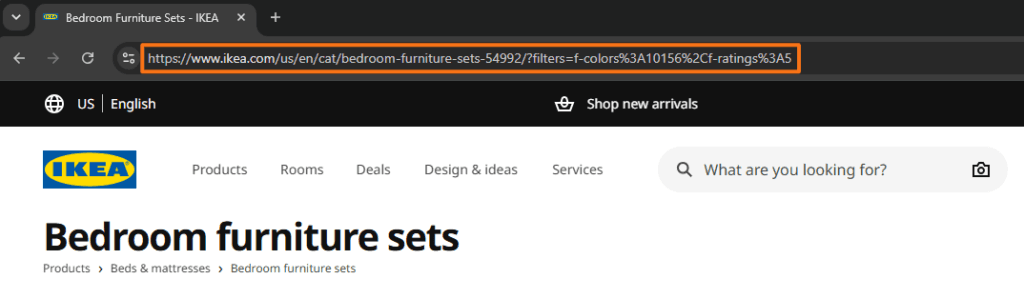
In this real-world example below, https://www.ikea.com/us/en/cat/bedroom-furniture-sets-54992/ contains several path segments: us, en, cat, and bedroom-furniture-sets-54992.
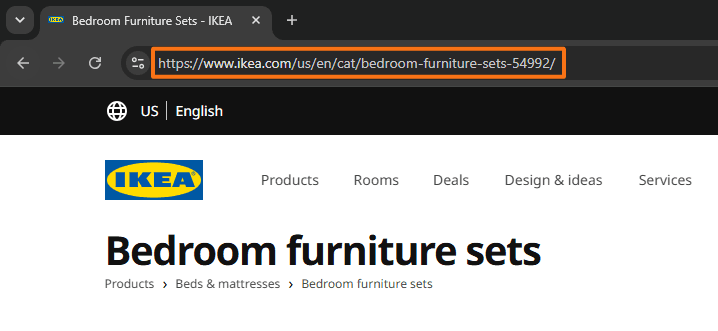
Each segment represents another level in the URL hierarchy, with bedroom-furniture-sets-54992 nested beneath cat, although these segments do not necessarily correspond to physical folders on the server.
What Are the Different Types of URLs?
URLs can be categorized in several ways. The distinction matters because different URL forms serve different navigation, development, and SEO purposes.
Absolute and Relative URLs
An absolute URL contains the complete address needed to locate a resource. For example:
https://www.example.com/guides/url-seo
A relative URL specifies a location relative to the current site or document. For example:
/guides/url-seo
⇒ /guides/url-seo is specifically a root-relative URL (“start from the root of this website”) because the path begins with /.
Both relative and absolute URLs can be valid for internal links. Google’s document on crawlable links provides examples of crawlable links using both absolute URLs, such as https://example.com, and relative URLs, such as /products/category/shoes.
For example, suppose you are on https://example.com/blog/article. A link in the page could be written as:
<a href="/products/category/shoes">Shoes</a>In this case, the browser understands /products/category/shoes relative to the current website’s domain and turns it into https://example.com/products/category/shoes.
Static and Dynamic URLs
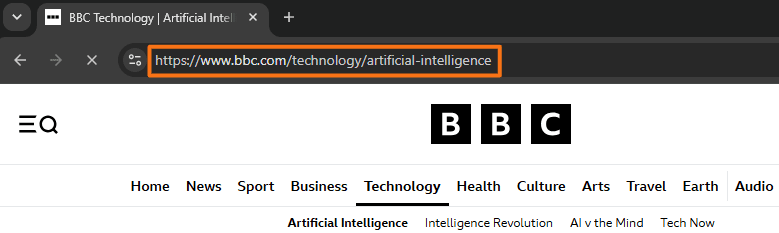
A static-looking URL usually uses a clean path without visible query parameters. For example:
https://example.com/shoes/running-shoes
A URL commonly described as dynamic often contains parameters used by the website or application. For example:
https://example.com/shoes?type=running&color=blue
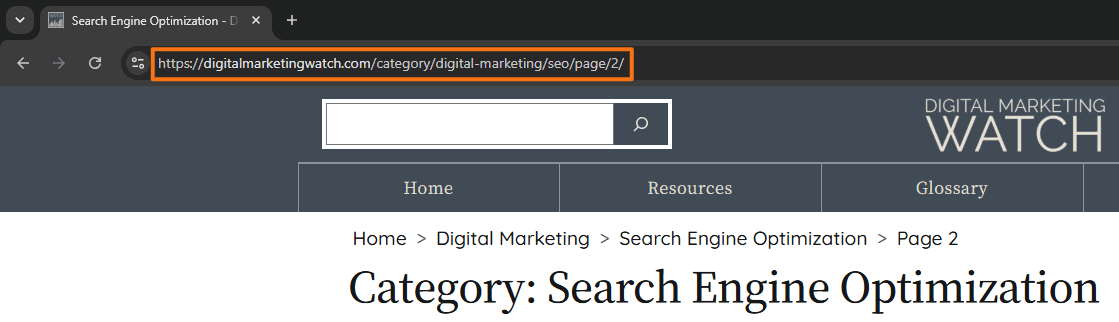
Dynamic URLs are not automatically bad for SEO because parameters are often necessary for ecommerce filters, pagination, sorting, search functions, and product variants. However, problems may arise when a system creates very large numbers of unnecessary or duplicate URL combinations.
Short and Descriptive URLs
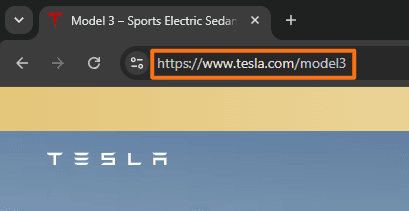
Shorter URLs can be easier to read and share, but having the shortest possible URL should not be the goal. A URL should also retain enough information to describe its destination.
For example, /seo/url-structure is more informative than /p/7842 without becoming unnecessarily long. These URLs use a compact path with few characters or segments, making it easier to read, remember, and share.
A long URL, on the other hand, contains many characters, path segments, parameters, or identifiers, which may make it difficult to scan quickly.
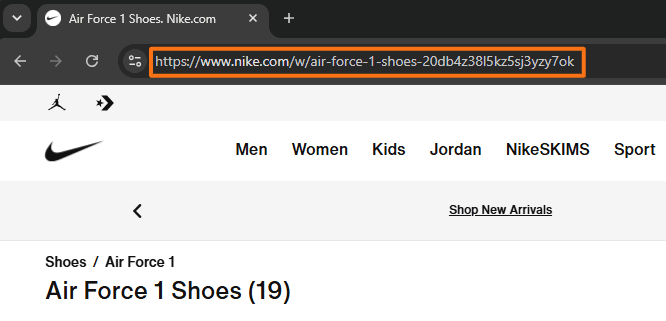
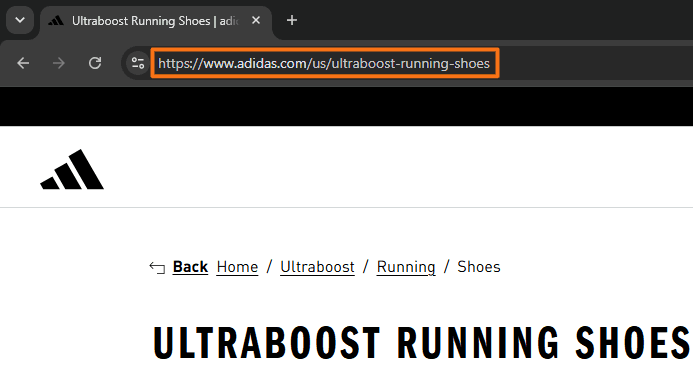
A descriptive URL uses meaningful words that indicate what the destination page is about.
A non-descriptive URL relies mainly on IDs, codes, or opaque strings that reveal little about the page content. For example, eBay uses URLs such as /itm/117419668008.
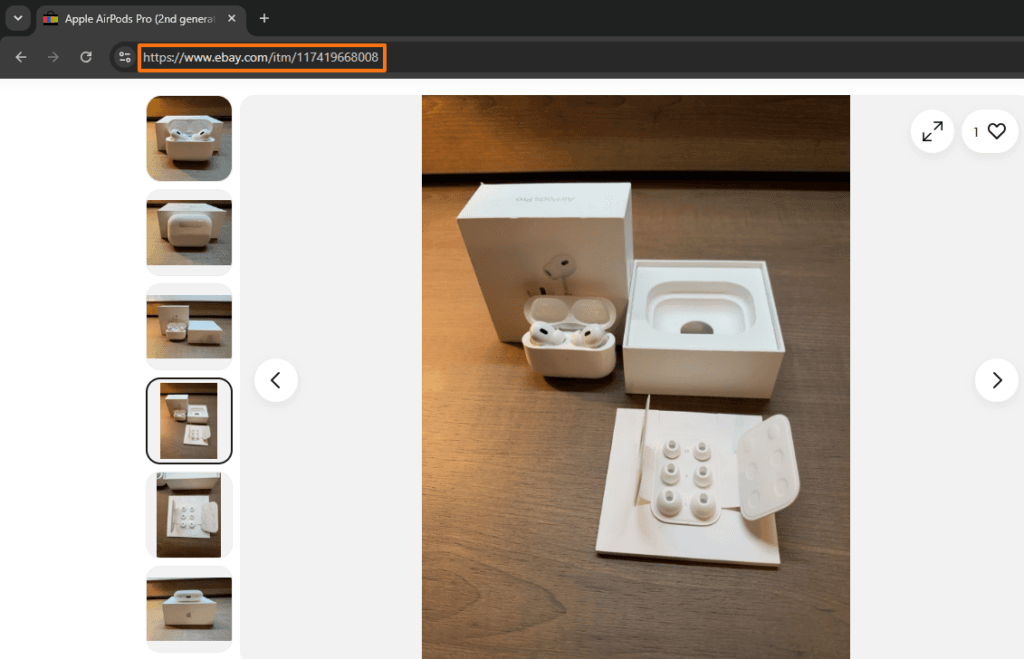
Here, the numeric identifier helps its systems identify the listing, but it does not describe the product in human-readable terms.
Google specifically recommends adding descriptive URL words because words in the URL may help Google better understand the page.
https://example.com/blog/seo/blog/seo/products/blue-shirt/products?color=blue/technical-seo/xml-sitemapsURL Slugs, Keywords, and On-Page SEO
The URL slug is generally the final descriptive portion of a page’s path. For example, in https://example.com/seo/keyword-research, the URL slug is keyword-research.
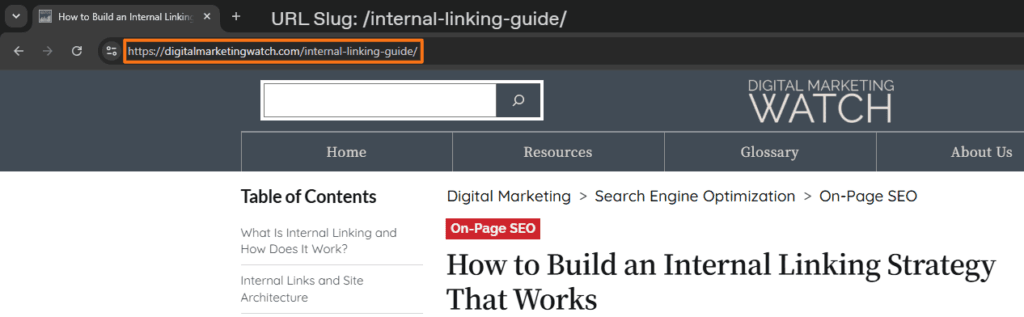
The slug is particularly relevant to on-page SEO because website owners often control it when creating a page or post.
The slug usually appears at the end of the URL path and identifies the specific page or post. You can see a URL slug in the browser address bar, in URL paths shown in search results or shared text, and within a CMS permalink or slug field.
Including Keywords in a URL Slug
A relevant keyword can make a URL more descriptive when it naturally represents the page. For an article about keyword research, /keyword-research is clearer than /article-1872.
However, the URL should not be treated as a place to repeat keyword variations. A slug such as /keyword-research-keywords-seo-keyword-tool is unnecessarily repetitive.
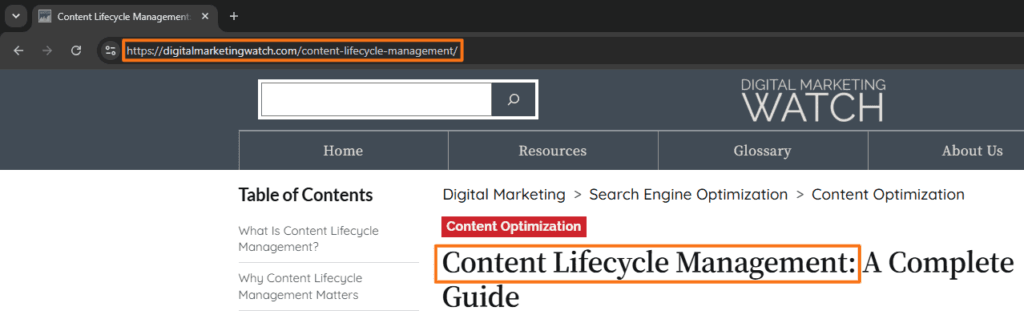
In other words, keywords should serve clarity and relevance, not keyword stuffing. Google’s URL recommendations favor intelligible, descriptive paths rather than complicated or opaque structures.
Where Should the Keyword Appear?
There is no need to force the target keyword into several different parts of the URL. In most editorial content, including the core topic naturally in the page slug is sufficient.
For example: https://example.com/on-page-seo/seo-friendly-urls
Here, the URL communicates the site’s organizational context and the specific topic without unnecessary repetition.
Hyphens vs. Underscores
Use hyphens to separate words in URLs, such as /seo-friendly-urls, rather than underscores, as in /seo_friendly_urls.
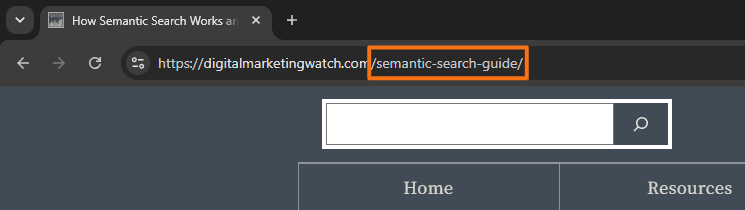
Google explicitly recommends hyphens between words because they make concepts easier for users and search engines to distinguish.
Uppercase vs. Lowercase URLs
URLs can be case-sensitive. Google notes that /APPLE and /apple can be treated as distinct URLs. Therefore, websites should generally standardize paths in lowercase rather than allowing inconsistent uppercase and lowercase variants.
Consistency is more important than trying to create stylistic capitalization inside the address.
URL Parameters, Internal Links, and Breadcrumb Navigation
URL parameters add information after “?”, while multiple parameters are commonly joined with “&”.
For example: https://example.com/shoes?color=black&size=10
Here, color=black and size=10 are parameters.
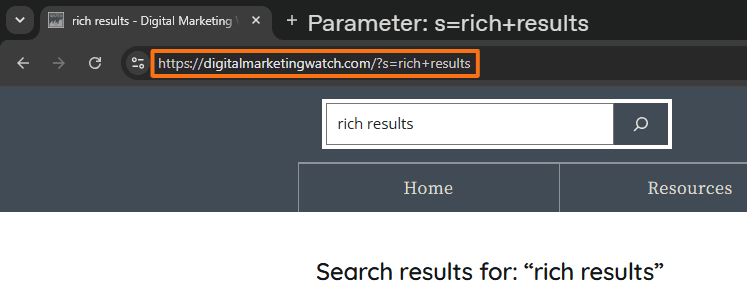
Parameters can perform genuinely useful functions. An ecommerce site may use them for product filters or variants, while analytics systems may append parameters to identify campaign traffic.
Tracking Parameters vs. Functional Parameters
A tracking parameter records information about where a visit came from or how a link was distributed. Examples include campaign parameters such as utm_source, utm_medium, and utm_campaign.
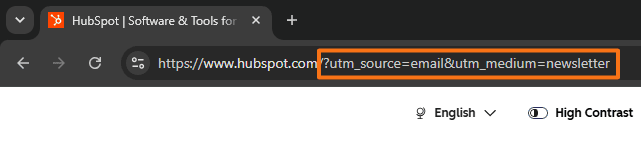
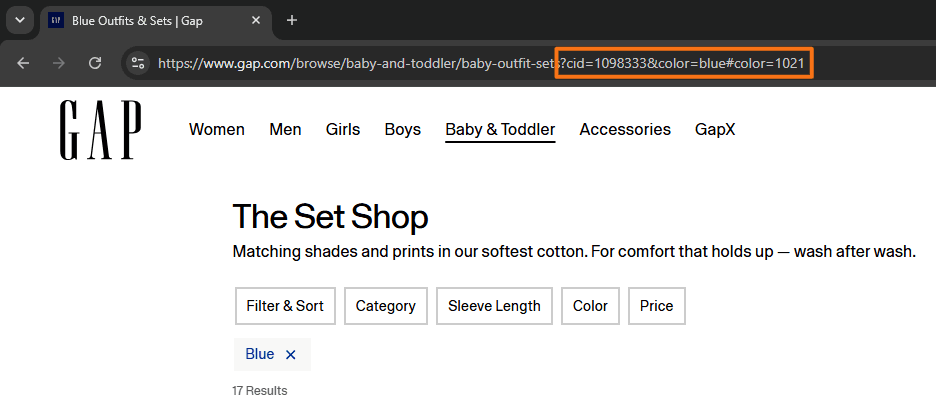
A functional parameter can change what the website displays or how it behaves. For example, “?color=blue” might load a blue product variant, while “?page=2” might identify the second page of a paginated collection. This distinction matters when creating internal links.
Notice Title
Do not remove URL parameters without proper consideration. Tracking or temporary parameters can often be omitted from ordinary internal links, but functional parameters may be necessary to display the intended language, product variant, filter, page, or other content.
Google advises against internally linking to temporary values such as session IDs, tracking codes, current-time values, and other short-lived parameters because they can create unnecessary URL variations.
When selecting URLs for internal links:
- Link to the clean canonical version when parameters only track the visit. For example, an article should normally link to
/seo-guiderather than/seo-guide?utm_source=internal. - Retain a parameter when it is required to reach the intended resource or state. A language, pagination, product-variant, or filtering parameter should not be removed simply because the URL looks cleaner.
- Avoid passing session IDs or user-specific temporary values through normal internal links. These can generate many URLs that ultimately represent the same or short-lived content.
- Use the same preferred URL consistently across internal links. Google recommends linking internally to the URL considered canonical rather than repeatedly linking to duplicate versions.
How Do # Fragments Improve Navigation?
A fragment identifier begins with # and points to a location within a resource:
https://example.com/seo-guide#keyword-research
When the target page contains a matching section identifier, the browser can move directly to that section.
This is particularly useful for long-form articles with linked tables of contents. A reader can click URL Parameters in a ToC and move immediately to the relevant section rather than scrolling through the entire article.
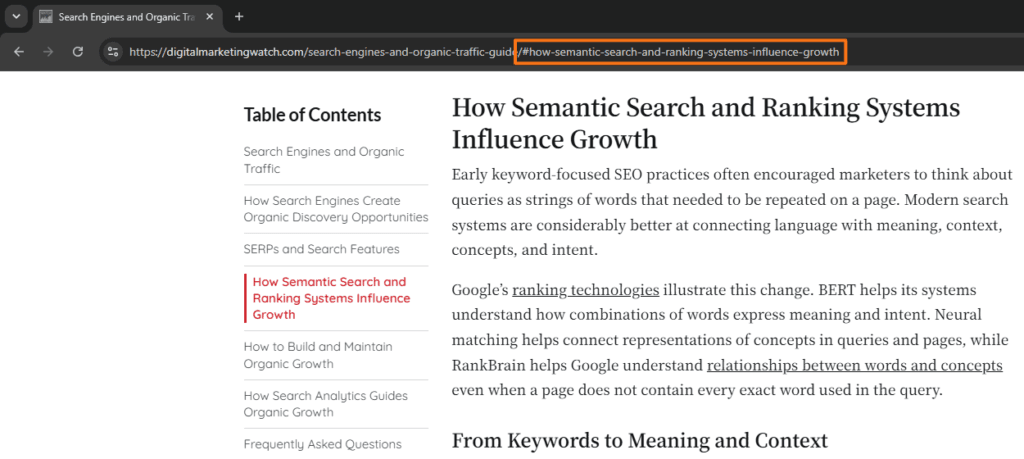
The fragment is processed by the browser and is not sent to the server as part of the resource request. Google may also surface headings or anchors as sitelinks in some search results, although site owners cannot guarantee that behavior. In other words, site owners can make sections easier to understand and navigate, but Google ultimately decides whether those section sitelinks appear in search results.
Fragments should therefore be used for navigation within the same underlying page, not to create different indexable pages. Google generally does not use fragment identifiers to distinguish separate content for indexing.
How Do Breadcrumbs Help Navigation?
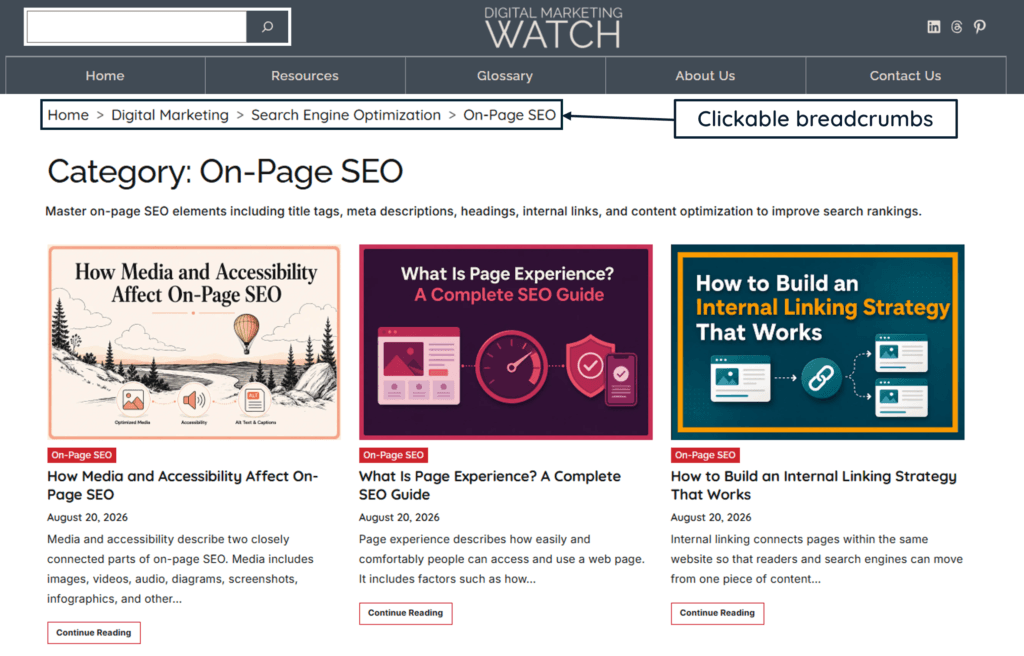
A breadcrumb trail shows the current page’s place within a site’s hierarchy. For example:
Breadcrumbs allow readers to move upward through the site without relying only on the browser’s Back button or the main navigation.
They also provide structural context by indicating a page’s position in the site hierarchy and helping users understand the website.
The breadcrumb does not need to reproduce every physical-looking folder in the URL. It should simply represent the most useful and logical hierarchy for users.
Common URL Problems and How to Identify Them
URL issues often become visible only after a website grows, URLs change, or several systems begin generating alternate versions of the same content.
Common problems include broken URLs, unnecessary parameter combinations, redirect chains, incorrect canonical URLs, and pages that search engines cannot crawl or index as expected.
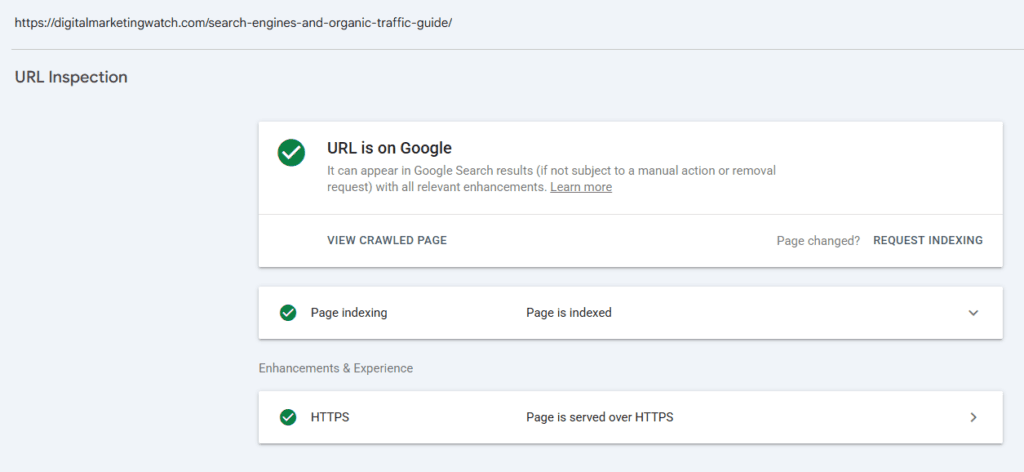
For a specific page, Google Search Console’s URL Inspection tool is particularly useful because it reports index information and allows a live URL test. Search Console can also reveal which canonical Google selected for a URL.
Similarly, Bing Webmaster Tools’ URL Inspection can provide Bing-specific information about indexing, crawlability, HTTP responses, and blocked resources. It is useful when diagnosing how the same URL is being handled outside Google.
Individual inspection becomes inefficient when hundreds or thousands of URLs need to be checked. A crawler such as Screaming Frog SEO Spider can then identify broken internal links, redirects, canonical implementations, and other URL-related issues across the site.
The important point is to choose a tool according to the issue. Search Console helps explain Google’s view of an individual URL, Bing Webmaster Tools provides Bing-specific diagnostics, and a crawler is better suited to finding patterns across many URLs.
URL Best Practices for SEO
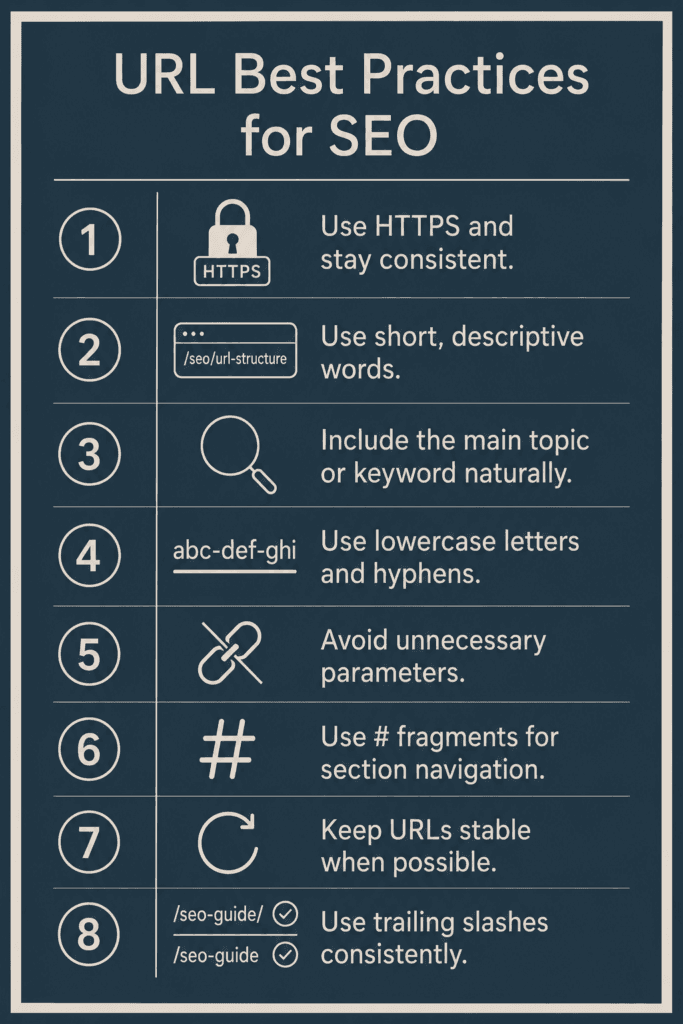
SEO-friendly URLs do not require complicated optimization. Most good practices are intended to keep URLs clear, stable, crawlable, and easy to maintain.
- Use HTTPS for public website URLs and keep protocol versions consistent. Internal links, canonicals, redirects, and sitemap URLs should point to the intended secure version rather than creating mixed HTTP and HTTPS signals.
- Use descriptive words that explain the page without creating an unnecessarily long address. A URL such as
/seo/url-structurecommunicates more than/page?id=7284, while remaining concise. - Include the main topic or keyword naturally when it improves the slug. Do not repeat related keywords simply to make the URL appear more optimized.
- Use lowercase letters and separate words with hyphens. This creates consistent, readable paths and reduces the risk of case-based URL variations.
- Avoid unnecessary parameters in ordinary internal links. Tracking IDs, session values, and temporary parameters should not be carried from page to page unless they perform a necessary function.
- Use # fragments for helpful section navigation. Linked ToCs and other jump links can make long pages easier to navigate without creating separate indexable pages.
- Keep URLs stable when there is no meaningful reason to change them. Cosmetic changes to an established slug can create unnecessary redirects and require updates across internal links and other references.
- Use trailing slashes consistently. URLs with and without a trailing slash, such as
example.com/seo-guideandexample.com/seo-guide/, can be treated as different addresses when a server serves them separately.
What Should Be Done When a URL Changes?
Sometimes a URL genuinely needs to change because of a content restructuring, migration, inaccurate slug, changed product name, or site architecture update. In those cases, the change should be treated as a technical task rather than merely editing text in the WordPress permalink field.
Google recommends permanent server-side redirects such as 301 or 308 when a page has permanently moved.
After changing an established URL:
- Redirect the old URL to the most relevant new URL so that users and search engines reaching the previous address are sent to the correct destination.
- Update important internal links to point directly to the new URL instead of relying indefinitely on the redirect. Google recommends updating internal links after URL changes.
- Check the page’s canonical URL, breadcrumbs, navigation, and other references to make sure they now use the preferred address.
- Ensure the XML sitemap contains the new canonical URL rather than the retired URL. A sitemap tells search engines which URLs the site considers important for crawling.
- Test both addresses after implementation. The old address should behave as intended, while the new URL should load successfully and remain crawlable and indexable.
In short, a URL is not an isolated label attached to a page. It becomes part of the site’s internal-link structure, navigation, canonicalization, crawling, and indexing system. Changing one URL can therefore affect several other elements.
Frequently Asked Questions
Does URL structure affect SEO?
URL structure can affect how efficiently search engine bots crawl and understand a website, particularly when URLs become complex, duplicated, or difficult to manage. However, a clean URL alone does not make a page rank; it is one part of a much broader SEO system.
Should a URL contain the target keyword?
A target keyword can be included when it naturally describes the page. For example, an article about technical SEO could reasonably use /technical-seo. There is no need to repeat the keyword or add several variations to the same slug.
What is the ideal length for a URL?
There is no universal SEO rule requiring a particular number of characters. A URL should be long enough to describe the resource but no longer than necessary. Clarity and stability are more useful goals than chasing an arbitrary character limit.
Are short URLs better than long URLs?
A shorter URL can be easier to read and share, but a slightly longer descriptive URL may be more useful than an extremely short and meaningless one. Therefore, concise and descriptive is generally a better principle than simply short.
Are static URLs better than dynamic URLs?
Not automatically. Search engines can crawl dynamic URLs, and parameters may be necessary for filters, pagination, product variants, and other functionality. Problems generally arise when dynamic systems create excessive duplicate or low-value URL combinations.
Should URLs use hyphens or underscores?
Hyphens are preferred for separating words. Google specifically recommends hyphens rather than underscores when possible.
Should URLs use uppercase or lowercase letters?
Lowercase URLs are generally easier to manage consistently. Because URL paths can be case-sensitive, allowing both uppercase and lowercase versions can create separate URL variations.
What are URL parameters?
URL parameters are values added to a URL, usually after a ?, to pass additional information. They may control filters, pagination, product options, tracking information, language settings, or other website behavior.
Should tracking parameters be included in internal links?
Usually not when they only identify a traffic source or campaign. Ordinary internal links should generally point directly to the preferred clean URL. However, parameters that are necessary for functionality should not be removed without understanding what they do.
What does # mean in a URL?
The # introduces a fragment identifier. It can direct a browser to a particular section or location within a page, such as /seo-guide#internal-linking. The fragment is handled by the browser rather than being sent to the server with the normal resource request.
Can a URL link directly to a section of a page?
Yes. When a page contains an appropriate section identifier, a URL ending in a fragment such as #url-parameters can take the reader directly to that section. This is commonly used for linked tables of contents and other jump links.
Is changing a URL bad for SEO?
Changing a URL is not automatically harmful, but it introduces additional work and potential failure points. Established URLs should therefore not be changed casually. When a change is necessary, a suitable permanent redirect and updates to internal references help search engines and users transition to the new address.
Do breadcrumbs need to match the URL structure?
Not exactly. Breadcrumbs should communicate the page’s meaningful place within the site’s hierarchy. They can resemble the URL structure, but they do not need to reproduce every URL folder or technical path segment.