Search Analytics: Metrics, Rank Tracking, and SERP Monitoring
Key Takeaways
- Search analytics should connect visibility, clicks, rankings, traffic, engagement, and business outcomes rather than rely on one metric.
- Search Console shows performance across actual Google searches, while GA4 explains visitor behavior and outcomes after organic clicks.
- Average position is an aggregated trend, whereas rank trackers monitor selected keywords under controlled device, location, and search conditions.
- SERP monitoring reveals result-page features and changes that ranking numbers alone may not explain, helping contextualize traffic and visibility shifts.
Search analytics turns search performance data into information that can guide SEO decisions. Rankings are part of that picture, but they are only one part. A page can gain impressions without gaining clicks, improve its average position while search demand falls, or attract substantial organic traffic without producing meaningful business outcomes.
It is therefore useful to analyze the entire path from search visibility to website performance. Search Console can show how often a site appears in Google Search and how searchers interact with those results, while Google Analytics can show what happens after visitors arrive. Rank trackers and SERP monitoring tools add another layer by measuring selected keyword positions and changes in search result pages.
In other words, effective search analytics combines visibility, clicks, rankings, traffic, engagement, and business outcomes rather than relying on a single SEO metric.
Table of Contents
Understanding Search Analytics
Search analytics is the process of collecting, segmenting, and interpreting data about how a website performs in search engines. It can include impressions, clicks, click-through rates, rankings, search queries, landing pages, organic traffic, conversions or key events, and changes in search result pages.
Search analytics should not be confused with web analytics. Search analytics focuses primarily on what happens before and around the search click, whereas web analytics examines what visitors do after arriving on a website.
Together, they can show how a search query leads to an impression and click, and how that visit later develops into engagement, a key event, or a conversion.
Google Search Console is particularly useful for the first part of this journey. Google’s Search performance reports show impressions, clicks, CTR, queries, and other search-performance information. Google Analytics 4, by contrast, provides traffic acquisition data across channels and records what visitors do after reaching the site.
Search analytics can therefore help answer questions such as:
- Is search visibility increasing even when organic clicks are not? Comparing impressions, clicks, and CTR can show whether changing search behavior or result presentation may be affecting traffic.
- Which queries and pages are driving performance? Query- and page-level analysis can uncover growth opportunities that are hidden in site-wide totals.
- Are ranking improvements producing meaningful traffic? A higher position is more useful when it contributes to clicks, qualified visitors, or business outcomes.
- Are visitors completing important actions after arriving from search? Connecting search data with website analytics helps move SEO measurement beyond rankings alone.
The appropriate search analytics metrics ultimately depend on the goal. An informational publisher may emphasize visibility and readership, while an ecommerce business may place greater weight on revenue and purchase-related actions.
Google Search Console Metrics
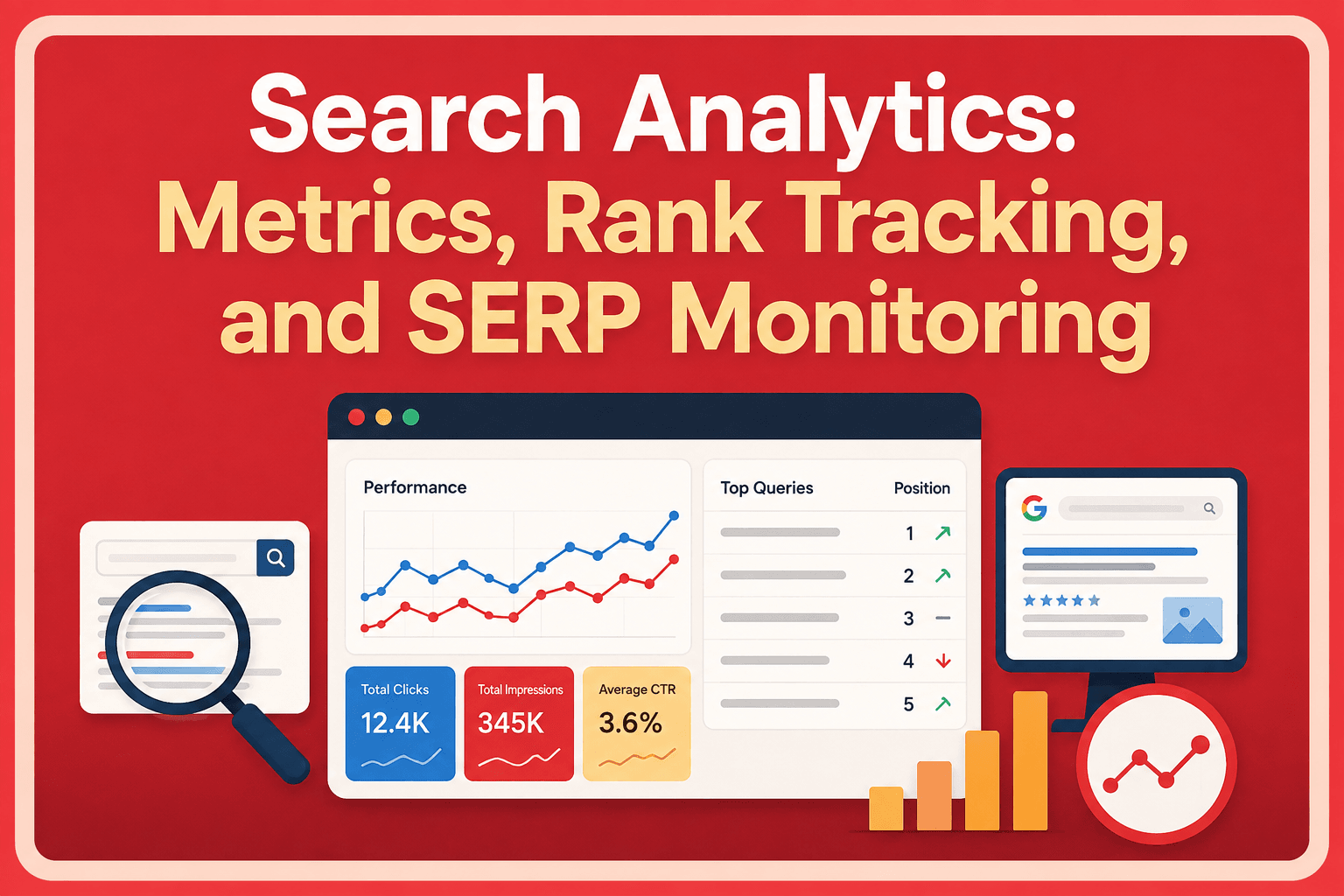
The Google Search Console Performance report is one of the primary first-party sources for understanding search analytics in Google Search. Its main search metrics include impressions, clicks, click-through rate, and average position.
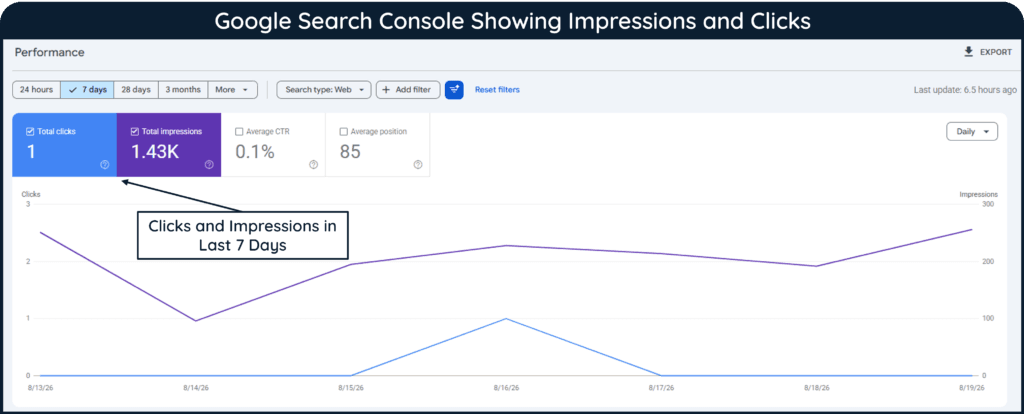
Impressions, Clicks, and Organic CTR
An impression is generally recorded when a link to a site appears in Google in circumstances that meet the reporting requirements for that result type. A click is recorded when a user clicks a Google result that takes them to the website.
Organic click-through rate (CTR) measures the proportion of impressions that result in clicks:
For example, 500 organic clicks from 10,000 impressions produce a 5% CTR.
CTR should not be interpreted independently. A page may experience falling CTR while clicks rise because its impressions have grown much faster. Similarly, different queries can produce very different click behavior depending on search intent and the features displayed on the SERP.
Average Position
Average position is often misunderstood as the exact rank of a webpage. However, Google’s position methodology calculates position across impressions, and the value displayed in Search Console is an average.
For example, a page appearing at positions 3, 5, and 10 across different searches does not have one permanent ranking simply because Search Console reports an average.
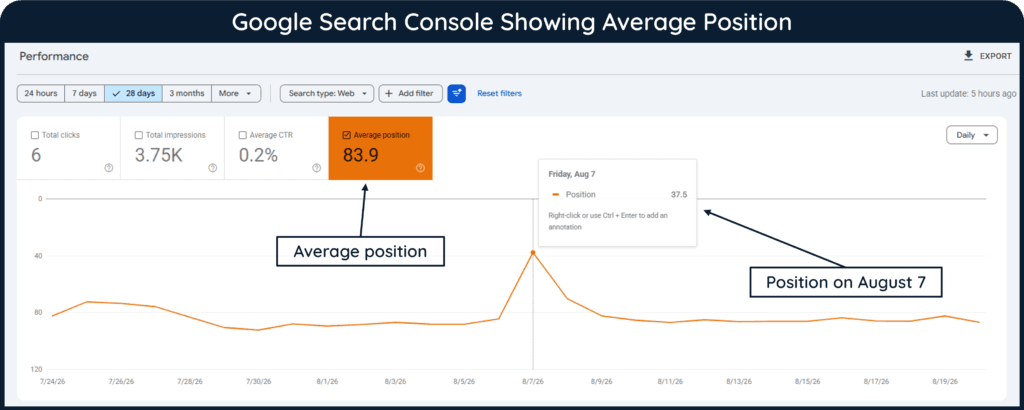
The value can also vary because search results themselves differ according to factors such as the query, location, language, device, and result format. Because average position combines data from many impressions, it is best interpreted as a trend and analyzed alongside impressions and clicks rather than treated as a standalone ranking number.
Queries, Pages, Countries, and Devices
Google Search Console’s Performance report becomes considerably more useful when the data is segmented. Search Console allows search data to be examined using dimensions such as queries, pages, countries, devices, dates, and search appearance. Google Search Console analyzes clicks, impressions, CTR, and position across these dimensions.
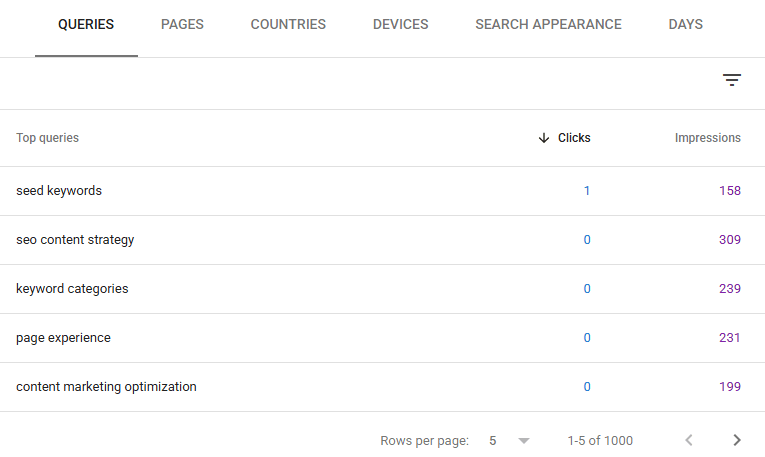
A site-wide decline, for example, might turn out to be concentrated in several pages, one country, or mobile searches. Segmentation therefore provides context that aggregate totals cannot.
Limitations of Search Console Data
Search Console data also has some reporting limitations. For example, Google omits certain low-volume queries from the Queries table to protect user privacy. Because to this, the queries shown in the Performance report may not account for every click or impression. In addition, chart and table totals can sometimes differ because Search Console aggregates data differently depending on the selected dimension.
Organic Search KPIs and Website Performance
Effective search analytics should extend beyond Search Console because search performance does not end when a visitor clicks through to the website. Google Analytics can connect acquisition with engagement and important website actions.
Organic Traffic Conversion Rate
An organic traffic conversion rate generally describes the percentage of organic visits or users that complete a defined business action. However, the exact calculation depends on the reporting framework and denominator being used.
In current GA4 terminology, events that measure actions important to a business can be marked as key events. Google defines a key event as an event that measures an action particularly important to business success. GA4 also reports Session key event rate (GA4 → Reports → Generate leads→ Traffic acquisition), which represents the percentage of sessions in which at least one key event occurred.
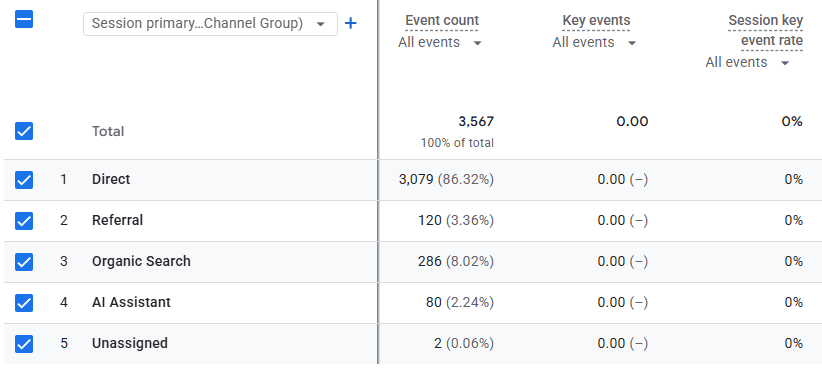
For example, an ecommerce site might evaluate purchases, while a B2B website might track completed lead forms. Therefore, the most useful organic KPIs depend on the purpose of the website rather than following the same conversion definition for every business.
Organic Traffic Bounce Rate
Bounce rate is another metric that needs current terminology. In GA4, bounce rate is not simply the percentage of users who viewed one page and left. Google defines bounce rate as the percentage of sessions that were not engaged sessions.
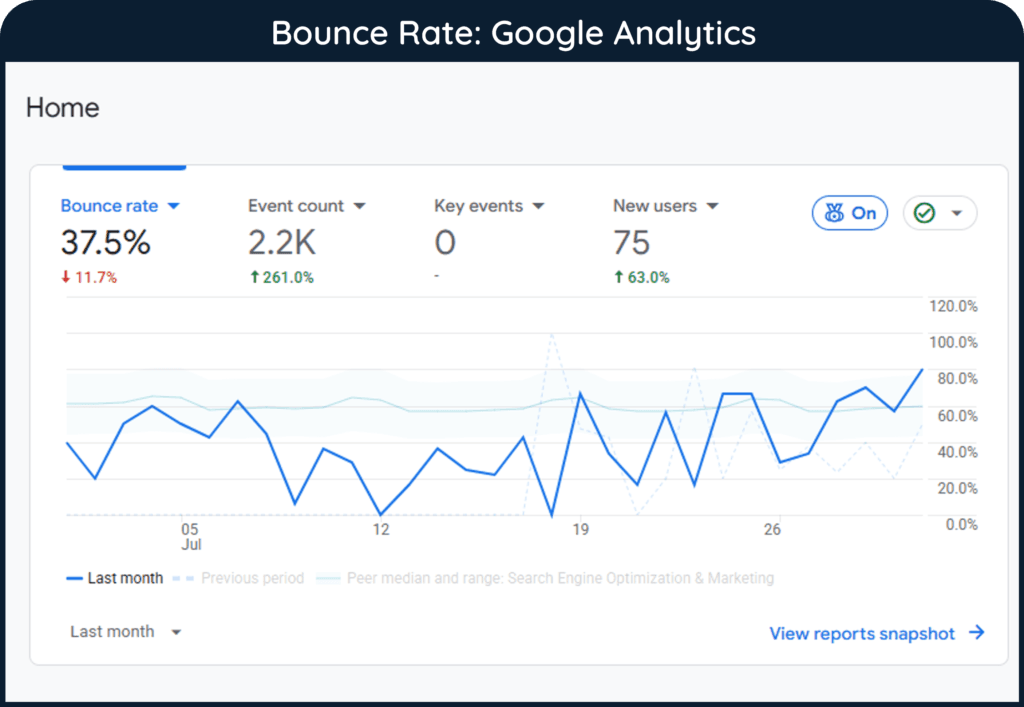
An engaged session, on the other hand, lasts longer than 10 seconds, includes a key event, or contains at least two page or screen views. Bounce rate is therefore the inverse of engagement rate.
Useful organic search KPIs can include:
- Organic sessions and users show the volume of website activity associated with organic search.
- Key events and session key event rate help measure whether organic visitors complete actions that matter to the business.
- Engagement rate and bounce rate provide context about how visitors interact with the website after arriving.
- Revenue or lead outcomes can connect organic search activity with commercial performance when tracking is configured appropriately.
- Landing-page performance can show which organic entry points generate useful engagement and business results rather than traffic alone.
No one KPI is sufficient in every situation. For example, high organic traffic accompanied by weak business outcomes may require a different response from low traffic that generates highly qualified leads.
Organic Traffic Attribution
Organic search can contribute earlier in a customer journey even when another channel receives credit later. GA4 supports attribution across different touchpoints, and its attribution reporting can help marketers analyze how channels contribute before an important action.
For example, a user may first discover the website through organic search, return later through an email, and then revisit the site directly before completing a purchase. Organic traffic attribution helps determine how much credit the initial organic search interaction should receive for contributing to that eventual conversion.
Note
Attribution assigns credit according to a reporting model; it does not prove that a particular channel caused a conversion or key event. Different attribution models can distribute credit differently across the same customer journey.
Rank Tracking and Keyword Performance
Rank tracking monitors where a website or webpage appears for a selected set of keywords over time. Unlike Search Console, which reports aggregated performance from actual Google Search impressions, a third-party rank tracker checks selected keywords using configured search conditions.
Keyword Ranking Reports
A keyword ranking report typically records a keyword, the webpage ranking for it, its current position, previous positions, and changes over time. Depending on the tool, reports can also segment rankings by device, country, city, or other location.
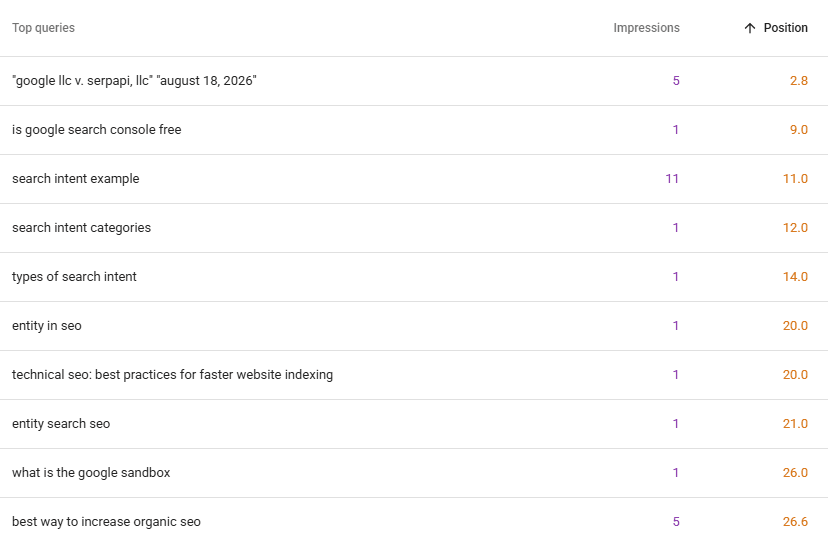
For example, Semrush’s Position Tracking supports tracking selected keywords across devices and locations, while Ahrefs Rank Tracker provides mobile, desktop, and geographic rank monitoring.
The distinction between Search Console average position and third-party rank tracking is important in search analytics because they measure search visibility in different ways.
Google Search Console calculates average position from actual impressions recorded for the website in Google Search. It combines position data across the searches, pages, devices, locations, and other conditions represented in the report, so the result is an aggregated average rather than a fixed ranking position.
Third-party rank tracking tools, by contrast, usually monitor a predefined list of keywords. They check where a page appears for those keywords under selected conditions, such as a particular country, device type, or location. This makes them useful for tracking how specific keyword rankings change over time.
Search Console is therefore better for understanding how a website actually performed across real Google searches, while rank trackers are better for consistently monitoring selected keywords under controlled conditions. Neither automatically replaces the other because they answer different questions.
Why Rankings Should Not Be Analyzed Alone
Suppose a keyword improves from position 8 to position 5, but search demand for the topic declines sharply. Rankings have improved, yet traffic may still fall. Conversely, a keyword could move from position 2 to position 4 while impressions grow enough to generate more total clicks.
A useful search analytics and rank-tracking process therefore includes several checks:
- Compare ranking changes with impressions and clicks to determine whether positional movement is affecting actual search performance.
- Track the same device and location settings consistently because search results can vary across different contexts.
- Review the ranking URL as well as the position to identify situations where a different page begins ranking for the tracked query.
- Analyze sustained trends rather than isolated daily movements because short-term ranking fluctuations do not necessarily indicate a meaningful SEO change.
In short, ranking reports provide evidence about visibility, but they become more useful when interpreted alongside first-party search and website data.
SERP Monitoring, Analysis, and Search Analytics Tools
Rank tracking focuses mainly on where a page ranks. SERP monitoring looks more broadly at what the search results page contains and how it changes.
SERP Monitoring and SERP Scraping
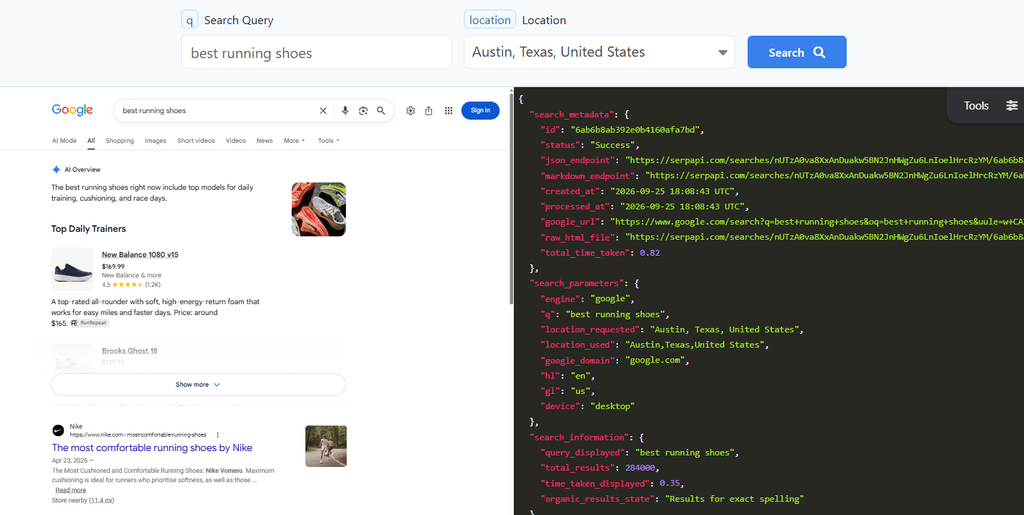
A modern SERP may include traditional organic links, images, videos, local results, featured snippets, AI-generated features, shopping results, and other elements. Google itself notes that search features vary according to the query.
SERP monitoring therefore adds another dimension to search analytics by identifying changes that a simple ranking number does not explain. For instance, an organic result could remain in approximately the same position while a new SERP feature changes its visual prominence or click opportunity.
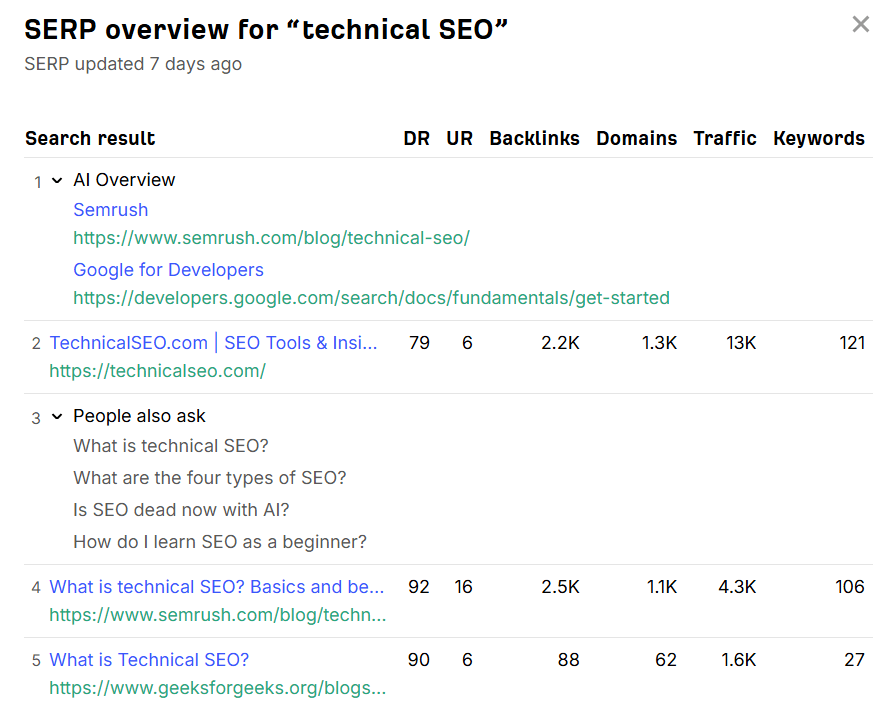
SERP scraping refers to automatically collecting and parsing search-result data so that positions, URLs, titles, features, competitors, or other elements can be analyzed at scale.
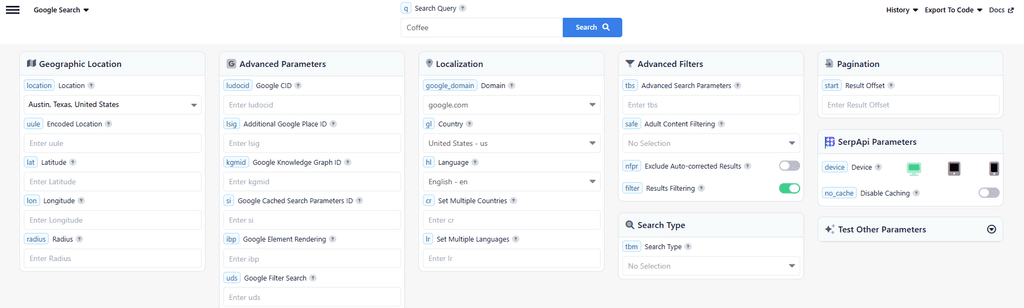
SEO platforms may gather or obtain SERP data through different technical and commercial methods. Therefore, users of third-party tools should distinguish between the tool’s collected observations and first-party performance data from search engines.
Rank Correlation Analysis
Rank correlation analysis examines whether particular page or website characteristics tend to occur alongside higher or lower rankings. For example, a study might compare rankings with link counts, content characteristics, or page-performance metrics.
However, correlation does not establish that the measured characteristic caused the ranking difference. Search rankings are influenced by many interacting systems and signals, and Google states that relevance itself can depend on hundreds of factors.
Correlation studies can therefore generate hypotheses, but they should not be treated as definitive lists of Google’s ranking factors.
Tools for Search Analytics
Different tools answer different search-analysis questions.
Bing Webmaster Tools provides its own Search Performance report, including clicks, impressions, CTR, keyword and page performance, and average position for supported search sources. This makes it useful alongside Search Console rather than treating Google data as a complete representation of search performance. Bing Webmaster Tools also offers an AI Performance report in public preview, providing citation and page-level visibility information for supported Microsoft AI experiences,
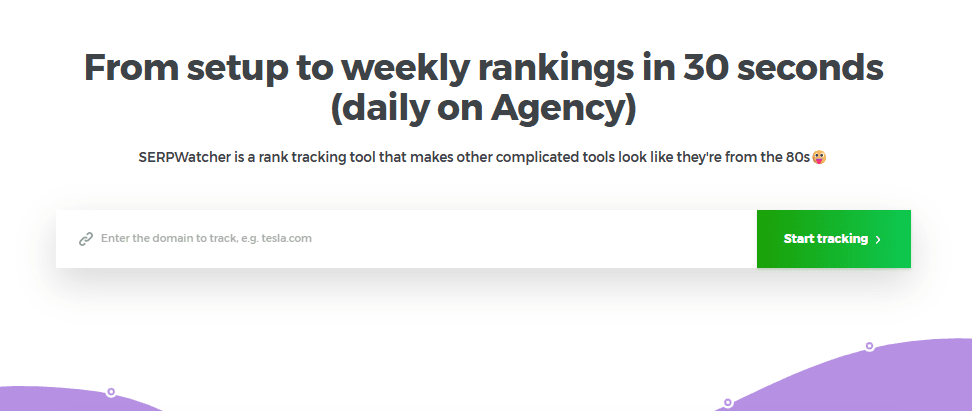
Mangools’ SERPWatcher tracks keyword positions and provides device, local, reporting, and historical ranking capabilities. Similarly, SEOTesting.com uses Search Console data for reporting and SEO experiments.
Search Analytics Checklist
A practical search analytics review should bring these data sources together rather than producing separate reports that are never compared.
- Review clicks, impressions, CTR, and position together, and investigate whether changes are concentrated in particular queries or pages.
- Segment performance by device, country, search intent, and landing page where those dimensions help explain meaningful differences.
- Connect Search Console performance with GA4 engagement and key events to determine what happens after organic visitors arrive.
- Compare rank-tracking changes with first-party search data instead of assuming every ranking movement has produced an equivalent traffic change.
- Monitor SERP changes and search demand when traffic moves without an obvious corresponding change in website performance.
- Use correlation studies cautiously, treating them as evidence of relationships rather than proof of ranking causation.
- Compare meaningful periods and annotate major SEO changes so that performance movements can be evaluated in context.
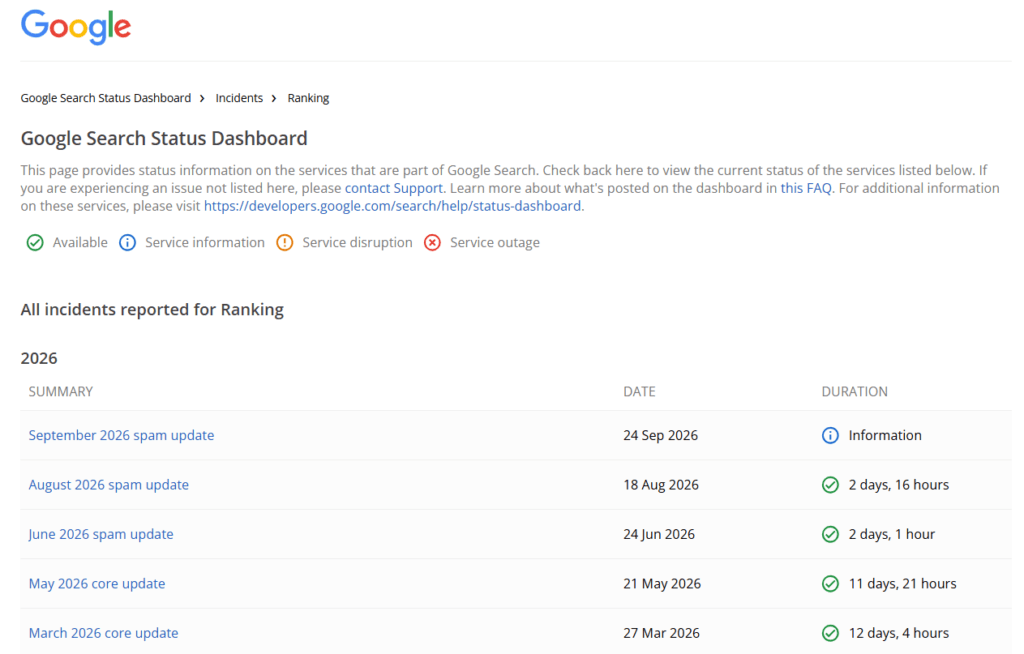
- Check the Google Search Status Dashboard for confirmed core, spam, or other ranking updates, and compare their rollout dates with significant changes in search performance.
Ultimately, good search analytics is not about collecting the largest number of metrics. It is about choosing measurements that explain visibility, searcher response, website behavior, and business impact well enough to support better decisions.
Frequently Asked Questions
What is search analytics?
Search analytics is the process of measuring and interpreting data about search visibility, queries, clicks, rankings, traffic, and related website outcomes.
What metrics does Google Search Console provide?
The Search results report in Google Search Console includes metrics such as impressions, clicks, click-through rate, and average position, along with dimensions including queries, pages, countries, and devices.
What is an impression in Google Search Console?
An impression generally records when a link to a website is shown in Google under the visibility rules that apply to the particular search result type.
What does organic click-through rate mean?
Organic CTR is the percentage of organic search impressions that result in clicks and is calculated by dividing clicks by impressions.
What does average position mean in Search Console?
Average position represents the average topmost search-result position reported across the impressions included in the selected data.
What is an organic search KPI?
An organic search KPI is a metric selected to evaluate progress toward a specific search-related objective, such as traffic, visibility, engagement, leads, or revenue.
What is organic traffic conversion rate?
Organic traffic conversion rate measures the proportion of organic visitors or sessions that complete a defined important action, although the exact calculation depends on the reporting method used.
What is organic traffic bounce rate?
In GA4, bounce rate is the percentage of sessions that were not engaged sessions.
What is rank tracking?
Rank tracking is the practice of monitoring search positions for a selected set of keywords over time.
What is the difference between rank tracking and SERP monitoring?
Rank tracking primarily measures keyword positions, while SERP monitoring examines broader changes in the composition and features of search result pages.
What is SERP scraping?
SERP scraping is the automated collection and parsing of search result data for analysis.
What is rank correlation analysis?
Rank correlation analysis examines statistical relationships between rankings and other measured characteristics but does not, by itself, establish causation.
Which tools can be used for search analytics?
Search Console, Bing Webmaster Tools, GA4, Google Trends, Semrush, Ahrefs, Moz Pro, SERPWatcher, Wincher, SERP Robot, SpySERP, Hexowatch, and SEOTesting.com can support different parts of search-performance analysis.