SERPs and Search Features: A Complete SEO Guide
Key Takeaways
- Modern SERP visibility extends beyond rankings, encompassing organic listings, images, videos, maps, products, news, forums, knowledge panels, and AI-generated answers.
- Search features can increase exposure while reducing clicks, making visibility, traffic, zero-click behavior, and meaningful actions important performance measures.
- Effective optimization starts with live SERP analysis, matching content formats to search intent, and improving titles, structure, media, local information, and site architecture.
- Structured data can create eligibility for richer appearances, but search engines control final presentation, and results vary by query, device, location, and time.
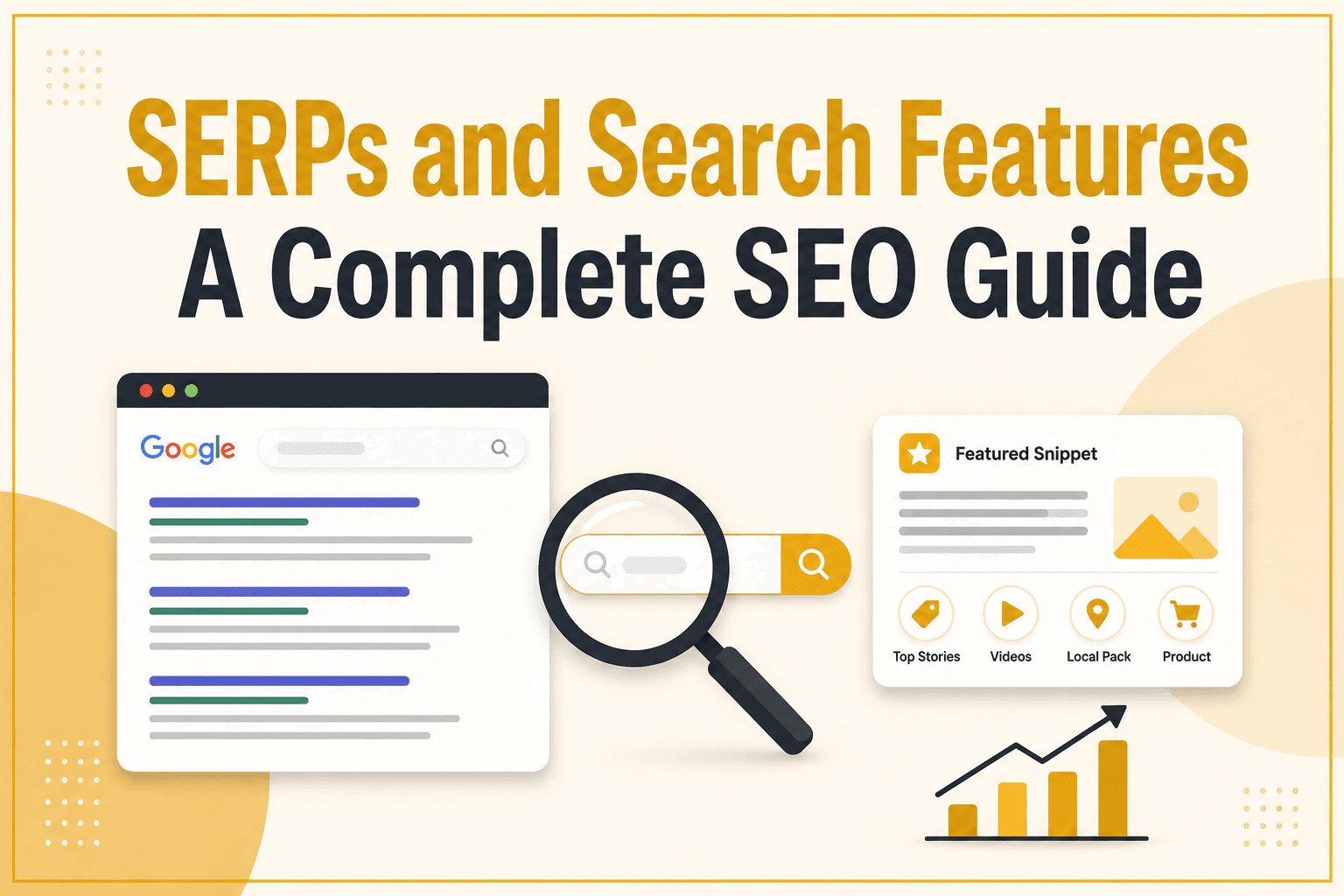
Search engine results pages have changed considerably from the familiar list of blue links. A modern search engine results page (SERP) can include traditional organic listings, featured snippets, images, videos, maps, product information, news stories, discussion forums, knowledge panels, AI-generated answers, and several other interactive features. As a result, ranking in organic search is no longer only about achieving a numerical position.
For SEO, understanding SERPs and their advanced features is important because search visibility can come from different elements beyond standard organic listings. These features can also change user focus and even decide whether a user clicks through to a website at all. It is therefore important to explore what each feature does, why it appears, and which aspects website owners can realistically influence.
This guide explains SERPs and search features, how they affect organic visibility, and how to evaluate and optimize a website for the search experiences that matter.
Table of Contents
Understanding SERPs and Search Features
A search engine results page (SERP) is the interface a search engine displays after a user submits a query. Although traditional organic links remain important, modern SERPs contain many other elements that help searchers discover information, refine their queries, compare options, or sometimes obtain an answer without leaving the search engine.
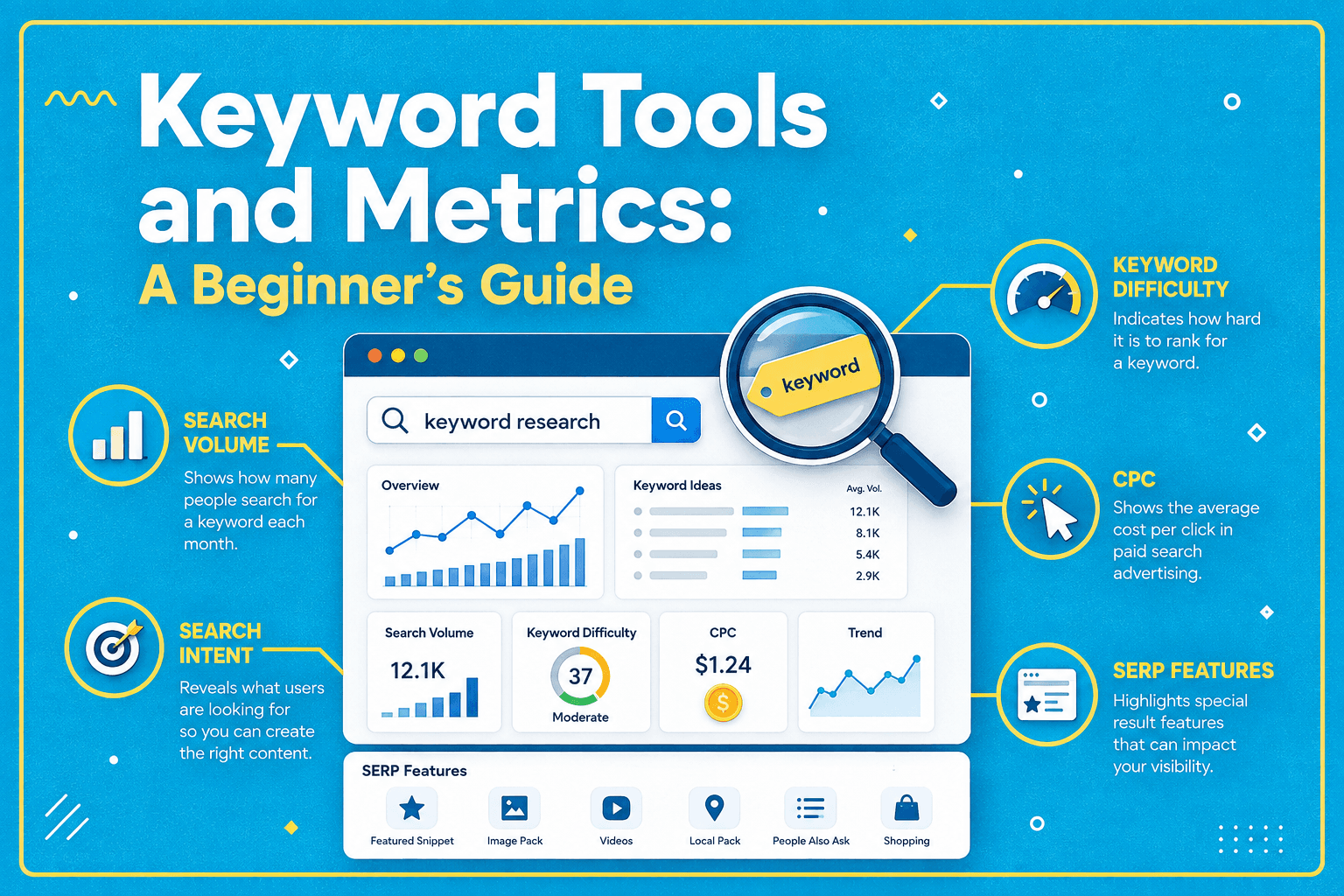
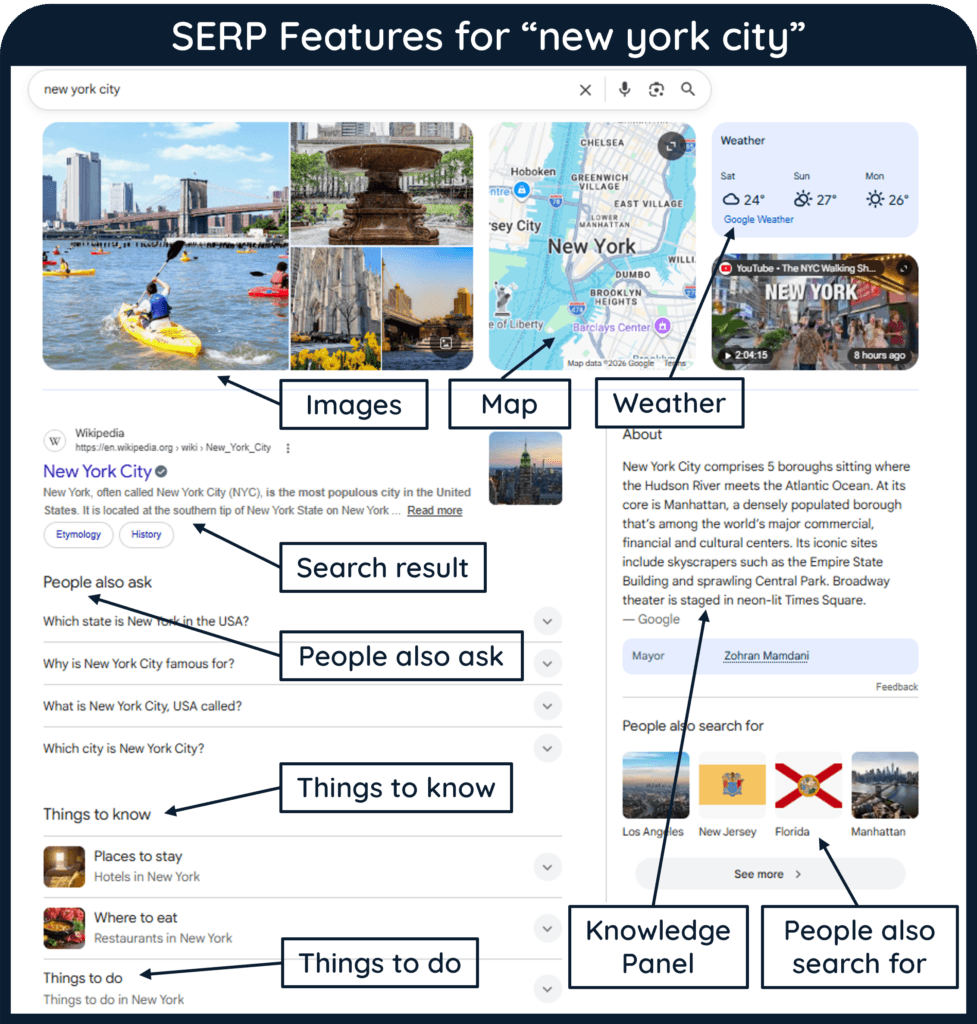
A SERP feature is a specialized element or result format that goes beyond, or enhances, a conventional organic listing. For example, Google search results feature title links, snippets, sitelinks, images, videos, rich results, and other components. The exact presentation can vary according to the query, device, country, language, and other factors.
Organic Results vs. Paid Results
Organic results are unpaid search listings selected by a search engine’s systems, while paid search results are advertisements purchased through an advertising platform. Both can appear on the same SERP, but paying for an advertisement does not purchase an organic ranking.
SERP features add another layer. Some features link directly to websites, some summarize information from external sources, some help users refine the search, and others present products, businesses, images, videos, or entities in specialized formats.
In other words, SEO visibility should be evaluated in the context of the entire results page rather than only the position of one text link.
Organic Results
Traditional organic results still provide the foundation of many SERPs, but even these results can contain several distinct components and enhancements.
Note
A higher organic ranking does not always mean greater visibility. SERP features, advertisements, images, videos, local results, and other elements can change how prominently a traditional organic result appears on the page.
Traditional Organic Search Results
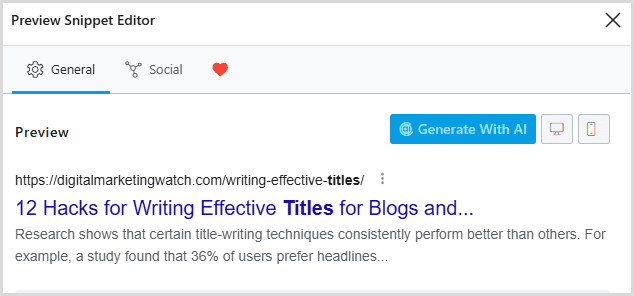
A standard Google text result can include source attribution, a title link, and a snippet. Additional elements such as dates, sitelinks, images, or rich attributes may also appear depending on the page and query.
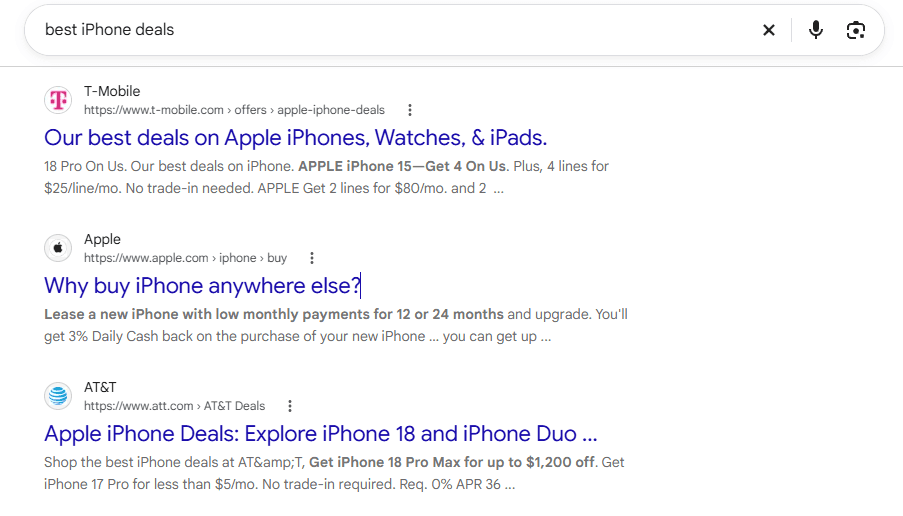
The title displayed in search is not always a direct copy of the HTML title element, and the description beneath it is not necessarily the page’s meta description. Google primarily creates snippets automatically from page content and may use the meta description when it better summarizes the page for a particular search. The search engine therefore recommends writing useful descriptions.
Featured Snippets
Featured snippets are prominent results in which the normal presentation is reversed, with an extracted answer or descriptive passage shown before the source link. They can also appear within People Also Ask results. Google states that publishers cannot manually mark a page as a featured snippet as its systems determine whether a page would make a suitable featured snippet for a particular search.
Clear answers and logical structure improve readability, but there is no special featured-snippet schema that guarantees selection.
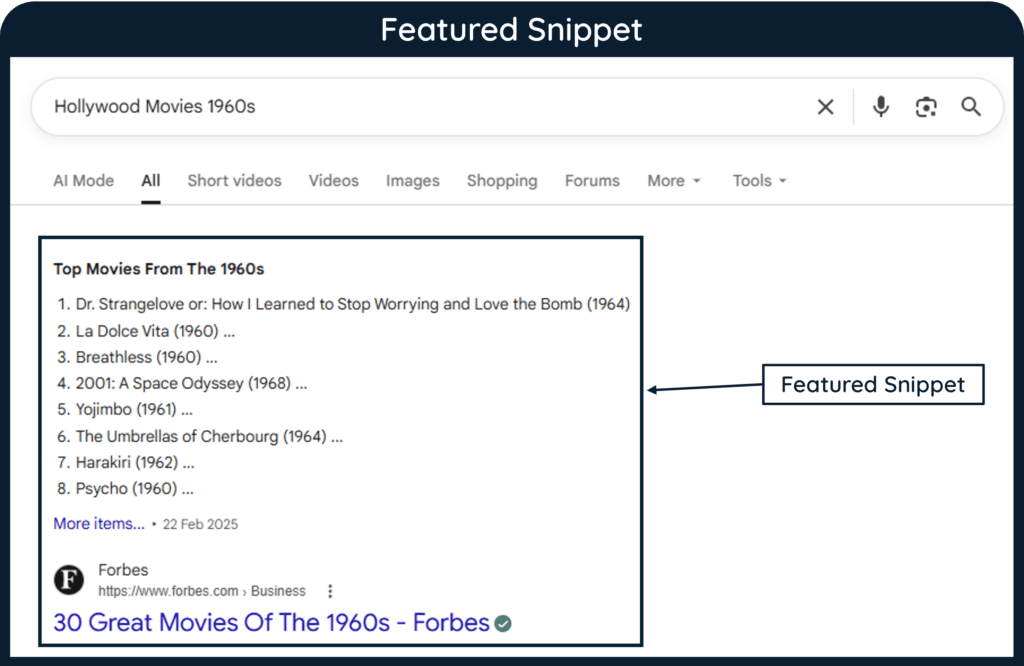
Position Zero
Position Zero is an SEO industry expression historically associated with featured snippets appearing above the conventional first organic listing. It is not the official name of a separate Google feature.
The term has also become less precise as SERPs have grown more complex. AI Overviews, advertisements, local results, shopping features, and other elements can occupy prominent areas of a page, so visibility cannot always be described accurately with a single numbered position.
Rich Results and Rich Snippets
A rich result is an enhanced search appearance that may include additional visual or interactive information. The term rich snippet is still commonly used for enhanced snippet information such as review stars, prices, event dates and times, and video thumbnails and timestamps. Google discusses many enhanced Search appearances under the broader category of rich results.
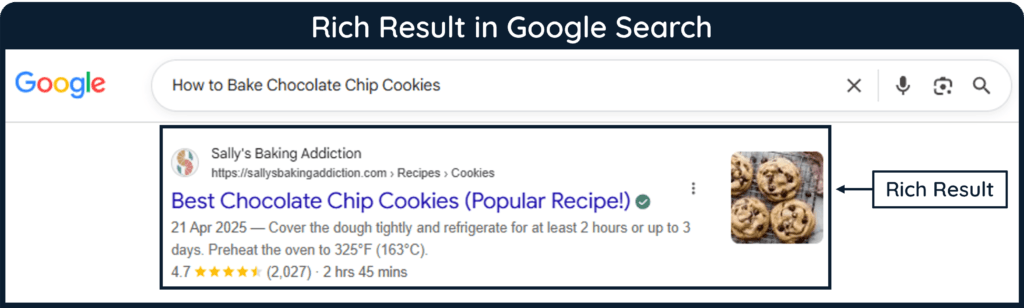
Google’s supported structured-data features include articles, breadcrumbs, products, recipes, review snippets, discussion forums, events, local businesses, videos, and several other types.
Structured data can make a page eligible for certain rich results, but correct markup does not guarantee that Google will display the enhancement.
People Also Ask and Related Searches
People Also Ask (PAA) displays expandable questions connected with the original query, while related searches help users continue or refine their exploration. Google classifies these among the exploration-oriented elements that can appear on Search.
These features can provide useful topic-research clues because they reveal related questions and directions in which searchers may continue. However, they should not be treated as instructions to create a separate page for every displayed question.
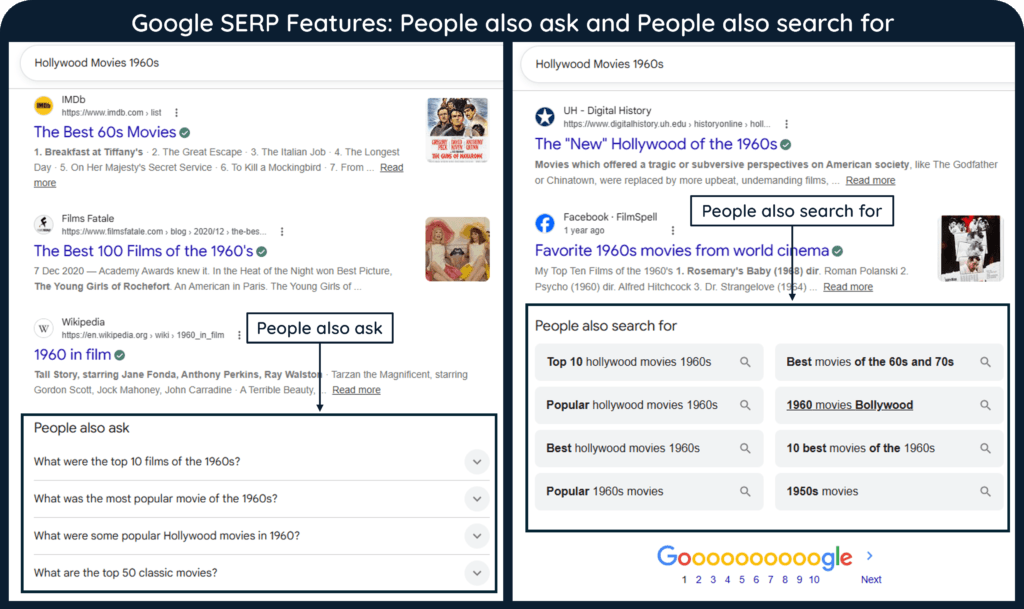
Sitelinks
Sitelinks are additional links from the same domain grouped with a search result. They help users reach relevant pages or sections of a website more directly.
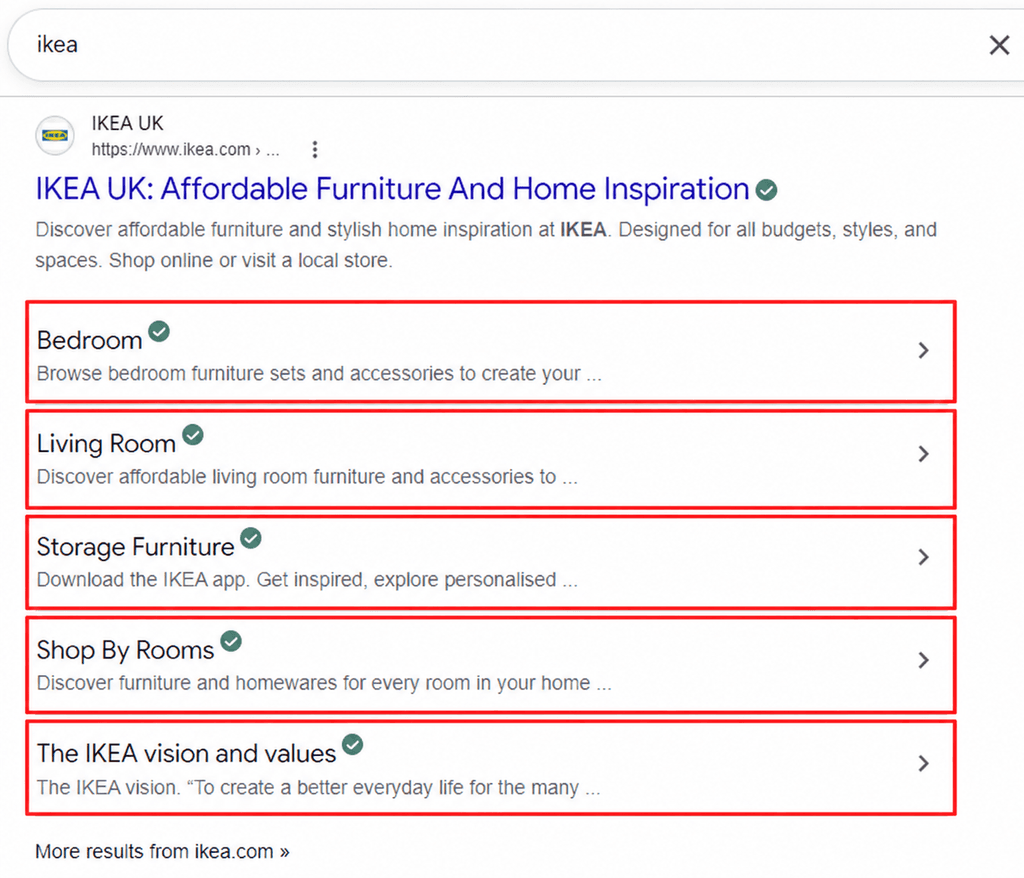
Google generates sitelinks automatically, but its document on sitelink best practices recommends clear site structure, informative headings, and concise, relevant internal anchor text.
Visual Elements in SERPs and Search Features
Some search needs are better represented visually than through text alone. Images, videos, carousels, and maps can therefore occupy significant areas of modern SERPs.
Image Results
Google may display individual images, image groups, or links into Google Images when visual material is useful for a query. Product searches, tutorials, travel topics, recipes, design subjects, and other visually oriented searches can naturally create these opportunities.
Image optimization starts with useful images that relate closely to surrounding content. Google recommends using representative, high-quality imagery and explains how structured data can make images eligible for certain richer presentations.
Video Results and Video Carousels
Video results may appear as individual results, thumbnails, or groups of videos when search engines determine that video is a suitable format for the query. Demonstrations, reviews, tutorials, interviews, and processes are common examples of subjects that may benefit from visual explanation.
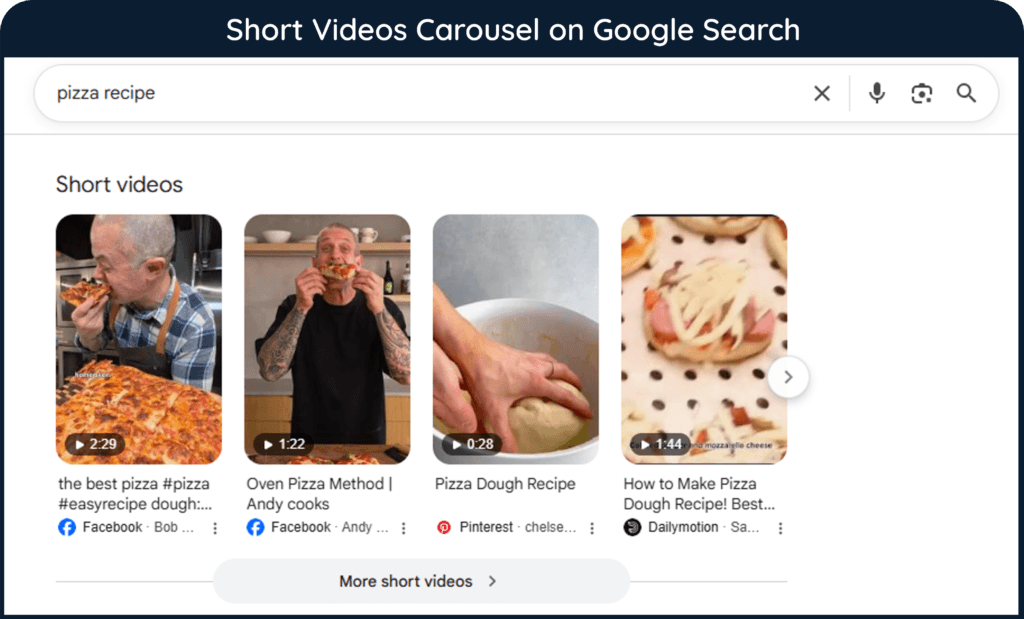
The strategic lesson is not to create a video for every keyword. Instead, marketers should inspect the SERP and determine whether users appear to benefit from seeing the subject demonstrated rather than only described.
Carousels
Carousels arrange multiple items horizontally or in another sequential presentation that users can explore. Depending on the search experience, they can contain entities, videos, products, recipes, movies, local businesses, or other content.
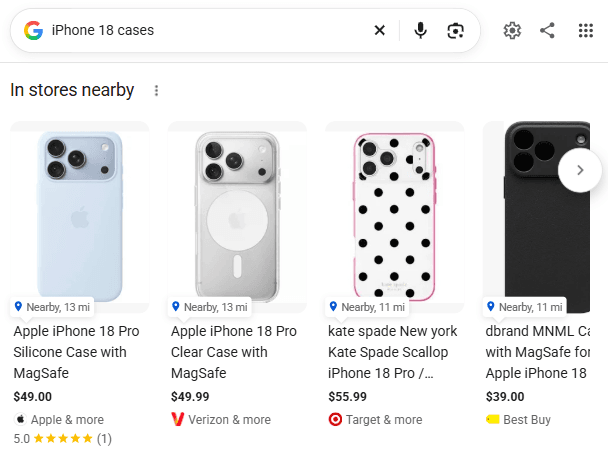
Google also supports specific structured-data-driven carousel experiences for certain content types.
Maps and Map-Based Results
Maps can appear when location is central to the query. A search for a restaurant, hotel, store, medical provider, or nearby service may therefore produce a geographically oriented interface alongside or instead of conventional listings.
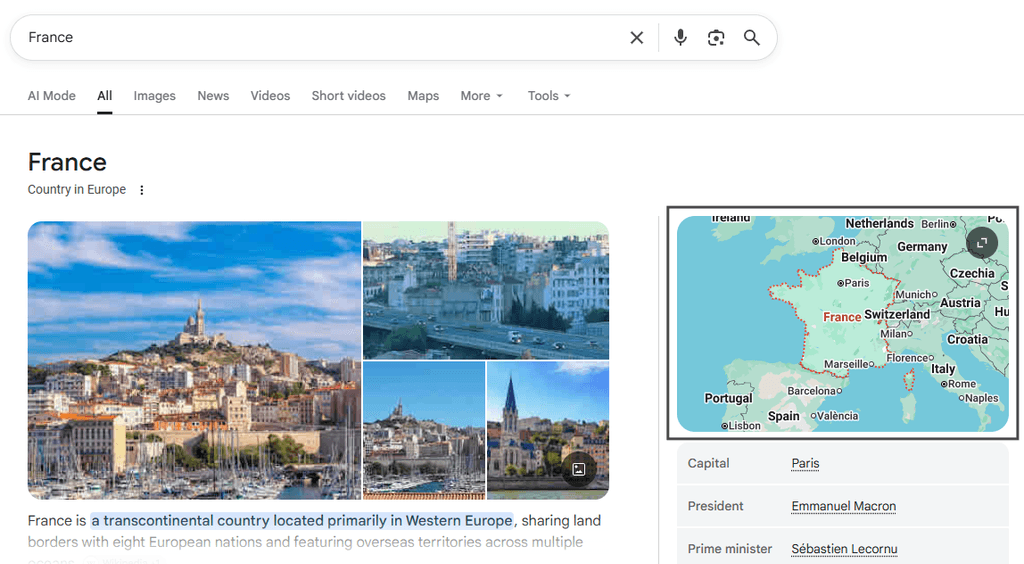
This makes location relevance, accurate business information, and local search presence particularly important for businesses serving specific geographic areas.
Advanced Elements in SERPs and Search Features
Some SERP features go beyond presenting webpages in a different visual format. They organize businesses, products, news, community discussions, entities, or generated answers directly within the search experience.
Local Pack
The Local Pack presents businesses relevant to a location-based query, typically alongside map information and details such as business names, ratings, hours, or directions. Local search results are therefore strongly connected with accurate business information and location relevance.
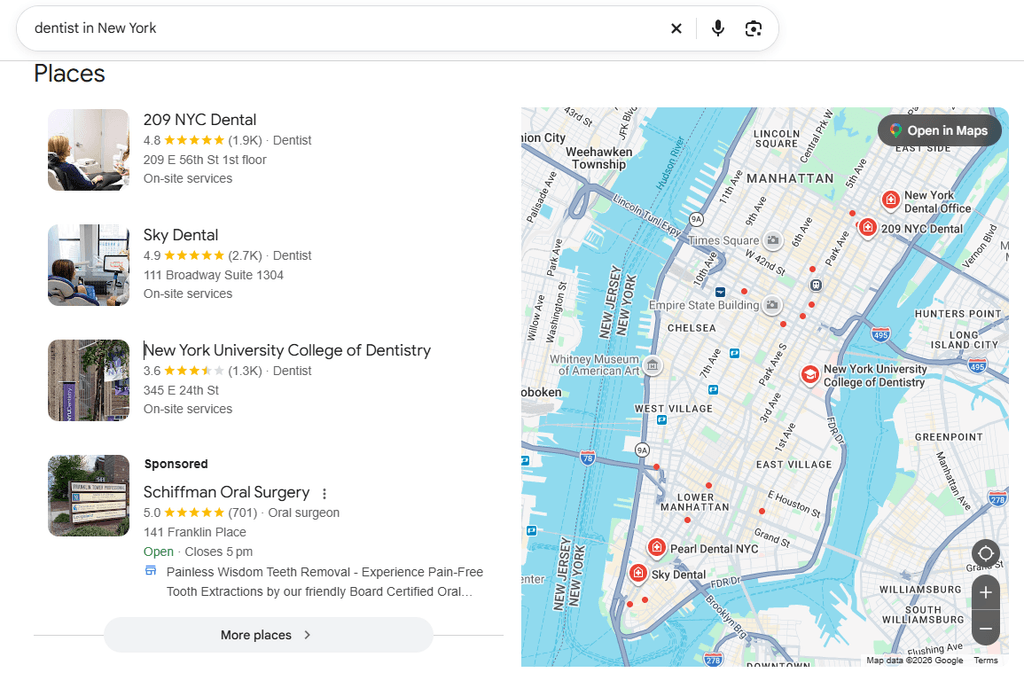
Google explains that Search and Maps can display prominent information about businesses and that structured data can help Google understand details such as opening hours and business information.
Shopping and Product Results
Commercial searches may display product information such as images, prices, availability, ratings, merchant details, or shopping-focused listings. Product structured data and Google Merchant Center can provide additional information that may make products eligible for richer shopping experiences.
These features make ecommerce SERPs particularly different from purely informational searches because users may compare products before visiting an individual retailer.
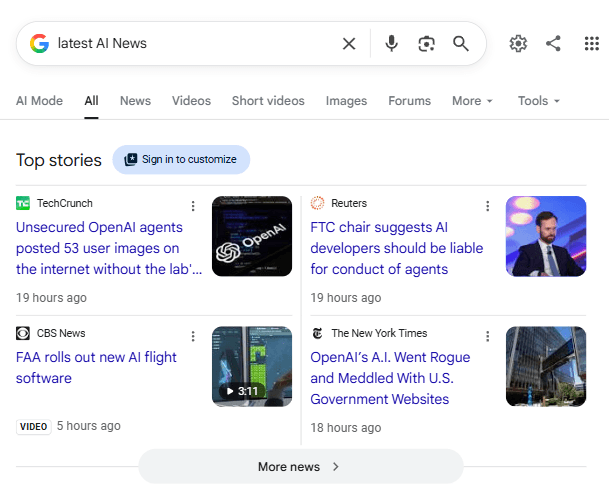
News and Top Stories
News-oriented queries can surface Top Stories, news results, publisher information, and other timely content. Google notes that Article structured data can help it understand information such as an article’s title, image, date, and author, although Article markup is not required for eligibility in Top Stories.
Freshness and relevance therefore matter especially when the query concerns recent events rather than evergreen information.
Forum and Discussion Results
Discussion results give searchers access to conversations, personal experiences, opinions, and community knowledge. Google supports DiscussionForumPosting markup for forum-style pages where people collectively share first-hand perspectives. This markup can help its systems identify content for features such as Discussions and Forums.
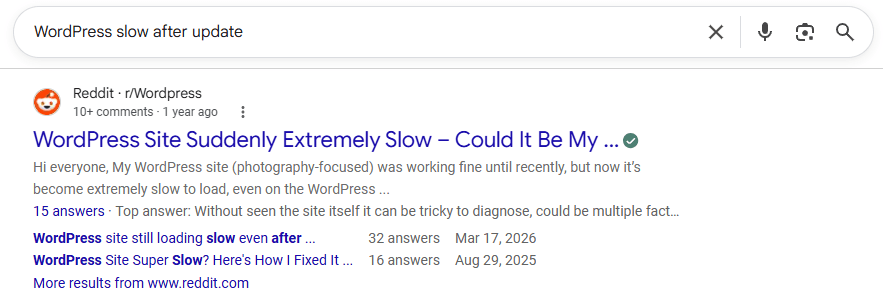
However, publisher-written articles with comments should not be marked up as discussion-forum content merely to pursue this appearance.
Knowledge Panels and the Knowledge Graph
A Knowledge Panel is the visible information box Google may show for an entity such as a person, organization, place, or subject. The Knowledge Graph is an underlying system Google uses to organize facts and relationships about entities.
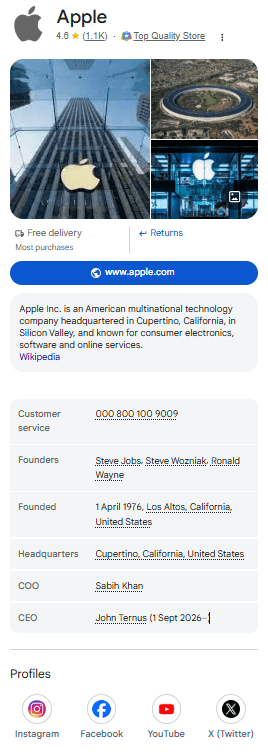
Google states that information shown in knowledge panels can come from the Knowledge Graph, which suggests that the panel is the presentation while the graph is part of the underlying information system.
AI Overviews
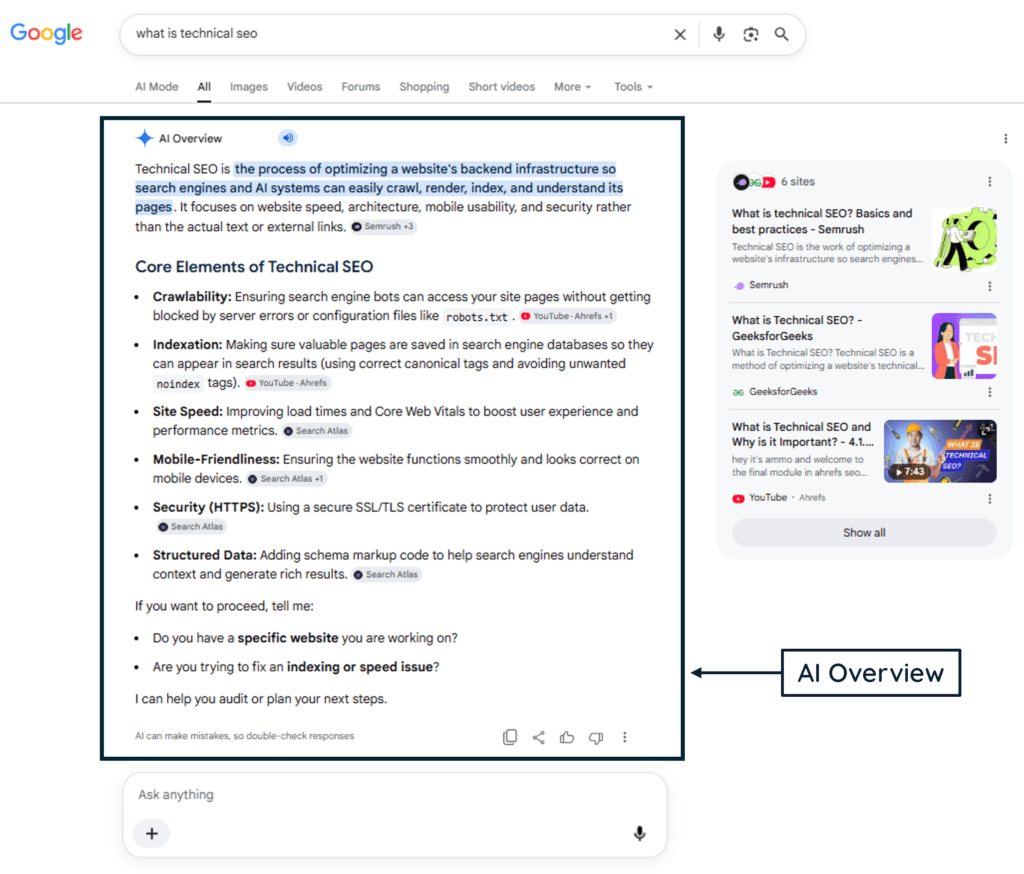
AI Overviews use generative AI to synthesize information for searches where Google’s systems determine that an AI-generated response adds value. They can also include links that allow users to explore supporting sources in more depth.
Google does not require a special AI Overview schema or llms.txt file. However, webpages must meet normal Search technical requirements, be indexed, and be eligible to appear with a snippet. Additionally, the site must be included in Search generative AI features in Search Console.
Zero-Click Searches
A zero-click search occurs when a search session does not produce a click to an external website. The user may receive the necessary information directly on the SERP, refine the search, interact with a search feature, or simply stop searching.
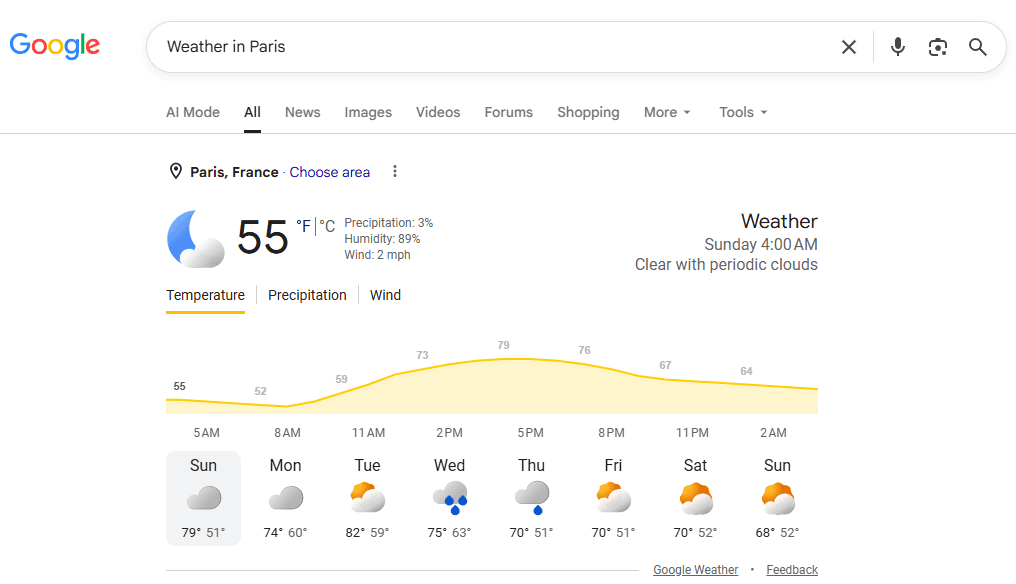
Zero-click behavior matters because greater visibility does not always translate proportionally into website traffic. A 2026 randomized field experiment found that, when AI Overviews appeared in the tested searches, they reduced outbound organic clicks by 39.8% and increased zero-click behavior by 34.5%. These results apply to the study’s experimental setting rather than every query or website, but they provide evidence that SERP design can materially affect clicking behavior.
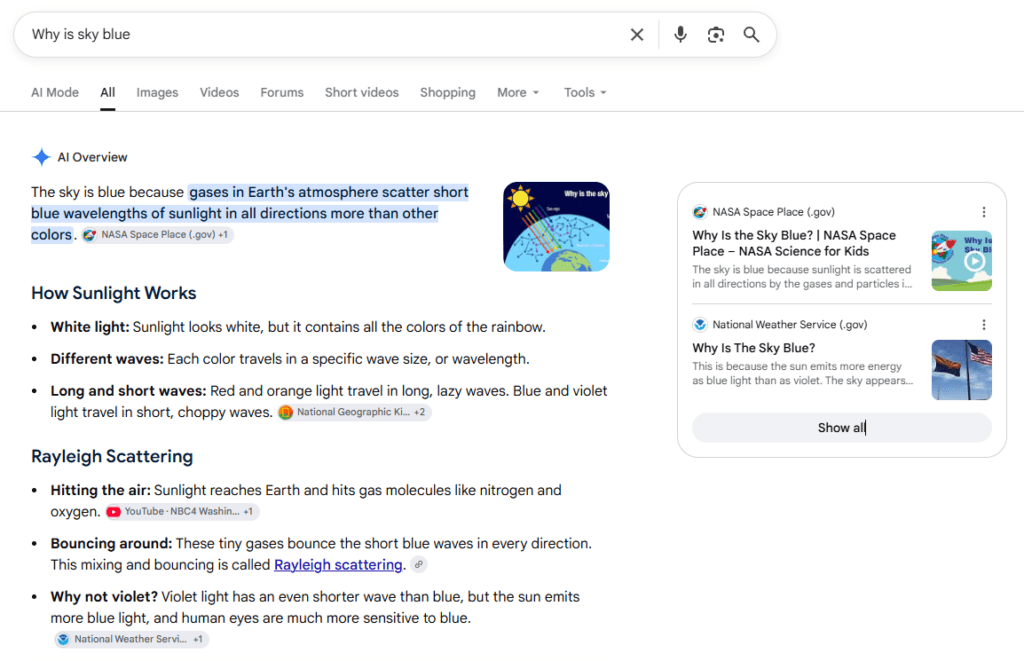
In short, marketers should measure both visibility and traffic. Appearing prominently may still contribute brand exposure or later discovery, but business outcomes usually require understanding whether search visibility leads to meaningful visits and actions.
How to Optimize for SERPs and Search Features
SERP optimization should begin with the actual results page rather than a generic checklist. Search the target query and examine whether the SERP emphasizes conventional links, images, videos, local businesses, products, discussions, news, or AI-generated information.
Match Content With Search Intent
The content format should reflect what the searcher is trying to accomplish. A step-by-step demonstration may suit video, a local service query may require strong business information, and a comparison query may call for detailed structured content rather than a brief definition.
Optimize Titles and Search Snippets
Write accurate, descriptive titles and meta descriptions that represent the page clearly. However, remember that Google can generate title links and snippets from several sources and may display different snippets for different queries.
Structure Content Clearly
Concise definitions, logical headings, direct answers, useful tables, and well-organized explanations make information easier for readers to understand and can also make individual passages suitable for prominent search presentation.
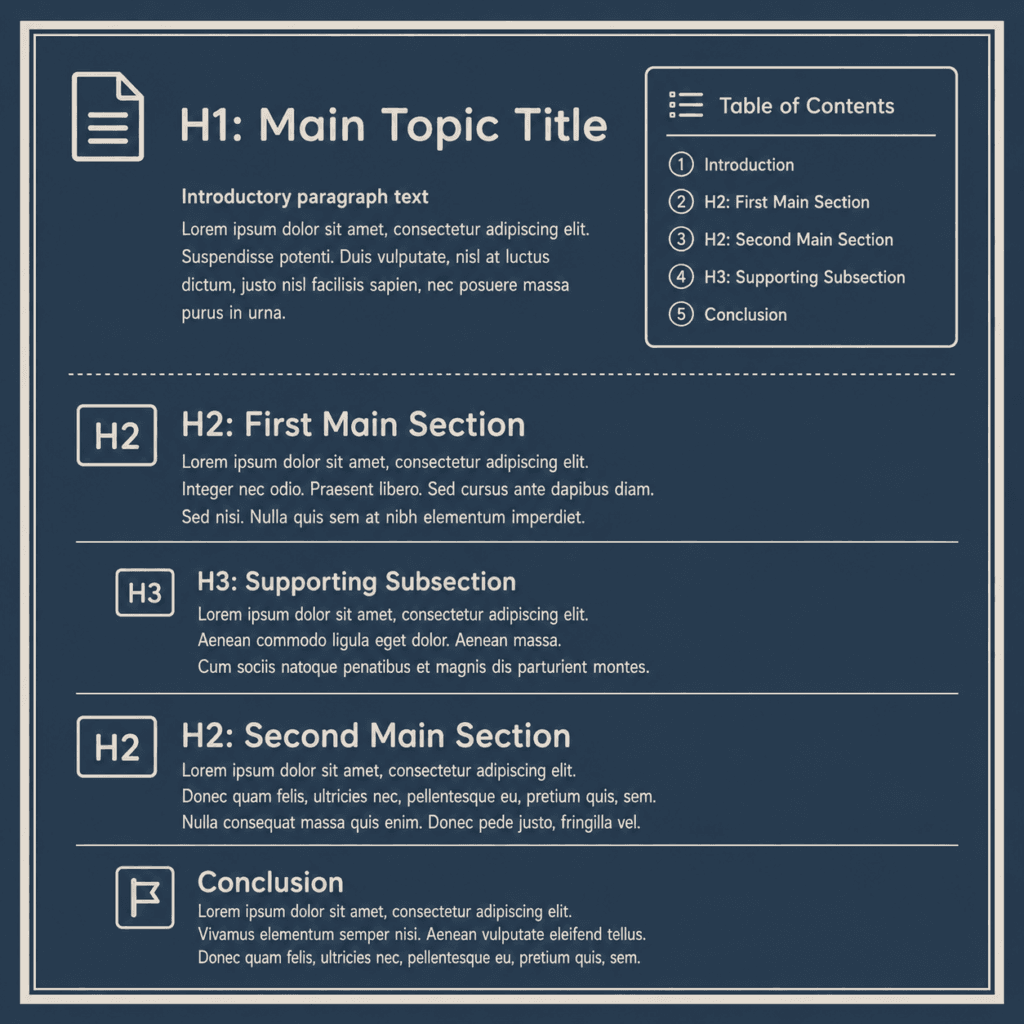
This does not mean mechanically formatting every paragraph as a featured-snippet attempt. Clarity should serve the reader first.
Use Supported Structured Data
Structured data should accurately represent visible page content and follow the requirements for the relevant type. It can improve eligibility for richer Search appearances, but Google explicitly states that even valid markup or structured data does not guarantee a rich result.
Optimize Images, Videos, and Local Information
Where visual or local features dominate the SERP, text optimization alone may leave valuable opportunities unused. Relevant images, useful videos, accurate business details, and appropriate structured information can help a page compete across additional search surfaces. Effective media and accessibility practices also help ensure visual content remains useful, understandable, and technically efficient.
Strengthen Site Structure
Logical navigation and internal linking help users find related resources and can also support search features such as sitelinks. Therefore, SERP optimization should not be treated only as an individual-page exercise.
SERP Testing, Tools, and Optimization Checklist
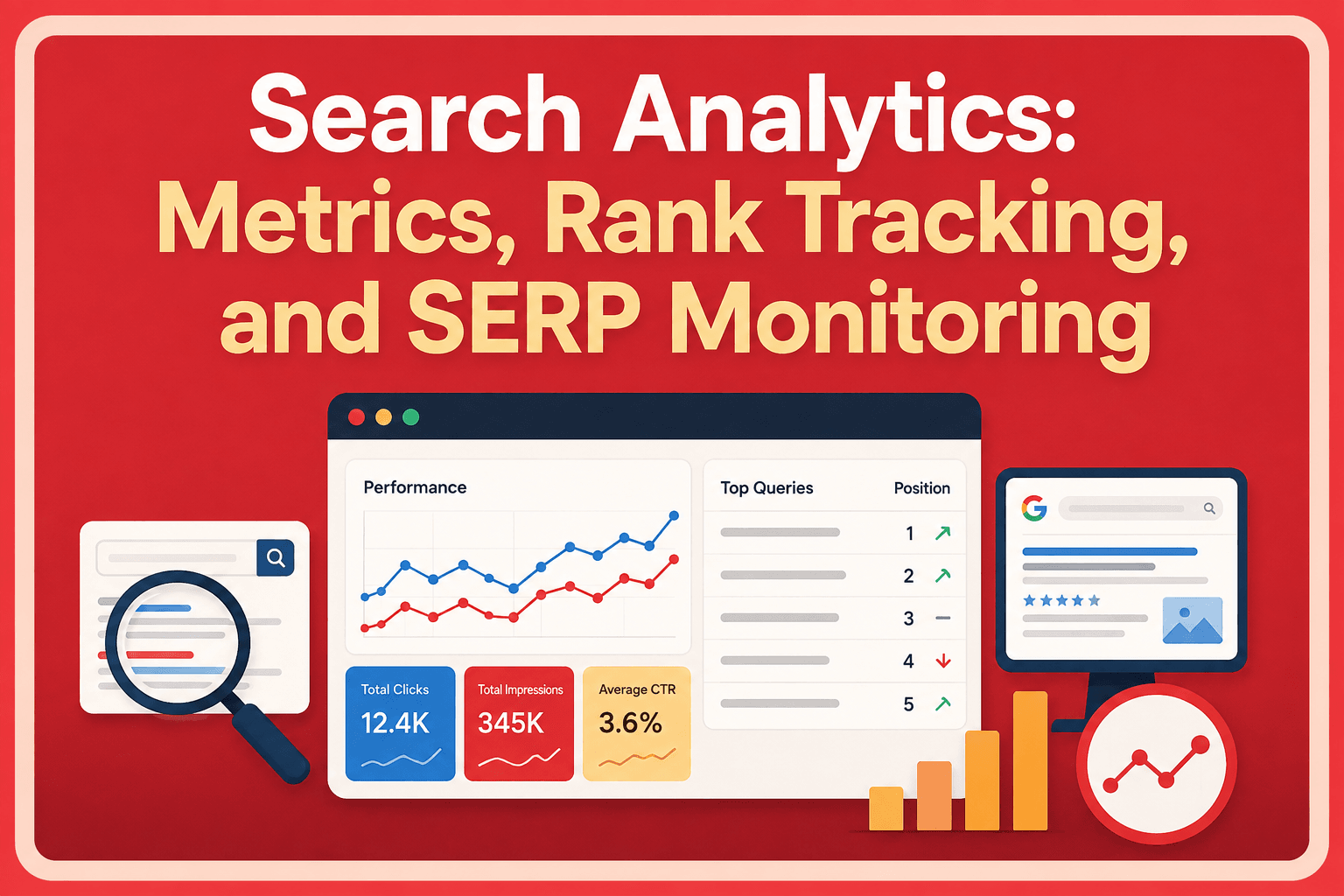
No single tool can predict exactly how every SERP will look because search results can vary by query, device, location, and time. A combination of first-party diagnostics, live SERP checking, and preview tools is more useful.
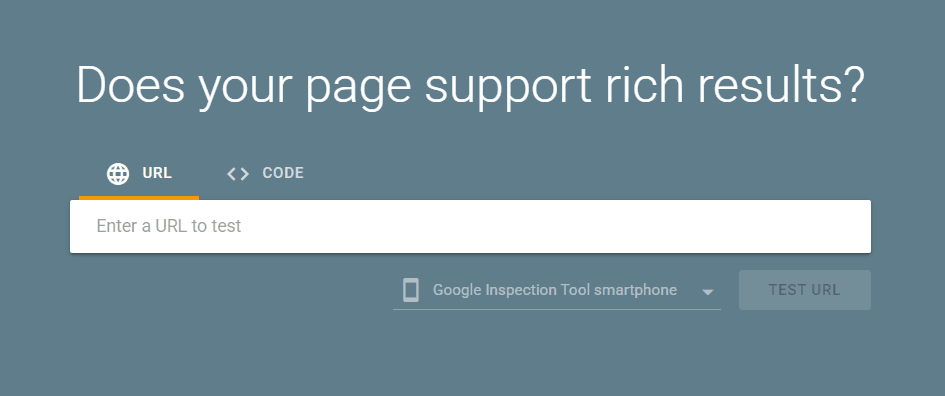
The Rich Results Test checks which rich results may be generated from supported structured data, while Google’s URL Inspection tool provides information about the indexed version of a page and detected enhancements. Bing offers similar URL inspection and Search performance capabilities through its webmaster platform.
For visual previews, the Mangools SERP Simulator and Portent SERP Preview can help review title and meta-description presentation, while Semrush SERP Checker can show current rankings and detected SERP features.
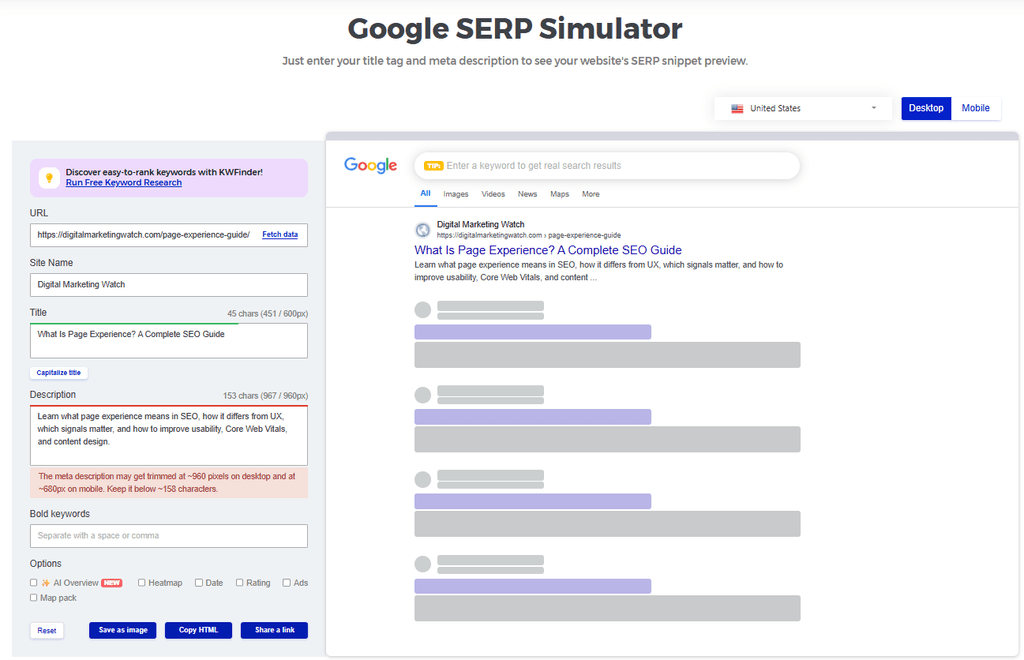
A practical SERP optimization review should include:
- Inspect the live SERP before optimizing the page so the intended content format reflects the features and search intent currently associated with the query.
- Review title links and snippets for clarity and accuracy, while remembering that search engines may generate their own presentation.
- Validate relevant structured data and correct critical errors without assuming that valid markup guarantees a richer result.
- Review image, video, local, product, and discussion opportunities when those formats are prominent in the target SERP.
- Check important pages in Search Console and Bing Webmaster Tools to identify actual impressions, clicks, indexing status, and supported search appearances.
- Measure changes after optimization rather than judging success from a simulator or one manual search.
Common mistakes include trying to force a featured snippet, adding irrelevant structured data, treating every PAA question as a separate content opportunity, stuffing titles for attention, and optimizing for a SERP feature that does not match search intent. Another mistake is assuming that a simulator represents the final search result; preview tools can approximate presentation, but search engines ultimately control what users see.
The Future of Search Results
Search results are becoming more dynamic, visual, interactive, and AI-assisted, but specific features will continue to change. Google regularly adds, modifies, and retires Search appearances; for example, FAQ rich results stopped appearing in Google Search in May 2026.
The practical response is not to optimize a website around one temporary feature. Strong SEO still depends on useful content, clear site structure, accurate metadata and structured information, suitable media, and an ability to adapt as search interfaces evolve.
Frequently Asked Questions
What is a SERP in SEO?
A SERP is the search engine results page displayed after a user submits a query.
What are SERP features?
SERP features are specialized or enhanced elements that appear alongside or instead of standard organic listings.
What is the difference between a featured snippet and a rich result?
A featured snippet is an automatically selected extracted answer, while a rich result is an enhanced listing often enabled by supported structured data.
Why do SERPs and search features matter for SEO?
SERPs and search features matter because they determine how organic results are presented and what other elements compete for searcher attention. Images, videos, local results, rich results, AI-generated features, and advertisements can all affect visibility and clicking behavior.
What does Position Zero mean?
Position Zero is an unofficial SEO term historically used for featured snippets appearing above traditional organic results.
Can structured data guarantee a rich result?
No, structured data can make eligible content available for richer presentation, but search engines do not guarantee that the feature will appear.
What is a zero-click search?
A zero-click search is a search session that does not result in a click from the search engine to an external website.
What is the difference between a Knowledge Panel and the Knowledge Graph?
A Knowledge Panel is a visible SERP feature, while the Knowledge Graph is an underlying system for organizing information about entities and their relationships.
Can a website optimize for AI Overviews?
A website can follow established Search and content-quality practices that support eligibility, but there is no special markup that guarantees inclusion in an AI Overview.
How can I monitor SERPs and search features for a keyword?
SERPs and search features can be monitored by inspecting live search results and using Search Console, rank trackers, and SERP-analysis tools to compare visibility and feature changes over time.